THE LIBRARY

Editorial image prompts.

Browse images and open the prompts behind them.

Purple Rabbit Horror Grid

Purple Rabbit Horror Grid

Editorial / Poster

Read full prompt

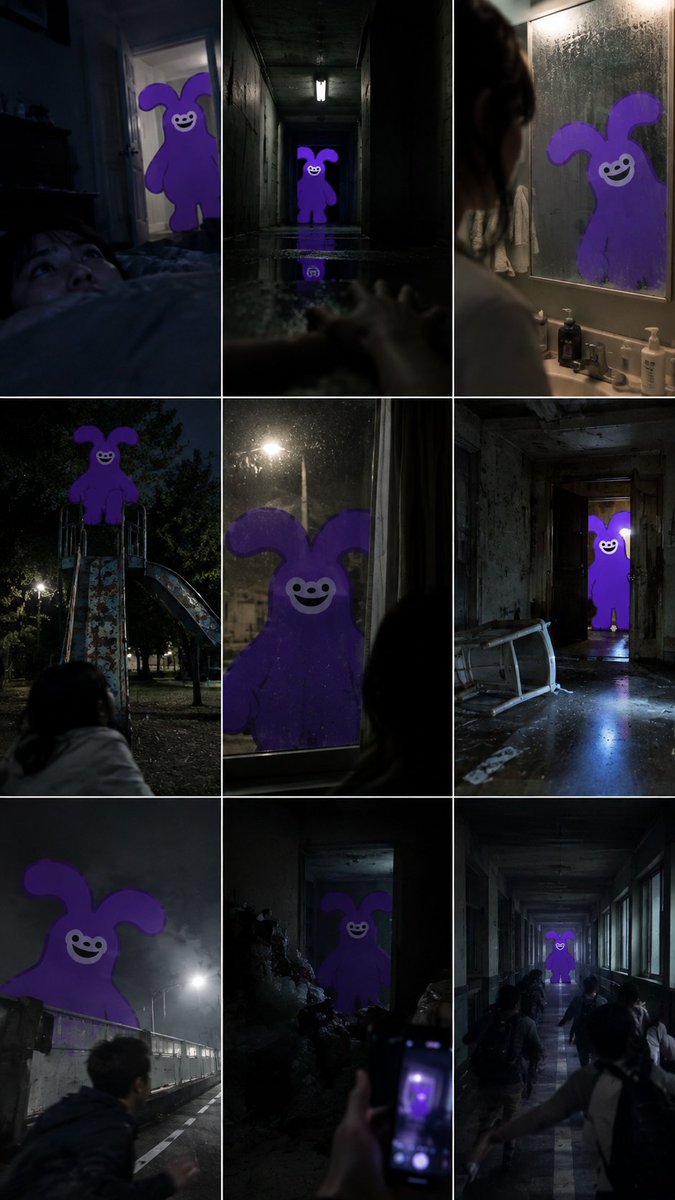
Create a 3x3 grid collage of nine distinct horror-themed images. Each image features the same purple, cartoonish rabbit-like creature with long ears and a wide, unsettling smile, appearing in various eerie settings. Top-left: A person lying in bed, looking up in fear as the purple creature peeks through an open doorway into a dimly lit room. Top-middle: The creature standing at the far end of a dark, narrow hallway with a single light fixture on the ceiling, its reflection visible on the wet floor. Top-right: The creature reflected in a bathroom mirror, with a person's silhouette visible in the foreground. Middle-left: The creature perched atop a playground slide at night, with a person watching from below. Middle-center: A close-up of the creature pressed against a window pane, viewed from inside a dark room. Middle-right: The creature standing in a doorway of a dilapidated, abandoned building with debris on the floor. Bottom-left: The creature looming large in a foggy night sky above a bridge or overpass, with a person running away. Bottom-center: A hand holding a smartphone taking a picture of the creature, which appears to be emerging from a pile of rubble or trash in a dark alley. Bottom-right: The creature walking down a long, empty school hallway lined with lockers, while several students flee in terror.

Sci-Fi Salt Flats Patrol Scene

Sci-Fi Salt Flats Patrol Scene

Editorial / Poster

Read full prompt

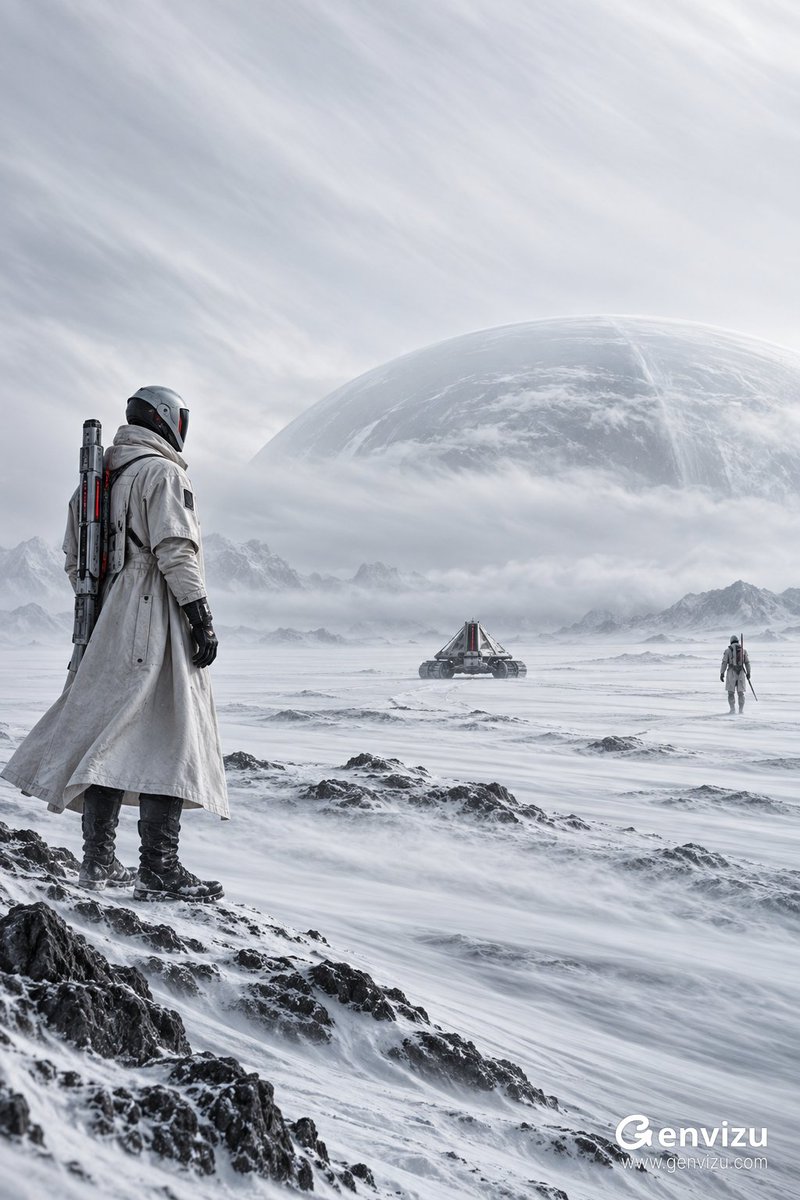
Vertical 2:3 high-end sci-fi art photography. A boundless cold white salt frost wasteland, with a large blank sky occupying the upper half of the frame. In the left foreground stands an identity-less future patrol guard, wearing an ivory-white long structural trench coat and a matte composite material sealed helmet, black gloves and boots, carrying a narrow modular energy spine device on their back; in the far right distance there is only one smaller patrol guard, and slightly to the center is a low triangular tracked probe vehicle. The original circular celestial body is changed to a semi-transparent huge elliptical meteorological dome, hidden in the fog, edges almost disappearing. Characters and equipment use white, graphite black, and a small amount of deep red light gaps, with the subject on the left and vast breathing space preserved on the right. Overcast diffuse light, extremely low contrast but preserving snow grain, fabric texture, and precision machined edges. Long exposure creates silky directional trails in high-altitude thin clouds, surface micro-snow, and distant fog layers, while characters and equipment remain sharp. Monumental blockbuster composition, quiet, alienated, cool, and believable future technology. No text, no logos, no watermarks, no excess neon, no starry sky, no crowded objects.

Cape Town Travel Photo to Journal Illustration

Cape Town Travel Photo to Journal Illustration

Editorial / Poster

Read full prompt

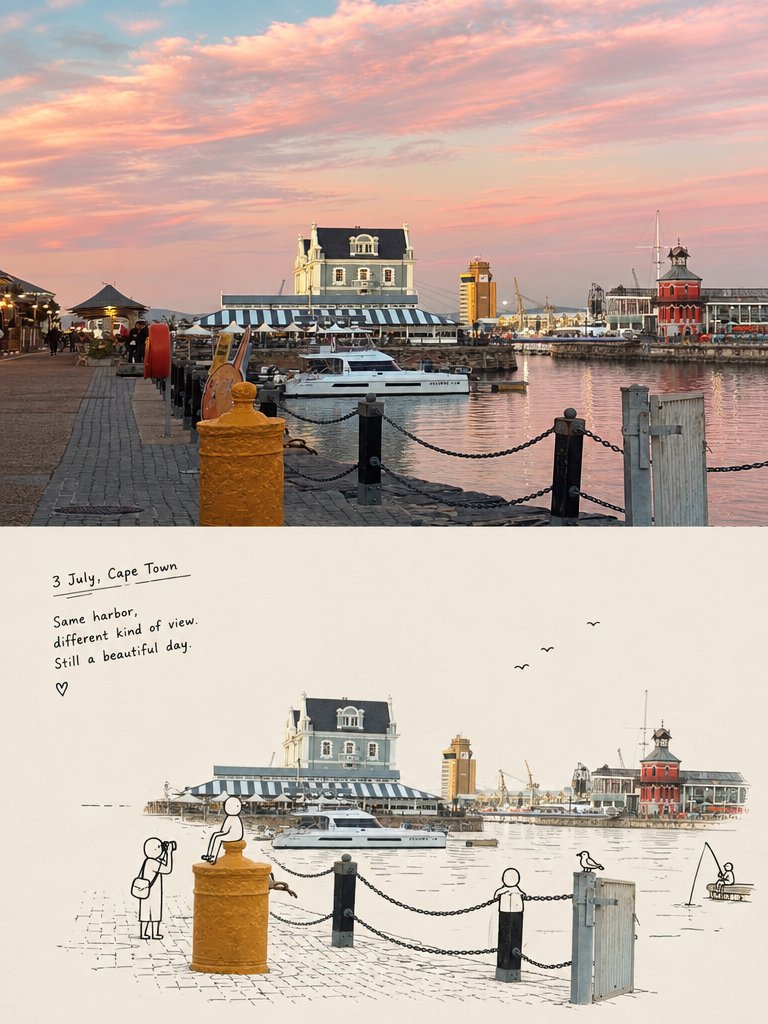
Create a vertical split-screen image divided evenly into top and bottom halves. The top half is a realistic, high-resolution photograph of the Cape Town coastline featuring rugged cliffs, turquoise ocean water, white sandy beach, and green vegetation under a partly cloudy blue sky with natural magazine-style color grading. The bottom half transforms this same scene into a hand-drawn travel journal illustration on textured cream-colored paper. In the bottom left corner, include handwritten text reading "5 July Penguin Town" followed by the quote "Same view, new perspective. Still feels like a good day." Add small doodle details including stick figures hiking on the cliffs, birds flying in the distance, and loose ink sketch lines outlining the terrain features.

Cinematic Triple-Exposure Portrait

Cinematic Triple-Exposure Portrait

Editorial / Poster

Read full prompt

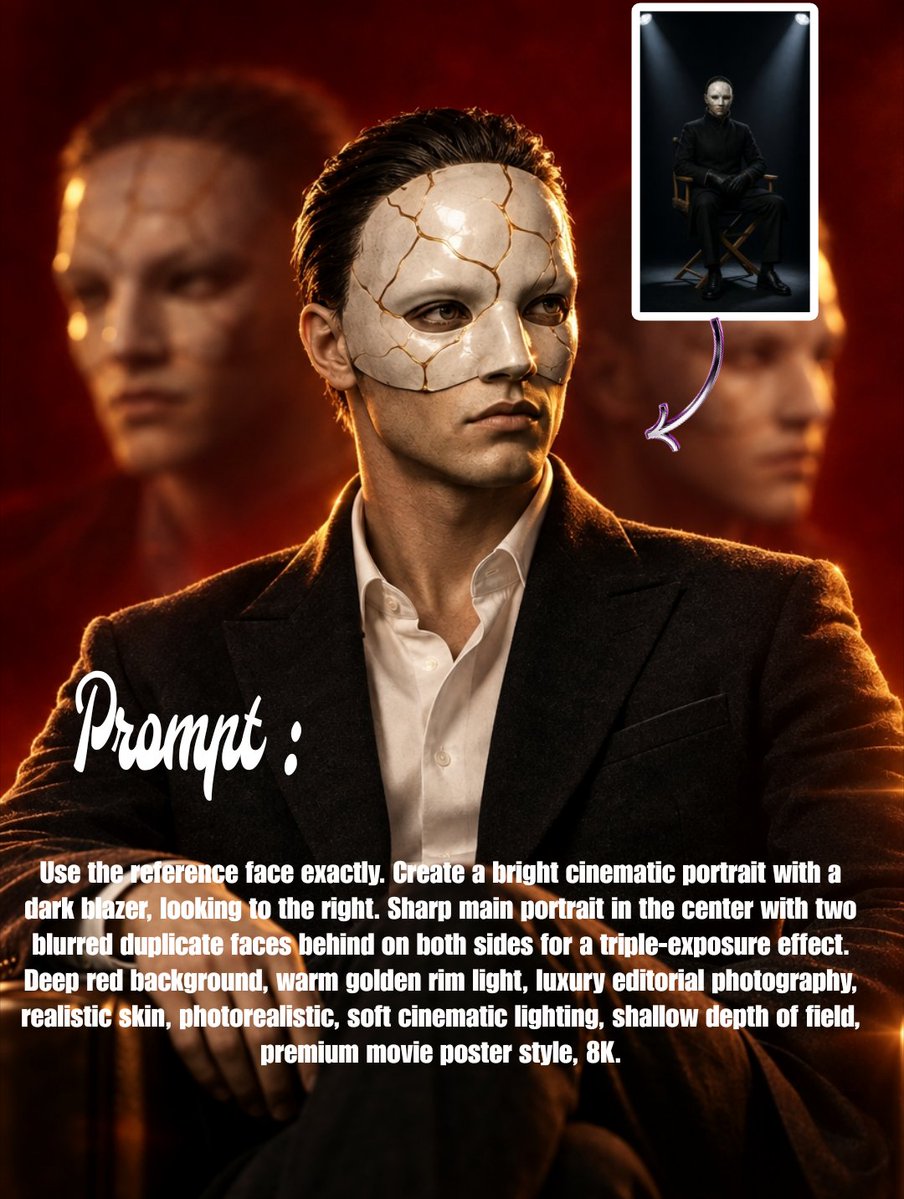
Use the reference face exactly. Create a bright cinematic portrait with a dark blazer, looking to the right. Sharp main portrait in the center with two blurred duplicate faces behind on both sides for a triple-exposure effect. Deep red background, warm golden rim light, luxury editorial photography, realistic skin, photorealistic, soft cinematic lighting, shallow depth of field, premium movie poster style, 8K.

Mid-Autumn Festival Poster Collection

Mid-Autumn Festival Poster Collection

Editorial / Poster

Read full prompt

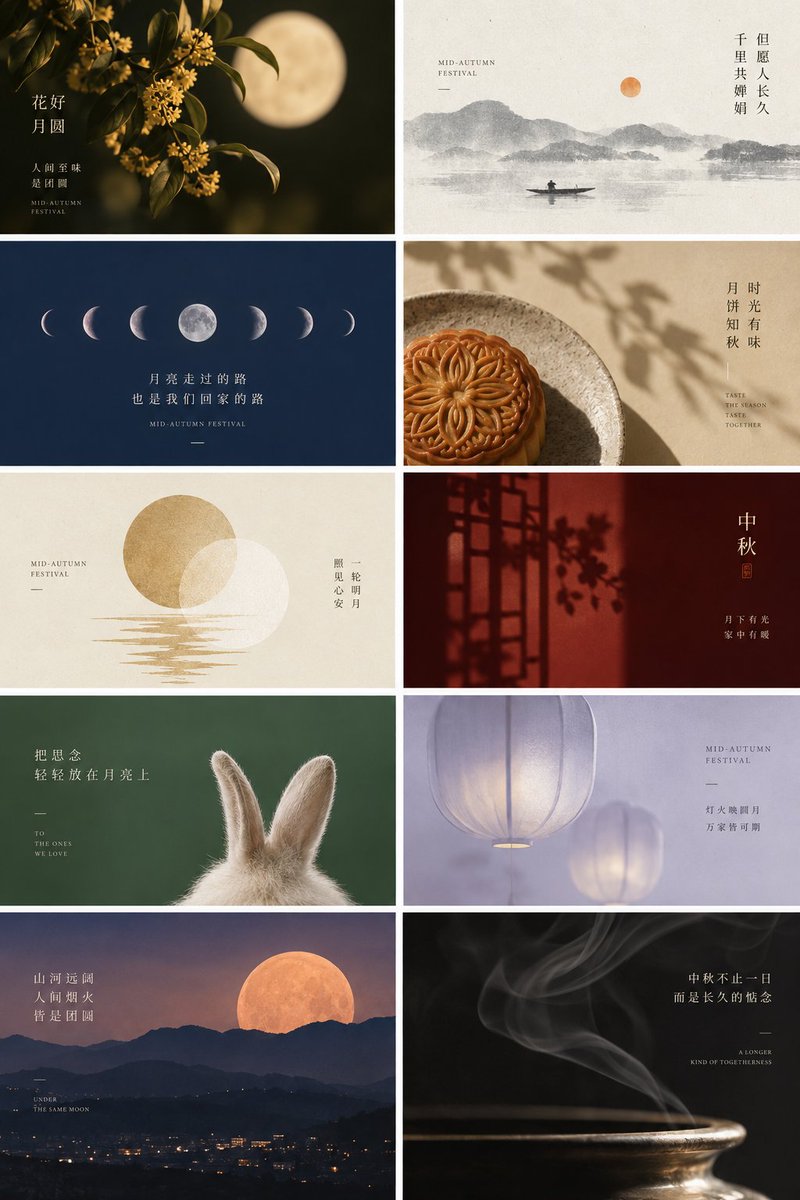
Create a vertical collage of 10 distinct Mid-Autumn Festival poster designs arranged in a grid (2 columns, 5 rows). The overall aesthetic is 'New Chinese Style'—minimalist, elegant, and poetic. Each panel should feature high-quality imagery combined with refined typography. Panel 1 (Top Left): A close-up of golden osmanthus flowers against a dark background with a large, soft-focus full moon behind them. Text: "花好月圆" (Blooming Flowers & Full Moon) vertically on the left, small text "人间至味是团圆" below it. Panel 2 (Top Right): A traditional ink wash painting style landscape with misty mountains and a tiny boat on water. An orange sun/moon hangs in the sky. Text: "但愿人长久,千里共婵娟" (May we all be blessed with longevity...) vertically on the right. Panel 3 (Row 2 Left): A deep blue night sky featuring a horizontal sequence of moon phases from crescent to full and back. Text centered below: "月亮走过的路,也是我们回家的路" (The path the moon has traveled is also the path home). Panel 4 (Row 2 Right): A top-down photography shot of a baked mooncake on a rustic ceramic plate, with dappled leaf shadows cast across the scene. Warm beige tones. Text: "时光有味,月饼知秋" vertically on the right. Panel 5 (Row 3 Left): A minimalist graphic design on cream paper texture. A gold circle overlaps a white circle, with stylized gold lines representing water ripples below. Text: "一轮明月,照见心安" vertically on the right. Panel 6 (Row 3 Right): A moody red interior scene showing the silhouette of a traditional Chinese window lattice casting shadows on a wall. Text: "中秋" (Mid-Autumn) in large characters on the right, with "月下有人,家中有暖" below. Panel 7 (Row 4 Left): A fluffy white rabbit seen from behind, looking up at a dark green background. Soft lighting. Text: "把思念轻轻放在月亮上" (Gently place longing on the moon) on the left. Panel 8 (Row 4 Right): Two glowing translucent lanterns floating in a soft lavender/purple haze. Ethereal atmosphere. Text: "灯火映圆月,万家皆可期" on the right. Panel 9 (Bottom Left): A scenic landscape photo of a huge orange moon rising over silhouetted mountain ranges and city lights below. Text: "山河远阔,人间烟火,皆是团圆" on the left. Panel 10 (Bottom Right): A macro shot of incense smoke swirling elegantly upwards against a black background, illuminated by warm light. Text: "中秋不止一日,而是长久的惦念" on the right.

Amateur Photography Fail Collage

Amateur Photography Fail Collage

Editorial / Interface

Read full prompt

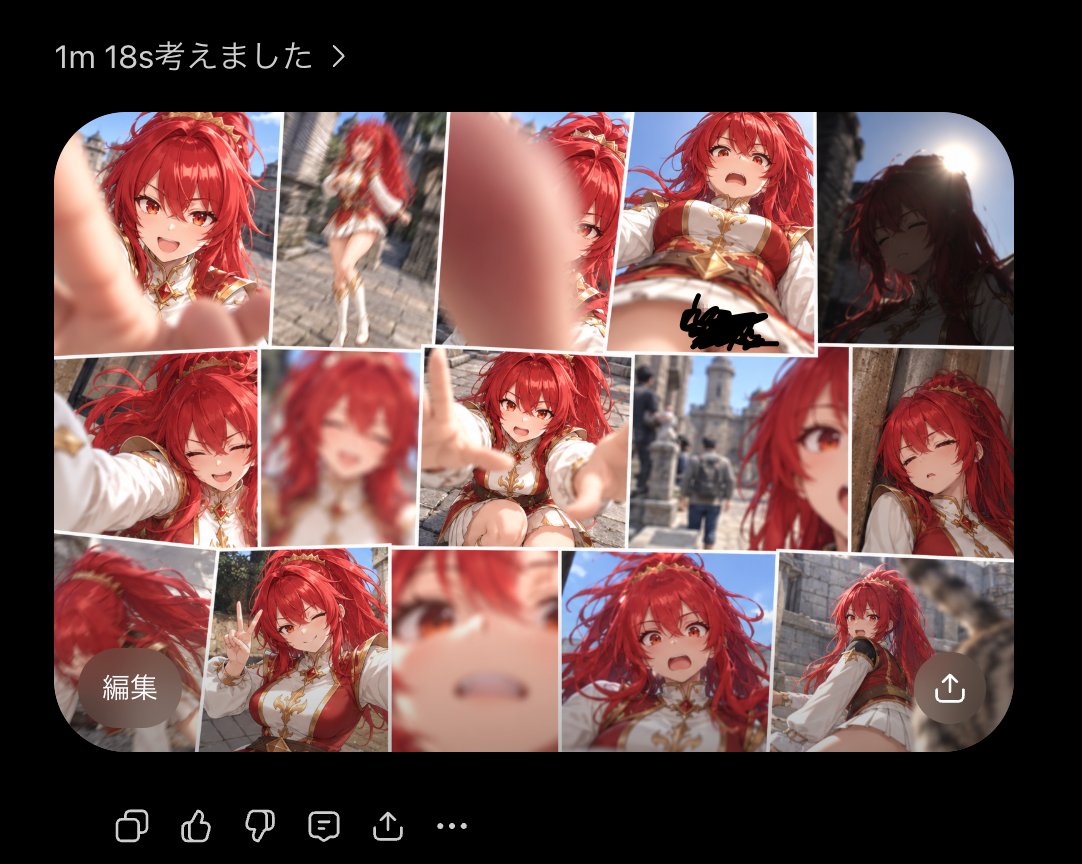
Using the provided reference image of the character, generate a collage of {argument name="number of photos" default="15"} distinct snapshots arranged in a grid to simulate a smartphone photo gallery. The theme is "amateur photography fails," so render each snapshot with realistic camera errors including extreme motion blur, accidental finger obstructions covering the lens, harsh backlighting causing silhouettes, and awkward cropping where the subject's face is cut off or too close. Set the background environment for these shots to a {argument name="location" default="medieval stone castle courtyard"}. Include a UI overlay at the top reading "1m 18s考えました >" and buttons labeled "編集" (Edit) and a share icon.

AI Agent LINE Sticker Progress Screenshot

AI Agent LINE Sticker Progress Screenshot

Editorial / Interface

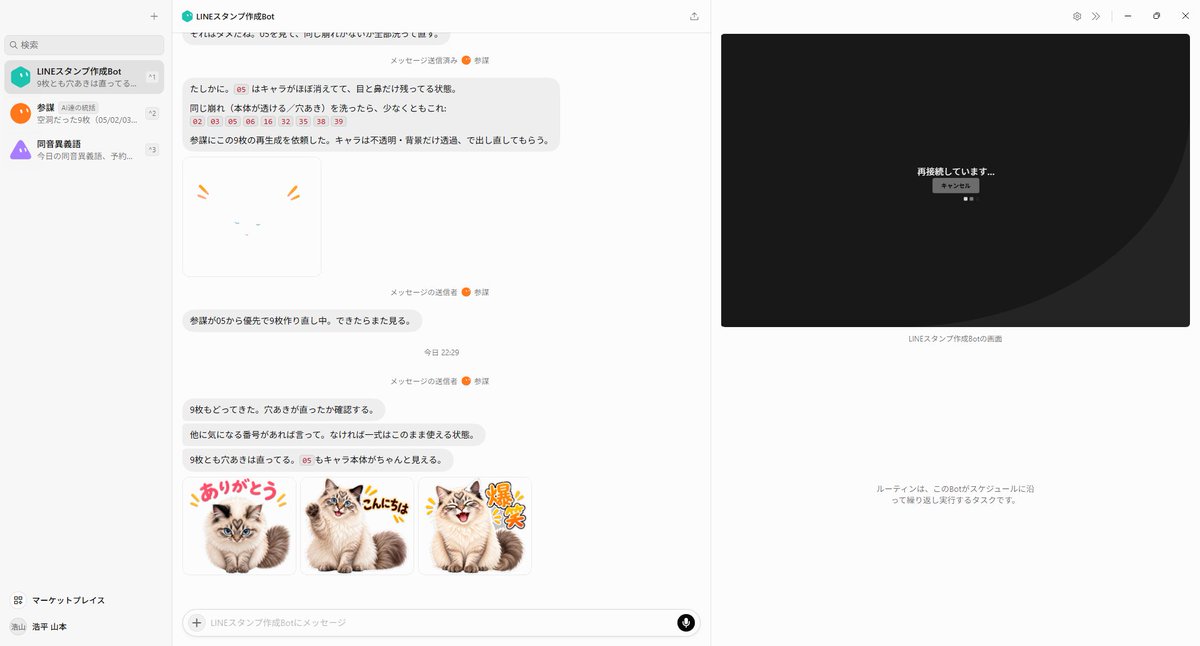
Read full prompt

Using the provided reference image as the base screenshot, update the chat UI to show a later point in the same LINE sticker creation workflow rather than the initial setup. Keep the overall desktop layout, left sidebar, chat app framing, and right-side remote-screen panel consistent, but replace the chat contents with progress/status messages about regenerating stickers and checking transparency. Add exactly 1 failed/unfinished sticker preview near the upper-middle of the chat: a mostly blank white square with only tiny cat facial marks and two orange emphasis strokes, implying the character disappeared. Add exactly 3 completed sticker thumbnails in a row near the bottom of the chat, all based on the same fluffy cat from the reference materials, with transparent/white sticker-style backgrounds and colorful Japanese LINE-sticker lettering: 1) {argument name="first sticker text" default="ありがとう"} with the cat sitting cutely, 2) {argument name="second sticker text" default="こんにちは"} with the cat smiling and waving/posing, 3) {argument name="third sticker text" default="爆笑"} with the cat laughing energetically. Use a playful sticker aesthetic with thick outlined text, small comic accent marks, and clean cutout edges. On the right-side remote panel, replace the file-browser view with a dark reconnection screen showing centered Japanese text {argument name="connection status text" default="再接続しています..."} and a small cancel button beneath it. Preserve the sense that this is a live AI-agent chat screenshot documenting automatic sticker generation, not a standalone sticker sheet.

Strawberry Smoothie Website Hero

Strawberry Smoothie Website Hero

Editorial / Interface

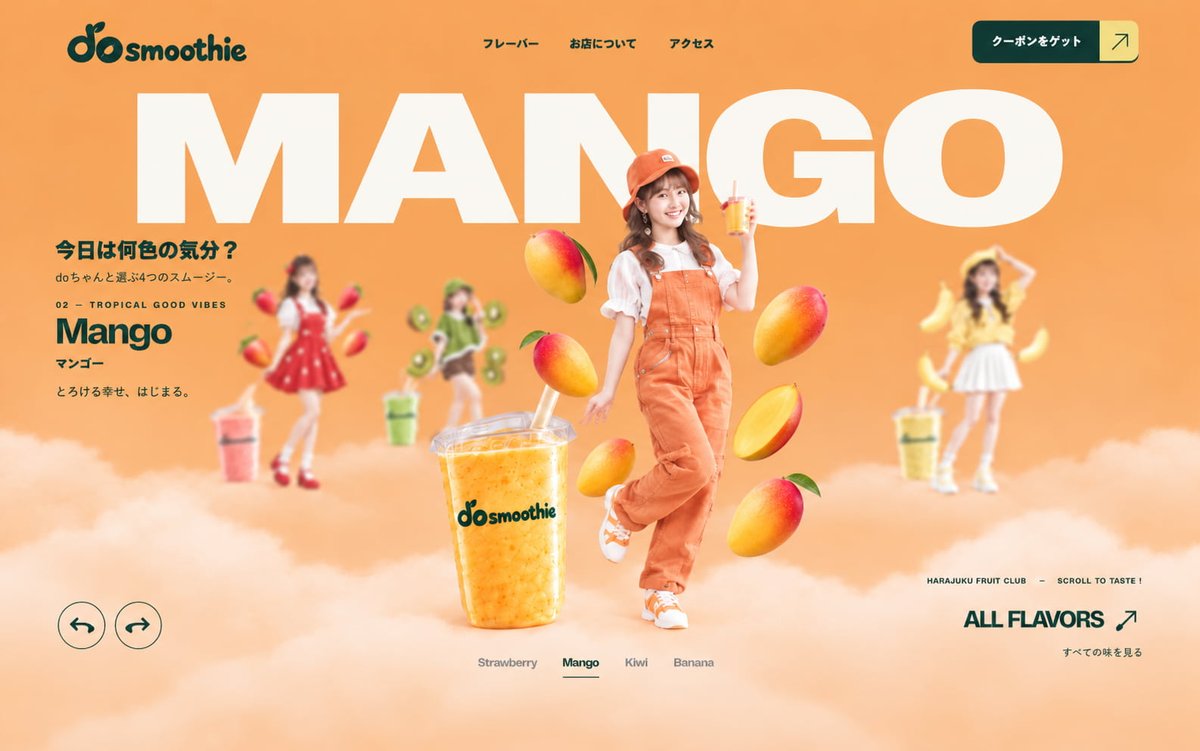
Read full prompt

Goal: Create a photorealistic hero section mockup for a cute Harajuku smoothie brand website, focused on {argument name="flavor" default="Strawberry"}. Canvas: Wide 16:9 web landing page, 1200×750 style composition, full-bleed soft bubblegum-pink background with a fluffy white-pink cloud layer along the bottom third. Use a glossy Japanese pop commercial style mixing realistic photography, oversized typography, and playful fruit graphics. Layout: Top navigation bar with the dark teal “do smoothie” logo at top left, three small Japanese nav links centered across the top, and a dark teal rounded coupon button at top right with a pale yellow square arrow segment. Behind everything, place one huge cream-white uppercase word “STRAWBERRY” spanning almost the full width, cropped slightly by the page edges. Center foreground features a smiling young Japanese woman standing in front of the giant word, with floating strawberries around her and a large strawberry smoothie cup near her feet. Left side contains the product copy block. Bottom left contains exactly 2 circular outline arrow buttons: one pointing left and one pointing right. Bottom center contains exactly 4 flavor tabs labeled Strawberry, Mango, Kiwi, Banana, with Strawberry underlined/active. Bottom right contains small microcopy and a large “ALL FLAVORS” link with an arrow. Main subject: A cheerful young Japanese woman, full body, realistic photo cutout, standing slightly right of center. She has long wavy dark brown hair with bangs and small strawberry hair accessories, a bright friendly smile, and a cute idol-like pose with one palm raised. Outfit: red pinafore mini dress with white strawberry-seed dots, white puff-sleeve blouse, white socks with frills, and shiny red platform Mary Jane shoes. Make her crisp and sharply focused. Objects and counted elements: Include exactly 6 floating strawberries around the main subject: two near her upper body, one by her raised hand, one at mid-right, one lower-left near the smoothie cup, and one lower-right near her skirt. Include exactly 1 large transparent plastic smoothie cup in the foreground, filled with pink strawberry smoothie texture, domed lid, straw, condensation, and the “do smoothie” logo printed in dark teal. Include exactly 2 blurred background character/photo cutouts: one on the left in a pale pink/white outfit with banana graphics and a drink, and one on the right in an orange outfit with mango graphics and a drink; keep both smaller, dreamy, and out of focus to emphasize the central strawberry character. Text content: Use Japanese text in the UI where visible. Logo: “do smoothie”. Top nav links: “フレーバー”, “お店について”, “アクセス”. Top button: “クーポンをゲット” plus arrow. Huge headline: “STRAWBERRY”. Left copy block: “今日は何色の気分?” then “doちゃんと選ぶ4つのスムージー。” then “01 — SWEET & LOVELY” then “Strawberry” then “ストロベリー” then “甘いものがほしい日。” Bottom right microcopy: “HARAJUKU FRUIT CLUB — SCROLL TO TASTE !” Large link: “ALL FLAVORS” with arrow, and small Japanese line “すべての味を見る”. Visual style: High-end photorealistic ad composite, soft studio lighting, pastel pink gradient, creamy white typography, dark teal accents, shallow depth of field for background characters, clean modern web design spacing, playful floating fruit, polished commercial realism. Constraints: Keep all text legible and aligned like a real website hero page. Do not add extra navigation items, extra characters, or extra flavor tabs. Avoid watermarks, browser chrome, mobile UI, or visible generation artifacts. Use {argument name="brand name" default="do smoothie"} branding consistently, a {argument name="primary color" default="bubblegum pink"} background, and a {argument name="model style" default="photorealistic Japanese idol commercial model"} central character.

Premium Editorial Poster Prompt

Premium Editorial Poster Prompt

Editorial / Poster

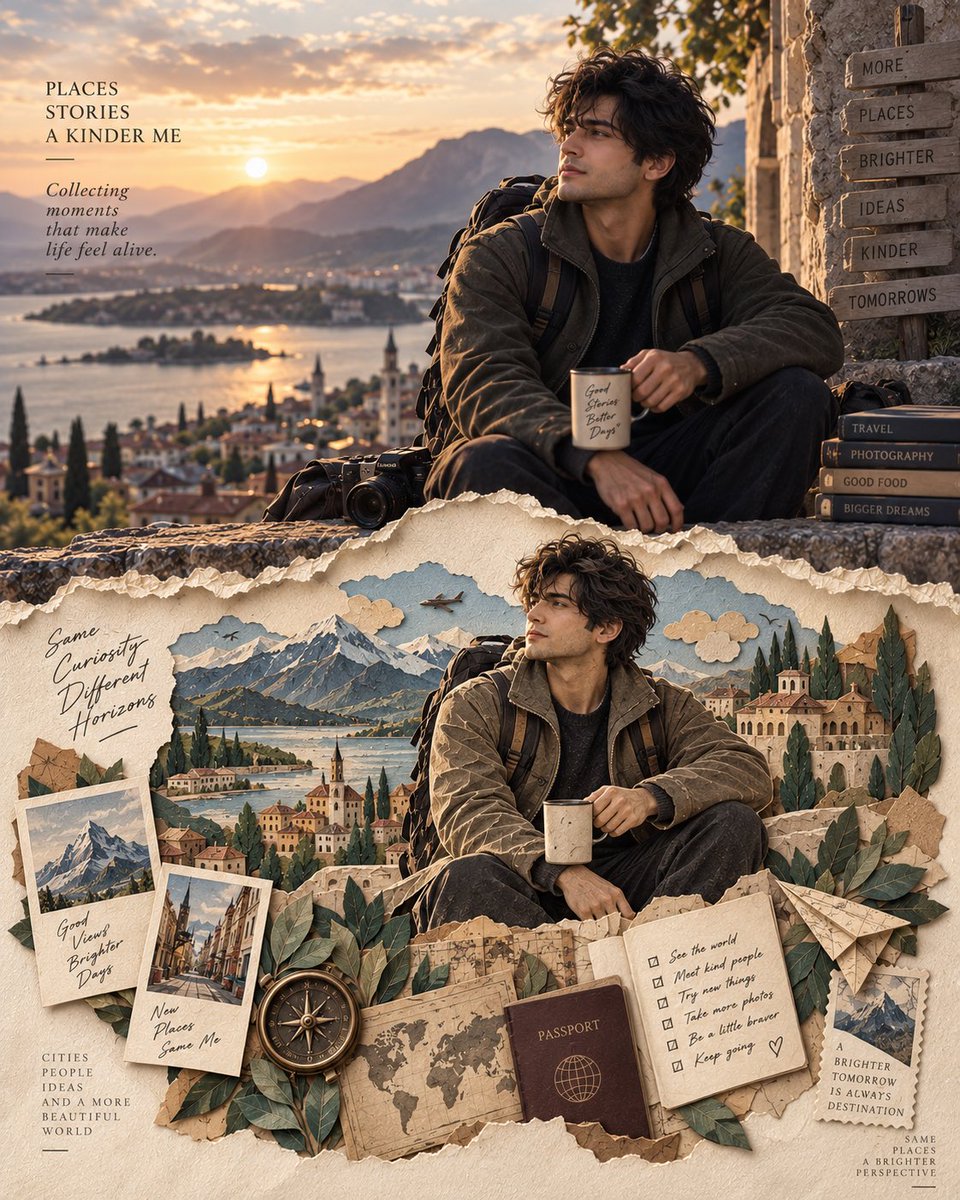
Read full prompt

Create a premium 4:5 editorial art poster featuring an original character and a visually rich personal story. The upper section should be a highly realistic cinematic portrait of the character in a natural environment connected to their story. Give the character a distinctive appearance, authentic expression, realistic skin texture, believable clothing, and carefully composed environmental details. The scene should feel like a frame from a sophisticated travel or lifestyle magazine. Gradually transform the lower section of the same composition into an intricate handcrafted layered paper-cut artwork. Reinterpret the character, surroundings, landmarks, objects, and small narrative elements entirely through cut and sculpted paper. Use stacked paper layers, finely cut silhouettes, subtle embossing, folded and torn edges, tactile fibers, miniature details, and realistic depth created by delicate shadows. Let the paper artwork visually continue elements from the photograph above, almost as if the real world is unfolding into a miniature handmade world. Include visual motifs connected to the character’s city, profession, passion, travels, or personal journey rather than simply copying the photographic scene. Use a sophisticated palette of warm ivory, parchment, muted earth tones, dusty neutrals, and restrained accent colors, with visible paper grain and handcrafted imperfections. Add elegant editorial typography with a refined serif typeface, a short fictional name or title, and minimal supporting text. Composition: sophisticated magazine cover aesthetic, strong visual hierarchy, generous negative space, balanced symmetry, premium art direction, subtle cinematic lighting, tactile realism, museum-quality paper craftsmanship. The key visual idea is: a real cinematic moment evolving into a handcrafted paper memory. No reference image, no copied composition. Create the character, environment, and narrative from scratch while maintaining a polished, recognizable visual identity throughout.

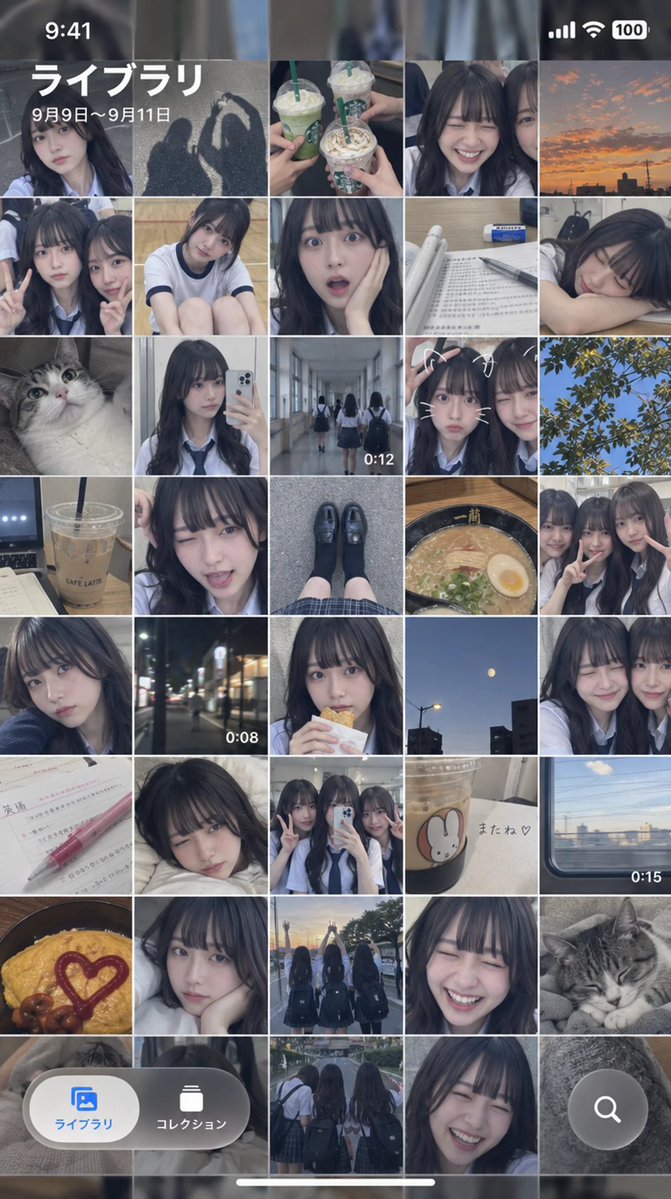
iPhone Camera Roll Mockup

iPhone Camera Roll Mockup

Editorial / Interface

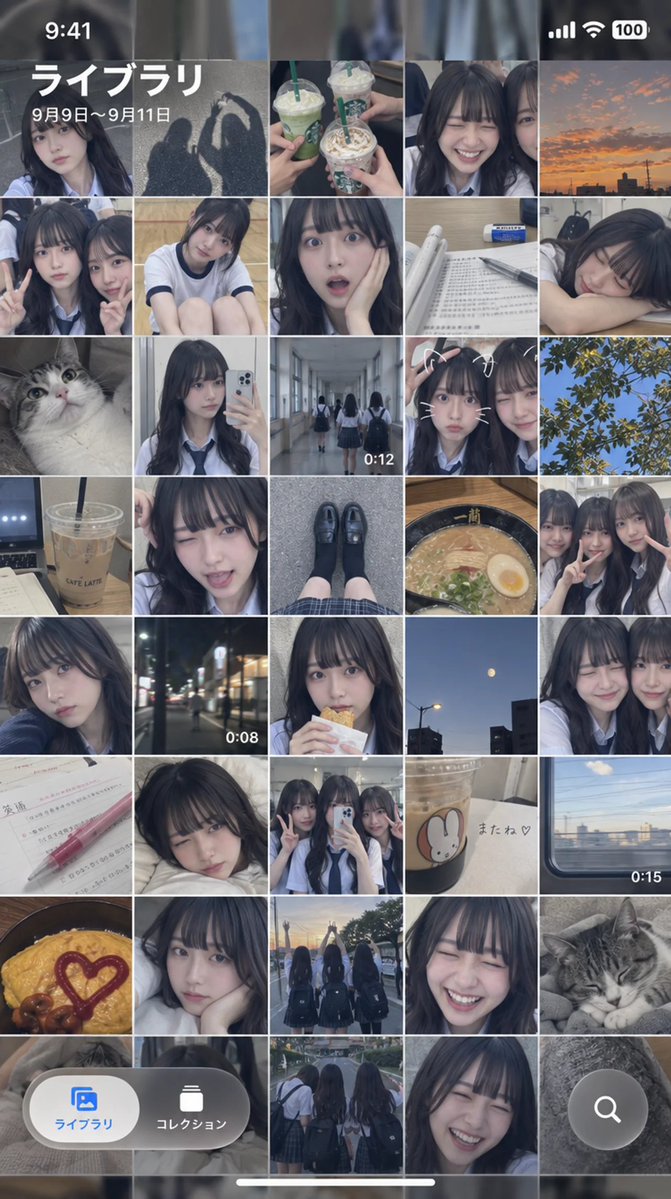
Read full prompt

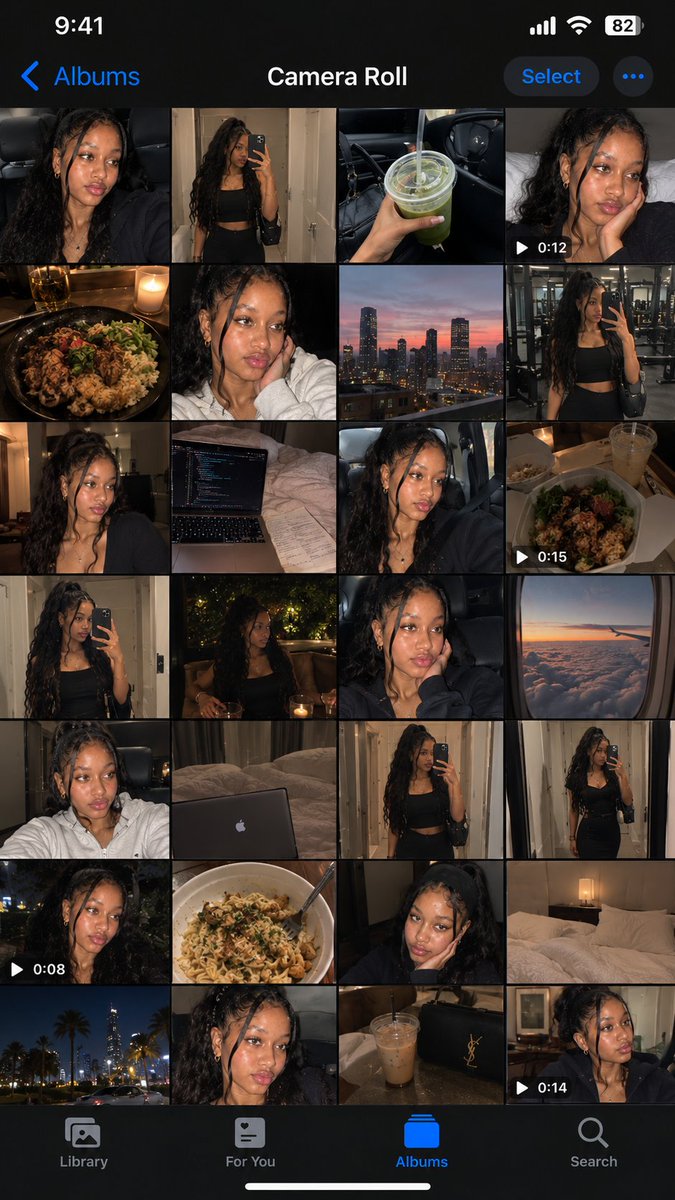
Turn one full day's worth of camera roll for the person in the reference image into a single image that captures the iPhone's Photos app screen as-is. Make it a realistic camera roll that feels like it captures casual everyday moments 9:16 aspect ratio.

Esports Team Poster WORLDS 2026

Esports Team Poster WORLDS 2026

Editorial / Poster

Read full prompt

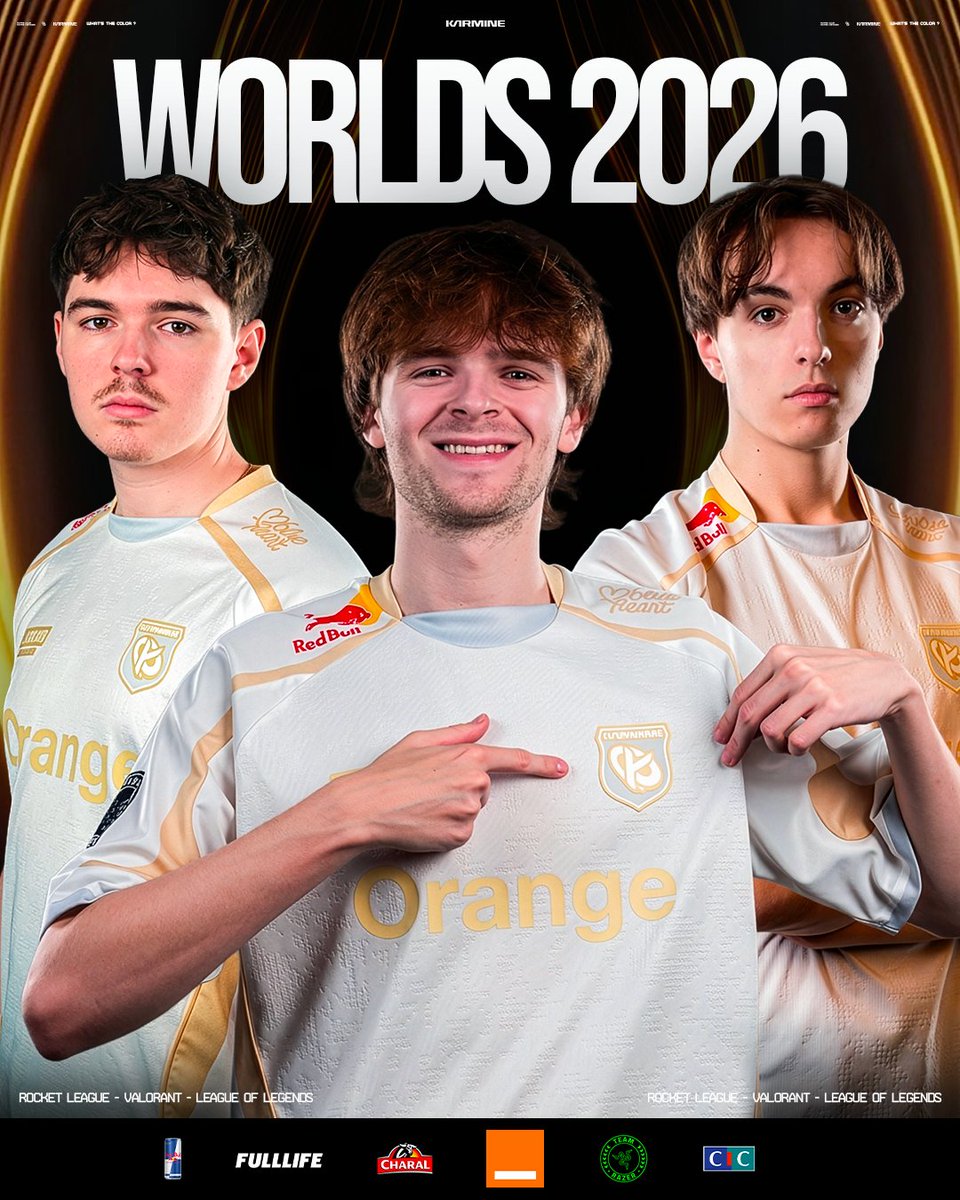
Create a high-resolution, professional esports team poster for "WORLDS 2026". The composition features three young male players wearing matching white and gold gaming jerseys with the prominent sponsor logo "Orange" across the chest. The central player is smiling warmly at the camera, pointing his right index finger toward the left side of the image (his right). He has medium-length brown hair and light facial stubble. His jersey also displays a Red Bull logo on the shoulder. To his left (viewer's left) stands a player with short dark hair and a mustache, looking directly forward with a neutral expression. To his right (viewer's right) is another player with short brown hair, looking slightly off-camera with a serious expression, resting one hand near his collarbone. All three wear identical white jerseys with gold accents and subtle textured patterns. The background is black with elegant golden curved lines radiating outward from behind the central figure, creating a spotlight effect. At the top center, large bold white sans-serif text reads "WORLDS 2026", with smaller stylized text above it reading "KARIMINE". Along the bottom edge, small white uppercase text lists games: "ROCKET LEAGUE - VALORANT - LEAGUE OF LEGENDS" repeated twice symmetrically. Below that, a row of sponsor logos includes: Red Bull can icon, FULLLIFE, CHARAL, an orange square logo, a green circular emblem, and CIC in blue/red blocks. Style: Photorealistic studio portrait lighting, sharp focus on faces, vibrant colors, clean graphic design layout suitable for social media or event promotion.

Football Player Character Design Sheet

Football Player Character Design Sheet

Editorial / Poster

Read full prompt

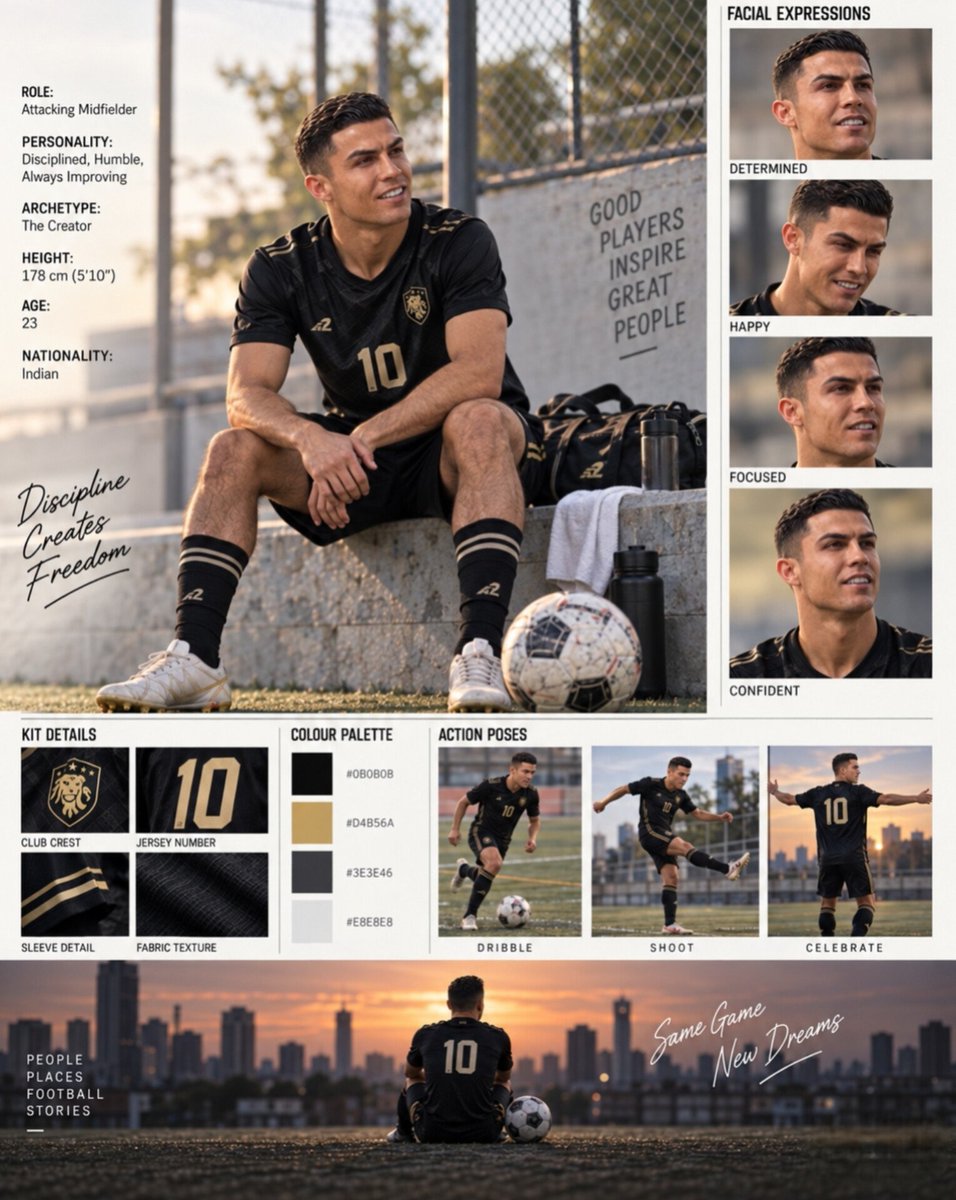
Create a comprehensive character design sheet for a professional football player. The layout should be divided into three main sections: a large hero image, a facial expression grid, and a bottom row of details. **Hero Image (Top Left):** - **Subject:** A young male footballer with short dark hair, sitting on a concrete ledge at an outdoor training ground. - **Attire:** He wears a black kit with gold accents, including a jersey with the number "10" in gold, black shorts, black socks with gold stripes, and white boots. There is a club crest on the chest. - **Props:** A football sits near his feet, along with a black sports bag and water bottle. - **Background:** A chain-link fence with a sign reading "GOOD PLAYERS INSPIRE GREAT PEOPLE". The lighting suggests late afternoon or golden hour. - **Text Overlay (Left Side):** Include a vertical list of attributes: - ROLE: Attacking Midfielder - PERSONALITY: Disciplined, Humble, Always Improving - ARCHETYPE: The Creator - HEIGHT: 178 cm (5'10") - AGE: 23 - NATIONALITY: Indian - **Handwritten Text:** Near the bottom left of this section, write "Discipline Creates Freedom" in a casual script font. **Facial Expressions (Top Right Column):** - Create a vertical column titled "FACIAL EXPRESSIONS" containing four square crops of the player's face showing different emotions. - Label each expression below the image: 1. DETERMINED (looking slightly up, serious) 2. HAPPY (smiling broadly) 3. FOCUSED (intense stare) 4. CONFIDENT (slight smirk) **Bottom Section (Details Row):** - Divide this horizontal strip into three subsections. - **Subsection 1: KIT DETAILS** - Show four close-up squares of the uniform. - Labels: CLUB CREST (gold lion emblem), JERSEY NUMBER (gold '10'), SLEEVE DETAIL (black fabric with gold stripe), FABRIC TEXTURE (close-up of mesh). - **Subsection 2: COLOUR PALETTE** - Display four color swatches vertically with their hex codes next to them: - #0B0B0B (Black) - #D4B56A (Gold) - #3E3E46 (Dark Grey) - #E8E8E8 (White/Light Grey) - **Subsection 3: ACTION POSES** - Show three full-body images of the player in action on a pitch. - Labels: DRIBBLE (running with ball), SHOOT (kicking motion), CELEBRATE (arms outstretched). **Footer Banner:** - At the very bottom, include a wide cinematic shot of the player sitting alone on a rooftop overlooking a city skyline at sunset, back facing the camera, wearing the #10 jersey. - Text overlay on the left: "PEOPLE PLACES FOOTBALL STORIES". - Handwritten text overlay on the right: "Same Game New Dreams".

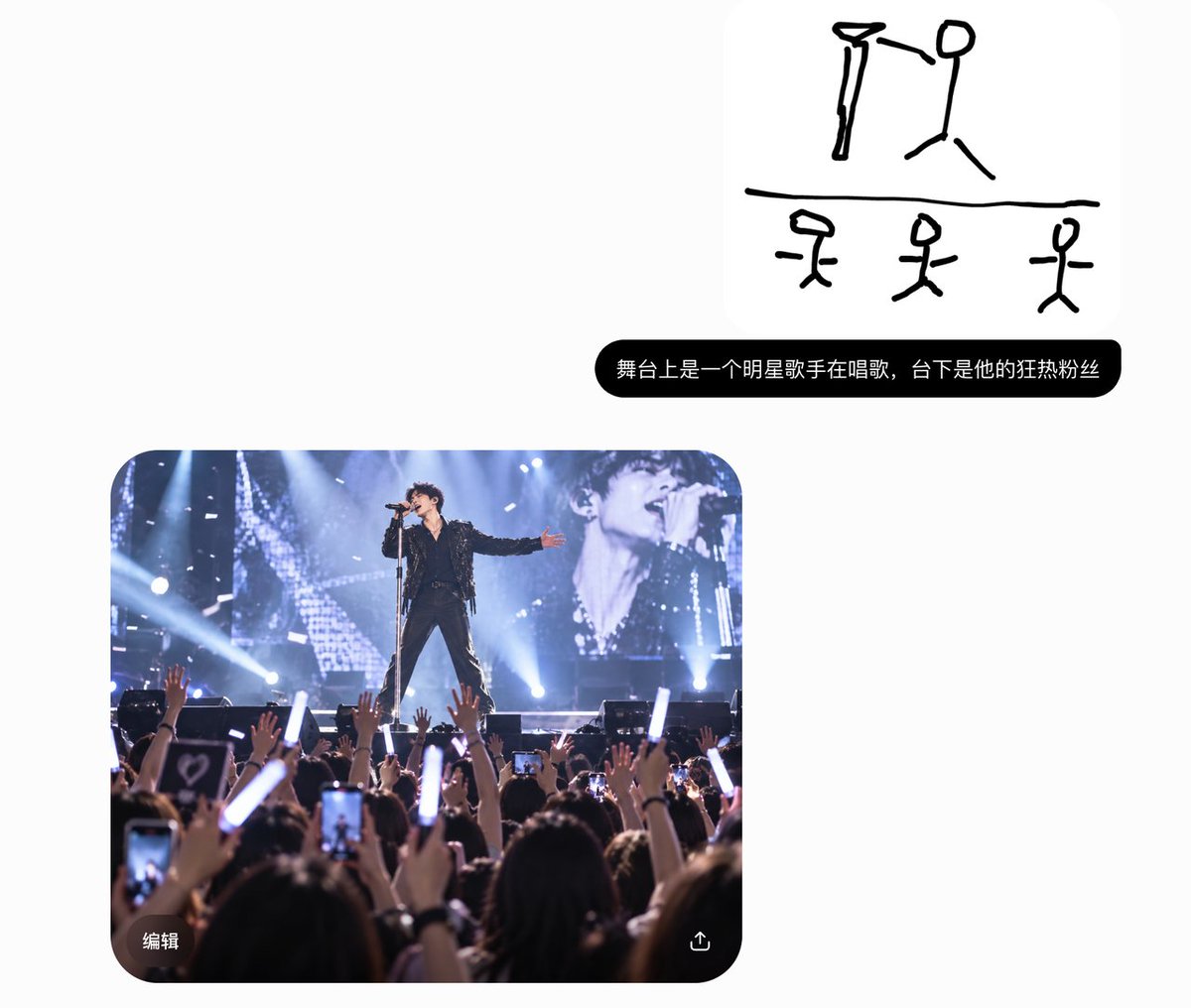
Mobile Sketch Editor Doodle Screenshot

Mobile Sketch Editor Doodle Screenshot

Editorial / Interface

Read full prompt

Goal: Create a clean screenshot-style image of a mobile sketch editor interface showing a rough black doodle on a white canvas, as if drawn with a thick marker in a simple drawing app. Canvas: Square 1:1 image, bright white background, rounded app-window corners, very minimal light-gray UI chrome. Layout: At the top left place one gray X close icon. At the top center place a floating rounded toolbar containing exactly 5 tool icons: cursor arrow, squiggle pen tool highlighted with a pale gray circular background, capital T text tool, overlapping shapes icon, and eraser icon. At the top right place exactly 2 undo/redo curved-arrow icons in light gray. On the left side place one vertical light-gray slider with a round knob near the lower third and a small multicolor sparkle button near the center-left. On the right side of the canvas place one small black circular cursor dot with a thin white ring. Along the bottom place exactly 14 circular color controls: rainbow color wheel, selected black swatch with blue outline and white ring, gray, brown, red, orange, yellow-orange, green, teal, cyan, blue, indigo, purple, and pink. Bottom right has one black circular confirmation button with a white checkmark. Drawing content: Use thick, uneven, hand-drawn black lines with rounded ends, like a finger sketch. The drawing is divided by one long horizontal black line across the lower middle of the canvas. Above the line, draw exactly 2 large stick-figure-like doodles: on the left a tall narrow figure with a triangular/hat-like head and long vertical body; on the right a stick person with an oval head, vertical torso, one bent arm extending left, and two angled legs. Below the line, draw exactly 3 smaller stick figures spaced left, center, and right; each has a simple head shape, vertical body, short horizontal arms, and two angled legs. The left lower figure has a wide angular head, the center lower figure has a small oval head, and the right lower figure has a tilted oval head. Visual style: Minimal iOS-like sketch interface, flat vector UI, no shadows except very subtle toolbar softness, white background, black marker strokes as the dominant element. Keep all doodles intentionally crude and childlike, not polished. Constraints: No readable text in the canvas, no watermark, no photorealism, preserve the exact counts of UI icons, color swatches, and stick figures.

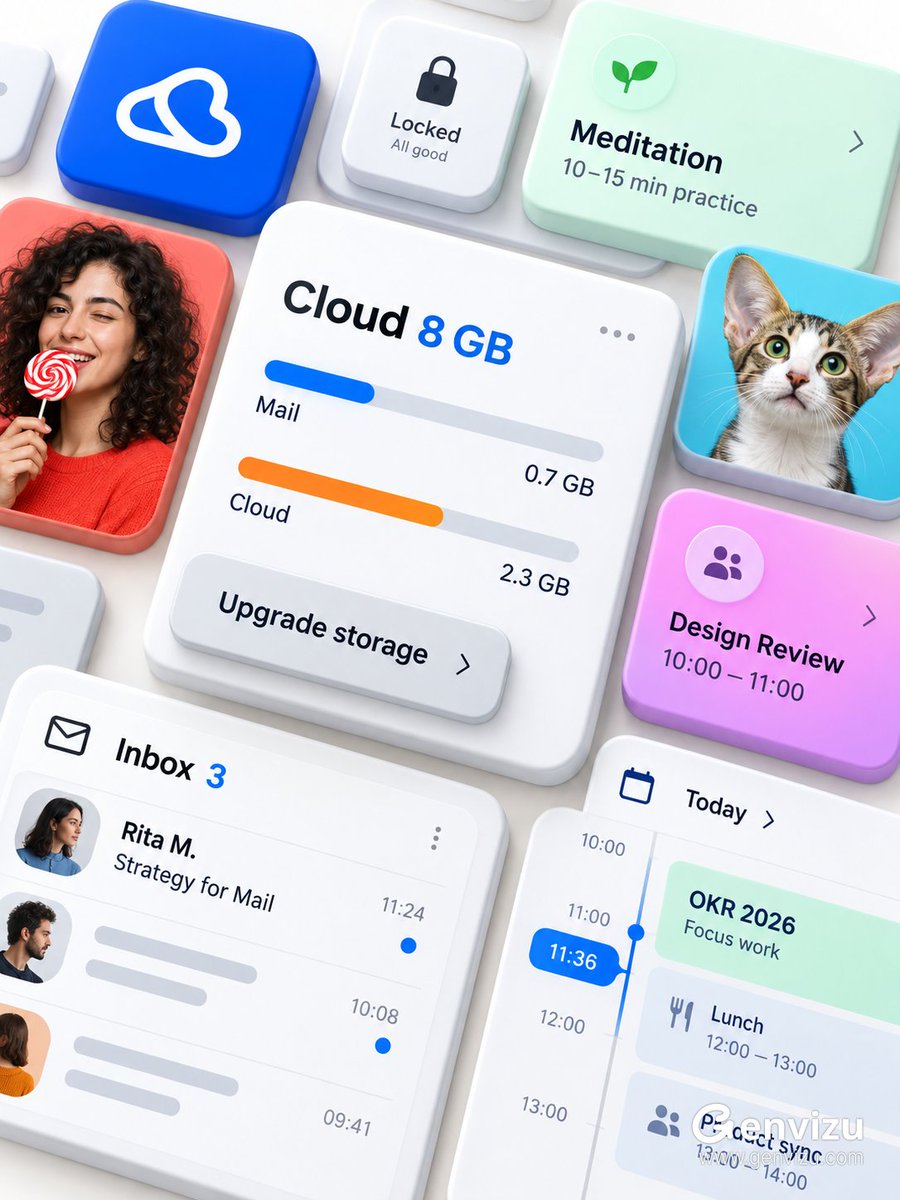
Microsoft 365 UI Mockup Prompt

Microsoft 365 UI Mockup Prompt

Editorial / Interface

Read full prompt

Use case: ui-mockup. Asset type: premium brandless Microsoft 365 / Fluent-inspired modular productivity interface showcase. Create a precise 3:4 portrait composition on a solid opaque warm-white background. The final raster must be fully flattened RGB with no alpha channel and no transparent canvas. Arrange thick rounded UI cards from an oblique top-down view, floating at different heights and overlapping like physical tiles. Center the largest white cloud-storage card with “Cloud 8 GB”, blue and orange storage bars, “Mail 0.7 GB”, “Cloud 2.3 GB”, a three-dot menu and an overlapping “Upgrade storage” button. Surround it with an inbox card “Inbox 3 / Rita M. / Strategy for Mail”, a blue time pill “11:36”, mint “OKR 2026”, pink-purple “Design Review / 10:00—11:00”, mint “Meditation / 10–15 min practice” and a small lock control. Add a cobalt app tile with an abstract white loop glyph, a fictional adult curly-haired woman holding a red-and-white lollipop and a large-eared cat. Use thick white ceramic card bodies, frosted acrylic overlays, restrained elevation and soft shadows; cobalt, coral, cyan, mint, pink-purple and orange accents. Preserve dense diagonal flow and edge cropping. No Microsoft logo, no Office logo, no third-party logo, no watermark, no QR code, no real identities, no old dates, no gibberish.

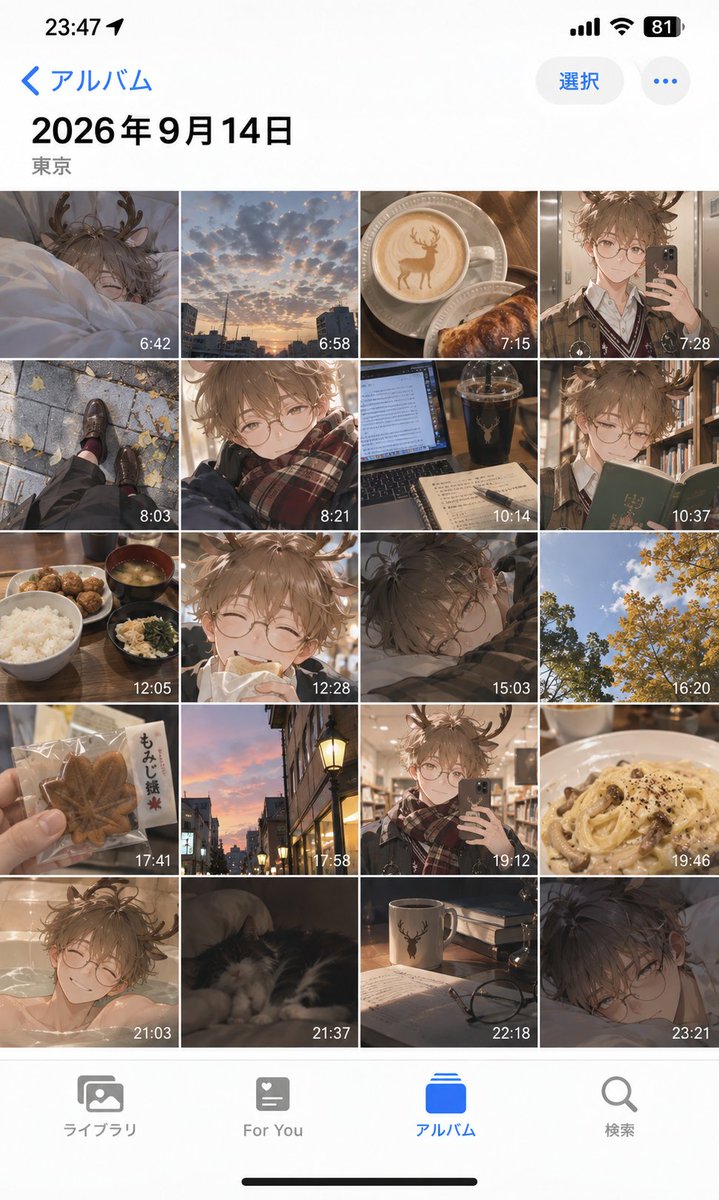
iOS Album Mockup Anime Day in Life

iOS Album Mockup Anime Day in Life

Editorial / Interface

Read full prompt

Goal: Create a realistic iPhone photo album interface mockup displaying a 'day in the life' collection of anime-style photos. Canvas: Vertical smartphone aspect ratio (9:16), iOS light mode aesthetic, clean white background with standard system UI elements. Layout: Top status bar showing time '23:47', battery at 81%, and signal icons. Header area with blue back arrow text '< アルバム' (Album) on left, '選択' (Select) button and ellipsis icon on right. Large bold date header '2026年9月14日' followed by location '東京' (Tokyo). Main content is a dense 4-column grid of square thumbnails. Bottom tab bar with four icons labeled 'ライブラリ', 'For You', 'アルバム' (highlighted in blue), and '検索'. Subject details: The grid contains exactly 20 distinct images arranged chronologically from top-left to bottom-right. Each thumbnail has a small white timestamp overlay in the bottom-right corner. The images alternate between real-life photography styles and anime character illustrations featuring a young man with messy brown hair, round glasses, and deer antlers. Specific Grid Content: Row 1: Character sleeping in bed (6:42), sunset cityscape clouds (6:58), latte art coffee cup with deer design (7:15), character taking mirror selfie (7:28). Row 2: Feet walking on pavement with autumn leaves (8:03), close-up portrait of character smiling (8:21), laptop screen with dark drink (10:14), character reading a green book (10:37). Row 3: Japanese breakfast set with rice and soup (12:05), character eating bread (12:28), character resting head on desk (15:03), yellow ginkgo trees against blue sky (16:20). Row 4: Hand holding maple leaf cookie package (17:41), street lamp at dusk (17:58), character taking library mirror selfie (19:12), creamy pasta dish (19:46). Row 5: Character bathing in tub (21:03), cat sleeping on sofa (21:37), mug with deer logo and glasses on table (22:18), character lying down looking tired (23:21). Visual style: High-fidelity UI mockup. The anime images should have soft lighting and detailed shading, contrasting with the crisp vector-like quality of the phone interface.

Realistic Camera Roll Generation

Realistic Camera Roll Generation

Editorial / Interface

Read full prompt

Generate a one-day camera roll of the person in the reference image as a single screenshot of the iPhone Photos app interface. Make it look like a realistic camera roll capturing casual everyday moments.

Grunge Racing Poster Transformation

Grunge Racing Poster Transformation

Editorial / Poster

Read full prompt

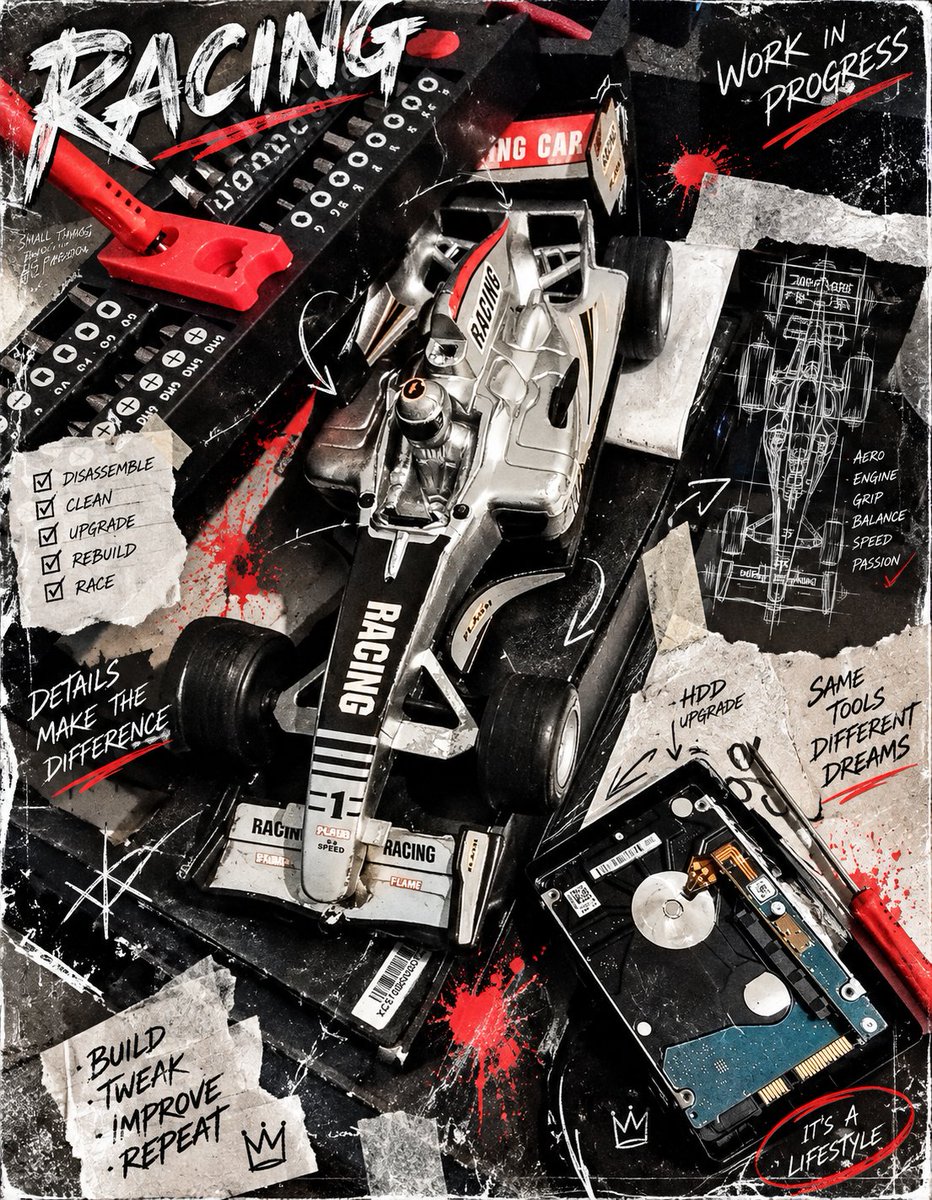
Using the provided reference image of a miniature racing car model, transform it into a gritty, high-contrast 'work in progress' poster. Apply a heavy grunge aesthetic with black and white tones, accented by splashes of red paint. Overlay the scene with torn paper scraps containing handwritten text: 'DISASSEMBLE', 'CLEAN', 'UPGRADE', 'REBUILD', 'RACE', 'DETAILS MAKE THE DIFFERENCE', 'HDD UPGRADE', 'SAME TOOLS DIFFERENT DREAMS', and 'IT'S A LIFESTYLE'. Add technical blueprint sketches of the car's chassis on the right side. Include large, distressed typography at the top reading 'RACING' and 'WORK IN PROGRESS'. Maintain the original composition of the car and tools but enhance the textures to look like a worn-out mechanic's logbook or a street-art collage.

Debussy's Moonlight & Gamelan Collage

Debussy's Moonlight & Gamelan Collage

Editorial / Poster

Read full prompt

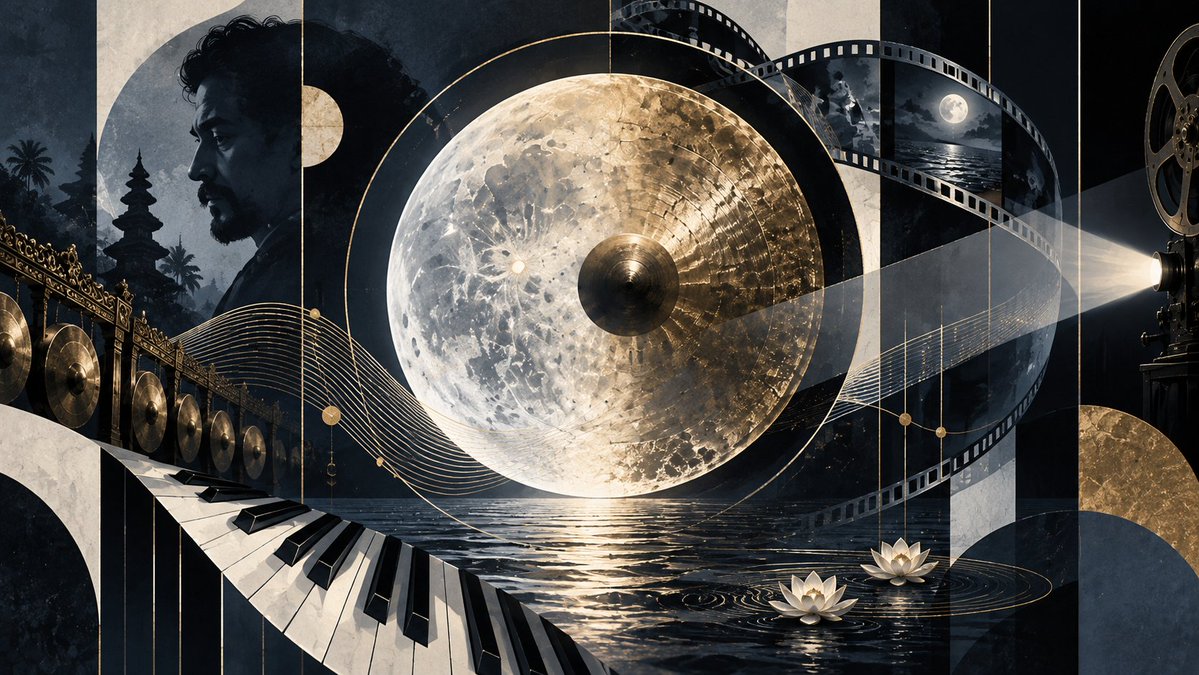
A cinematic, surreal digital collage in a dark palette of deep blues, blacks, and metallic golds. The central focal point is a massive, hyper-realistic full moon that has been transformed into a golden Indonesian Gamelan Gong (gong ageng), featuring concentric rings and a textured, hammered metal surface. To the left, a monochrome profile portrait of Claude Debussy with curly hair and a beard fades into the background, superimposed over silhouettes of Balinese temple towers (meru) and palm trees. A row of small golden gongs hangs vertically on the far left edge. In the lower left foreground, a piano keyboard curves dynamically like a wave, merging into the dark water below. On the right side, strips of film reel wind through the composition, showing frames of night skies and oceans, leading to a vintage projector lens emitting a beam of light. At the bottom center, two white lotus flowers float on the rippling black water, reflecting the golden light of the moon-gong. Thin, elegant golden lines representing musical staves weave horizontally across the entire image, connecting the disparate elements.

High-Fashion Circular Composition Prompt

High-Fashion Circular Composition Prompt

Editorial / Poster

Read full prompt

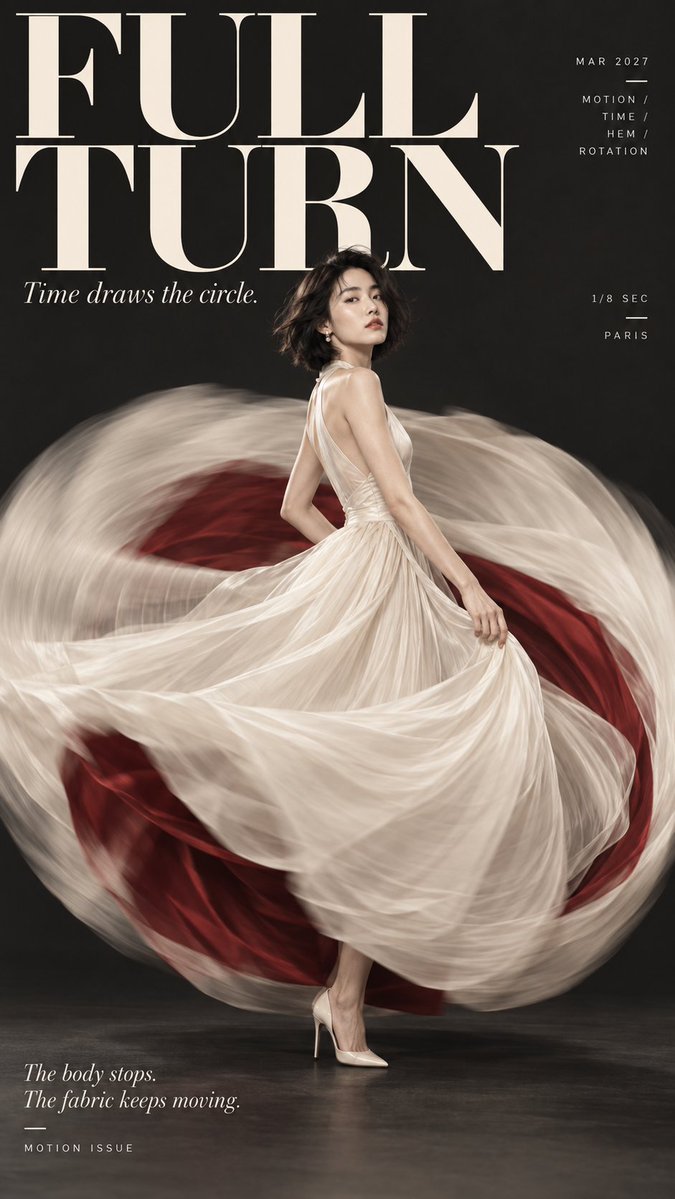
Create a 9:16 high-fashion editorial poster series with a strong circular composition system. The overall style should feel like contemporary fashion magazine covers and luxury editorial posters: clean studio setup, minimal background, sharp typography, elegant serif headlines, refined layout, strong negative space, and a polished premium look. Each image should use one dominant circular form as the main visual structure, with the model interacting with it in a way that creates motion, depth, or tension. Keep the layout modern and fashionable, with large English title text, small secondary editorial text, and a clear hierarchy. Avoid logos, watermarks, extra clutter, random symbols, and numbered labels. For this first set, create four independent poster variations under the same visual system: 1) “FULL TURN” — a woman in a flowing ivory dress turning in place, with a dramatic circular motion blur of fabric around her and a deep red inner layer creating contrast, black background, cinematic and elegant. 2) “THE WATERLINE” — a woman in a rust-orange one-piece swimsuit standing in shallow water, with ripples forming concentric circles around her legs, soft sunlight, serene and minimalist.

Cherry Blossom Anime Movie Poster

Cherry Blossom Anime Movie Poster

Editorial / Poster

Read full prompt

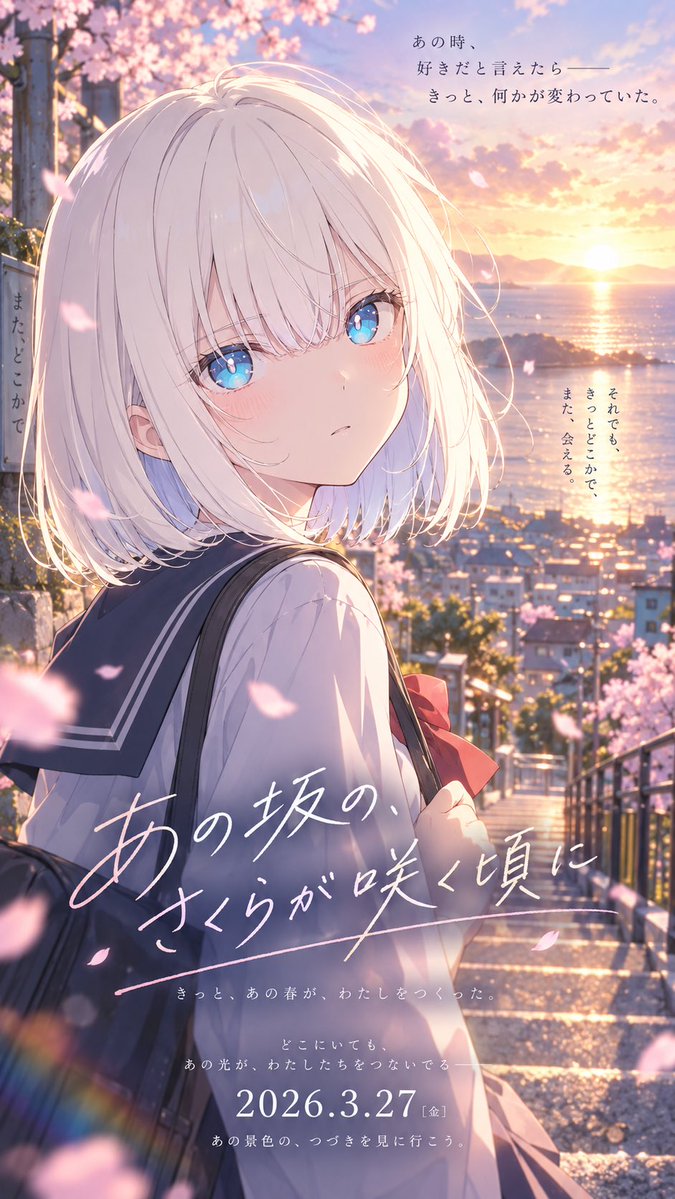
Goal: Create a vertical anime movie poster for a romantic coming-of-age school story, featuring {argument name="character name" default="an unnamed girl"} on a cherry-blossom hill at sunset, with cinematic Japanese theatrical-poster typography. Canvas: Tall vertical poster, 9:16 aspect ratio, high-resolution anime key visual. Soft depth of field, glowing sunset rim light, pastel pink and gold palette, dramatic but gentle composition. Main subject: A single teenage schoolgirl shown from the waist up, turned back over her shoulder toward the viewer. She has {argument name="hair color" default="silvery white"} short bob hair with airy strands and bangs, luminous large blue eyes, pale skin, faint blush, and a quiet wistful expression. She wears a classic Japanese sailor school uniform with a navy collar, white blouse, red ribbon bow, and carries a dark school bag over one shoulder. Her pose should feel like she paused halfway down the stairs and looked back. Setting: A steep outdoor stone stairway descending through a coastal town. Cherry blossom trees frame the left and right edges, with many pink petals floating across the foreground and midground. In the background, show a sunlit ocean bay, distant mountains, rooftops, railings, and the low sun near the horizon reflecting on the water. Add warm lens flare, soft bokeh, and a nostalgic spring atmosphere. Text content: Include exactly 6 distinct Japanese text elements, arranged like a film poster: 1. Top-right small poetic copy: 「あの時、好きだと言えたなら――きっと、何かが変わっていた。」 2. Left side vertical small copy beside the character: 「また、どこかで」 3. Right middle vertical small copy near the ocean: 「それでも、きっとどこかで、また、会える。」 4. Large handwritten white title across the lower center: 「{argument name="movie title" default="あの坂の、さくらが咲く頃に"}」 with a sweeping underline. 5. Lower-center small tagline lines: 「きっと、あの春が、わたしをつくった。」 and 「どこにいても、あの光が、わたしたちをつないでる」 6. Bottom release block: 「{argument name="release date" default="2026.3.27[金]"}」 with the small line below: 「あの景色の、つづきを見に行こう。」 Visual style: Premium modern Japanese anime film poster, Makoto Shinkai-inspired lighting and atmosphere, ultra-detailed hair highlights, reflective eyes with sky colors, painterly background, delicate petals, emotional cinematic color grading, crisp but soft linework, high production quality. Constraints: Keep exactly one main character, exactly one visible school bag, exactly one red bow, and many cherry blossom petals. Do not add extra characters, logos, watermarks, credits, or additional text beyond the 6 specified text elements. The typography should be elegant and legible, with the large title in expressive handwritten white script.

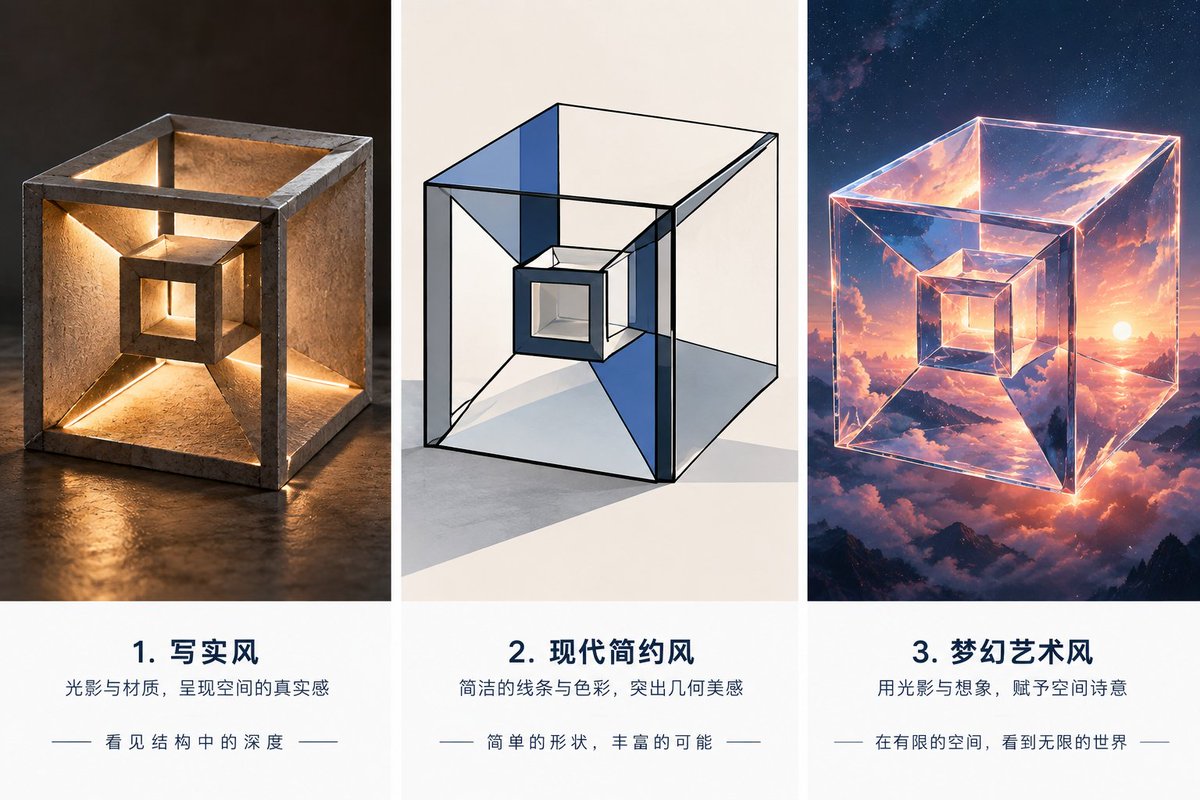
Three-Style Cube Poster

Three-Style Cube Poster

Editorial / Poster

Read full prompt

Using the provided reference image as the geometric base, turn the rough hand-drawn nested cube/tunnel form into a polished three-column style exploration poster. Keep the same core structure: an outer cube frame with inward sloping faces leading to a smaller centered cube opening. Create exactly 3 vertical panels separated by white gutters, each showing the same object interpreted in a different visual style, with a caption block underneath each image. Canvas and layout: Wide horizontal poster, 3 equal columns. Each column has a large square image area on top and a clean white text area below. Use elegant editorial spacing and centered typography. Panel 1: Render the reference form as a realistic sculptural object made of rough stone or concrete, sitting on a dark reflective surface. Add warm internal lighting along the inner edges and openings so the structure feels physically deep and architectural. Panel 2: Render the same form as a modern minimalist geometric illustration: clean black outlines, transparent glass-like cube faces, subtle blue and gray planes, white studio background, crisp shadows, and a restrained architectural drawing feel. Panel 3: Render the same form as a dreamy fantasy art object: a glowing transparent crystalline cube floating in the sky, reflecting sunset clouds, mountains, stars, and cosmic light, with luminous pink-orange-blue highlights. Text: Add exactly 3 numbered Chinese caption blocks beneath the panels: 1. Title: {argument name="first panel title" default="1. 写实风"}; subtitle: “光影与材质,呈现空间的真实感”; small line: “— 看见结构中的深度 —” 2. Title: {argument name="second panel title" default="2. 现代简约风"}; subtitle: “简洁的线条与色彩,突出几何美感”; small line: “— 简单的形状,丰富的可能 —” 3. Title: {argument name="third panel title" default="3. 梦幻艺术风"}; subtitle: “用光影与想象,赋予空间诗意”; small line: “— 在有限的空间,看到无限的世界 —” Style constraints: Preserve the reference object’s recognizable nested-cube geometry in all 3 panels. Make the poster clean, premium, and presentation-ready. Do not add extra panels, extra objects, watermarks, logos, or unrelated text.

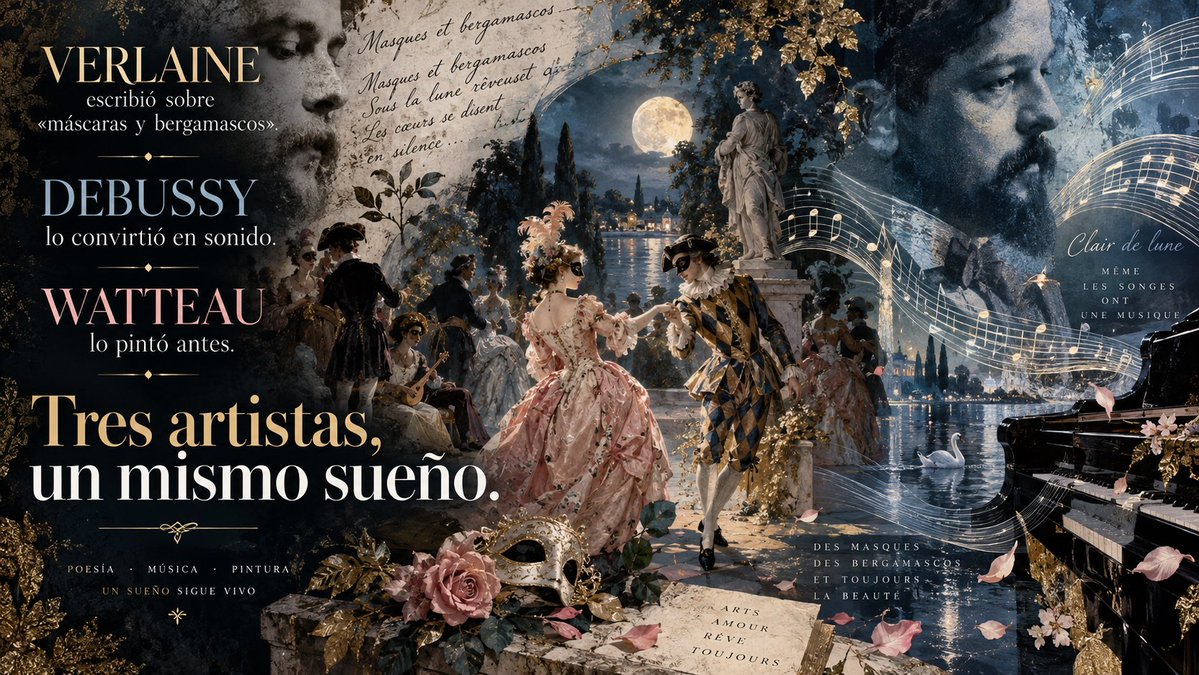
French Artistic Dream Collage

French Artistic Dream Collage

Editorial / Poster

Read full prompt

Create a rich, artistic collage-style image that blends poetry, music, and painting into one cohesive visual narrative. The scene should evoke the dreamlike elegance of French Impressionism with elements reminiscent of Watteau's paintings, Debussy's Clair de Lune, and Verlaine's poetic verses. Background: A moonlit garden at night featuring classical statues, flowing water, swans, and soft golden light illuminating the surroundings. Include faint handwritten text in French reading 'Masques et bergamasques' and other poetic phrases subtly integrated into the sky. Foreground Elements: - Two central figures dressed in elaborate Rococo costumes—one wearing a pink gown adorned with feathers and flowers, the other in a harlequin-patterned outfit—dancing gracefully under the full moon. - Surrounding them are smaller groups of similarly costumed individuals engaged in leisurely activities like playing instruments or conversing. Text Overlay (in Spanish): 1. Top left corner: 'VERLAINE escribió sobre «máscaras y bergamascos».' 2. Below it: 'DEBUSSY lo convirtió en sonido.' 3. Further down: 'WATTEAU lo pintó antes.' 4. Bottom center-left: Large bold text stating 'Tres artistas, un mismo sueño.' 5. Small decorative fonts around edges include words such as 'POESÍA', 'MÚSICA', 'PINTURA', and 'UN SUEÑO SIGUE VIVO'. 6. Right side has cursive script saying 'Clair de lune MÊME LES SONGES ONT UNE MUSIQUE'. 7. Lower right includes additional French text: 'DES MASQUES DES BERGAMASCOS ET TOUJOURS LA BEAUTÉ'. 8. Near bottom-center is an open book displaying 'ARTS AMOUR RÊVE TOUJOURS'. Additional Details: - Incorporate floating musical notes across the top-right area to symbolize sound. - Add scattered rose petals throughout the composition for romantic flair. - Use warm tones mixed with cool blues/greens to balance vibrancy and serenity. Ensure all components harmonize seamlessly while maintaining clarity between different layers of imagery and typography.

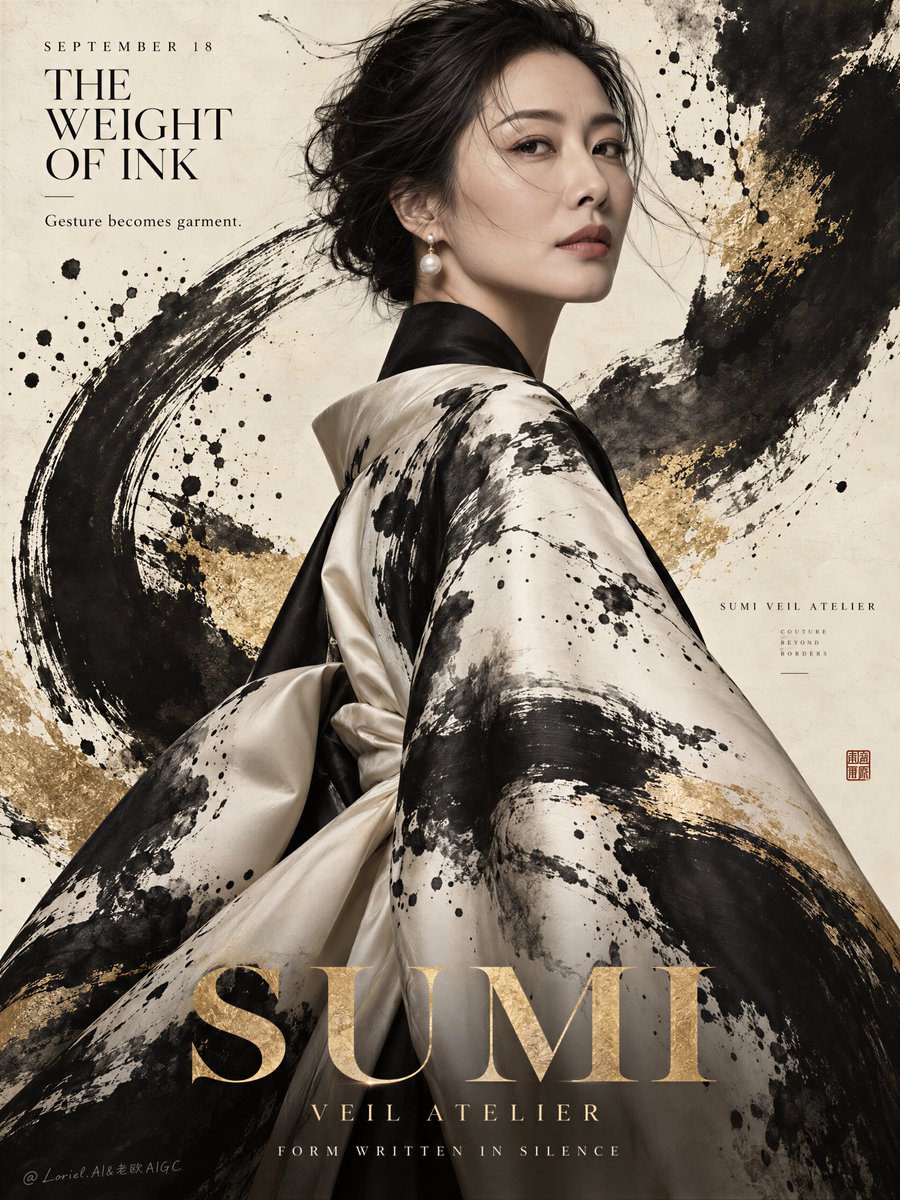
Couture Fashion Poster with Ink Expression

Couture Fashion Poster with Ink Expression

Editorial / Poster

Read full prompt

Create a premium editorial fashion poster for a fictional international couture label named SUMI VEIL ATELIER, designed as a single vertically composed campaign image where the hero product is a luxury kimono-inspired outerwear piece transformed by powerful ink expression. The image must feel like a Cannes-level fashion poster, a collector’s exhibition print, and a gallery-grade cultural fashion campaign at once. Preserve the core structural logic of the reference as pure visual language: a refined half-body female portrait, monumental fashion pose, large negative paper-like background, dramatic black ink movement, restrained gold accent, and elegant editorial typography. The central subject is a real mature East Asian woman shown in a close half-body portrait, body turned slightly away while looking back toward camera with calm authority, emotional restraint, and elevated fashion presence. Her anatomy must be elegant and realistic: natural head-neck-shoulder proportion, refined jawline, believable collarbone structure, soft but precise facial symmetry, realistic skin pores, subtle tonal variation, natural lips, and slightly wind-disturbed dark hair strands across the forehead and cheek. She wears sculptural pearl-drop earrings and no excessive jewelry. Her expression is poised, intelligent, and quietly magnetic. The hero garment is a couture kimono-coat in ivory silk and cream satin with deep black lapel architecture, broad sleeves, fluid drape, and museum-grade textile finish. The key creative focus is the ink treatment: the garment must carry intensely expressive sumi-ink gestures that feel physically painted into the textile, not printed flat and not pasted on top. Build bold carbon-black brush sweeps, violent dry-brush fractures, feathered ink bleed, dense calligraphic splashes, fractured splatter constellations, broken bristle streaks, watery dilution edges, and layered gestural marks that travel across sleeve, shoulder, back, and lower robe with true brush energy. Some marks should feel like one decisive strike; others should feel like pooled ink dragged by fabric motion. The garment should look as if the wearer is wrapped in a living calligraphy performance. The ink must be the secondary hero after the silhouette itself. Push the ink expression further into the full poster environment. Behind the woman, create large abstract black ink arcs and explosive brush blooms across the parchment background, echoing but not duplicating the garment marks. Add controlled ink splatter, semi-dry brush tails, misted overspray, soft smoke-like wash transitions, and one or two sweeping gestural strokes that cut through the composition like emotional architecture. Integrate a restrained metallic-gold mineral wash or brushed gold foil accent beneath and around selected ink regions so the black ink gains luxury contrast. The ink must feel raw, immediate, and handcrafted, but the overall composition must remain clean, premium, and highly controlled. The background is a refined parchment-ivory editorial field with subtle paper tooth, warm cream variation, and soft museum-wall depth. Let the black ink breathe against the pale surface. Keep the environment mostly abstract and spatially open so the portrait, garment, and ink gestures dominate. The image should feel like a collision between couture portraiture, contemporary calligraphy, and collectible poster design. Typography must be sparse, elegant, and integrated as graphic architecture. In the upper-left, place a minimal editorial title system in newly invented English only, for example: "SEPTEMBER 18" "THE WEIGHT OF INK" with one short supporting line such as: "Gesture becomes garment." At the bottom, place one monumental gold serif word across the lower width, such as "SUMI" or "MARK", acting as a visual base. Beneath it, add one short line like: "FORM WRITTEN IN SILENCE" Typography must remain refined, spacious, and secondary to the ink-driven garment, never cluttering the image and never crossing the eyes or key facial contour. Color hierarchy: 50% parchment ivory, warm paper beige, and soft cream; 30% carbon black, ink-wash charcoal, and deep gestural shadow; 15% muted metallic gold, ochre-gold dust, and brushed mineral highlight; 5% natural skin tone, pearl highlights, and subdued lip warmth. Lighting should be soft yet sculptural: one gentle directional editorial key light from upper-front-left, smooth falloff across the face and silk folds, subtle highlight on satin edges, and enough contrast to make the ink strokes feel tactile and dimensional. Avoid muddy shadows, flat studio blandness, or dead black blocks. Material semantics must be explicit and luxurious: silk sheen, satin depth, paper fiber, gold mineral dust, pearl luster, wet-ink density, dry-brush abrasion, diluted ink feathering, splatter droplets, hair strand realism, and skin microtexture. The final poster must feel like a luxury fashion object where couture, calligraphy, and emotional gesture become one. Output goal: one single finished vertical fashion poster, photoreal portrait realism, product-dominant couture hierarchy, intensified sumi-ink expression, monumental editorial typography, and world-class print-finish sophistication. Quality control and exclusion constraints: photoreal only, correct female anatomy, realistic face and neck structure, natural skin texture, no plastic skin, no waxy smoothing, no distorted facial features, no asymmetrical eyes, no malformed ears, no broken garment drape, no fake pasted ink marks, no unreadable typography, no random letters, no cluttered layout, no cheap cultural cliché styling, no style drift, no AI slop, no real person names.
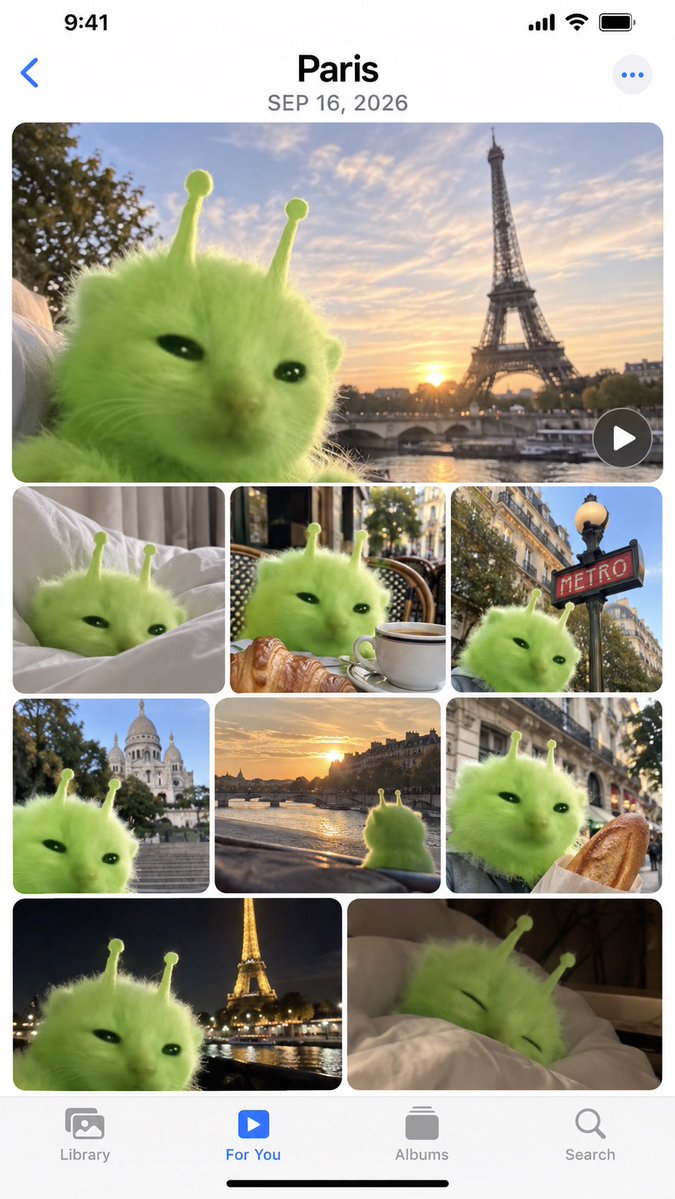
iPhone Memories Mockup with Green Alien Cat

iPhone Memories Mockup with Green Alien Cat

Editorial / Interface

Read full prompt

Create a high-fidelity mockup of an iPhone 'Memories' album page. The interface should feature the standard iOS status bar at the top (9:41, signal bars, Wi-Fi, battery) and a bottom navigation bar with icons for Library, For You, Albums, and Search. The main content area displays a photo grid titled {argument name="location" default="Paris"} with the date {argument name="date" default="SEP 16, 2026"}. The photos in the grid all feature a fluffy, bright green alien cat creature with two antennae as the central subject. The layout consists of one large hero image at the top showing the cat against a sunset backdrop with the Eiffel Tower. Below this is a row of three smaller square images: the cat on white bed sheets, the cat sitting at a cafe table with a croissant and coffee, and the cat next to a red 'METRO' sign. The next row contains three more squares: the cat with Sacré-Cœur Basilica in the background, a view from inside a car looking at a river sunset, and the cat holding a baguette. The final visible row shows two larger rectangles: the cat with the illuminated Eiffel Tower at night, and the cat sleeping under a duvet.

iPhone Camera Roll Mockup Generator

iPhone Camera Roll Mockup Generator

Editorial / Interface

Read full prompt

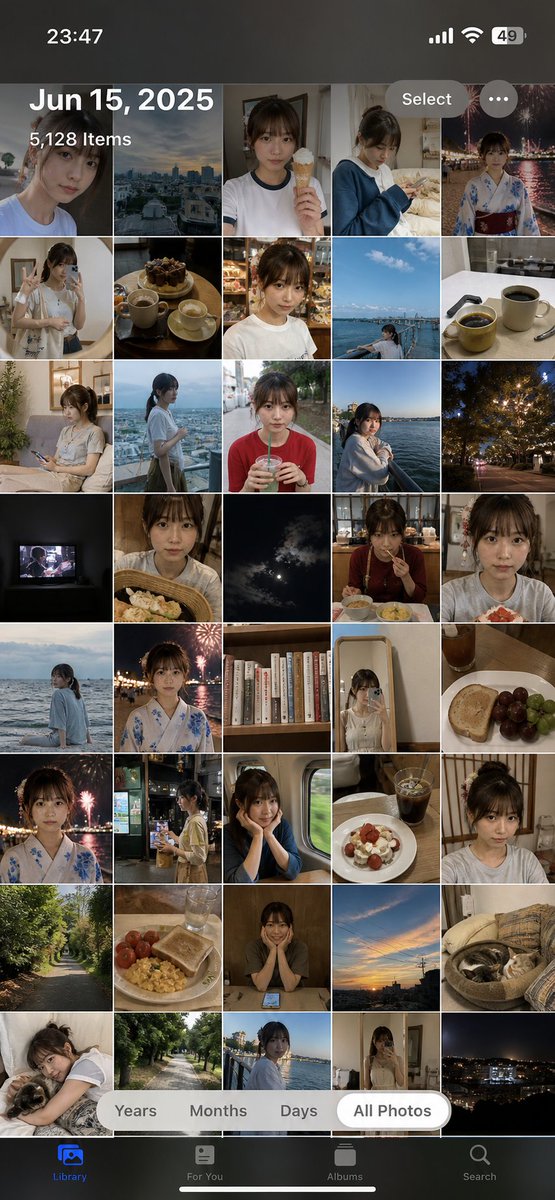
Using the provided reference image of the woman, generate a realistic screenshot of an iPhone Photos app camera roll. The interface must display the 'Library' tab with the 'All Photos' filter selected at the bottom. Set the status bar time to 23:47 and battery to 49%. Display the header text 'Jun 15, 2025' and '5,128 Items'. Populate the grid with approximately 40 thumbnails featuring this same person in various casual, everyday scenarios—such as eating ice cream, wearing pajamas, taking mirror selfies, sitting on trains, and relaxing at home—alongside scenic shots like fireworks, city skylines, and food photography. Ensure the original reference photo is included within the grid.

1905 Two Revolutions Poster

1905 Two Revolutions Poster

Editorial / Poster

Read full prompt

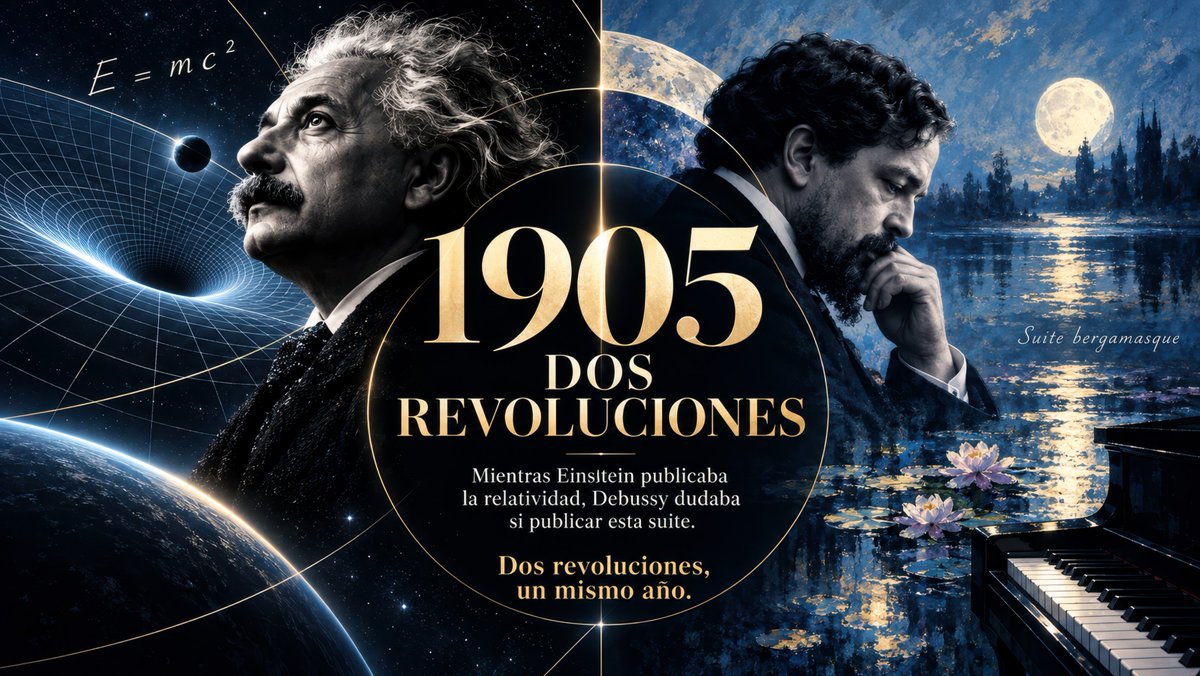
Goal: Create a cinematic widescreen historical poster about {argument name="headline year" default="1905"}, contrasting Albert Einstein's physics revolution with Claude Debussy's musical revolution in the same year. Canvas: 16:9 horizontal poster, dark midnight-blue and black palette with luminous gold typography, high-contrast dramatic lighting, photorealistic painterly collage style, elegant editorial design. Layout: Split the image vertically into two thematic halves with a large central black circular medallion overlapping both sides. Thin glowing gold orbital lines and a subtle vertical gold divider connect the two worlds. The central medallion contains the main typography, with the year huge at the top and supporting Spanish text below. Left half: A dramatic black-and-white portrait of Albert Einstein in profile facing upward to the left, wild gray hair, mustache, dark suit, contemplative expression. Behind him is deep space with stars, a curved Earth horizon at the bottom left, a warped spacetime grid funnel with a black hole-like depression, a small dark planet or eclipse near the grid, and handwritten equation text reading “E = mc²” near the upper left. Use cool blue highlights and fine scientific linework. Right half: A moody portrait of Claude Debussy in profile facing down to the right, dark curly hair and beard, formal black suit, hand resting against chin in a thoughtful pose. Behind him is an impressionist moonlit lake landscape inspired by Clair de lune: full moon in the upper right, blue night sky, distant dark trees and castle-like silhouettes, shimmering reflections on water, lily pads and exactly 3 visible pink-white water lilies near the lower center-right. Place a glossy black grand piano in the lower right corner with visible white and black keys. Add small elegant script text on the right reading “Suite bergamasque”. Central text content: In the black circular medallion, set large gold serif text: “{argument name="headline year" default="1905"}”. Beneath it, in stacked uppercase white/gold serif text: “DOS” and “REVOLUCIONES”. Below that, smaller white Spanish body text: “Mientras Einstein publicaba la relatividad, Debussy dudaba si publicar esta suite.” At the bottom, in warm gold serif text: “Dos revoluciones, un mismo año.” Typography and style: Use luxurious classical serif lettering for the title, with subtle beveling and gold glow. Body text should be centered and readable. Blend science and music visually: left side precise cosmic geometry, right side painterly impressionist water and moonlight. Add fine film grain, realistic lighting, soft bloom, and museum-quality poster polish. Constraints: Include exactly 2 main human figures: Einstein on the left and Debussy on the right. Include exactly 1 piano, exactly 1 central circular text medallion, exactly 1 equation “E = mc²”, exactly 1 phrase “Suite bergamasque”, and exactly 3 water lilies. Preserve all Spanish text exactly as specified. Do not add logos, watermarks, extra captions, or modern UI elements.