THE LIBRARY

Editorial image prompts.

Browse images and open the prompts behind them.

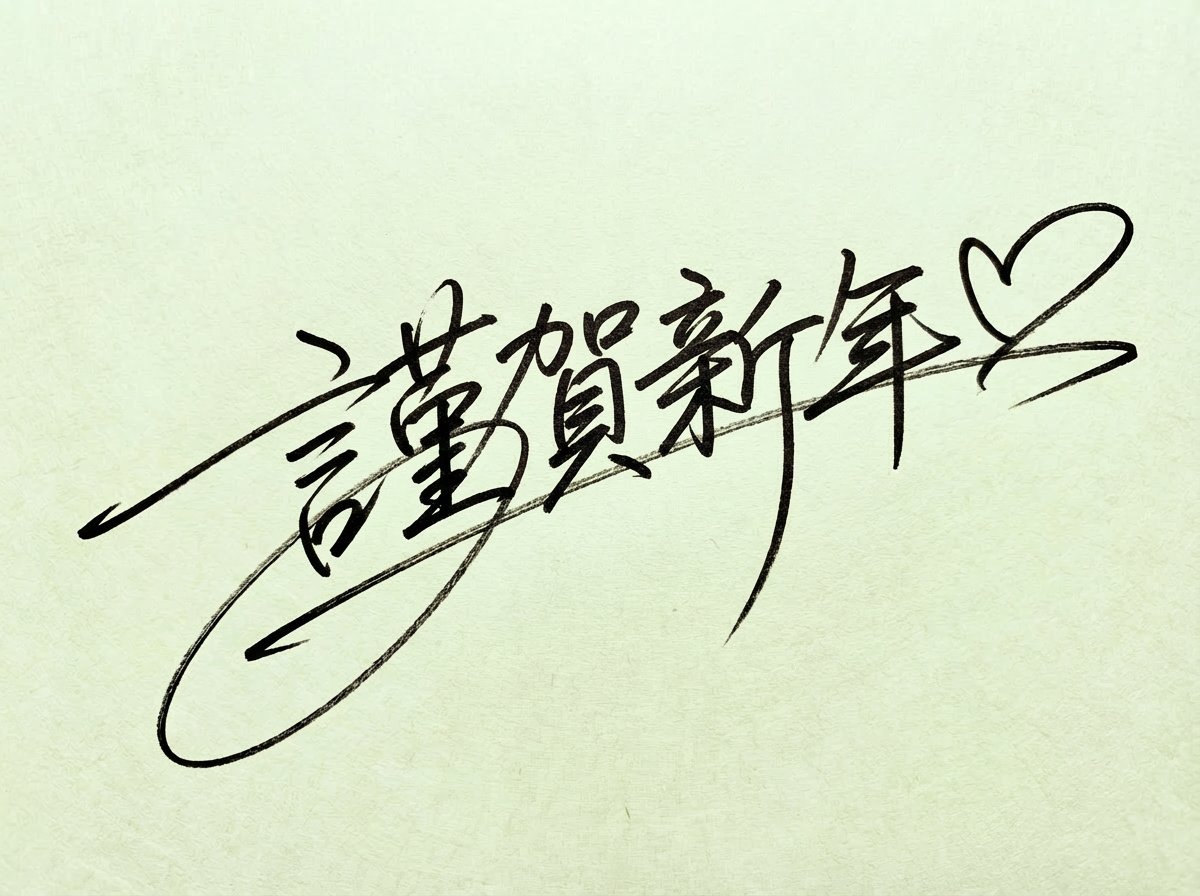
Handwritten New Year's Greeting Sign Prompt

Handwritten New Year's Greeting Sign Prompt

Editorial / Poster

Read full prompt

A handwritten signature of [{argument name="text" default="Happy New Year ♡"}] boldly written with a thin black marker. Style details: A very fluid and speedy cursive script (running hand), like a celebrity's signature. A dynamic composition combining large loops, long extending lines, and sharp sweeps. An artistic expression that prioritizes design and individuality over textual readability. A realistic texture that shows ink bleed and variations in pen pressure. The background is pale colored Japanese paper (Washi).

Retro-Future Pinup Background Conversion Prompt

Retro-Future Pinup Background Conversion Prompt

Editorial / Poster

Read full prompt

Change the white background to an American retro pinup-style background. Design a high-sense background incorporating elements such as retro-future, Space Age, and Googie architecture. Add a thin border like an old photograph. Generate the background in high resolution, adding a slight sense of realism to the texture and details. Use expressions that suggest neon or indirect lighting. Mainly generate only the background, without significantly changing the character's pose, expression, clothing, or coloring. Design the background to match the character's pose. The setting is: [{argument name="setting" default="airport"}]

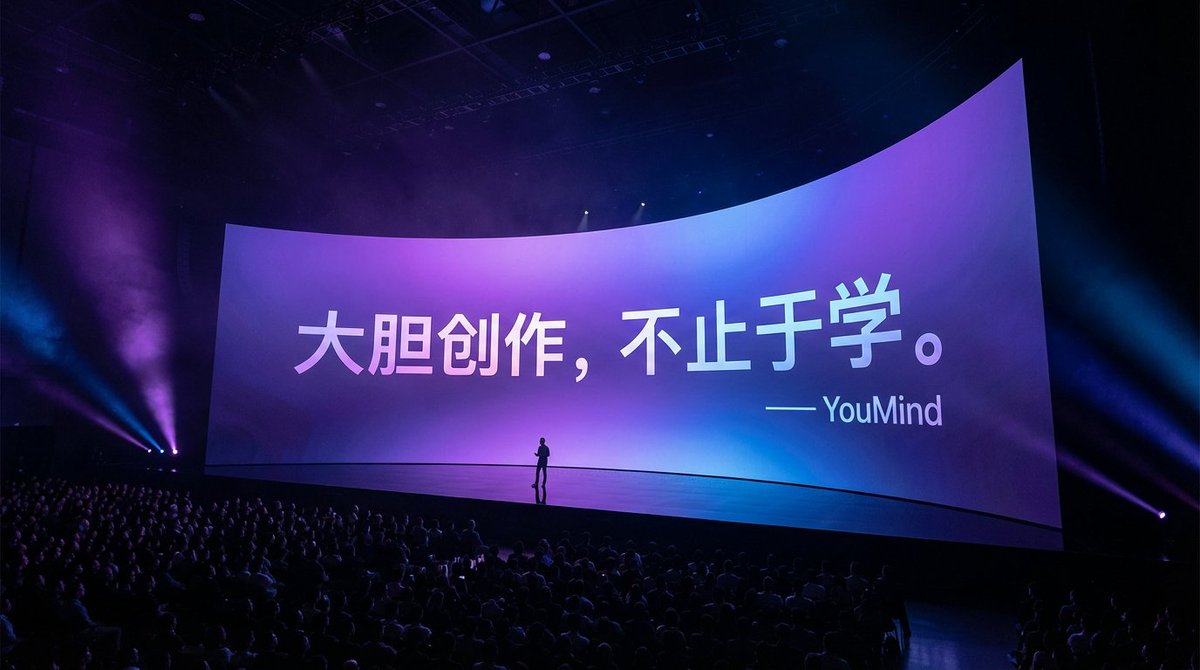
Apple keynote-style event scene from text

Apple keynote-style event scene from text

Editorial / Poster

Read full prompt

Generate a photo based on some text: a grand Apple keynote event scene, with many people in the audience. The scene is dark with gorgeous lighting. The camera focuses on a very wide, curved main screen. The text has perspective consistent with the screen. Small silhouettes of people stand on the stage. The background is a purple-to-blue gradient, the white text has some gradient as well, and the whole thing should look like an on-site photograph with a high-end feel, in 16:9 aspect ratio.

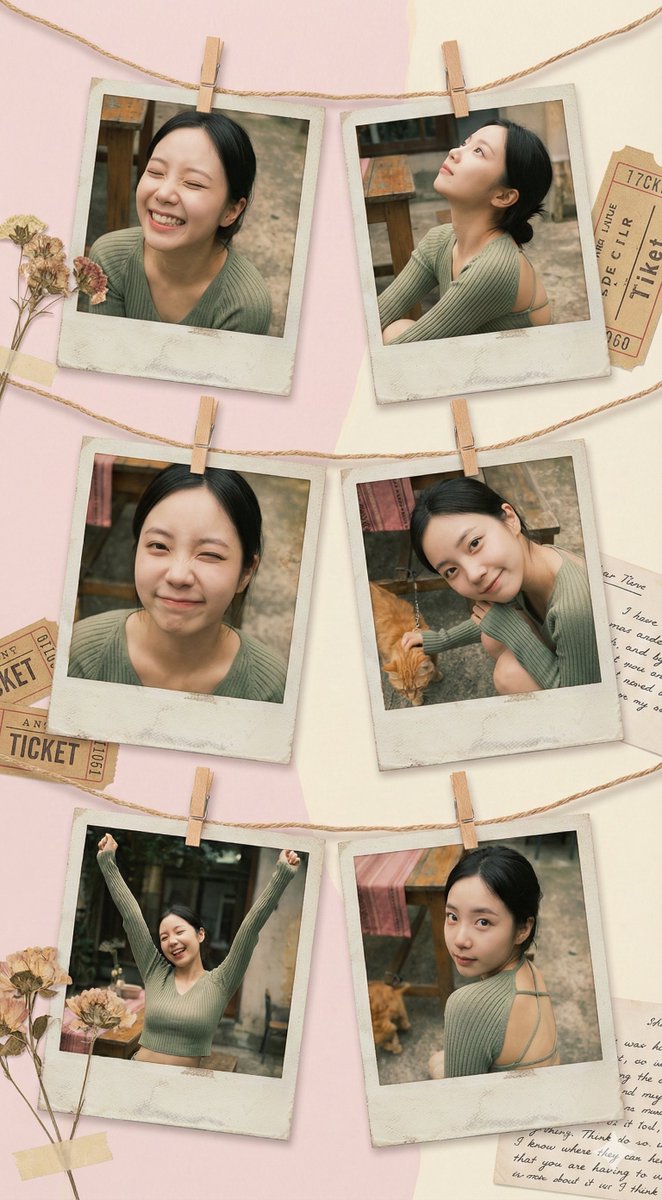
Vintage Polaroid collage portrait prompt

Vintage Polaroid collage portrait prompt

Editorial / Poster

Read full prompt

Use {argument name="number of Polaroids" default="6"} vintage Polaroid photos, fixed with decorative string and mini clothespins, to create an art collage that feels like a family album. Each Polaroid frame is slightly faded with an aged paper effect. The background is a soft pastel-colored wall with subtle shadows, creating a cozy yet creatively chaotic atmosphere. Moods and poses: * Relaxed laughter — eyes closed, naturally happy. * Dreamy gaze looking upward with a relaxed posture. * Playful wink. * Calm smile with the head tilted to one side, dynamic hand gestures with both hands raised, full of energy. * A romantic glance back over the shoulder. The space is filled with a retro art vibe, blending elements of 1970s fashion magazines, soft diffused lighting, and gentle warm golden tones. Each photo feels like a unique behind-the-scenes snapshot, carrying a hint of nostalgia and revealing little pieces of personal history.

Customizable Chat Interface Image Generation Prompt

Customizable Chat Interface Image Generation Prompt

Editorial / Interface

Read full prompt

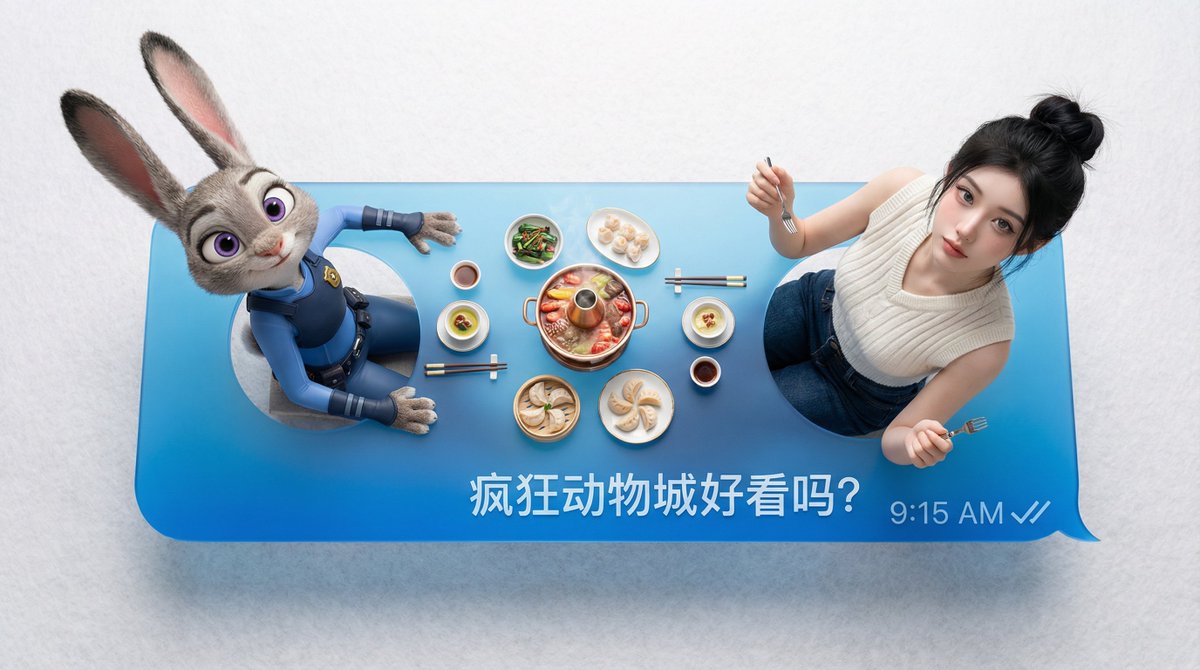
"Platform": " {argument name="platform" default="WeChat"}", "Left_Person": " {argument name="left person" default="Enter name or upload reference image"}", "Right_Person": "{argument name="right person" default="Enter name or upload reference image"}", "Message_Text": "{argument name="message text" default="Enter text"}"

Mixed-Media Digital Collage (Monochrome and Neon)

Mixed-Media Digital Collage (Monochrome and Neon)

Editorial / Poster

Read full prompt

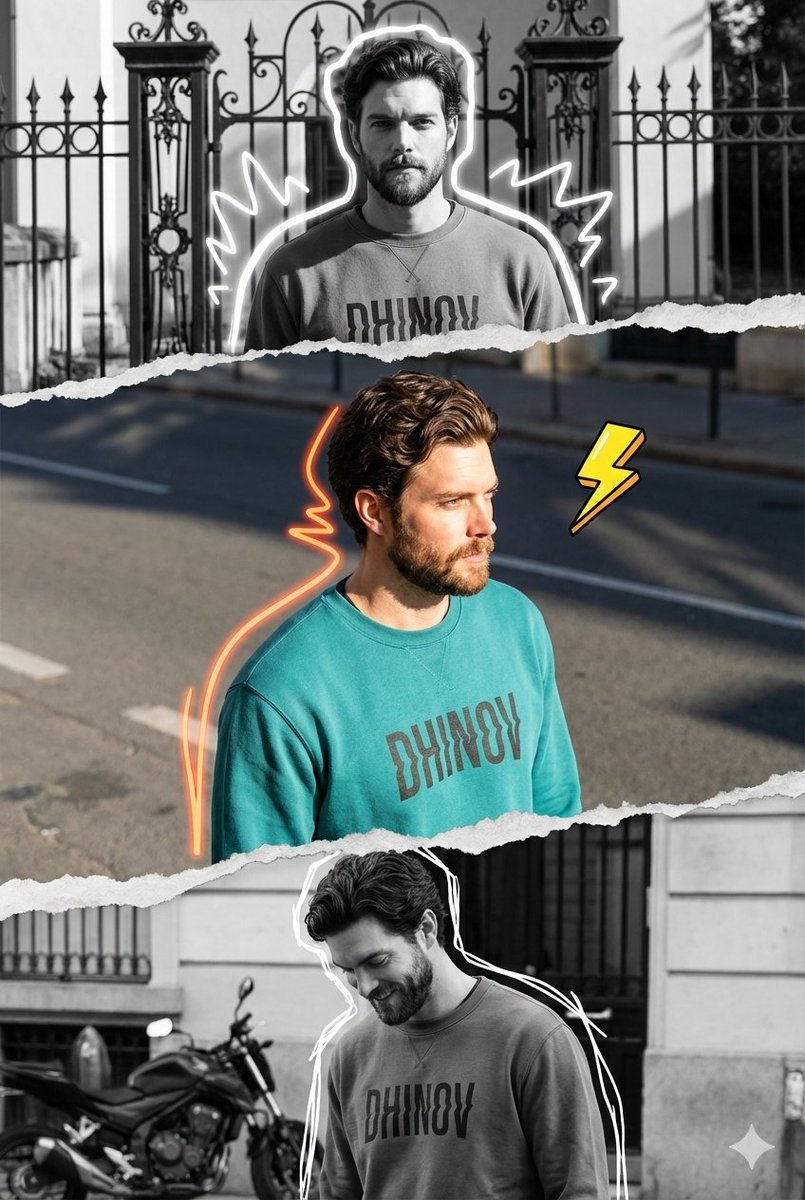
A vertical mixed-media digital collage composition featuring a triptych of the same male subject, separated by realistic torn pieces of paper with rough edges that create a layered effect. The central horizontal strip is rendered in vibrant full color, capturing the subject with the face from the uploaded reference photo, in a three-quarter angle view facing right, illuminated by bright natural sunlight that casts sharp shadows on the asphalt road. He wears a teal crewneck sweatshirt with the word "{argument name="text on shirt" default="DHINOV"}" written in a distorted font, accented by an illustration-style neon orange squiggle that follows the lines of his back and hair, accompanied by a cartoonish yellow lightning bolt element floating in a bold line. The top and bottom are rendered in high-contrast black-and-white monochrome. The top shows the subject standing facing forward in front of an ornamental iron gate and fence, framed by a glowing white doodle outline with jagged shapes. The bottom section shows the subject looking down with a slight smile, standing near a parked motorbike and a building facade, also outlined in white scribbles. The overall aesthetic blends urban streetwear photography with scrapbook-style editing, featuring high-resolution fabric textures and paper edges, 8K quality, and a modern, trendy social media editing feel.

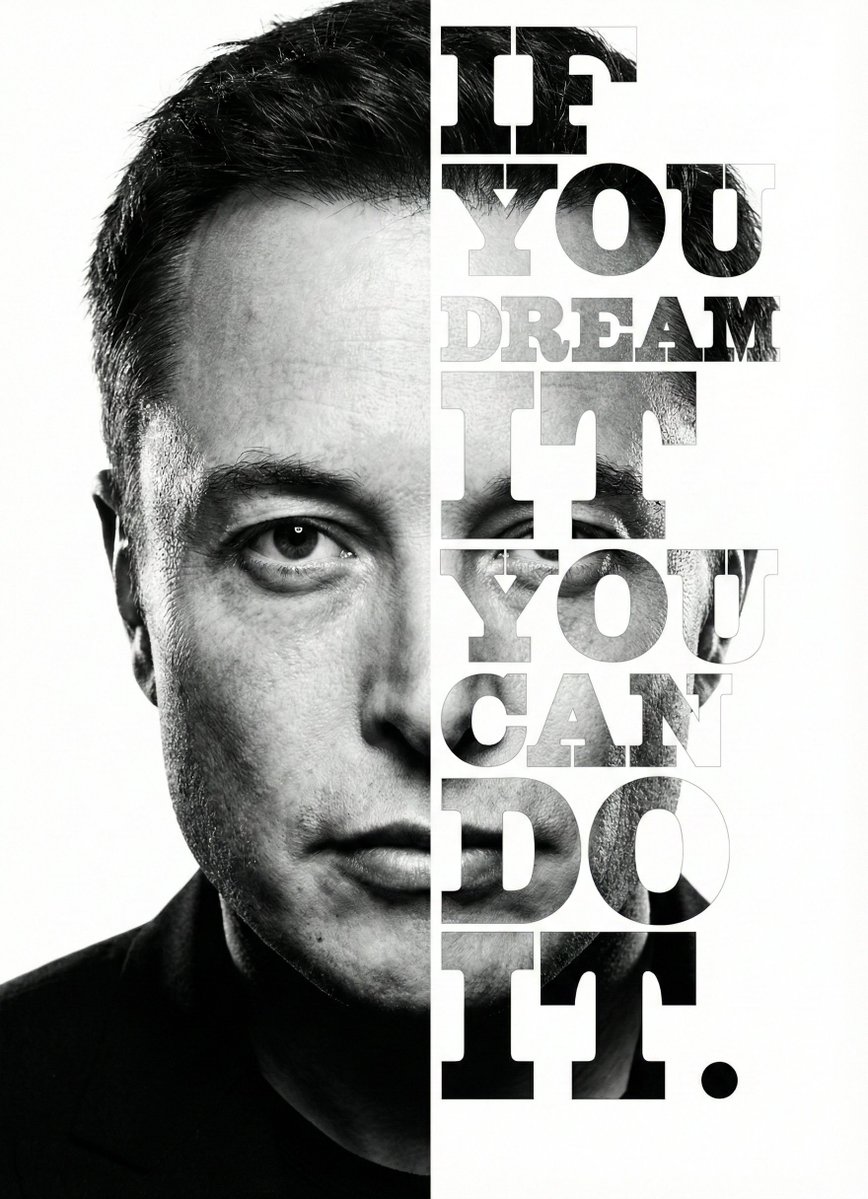
Elon Musk Typographic Split Portrait

Elon Musk Typographic Split Portrait

Editorial / Poster

Read full prompt

{ "meta": { "image_quality": "High", "image_type": "Digital Composite / Graphic Design", "resolution_estimation": "High resolution vertical poster format", "file_characteristics": { "compression_artifacts": "Low", "noise_level": "Low (film grain visible in photo texture)", "lens_type_estimation": "Telephoto (suggested by facial compression)" } }, "global_context": { "scene_description": "A high-contrast, black and white split-composition portrait of {argument name="subject name" default="Elon Musk"}. The left half of the image displays a realistic, high-detail photograph of the right side of his face (viewer's left). The right half of the image consists of a white background where the left side of his face (viewer's right) is revealed only through the shapes of large, bold, vertically stacked serif typography reading '{argument name="quote" default="IF YOU DREAM IT YOU CAN DO IT."}'", "environment_type": "Studio/Graphic Art", "time_of_day": "Indiscernible", "weather_atmosphere": "Visionary, Motivational, Intense", "lighting": { "source": "Artificial Studio Lighting", "direction": "Side lighting (lighting the face from the left)", "quality": "Hard, dramatic chiaroscuro", "color_temperature": "Monochrome (Black and White)" }, "color_palette": { "dominant_hex_estimates": [ "#FFFFFF", "#000000", "#333333", "#888888" ], "accent_colors": [], "contrast_level": "High" } }, "composition": { "camera_angle": "Eye-level", "framing": "Close-up portrait", "depth_of_field": "Deep (all elements in focus)", "focal_point": "Subject's eyes and the typographic message", "symmetry_type": "Vertical Split Asymmetry", "rule_of_thirds_alignment": "The split occurs roughly along the vertical center line of the face (nose bridge)" }, "objects": [ { "id": "obj_subject_face", "label": "Elon Musk (Face)", "category": "Person", "location": { "relative_position": "Left half of canvas", "bounding_box_percentage": { "x": 0.0, "y": 0.0, "width": 0.5, "height": 1.0 } }, "dimensions_relative": "Large (fills height)", "distance_from_camera": "Close-up", "pose_orientation": "Front-facing, slight tilt, intense contemplative gaze", "material": "Skin/Biological", "surface_properties": { "texture": "Smooth skin, faint stubble, characteristic facial structure", "reflectivity": "Low (natural skin oil sheen on nose/cheek)", "micro_details": "Faint crow's feet, straight/wavy hair texture visible at top", "wear_state": "N/A" }, "color_details": { "base_color_hex": "#808080", "secondary_colors": [ "#000000", "#FFFFFF" ], "gradient_or_pattern": "Grayscale continuous tone" }, "interaction_with_light": {

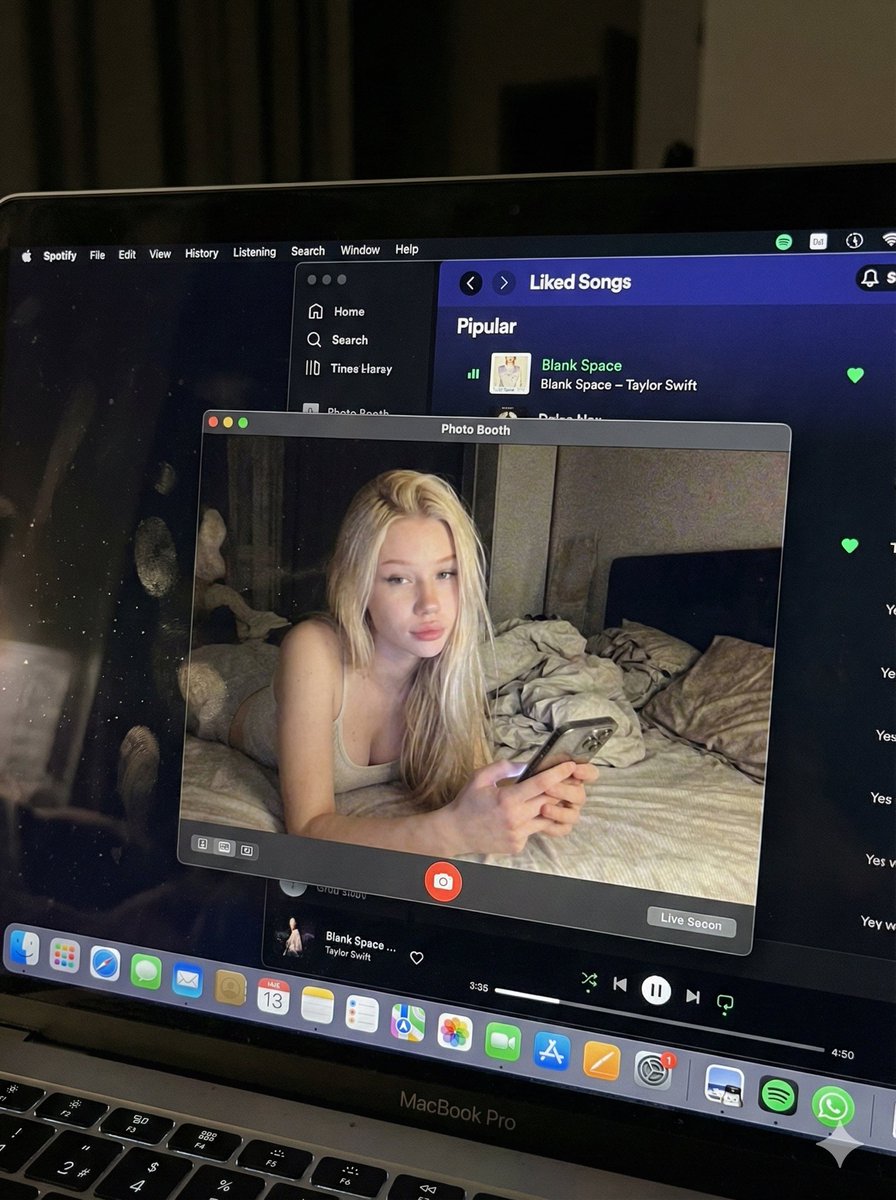
Photorealistic MacBook Screen POV Selfie Prompt

Photorealistic MacBook Screen POV Selfie Prompt

Editorial / Interface

Read full prompt

{ "image_settings": { "aspect_ratio": "3:4", "resolution": { "width": 1152, "height": 1536 } }, "prompt": { "identity_lock": { "reference": "{argument name="reference" default="input_photo"}", "preserve": [ "{argument name="preserve 1" default="face"}", "{argument name="preserve 2" default="facial proportions"}", "{argument name="preserve 3" default="eye shape"}", "{argument name="preserve 4" default="nose"}", "{argument name="preserve 5" default="lips"}", "{argument name="preserve 6" default="skin tone"}", "{argument name="preserve 7" default="skin texture"}", "{argument name="preserve 8" default="hairline"}", "{argument name="preserve 9" default="overall identity"}" ], "rules": [ "{argument name="rule 1" default="no face swap"}", "{argument name="rule 2" default="no beautify"}", "{argument name="rule 3" default="no smoothing"}", "{argument name="rule 4" default="no reshaping"}", "{argument name="rule 5" default="no AI look"}" ] }, "scene": { "camera_angle": "{argument name="camera angle" default="high-angle downward shot, POV"}", "composition": "{argument name="composition" default="MacBook screen fills most of the frame, thin strip of physical keyboard visible at the bottom"}", "screen_surface": [ "{argument name="screen surface 1" default="visible RGB pixel grid"}", "{argument name="screen surface 2" default="subtle moire effect"}", "{argument name="screen surface 3" default="micro dust on glass"}", "{argument name="screen surface 4" default="faint fingerprints"}", "{argument name="screen surface 5" default="soft ambient reflections"}" ] }, "digital_interface": { "os": "{argument name="os" default="macOS dark mode"}", "background_app": { "name": "{argument name="background app name" default="Spotify"}", "view": "{argument name="background app view" default="Liked Songs"}", "visible_tracks": [ "{argument name="track 1" default="Blank Space – Taylor Swift"}", "{argument name="track 2" default="Shake It Off – Taylor Swift"}", "{argument name="track 3" default="Cruel Summer – Taylor Swift"}", "{argument name="track 4" default="Love Story – Taylor Swift"}" ] }, "foreground_app": { "name": "{argument name="foreground app name" default="Photo Booth"}", "state": "{argument name="foreground app state" default="live preview window"}", "position": "{argument name="foreground app position" default="floating, center-right"}" } }, "photo_booth_content": { "environment": { "room": "{argument name="room" default="dim bedroom"}", "background": "{argument name="background" default="off-white wall, rumpled bedding"}", "lighting": "{argument name="lighting" default="low-light, nocturnal, cool screen glow mixed with warm skin tones"}" }, "subject": { "pose": "{argument name="subject pose" default="lying down, relaxed, candid"}", "expression": "{argument name="subject expression" default="natural, slightly relaxed"}", "outfit": "{argument name="subject outfit" default="light-colored tank top"}", "prop": { "item": "{argument name="prop item" default="iPhone 15 Pro"}", "hand": "{argument name="prop hand" default="right hand"}" } } }, "realism_rules": [ "{argument name="realism rule 1" default="this is a photo of a screen, not a screenshot"}", "{argument name="realism rule 2" default="raw smartphone photo look"}", "{argument name="realism rule 3" default="natural noise"}", "{argument name="realism rule 4" default="imperfect glass"}", "{argument name="realism rule 5" default="no studio lighting"}", "{argument name="realism rule 6" default="no HD polish"}" ] }, "negative_prompt": [ "{argument name="negative 1" default="screenshot"}", "{argument name="negative 2" default="flat UI"}", "{argument name="negative 3" default="perfect screen"}", "{argument name="negative 4" default="clean glass"}", "{argument name="negative 5" default="studio lighting"}", "{argument name="negative 6" default="beauty filter"}", "{argument name="negative 7" default="cartoon"}", "{argument name="negative 8" default="3d render"}", "{argument name="negative 9" default="painting"}", "{argument name="negative 10" default="watermark"}", "{argument name="negative 11" default="blurred face"}" ] }
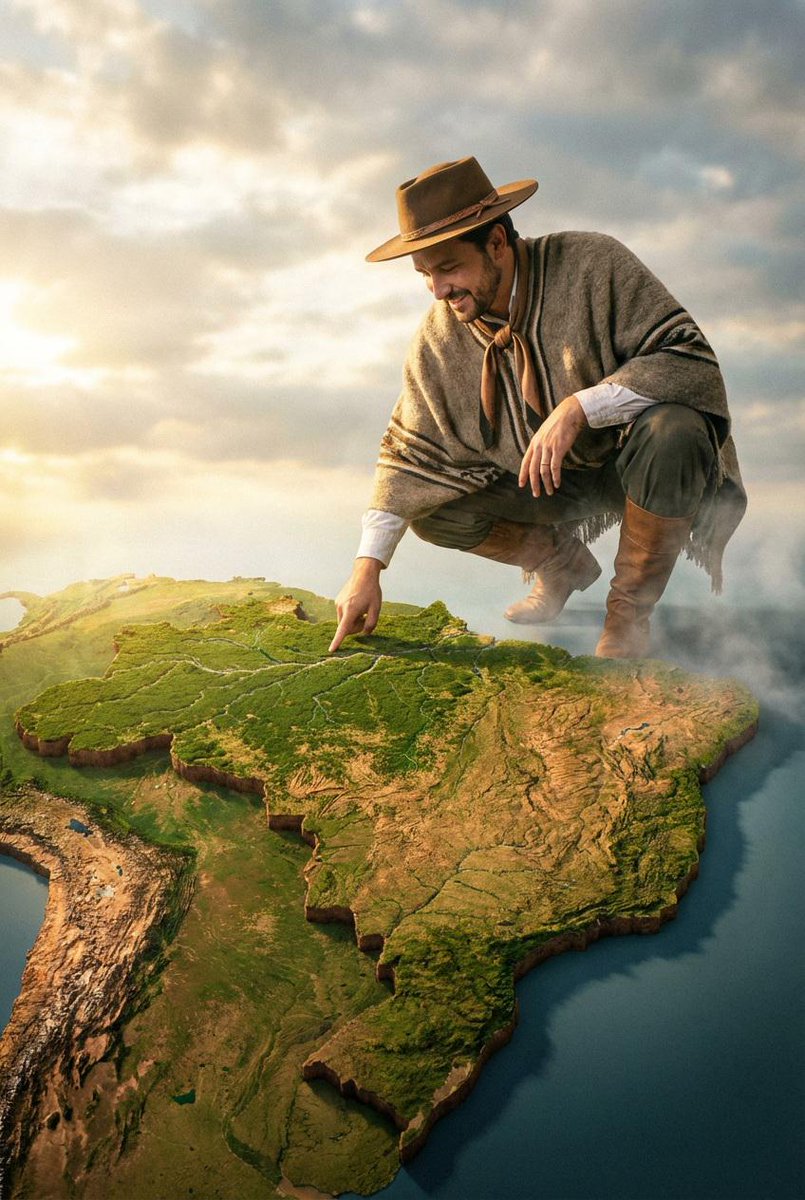
Cinematic Giant 3D Relief Map

Cinematic Giant 3D Relief Map

Editorial / Poster

Read full prompt

Create a dramatic cinematic photo of the man from the reference, crouching above a giant 3D relief map of [{argument name="country" default="COUNTRY"}]. The map should automatically adapt to the chosen location, showing realistic coastlines, mountains, forests, and terrain details. The man's clothing must match the cultural or regional style of the selected country, naturally blending into the environment while keeping his facial features and proportions unchanged. He touches one specific area on the map with his fingertip while soft clouds drift around his feet. Warm sunlight breaks through the sky, casting golden highlights across the landscape. The perspective feels epic and surreal, blending portrait photography with a world-builder aesthetic. High-resolution, atmospheric, fantasy-editorial style

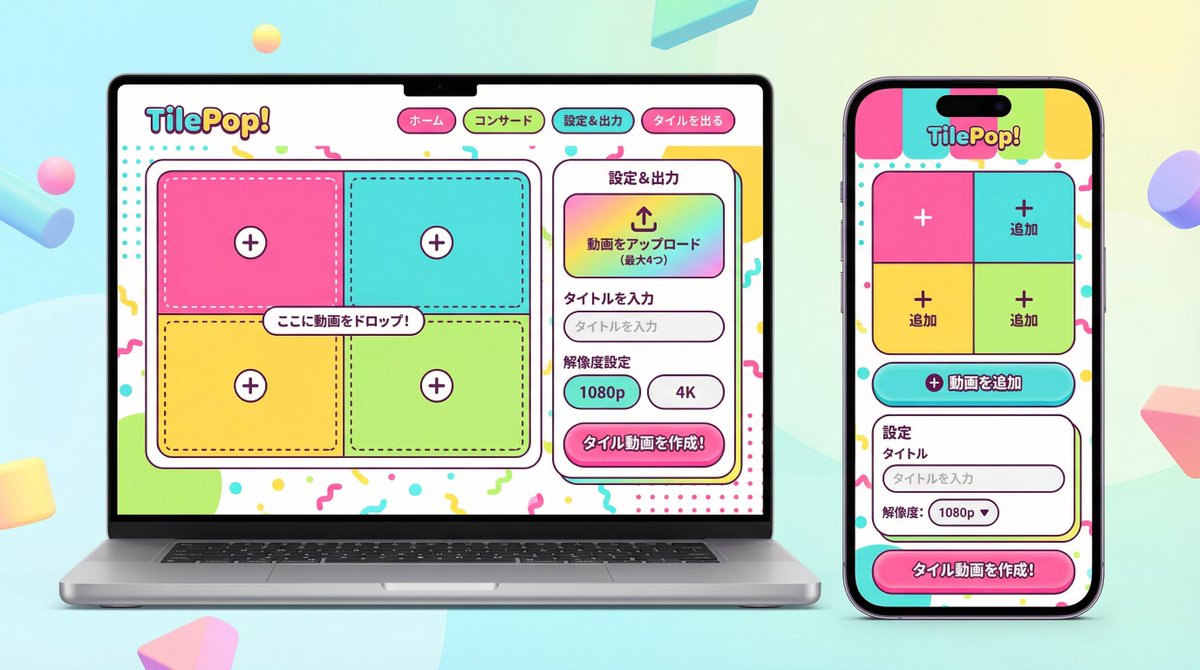
UI/UX Redesign Prompt (Pop Design Style)

UI/UX Redesign Prompt (Pop Design Style)

Editorial / Interface

Read full prompt

You are an experienced senior UI/UX designer specializing in new service launches and redesigns. Analyze the attached image (or input text if no image is attached) and extract **only the 'functional requirements' and 'information structure'** shown there. Based on the extracted functions, generate a high-resolution device mockup image of the app/service with a **completely refreshed design**, showing both the 'Smartphone version (mobile app)' and the 'PC version (Web dashboard or LP)' side-by-side. **Important Requests:** 1. **Design Refresh:** **Do not imitate** the visual style of the attached image at all. Propose a completely new design according to the 'Pop Design' instructions below. 2. **Functionality Maintenance:** Core app functions, such as 'Upload,' 'Video Tiling Display,' and 'Export Settings,' must be included in the UI. 3. **No Characters:** Do not place any characters or human illustrations in the image. Focus only on the UI and devices. ▼ Instructions for the Generation Process (Thinking Process) Construct the design by executing the following thought process before drawing: * [Step 1: Extraction of Functional Requirements]: Identify what the service does from the attached image (e.g., video upload, tiling edit, output) and list the necessary UI elements. * [Step 2: Formulation of Pop Design Concept]: Define a vibrant color palette, playful shapes, and approachable typography based on the '▼ New Design and Style Specification' below. * [Step 3: Responsive UI Design]: * Smartphone Version: Optimize the UI using the defined pop design so that it is fun to operate even on a small screen. Buttons should be large and easy to press. * PC Version: Design a visually enjoyable grid layout utilizing the wide screen, using the defined pop design. * [Step 4: Spatial Composition]: Set an angle where the PC and smartphone are beautifully aligned, and the new design of both screens is clearly conveyed. ▼ New Design and Style Specification * **Design Direction:** Adopt **'Fun, Approachable, and Energetic Pop Design.'** * **Color:** Use a highly saturated, vibrant multi-color palette (e.g., candy colors, bright yellow, hot pink, sky blue) to give an energetic impression. * **Shape:** Frequently use large rounded corners for buttons, cards, and windows to create a soft, tactile texture. Icons should be in a playful style drawn with thick lines. * **Font:** Use an approachable and highly legible rounded Gothic Japanese font. * **Overall Atmosphere:** Finish with a bright, positive UI that makes the user excited to interact with it. * **Composition:** Cross-platform mockup with the PC and smartphone beautifully aligned, in an isometric (oblique overhead) or front view. The background should be a bright studio environment that enhances the pop UI. * **Text:** Place accurate Japanese text indicating the functions. ▼ Input Text (App Function Definition) {argument name="app function definition" default="App to tile and export uploaded videos\nNo AI analysis function needed\nI want to be able to set the resolution!"}

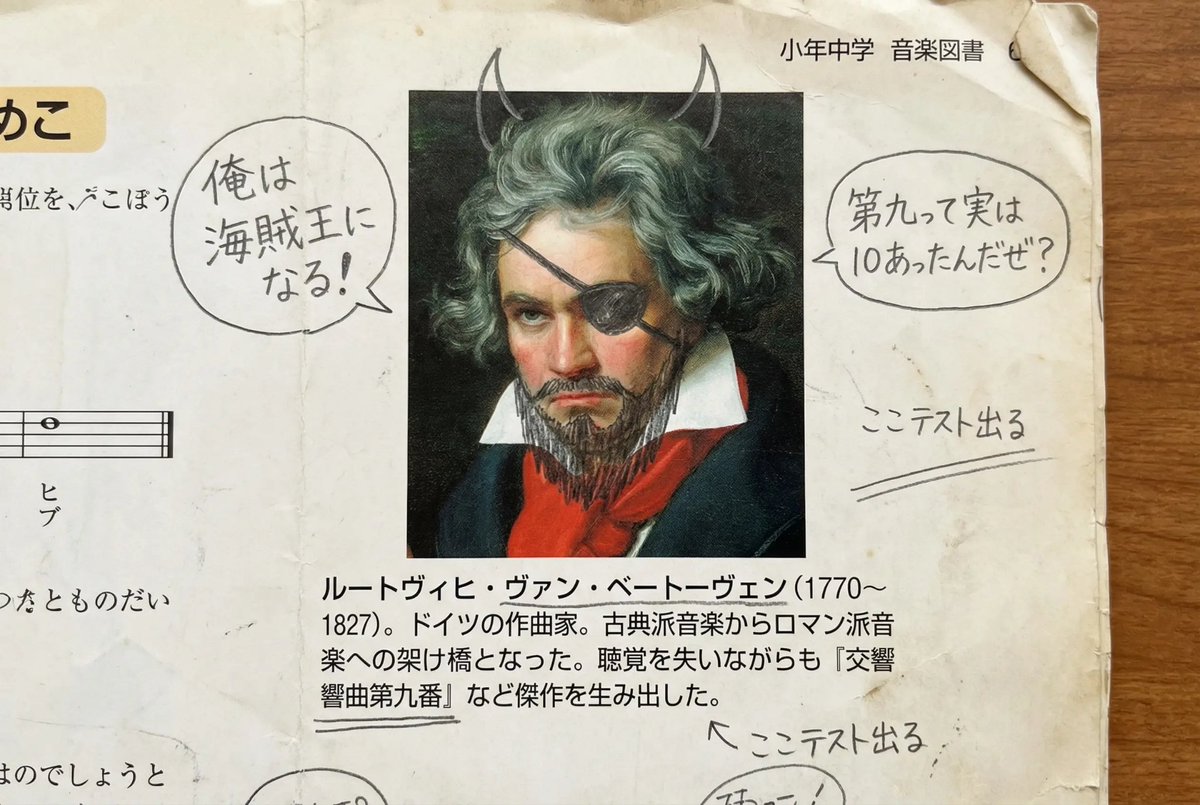
Middle schooler doodles on history textbook pages

Middle schooler doodles on history textbook pages

Editorial / Poster

Read full prompt

A page from a history textbook used by Japanese middle school students. It is a page where a student has doodled with a pencil over the portrait photo in a great person’s profile to turn it into a funny face. Edit and correct the textbook text so that it is written in proper Japanese and ensure the content is based on historical facts.

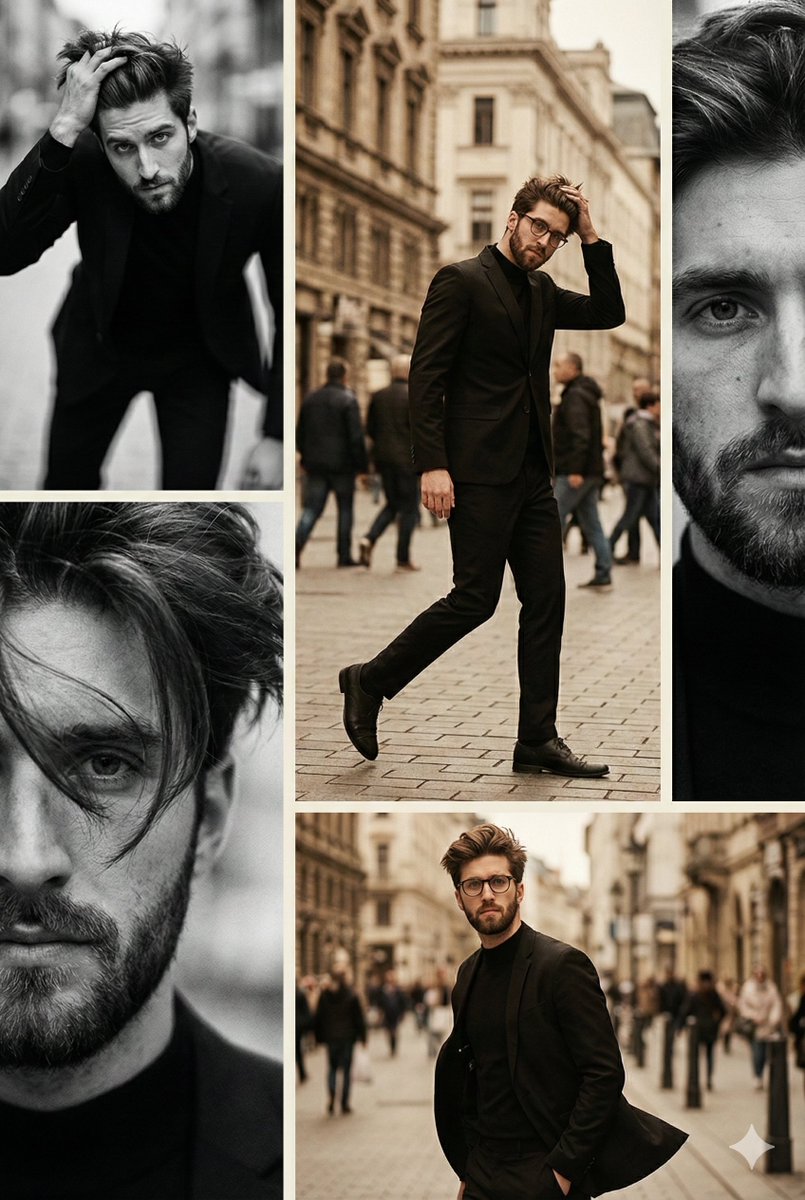
Vintage Editorial Collage from Reference Image

Vintage Editorial Collage from Reference Image

Editorial / Poster

Read full prompt

Transform this image [Upload Your Image] into a 64K DSLR shot resolution of A moody, vintage-inspired fashion editorial presented as a vertical collage of multiple frames, blending black-and-white and warm, desaturated color photography. The subject is a young man (same face as the uploaded image) in confident, with voluminous, hair, captured in expressive, fluid poses that emphasize movement, attitude, For male: and emotional intensity. The primary frame features a dramatic black-and-white portrait of the man (same face as the uploaded image) leaning forward with his hand lifting his hair, his body angled dynamically toward the camera. he wears a fitted black outfit with, sculpting hid silhouette. His gaze is intense and direct, conveying strength, mystery, and raw confidence. Soft motion blur and film grain add a classic, analog feel. Secondary frames include intimate close-ups of his face—one with strands of hair partially covering his eyes, highlighting natural texture, skin detail, and sensuality. Other frames place his in an urban city street environment, shot during daytime with warm, nostalgic color grading. he walks confidently through a busy street lined with tall buildings, blurred pedestrians, traffic cones, and distant vehicles. In one image, he pauses mid-stride, one hand raised to his hair, wearing a black suit that flows with movement. The city background is softly out of focus, emphasizing his presence amid urban chaos. The overall color palette is earthy and cinematic—warm browns, sepia highlights, muted blacks, and soft creams—contrasted with deep shadows. Grain, slight softness, and shallow depth of field give the images a timeless, editorial film aesthetic. The mood is cool, confidential, and asthetic, evoking themes of independence, city life, femininity, and effortless power. The collage feels like a high-fashion magazine spread inspired by 1970s–1990s street photography and classic fashion editorials. Style & Camera Tags: Cinematic fashion photography, editorial collage, analog film look, vintage color grading, black and white portrait, urban street fashion, shallow depth of field, natural light, film grain, motion blur, high-end magazine aesthetic, emotional storytelling, 64K realism. Octane render & Unreal Engine

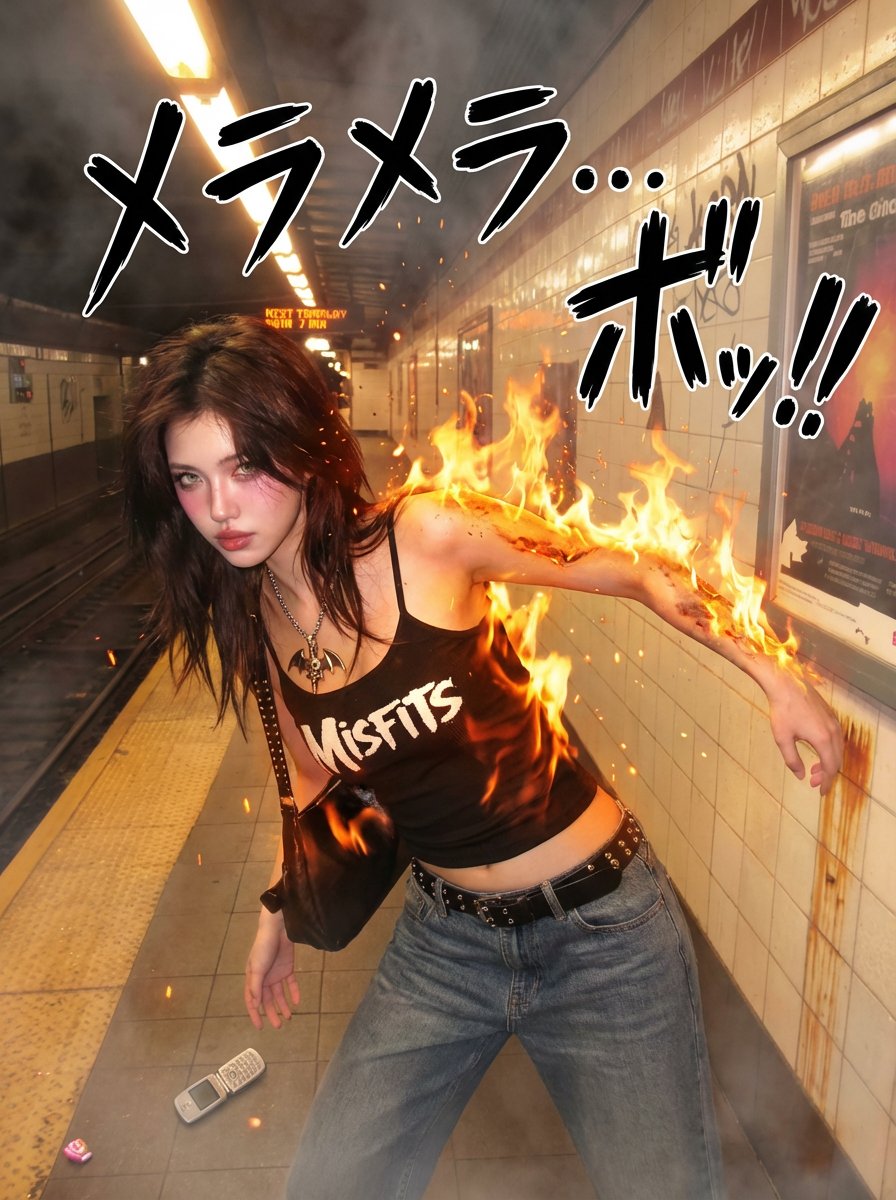
One Piece Devil Fruit Transformation Template

One Piece Devil Fruit Transformation Template

Editorial / Poster

Read full prompt

{ "version": "1.0", "description": "Transform a real person in a photo into a One Piece-style Devil Fruit ability user: dynamic pose, dramatic camera angle, ability-specific SFX, and a photorealistic manifestation of the specified Devil Fruit’s power.", "variables": { "DEVIL_FRUIT_NAME": { "type": "string", "value": "<<DEVIL FRUIT NAME>>", "description": "The canonical Devil Fruit name whose ability should be interpreted and applied to the subject (e.g., Gum-Gum Fruit, Flame-Flame Fruit, Ice-Ice Fruit, Sand-Sand Fruit, Rumble-Rumble Fruit, Flower-Flower Fruit, Dark-Dark Fruit, Paw-Paw Fruit, etc.)." } }, "steps": [ { "name": "DEVIL_FRUIT_ABILITY_EDIT", "goal": "Apply a dynamic One Piece-style pose, dramatic camera angle, ability-specific manga SFX, and a photorealistic manifestation of the specified Devil Fruit’s ability.", "instructions": "Use the uploaded photo as the base.\n\nKeep the person photorealistic (eyes, face, skin texture, hair, makeup). Do NOT convert the scene into manga. Do NOT replace the background.\n\n=====================================\nDEVIL FRUIT ABILITY TRANSFORMATION\n=====================================\nInsert your Devil Fruit name here: {argument name="Devil Fruit Name" default="[DEVIL_FRUIT_NAME]"}\n\nInterpret the canon ability of [DEVIL_FRUIT_NAME] realistically and apply it to the body or surrounding environment. The effect must look like a live-action One Piece movie.\n\nExamples:\n- Gum-Gum Fruit: stretched limbs, elastic skin, tension folds, rubber reflection\n- Flame-Flame Fruit: realistic flames, heat distortion, warm illumination\n- Ice-Ice Fruit: frost buildup, ice crystals, cold vapor\n- Rumble-Rumble Fruit: lightning arcs, photoreal sparks\n- Sand-Sand Fruit: sand disintegration, sandstorm motion\n- Flower-Flower Fruit: photoreal arms blooming from surfaces\n- Paw-Paw Fruit: shockwave compression ripples\n- Dark-Dark Fruit: gravitational distortion, dark smoke tendrils\n\nRules:\n- The face must remain recognizable.\n- Effects must integrate into real lighting and shadows.\n- No cartoon filters — supernatural physics must look real.\n\n=====================================\nONE PIECE-STYLE POSE TRANSFORMATION\n=====================================\nRepose the body into a dramatic battle pose:\n- wide stance, strong dynamic gestures\n- stretched arm for Gum-Gum, open palm for shockwave, ignition stance for flame, elemental charge-up for logias, etc.\n- clothing should deform."

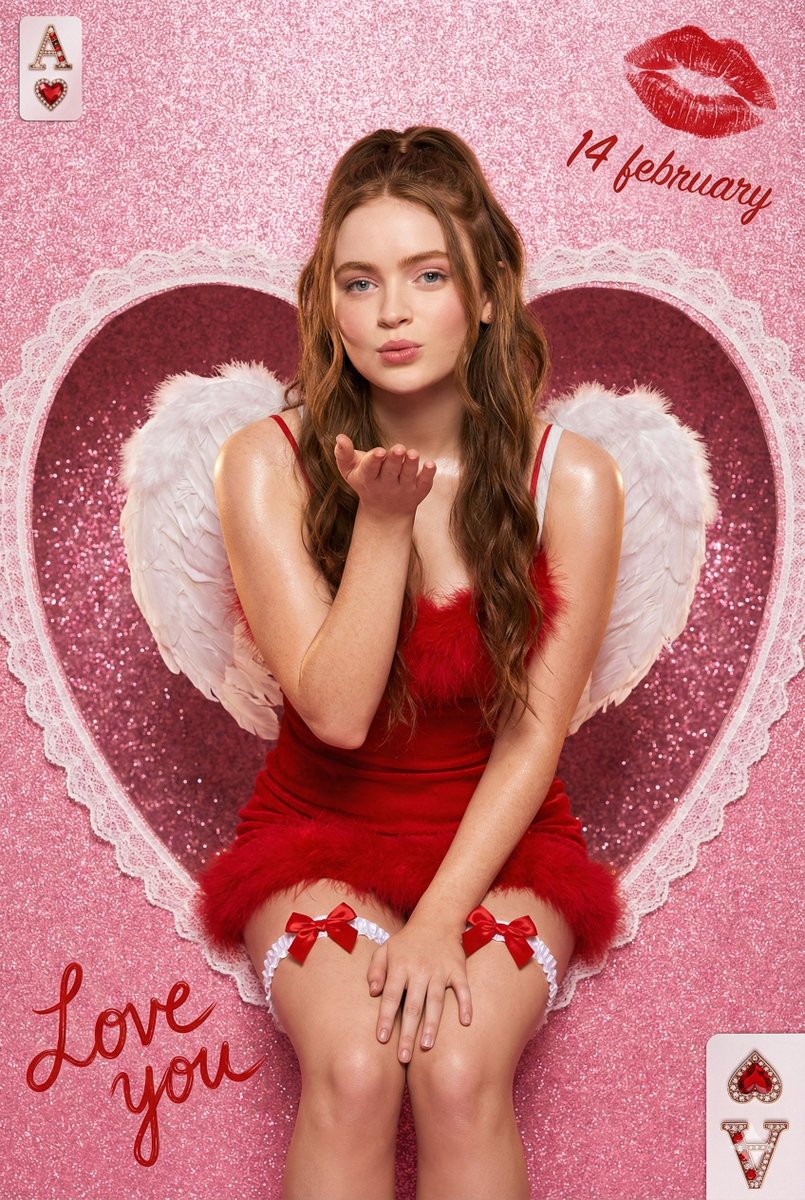
Valentine Angel Heart Glamour Editorial

Valentine Angel Heart Glamour Editorial

Editorial / Poster

Read full prompt

{ "meta": { "title": "Valentine Angel Heart Portrait", "style": "ultra-photorealistic glamour editorial", "resolution": "8K high resolution", "aspect_ratio": "9:16 vertical portrait", "render_quality": "extreme detail, high texture clarity, sharp focus", "color_palette": "vibrant saturated pinks, romantic reds, soft whites", "mood": "romantic, playful, glamorous, dreamy", "aesthetic": "valentine fantasy meets luxury studio fashion photography" }, "scene": { "location_type": "studio setup", "background": { "base_color": "sparkly hot pink glitter", "texture": "fine shimmering glitter particles with soft bokeh reflections", "centerpiece": "large lace-edged heart cutout window", "heart_details": "intricate white lace trim with delicate floral embroidery patterns, symmetrical and elegant" }, "composition": { "framing": "centered subject seated inside heart cutout", "depth_of_field": "shallow depth of field with softly blurred glitter background", "camera_angle": "slightly above eye level for flattering perspective", "crop": "mid-thigh upward portrait framing", "clean_frame": "no extra people, no clutter, balanced decorative elements" } }, "subject": { "gender": "female", "age_range": "20-25", "body_type": "slim, natural proportions", "pose": { "position": "seated gracefully inside heart cutout", "gesture": "gently blowing a kiss with one hand toward camera", "expression": "soft romantic smile, playful yet elegant eye contact", "posture": "upright with relaxed shoulders and subtle curve in spine" }, "face_details": { "skin": "smooth soft skin with professional editorial retouch", "finish": "subtle sheen on shoulders and collarbones", "makeup": "soft glam makeup, rosy blush, defined lashes, glossy red lips", "eyes": "warm expressive gaze directed toward viewer" }, "hair": { "color": "rich medium brown", "style": "long wavy hair", "arrangement": "half-up ponytail with soft loose waves cascading over shoulders", "texture": "natural shine with soft volume" } }, "wardrobe": { "dress": { "type": "mini dress", "color": "deep romantic red", "material": "fluffy textured fabric with feather trim", "straps": "thin delicate spaghetti straps", "fit": "fitted bodice with soft voluminous feathered hem" }, "legwear": { "style": "white thigh garters", "details": "small satin bows centered on each garter" }, "wings": { "type": "angel wings", "color": "pure white", "size": "large and dramatic", "texture": "layered soft feathers with realistic volume", "positioning": "symmetrical behind her back, slightly curved outward" } },

Cinematic Poster Close-up Eye Prompt (Graphic Novel Style)

Cinematic Poster Close-up Eye Prompt (Graphic Novel Style)

Editorial / Poster

Read full prompt

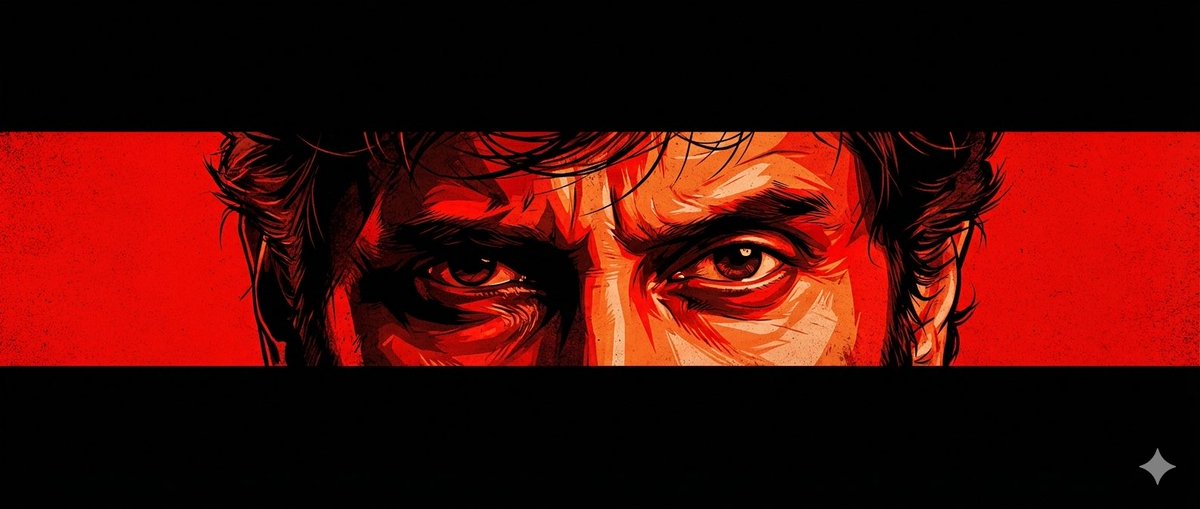
A cinematic poster-style artwork featuring an intense close-up of a man’s eyes centered horizontally across the frame. Only the eyes and part of the face are visible through a narrow horizontal strip, surrounded by deep black negative space above and below. The face is illustrated in a high-contrast, graphic-novel style with bold red, black, and orange tones, dramatic shadows, sharp highlights, and a gritty, intense mood. The eyes look fierce, emotional, and determined, with slightly messy hair. Use the provided image for eye reference

Generic Stamp Design Prompt

Generic Stamp Design Prompt

Editorial / Poster

Read full prompt

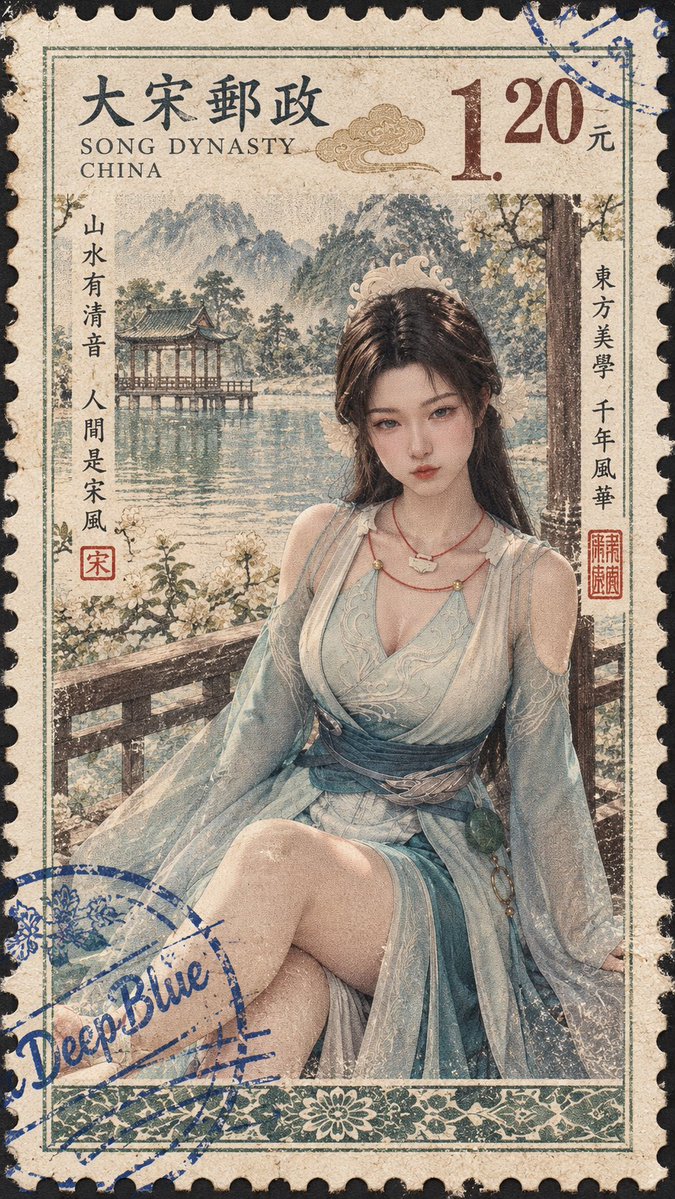
[Country: {argument name="country" default="Song Dynasty China"}; Subject: {argument name="subject" default="Panda"}] x Layout conforming to that country's stamp characteristics x Main image composition adapted to subject x That country's stamp information x Perforations and stamp borders x Real stamp paper and printing texture x Blue postmark-style "DeepBlue" signature, random position, natural overprinting, slight ink break wear, natural offset, can be partially cropped, text incomplete.

Mid-Autumn Festival Poster Prompt

Mid-Autumn Festival Poster Prompt

Editorial / Poster

Read full prompt

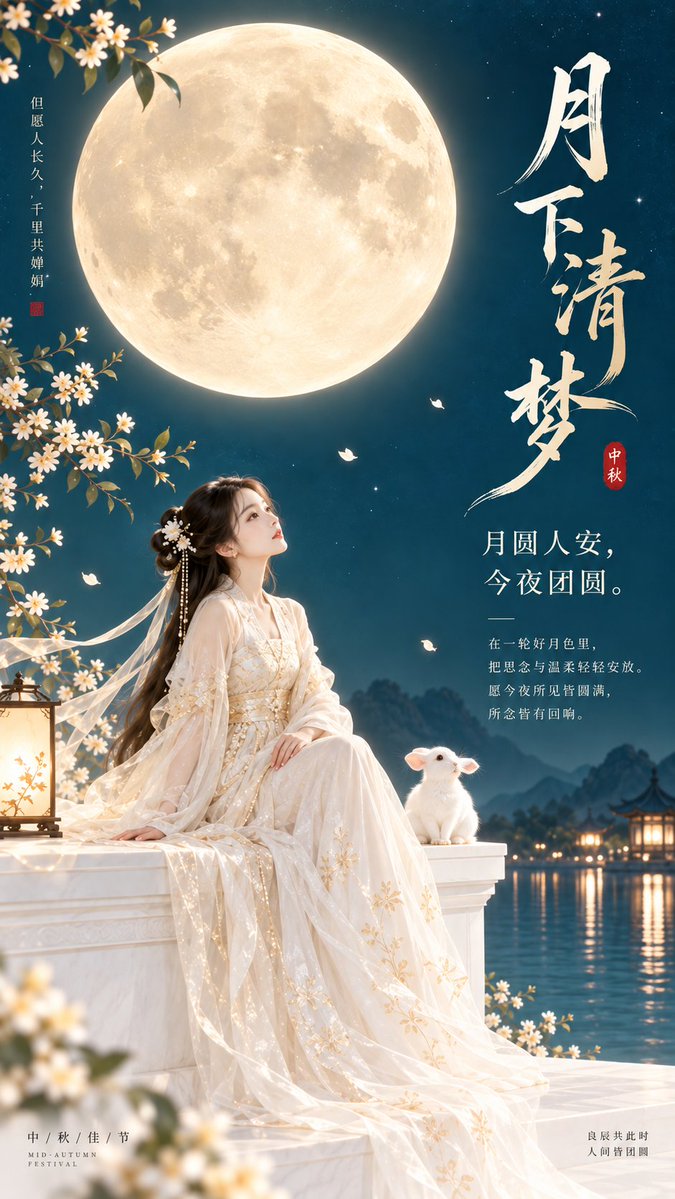
Theme direction: Eastern Zen minimalist Mid-Autumn Festival cover poster. Style branch: Mid-Autumn dreamy female-oriented. Subject content: A woman in ancient style sits by a white high platform, accompanied quietly by a small jade rabbit beside her. Emotional motif: Dreaminess, reunion, healing. Scene and imagery: Giant golden moon wheel, white high platform, jade rabbit, woman, peacock blue night sky. Composition and space: 9:16 vertical composition, moon wheel located in the upper middle part, characters and jade rabbit located below, top and right sides reserved for complete title area. Color control: Pearl white as high-brightness base, champagne gold used for moon wheel and local edge light, peacock blue used for large color blocks of night sky, jade rabbit remains clean warm white; avoid overall blue tint or overly yellow moonlight. Lighting and texture: Soft bright moonlight, delicate flat poster feel, clear picture, low gray level. Aspect ratio: 9:16. Additional requirements: Jade rabbit should be simple and cute but not childish, overall should have Mid-Autumn dreaminess and viral cover temperament, suitable text placed in blank areas of the screen.

High-end Editorial Poster from Photo

High-end Editorial Poster from Photo

Editorial / Poster

Read full prompt

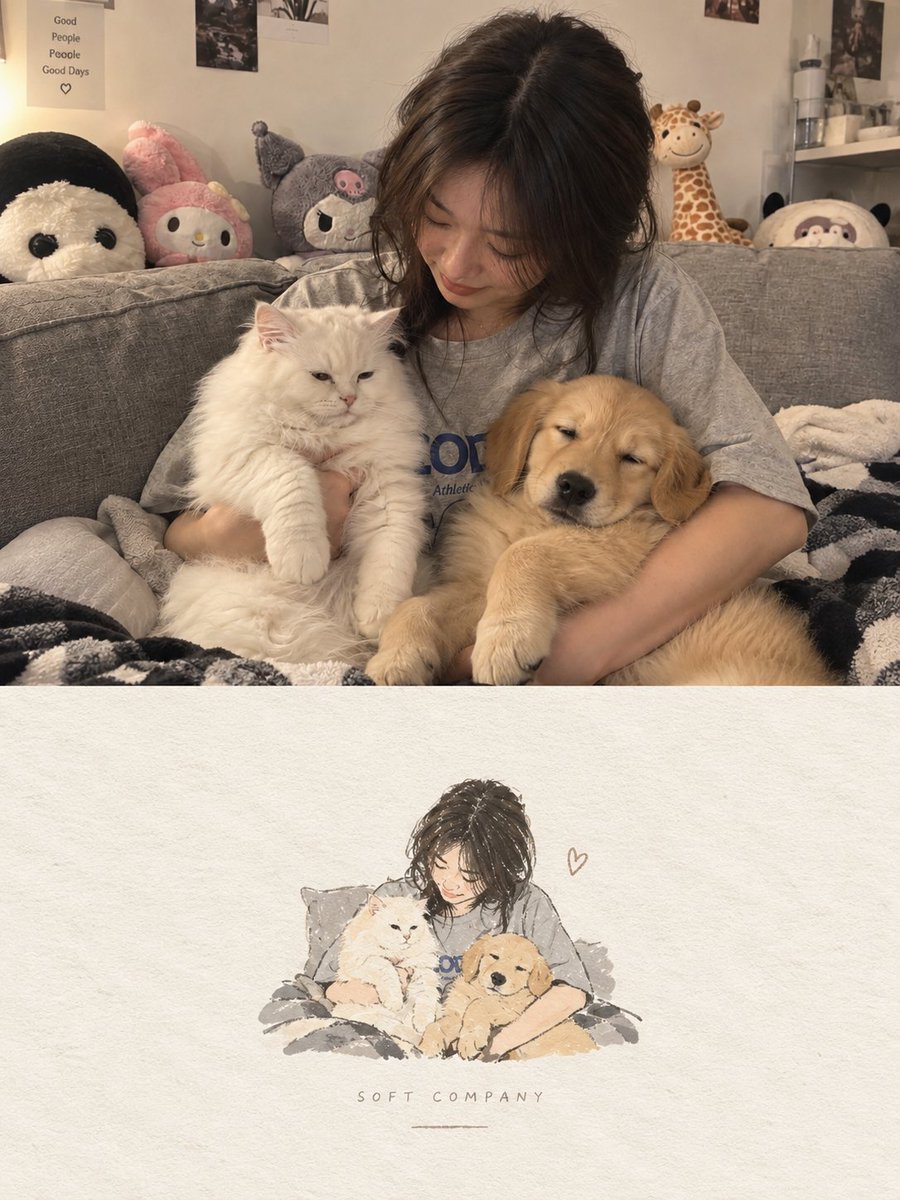
Create one independent high-end editorial poster for each uploaded photo. Do not combine multiple photos into a collage. Each photo must be processed and output as a separate poster. OVERALL FORMAT Strict 3:4 vertical composition. Divide the canvas horizontally into two exactly equal sections, with a precise 1:1 height ratio. The top half occupies exactly 50% of the canvas. The bottom half occupies exactly 50% of the canvas. The two sections should feel visually connected as one refined art publication cover. TOP HALF — ORIGINAL PHOTOGRAPH Preserve the original photograph as faithfully as possible. Keep the main composition, subjects, identity, facial features, body proportions, poses, expressions, clothing, objects, and spatial relationships unchanged. Preserve the realistic photographic texture, natural lighting, shadows, atmosphere, and original color mood. Apply only subtle, sophisticated editorial color grading, creating the feeling of a premium magazine photograph, contemporary art book, or high-end independent publication. The image should remain photorealistic and authentic, never overly retouched or artificially stylized. If necessary to fit the 3:4 composition naturally, extend the sky, ground, walls, or surrounding environmental background. Background extension must feel seamless and photographic. Never stretch, distort, reshape, replace, or alter the main subject. BOTTOM HALF — MINIMAL HAND-DRAWN PAPER ILLUSTRATION Extract the most recognizable visual elements from the original photograph and reinterpret them as a minimalist hand-drawn paper-cover illustration. Preserve: The most recognizable subject Essential silhouette and proportions Key pose or gesture Important objects The core narrative relationship between people and objects Highly simplify the image. Remove unnecessary details and retain only the visual information needed for immediate recognition. Use: Delicate, slightly imperfect hand-drawn lines A small number of bold, clearly defined acrylic-style flat color shapes Rough paper texture Visible handmade brush marks Slightly irregular, organic edges Subtle imperfections that make it feel genuinely handmade The main illustrated subject should be small, centered, and carefully composed, occupying approximately 10–20% of the bottom half. Leave a large amount of negative space around the illustration. The background should primarily resemble: Rough white paper Warm off-white paper Pale natural paper Minimal editorial book-cover stock Use only a few lines or small color shapes to suggest the surrounding environment. COLOR PALETTE Extract the dominant colors directly from the original photograph. Compress the palette into no more than 4 main colors. Keep the colors restrained, sophisticated, and harmonious. Use bold but controlled flat color blocks. Avoid excessive color variation. Preserve subtle paper grain and handmade brush texture. The illustration should visually feel like a simplified

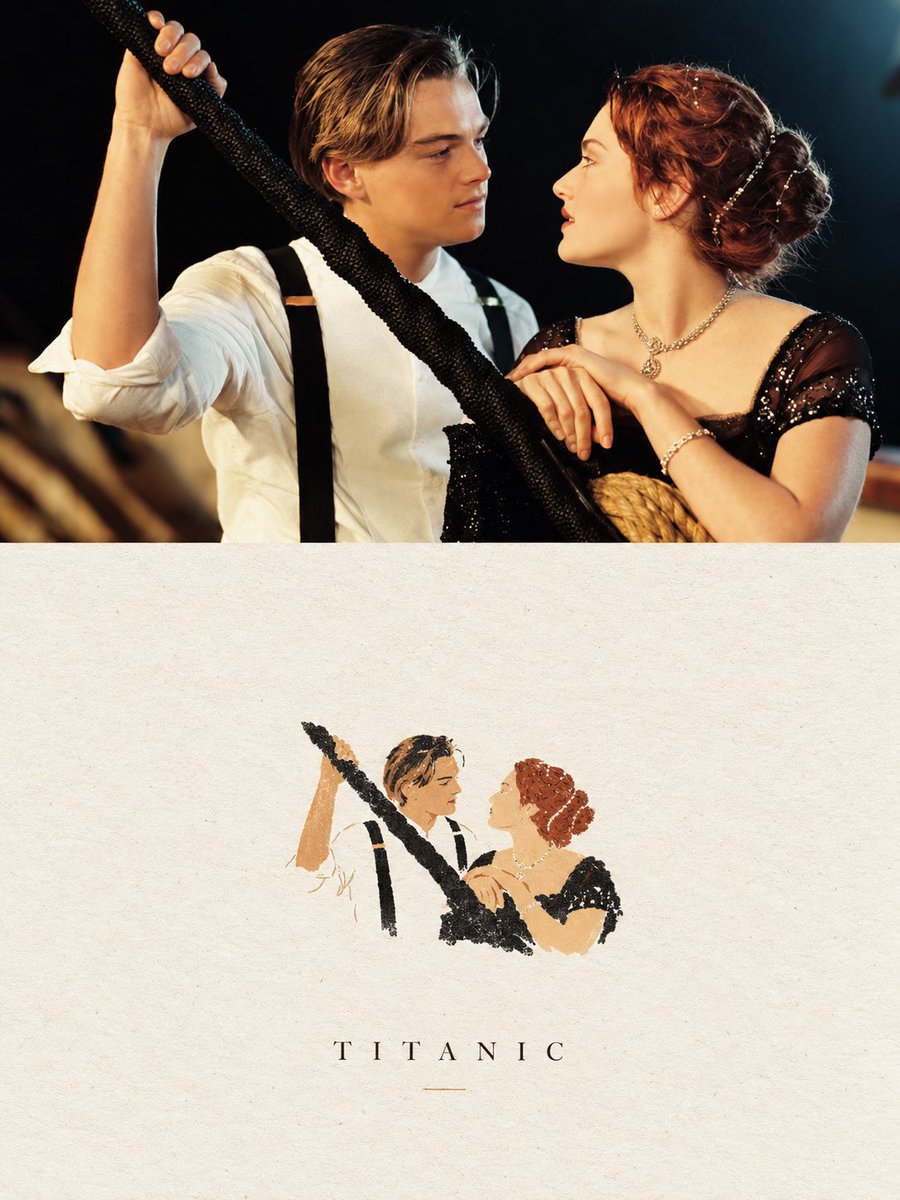
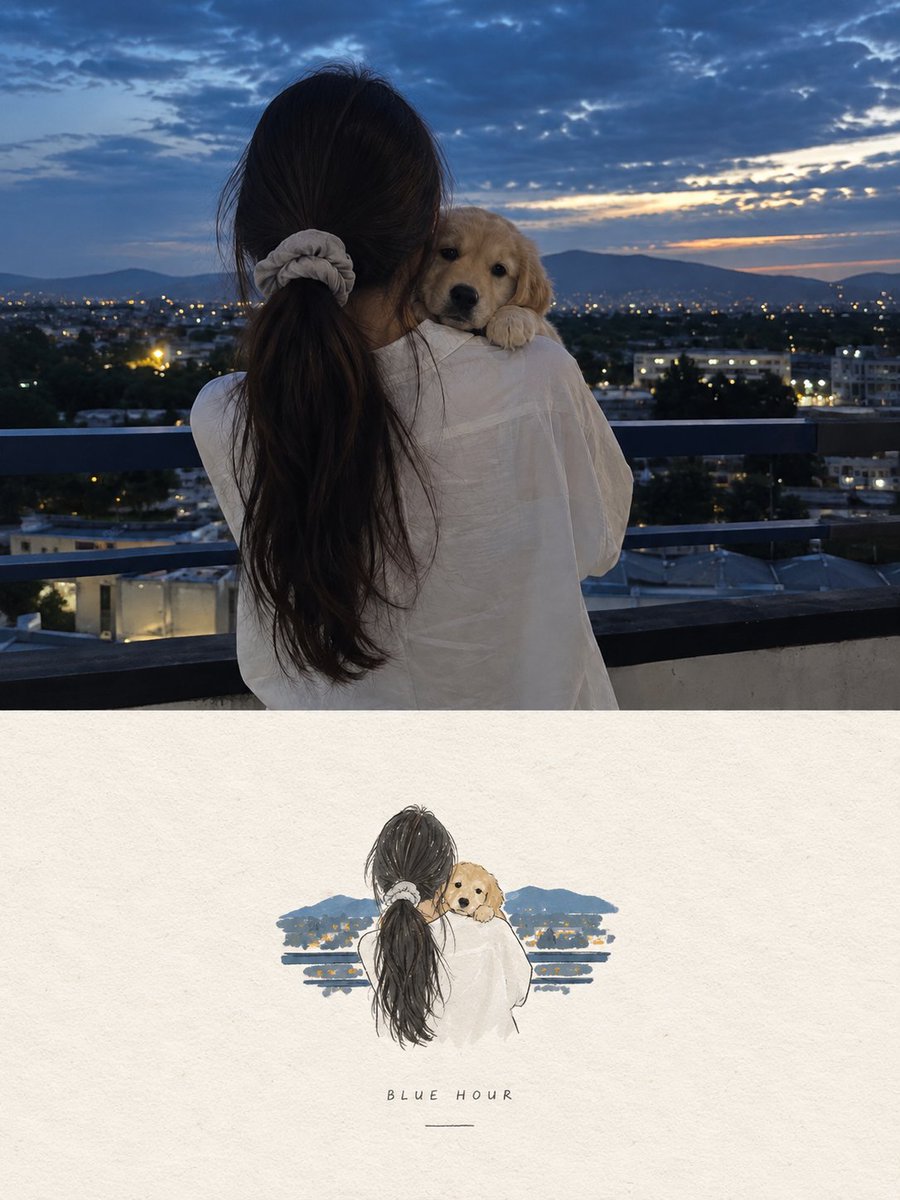
Editorial Art Poster Prompt

Editorial Art Poster Prompt

Editorial / Poster

Read full prompt

Create a sophisticated 3:4 vertical editorial art poster based directly on the uploaded photograph. Divide the composition into two equal horizontal panels. Upper panel: retain the photograph as the primary visual, preserving the people, facial appearance, pose, wardrobe, props, lighting, atmosphere, colors, and photographic realism. Do not reinterpret or substantially alter the scene. Apply only a restrained, high-end editorial grade with subtle tonal refinement and natural film-like texture. Lower panel: create a very small, centered handmade-paper interpretation of the key visual relationship from the photograph. Reduce the recognizable figures and essential gesture into an understated graphic illustration made from delicate, slightly irregular hand-drawn contours and a few strong, flat acrylic-style shapes. Use organic imperfections, softly fibrous paper texture, and naturally uneven edges. Limit the artwork to a maximum of four colors sampled or closely derived from the original photograph. Keep this illustrated element intentionally tiny—approximately 10–20% of the lower panel—and surround it with generous warm ivory/off-white negative space. If typography is included, use only restrained, sophisticated editorial type with minimal visual weight. The finished piece should resemble a quiet independent art-book cover or gallery print: poetic, restrained, tactile, elegant, and premium. Favor simplicity, subtle imperfections, and visual breathing room over decoration. Avoid: cartoon aesthetics, watercolor effects, colored-pencil rendering, 3D elements, glossy finishes, excessive detail, busy compositions, commercial advertising aesthetics, or overly polished digital illustration.

Minimalist Paper Illustration Poster

Minimalist Paper Illustration Poster

Editorial / Poster

Read full prompt

Create a high-end editorial poster using the uploaded photo as the exact reference, in a strict 3:4 vertical format divided horizontally into two equal 50/50 sections. Preserve the original photo faithfully in the top half, including subjects, identity, pose, clothing, objects, lighting, colors, and realistic texture, with only subtle premium editorial color grading. In the bottom half, reinterpret the most recognizable elements as a small, centered, minimalist handmade paper illustration using delicate imperfect lines, bold flat acrylic-like color shapes, subtle paper grain, organic edges, and no more than 4 colors extracted from the original photo. Keep the illustration only 10–20% of the bottom section with lots of warm off-white negative space and optional minimal editorial typography. The overall result should feel quiet, poetic, refined, artistic, premium, and like an independent art-book cover, avoiding cartoon, watercolor, colored-pencil, 3D, glossy, busy, or commercial aesthetics.

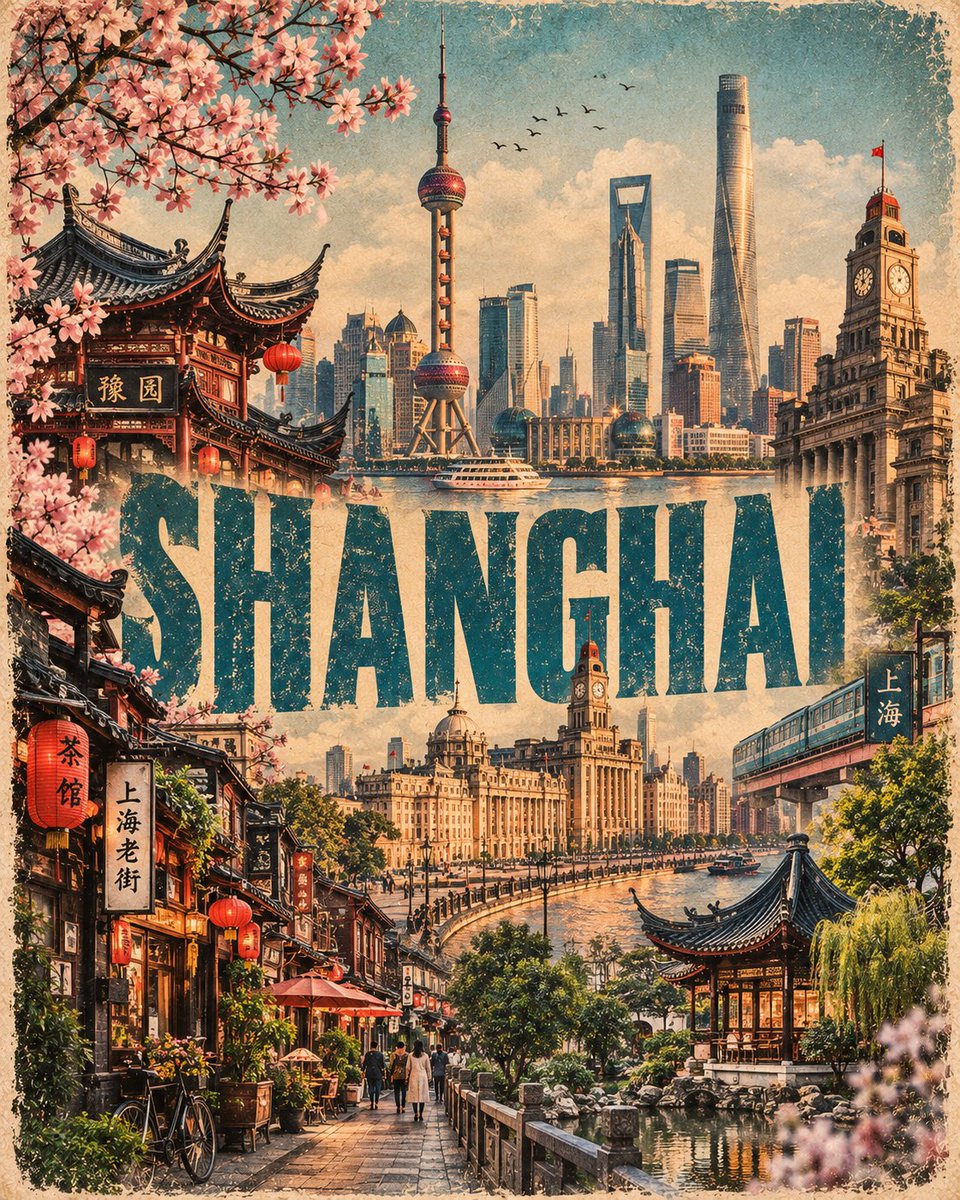
Vintage Indian Tourism Poster

Vintage Indian Tourism Poster

Editorial / Poster

Read full prompt

Create a premium vertical editorial travel-art poster inspired by vintage Indian tourism posters and cinematic heritage photography, based on {argument name="destination" default="[CITY / COUNTRY / DESTINATION]"}. Build a dramatic layered architectural collage featuring the most recognizable landmarks, monuments, palaces, temples, forts, streets, markets, landscapes, and cultural elements of {argument name="location" default="[CITY / COUNTRY]"}. Arrange the architecture organically from foreground to background, creating a rich sense of depth and scale. At the top, feature a large historically accurate hero landmark of {argument name="place" default="[CITY / COUNTRY]"}, photographed from a dramatic low or slightly elevated perspective. Preserve its authentic architecture, proportions, textures, stonework, windows, towers, domes, carvings, and surrounding landscape. Behind and around it, blend additional recognizable local landmarks into the composition as a seamless photographic collage. Include traditional streets, colorful houses, local markets, historic buildings, steps, courtyards, vegetation, birds, and subtle cultural details characteristic of the destination. TYPOGRAPHY Place the destination name {argument name="name" default="[CITY / COUNTRY NAME]"} across the central portion in huge bold condensed uppercase typography, inspired by classic mid-century travel posters. The typography should feel physically integrated into the architecture rather than simply placed over it — partially overlapping buildings and extending behind architectural elements. Use distressed vintage blue / indigo lettering with subtle faded ink, worn print texture, slight imperfections, and an authentic screen-printed appearance. COLOR & TEXTURE Use a sophisticated sepia, warm beige, sandstone, cream and muted blue palette. Combine: aged paper texture subtle film grain vintage photographic toning distressed print imperfections faded ink slightly weathered edges soft atmospheric haze natural shadows cinematic depth Keep the architecture predominantly warm monochrome/sepia, while allowing one strong destination-inspired color — such as Rajasthan blue — to become the visual accent. COMPOSITION 4:5 vertical poster, highly detailed, cinematic editorial composition, layered architectural collage, strong foreground-to-background depth, premium luxury travel magazine aesthetic, nostalgic Indian tourism poster, authentic heritage atmosphere, sophisticated visual hierarchy, dramatic but elegant. No modern graphic clutter, no random buildings, no distorted architecture, no incorrect landmarks, no excessive text, no cartoon appearance.

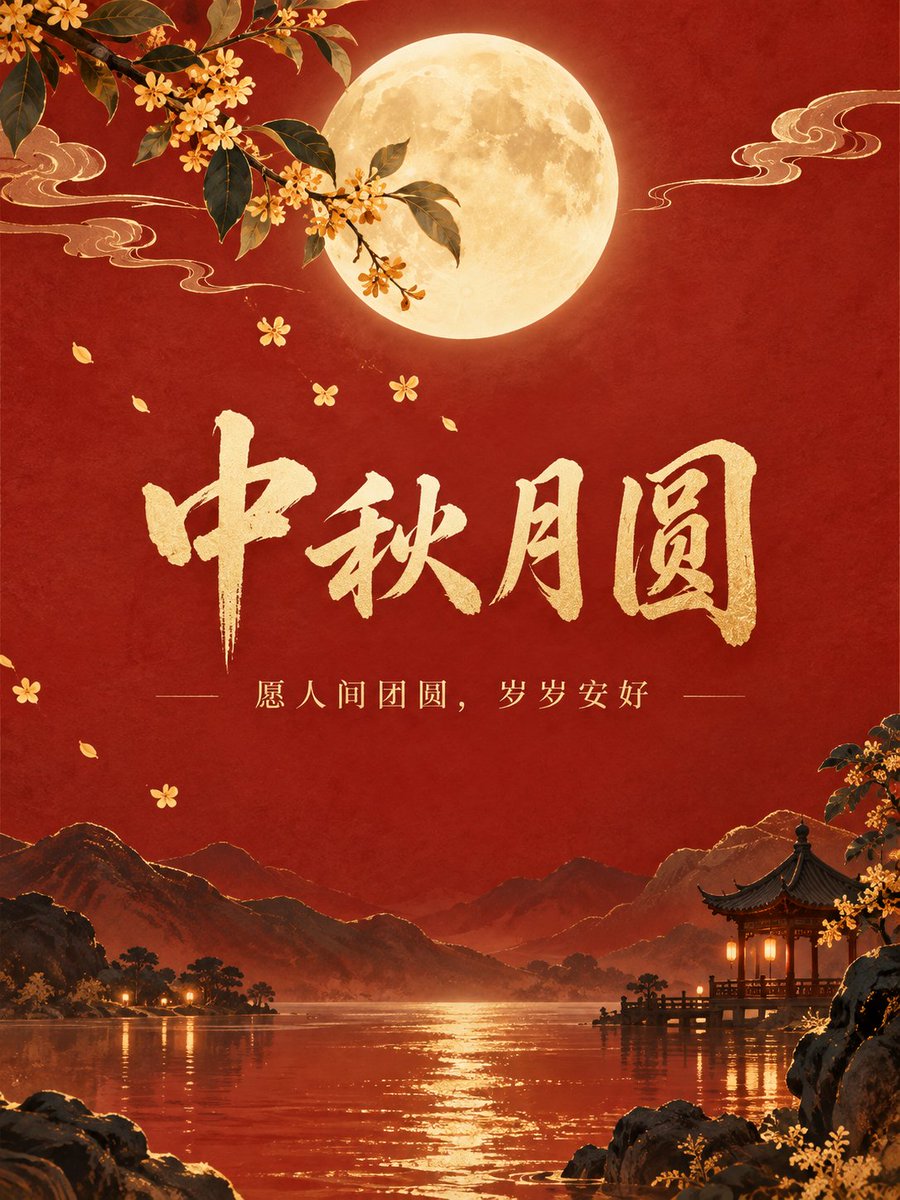
Mid-Autumn Festival Poster

Mid-Autumn Festival Poster

Editorial / Poster

Read full prompt

Design a Mid-Autumn Festival blessing poster, vertical 3:4. Adopt contemporary New Chinese style: Vermilion rice paper background, a warm golden full moon placed at the top of the picture, thin gold lines outlining osmanthus branches and flowing clouds. Central large title "{argument name="main_title" default="Mid-Autumn Moon Full"}", small text below "{argument name="sub_text" default="Wishing for reunion in the world, peace year after year"}". Text area has sufficient white space, clear and easy to read on mobile. Render only specified Chinese, do not add other text, logos, watermarks, or garbled characters.

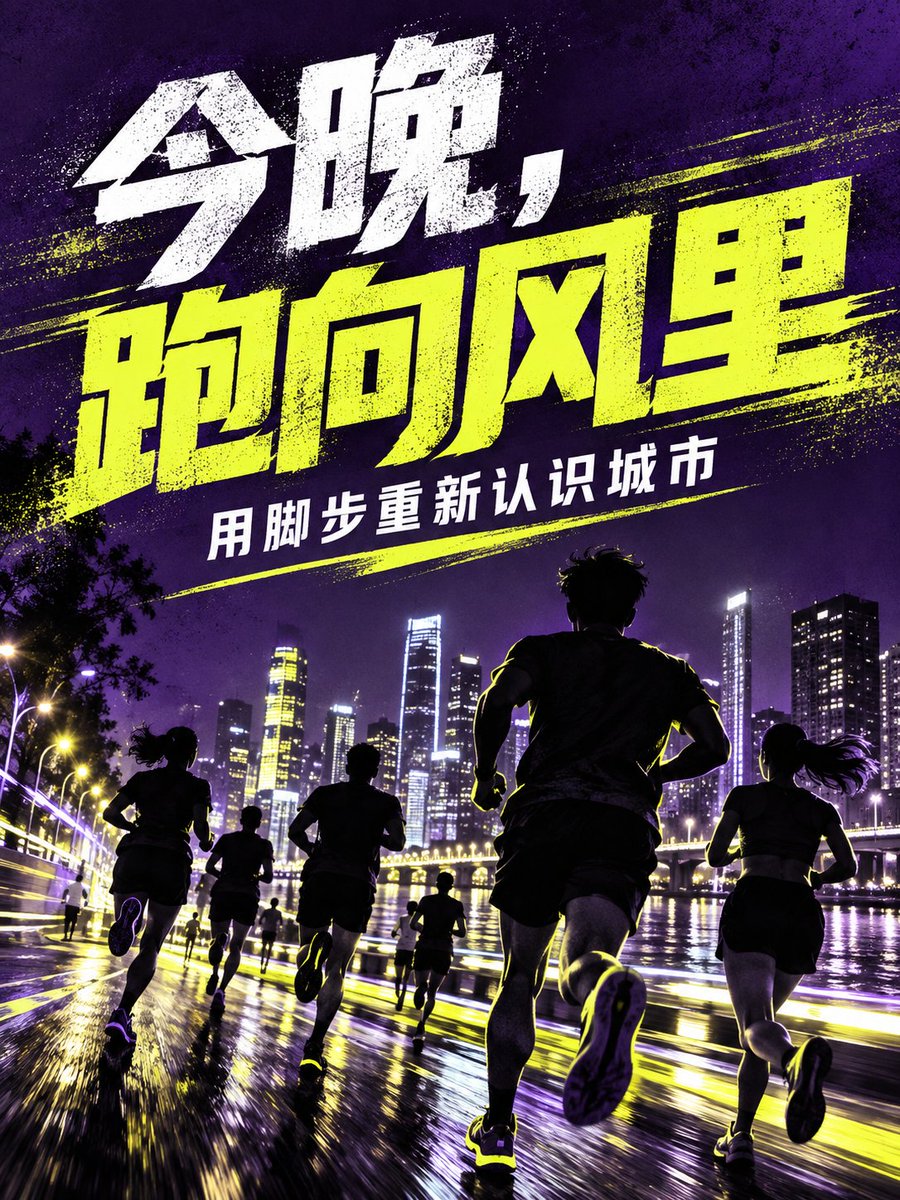
City Night Run Sports Poster Prompt

City Night Run Sports Poster Prompt

Editorial / Poster

Read full prompt

Design a "City Night Run" sports poster. Deep purple background with fluorescent yellow and cool white, music magazine-style silhouettes and coarse grain texture; runners and city lights are located in the lower half. The large title at the top accurately reads "{argument name="main_title" default="Tonight, run into the wind"}", and the text below reads "{argument name="sub_title" default="Rediscover the city with your footsteps"}". Keep it readable on mobile devices, render only the specified Chinese text, and do not add other text, logos, watermarks, or garbled characters.

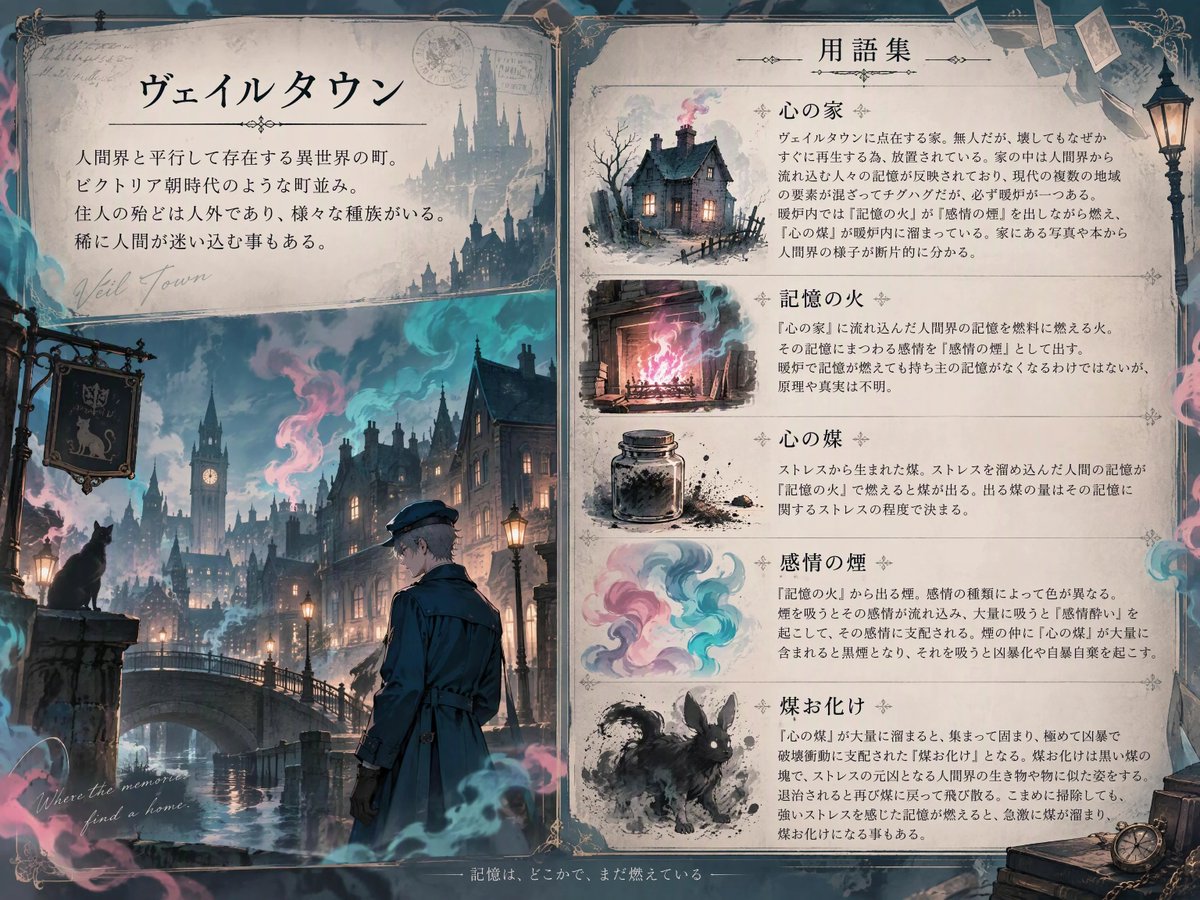
Fantasy World Building Explanation Sheet

Fantasy World Building Explanation Sheet

Editorial / Poster

Read full prompt

A high-quality fantasy world-building sheet. Descriptions of the town and related Terms. The town description goes in the top-left corner, general descriptions of Terms go in the right half, and an illustration goes in the bottom-left corner. The borders and background color should match the atmosphere of the Reference Image. All text must be written in Japanese, and only the specified text should be included. Town Description: Name is "{argument name="town_name" default="[Town Name]"}". General Description is "{argument name="town_description" default="[Town Overview]"}". Terms: Draw a small, stylized illustration next to each term to represent it. "{argument name="term_1" default="[Term 1]"}";"{argument name="term_1_desc" default="[Term 1 Description]"}" "{argument name="term_2" default="[Term 2]"}";"{argument name="term_2_desc" default="[Term 2 Description]"}" Illustration: Use the reference images to create illustrations that fit the world-building. The atmosphere should also match the world-building. Blur the outlines of the illustration.

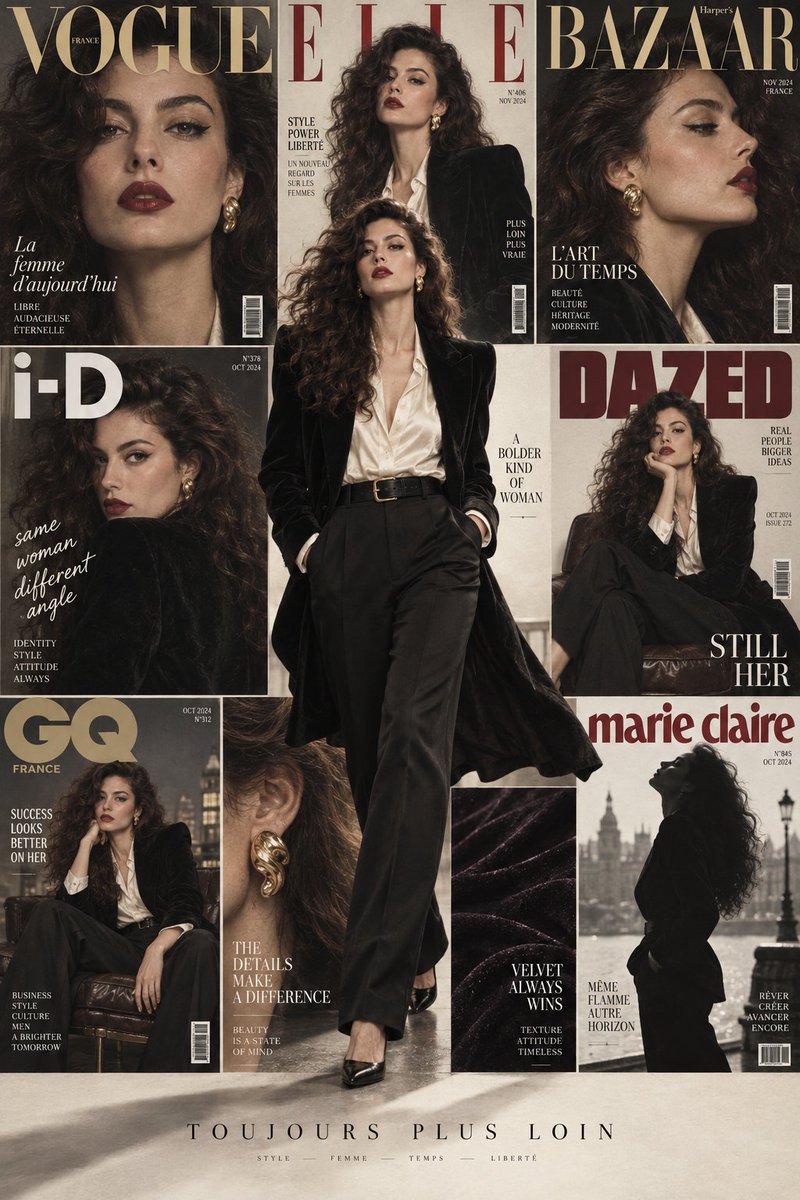
Fashion Magazine Collage Poster

Fashion Magazine Collage Poster

Editorial / Poster

Read full prompt

2:3 vertical multi-cover fashion magazine collage poster. Subject is a French long-haired woman around 28 years old, dark brown fluffy big curls, three-dimensional contour, natural skin tone, retro red lips, slender upturned eyeliner. Wearing black padded velvet suit, ivory white silk shirt, high-waist straight pants, and gold earrings. Overall presents rich but high-end 1980s Hong Kong movie fashion. Background uses 8-grid bento box style magazine cover matrix. Same person, same face, same styling system, displaying front beauty close-up, side profile, two-thirds bust, sitting pose, looking back, earring close-up, velvet fabric details, and black-and-white silhouette respectively. Add magazine mastheads like "VOGUE, ELLE, BAZAAR, i-D, DAZED, GQ, MARIE CLAIRE" and restrained cover text. Foreground overlays full-body dynamic runway photo of the person. She strides through the center of the picture, body covering multiple grids and parts of mastheads, hem blown gently by wind, casting real soft shadows on background covers. Cream white, black, wine red, and champagne gold color scheme. Soft studio light, real skin and fabric texture, retro film grain, high-end, clean, photo-realistic, 8K. No limb errors, no garbled text.