THE LIBRARY

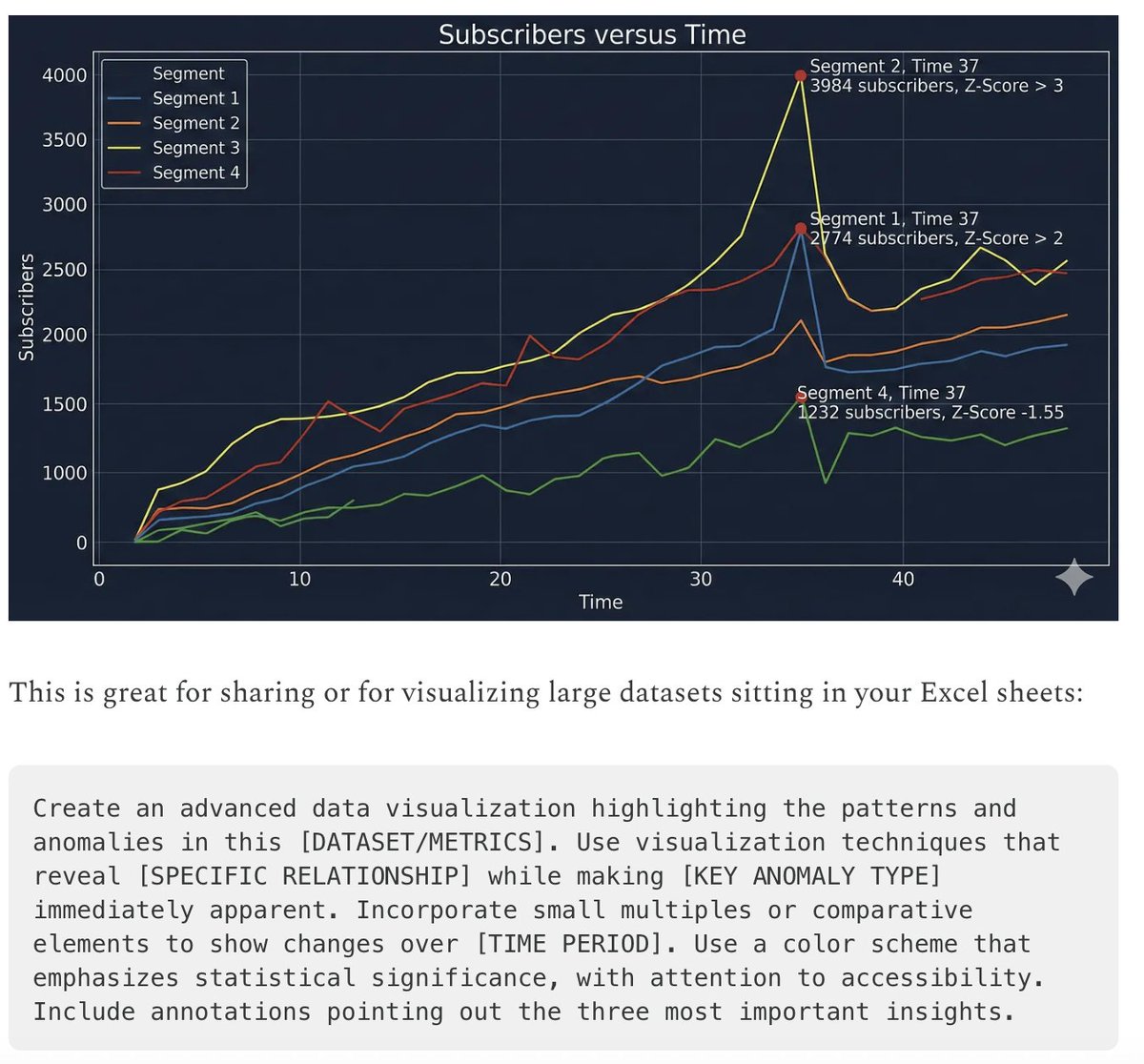
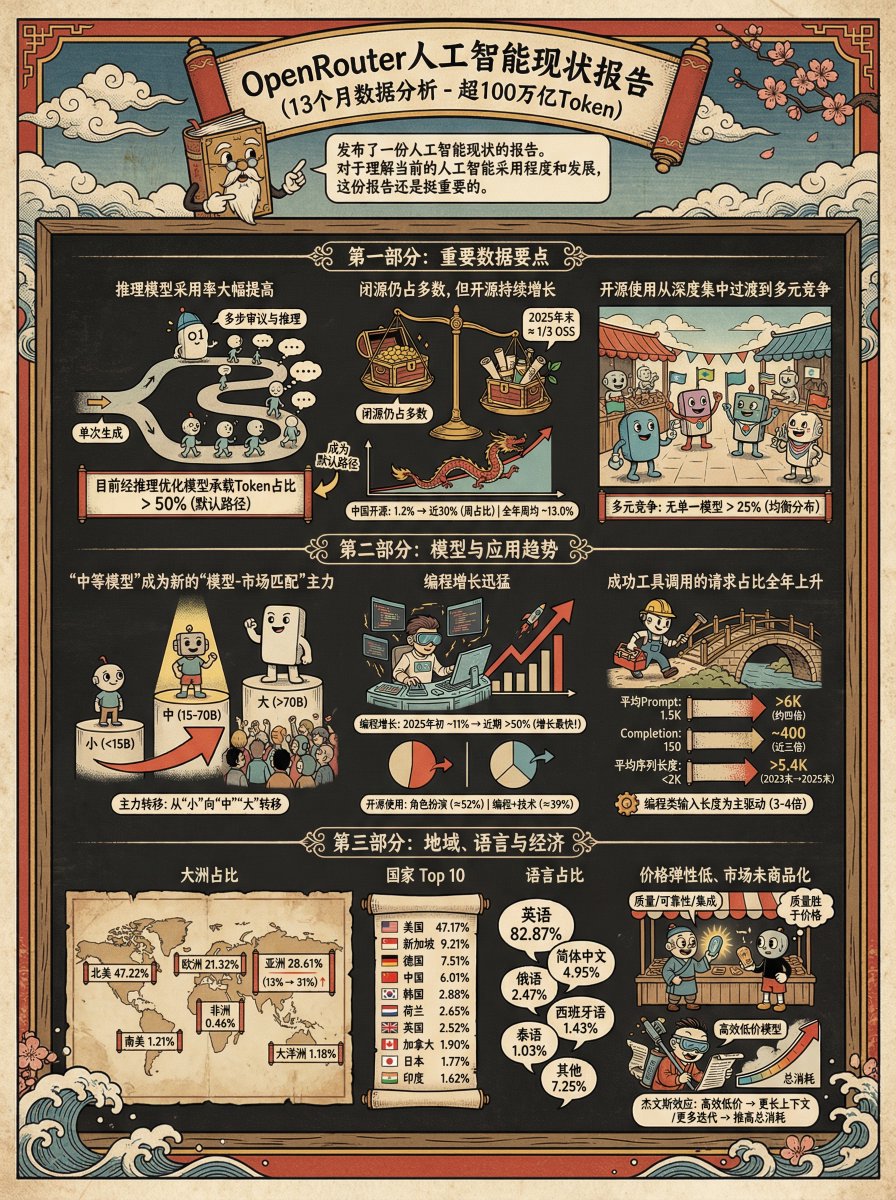
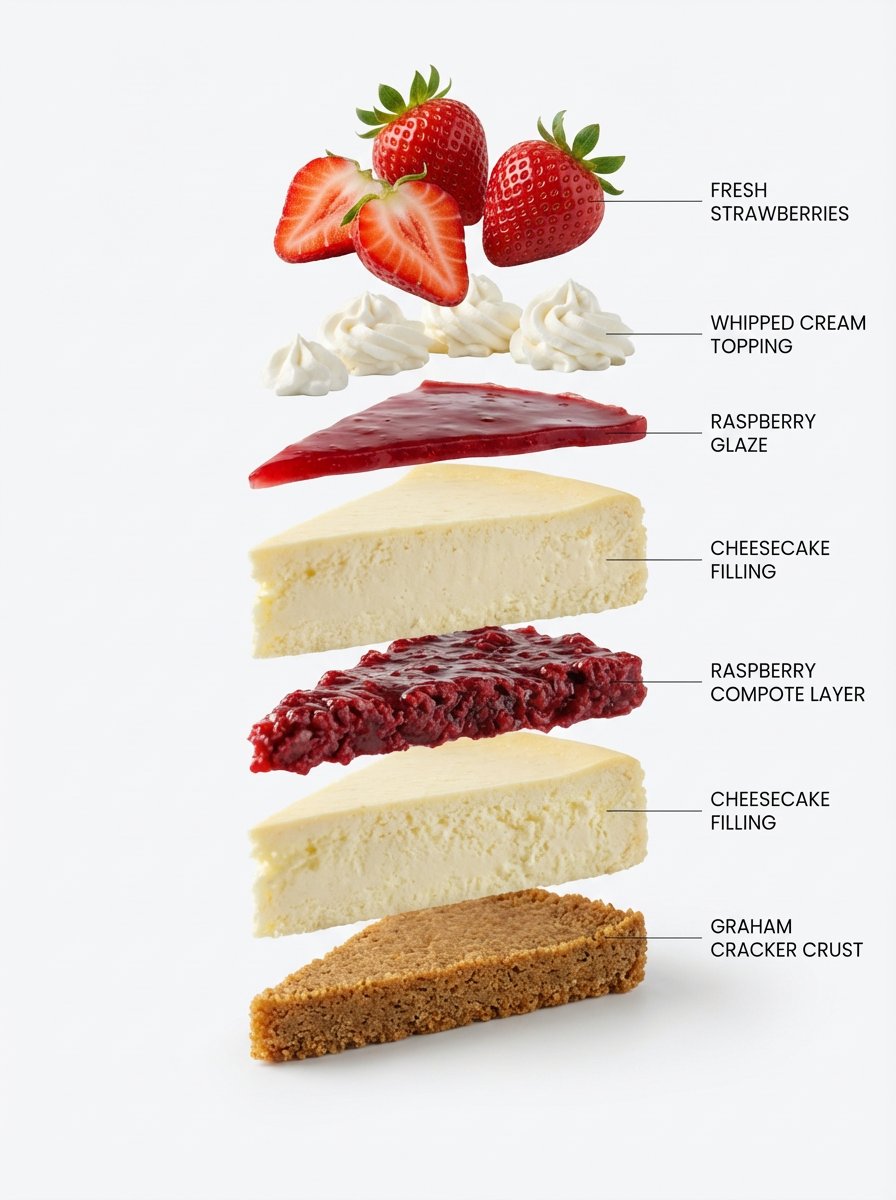
Diagram image prompts.

Browse images and open the prompts behind them.

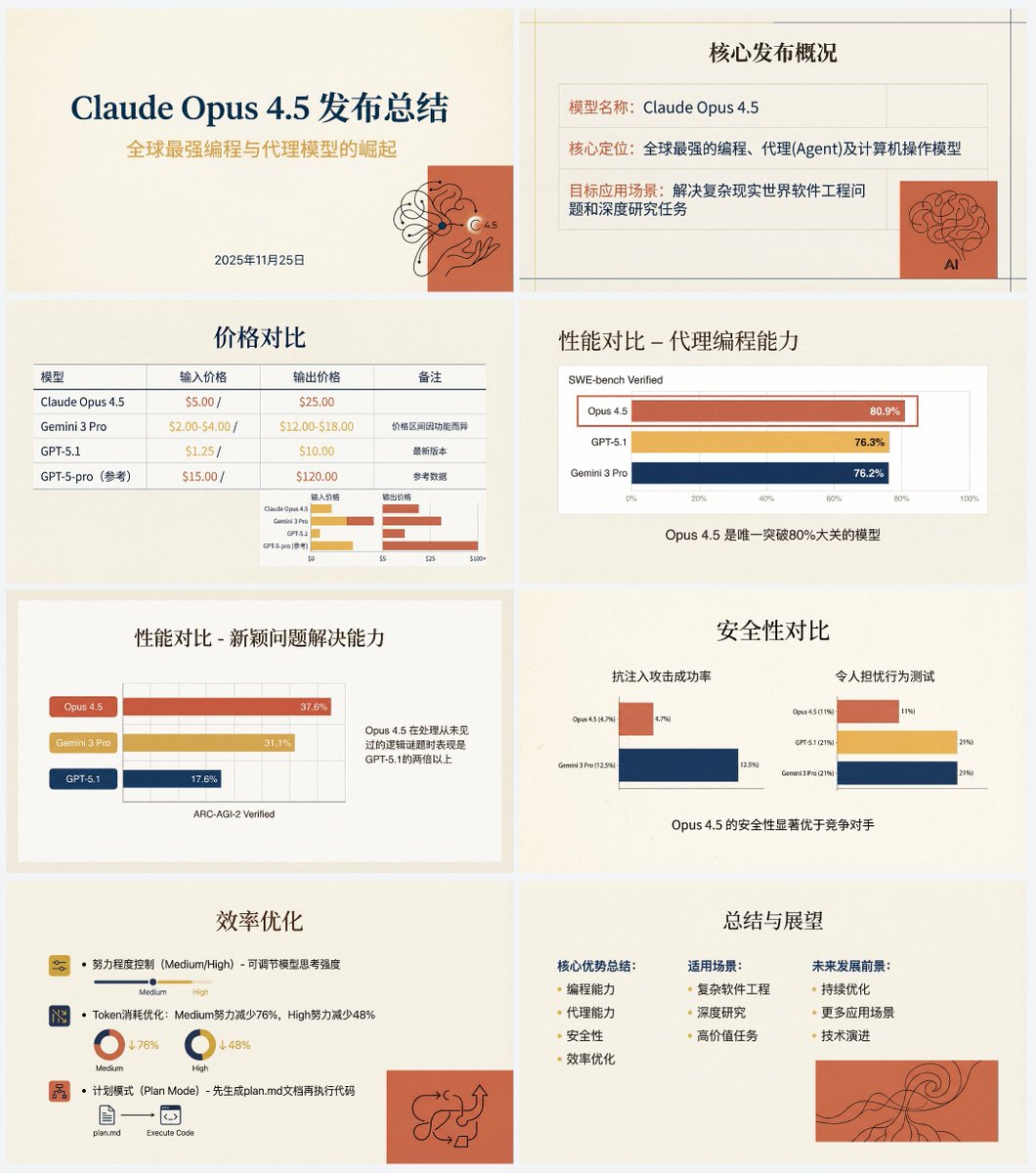
Anthropic-style warm academic PPT workflow prompt

Anthropic-style warm academic PPT workflow prompt

Diagram / Infographic

Read full prompt

Based on the following article, create a professional Chinese PPT for me. First write a PPT outline and plan the content of each slide. Then feed the content of each slide to Nano Banana Pro to generate the corresponding PPT page, ensuring a consistent style. The specific PPT style should be an “Anthropic/Claude-style” warm academic humanistic design. Background: use warm beige/cream (#F3F0E9) as a solid base color, with a slightly premium paper texture. Fonts: use an elegant serif font for titles and a modern sans-serif font for body text. Color palette: the main colors are terracotta red (#D67052) and mustard yellow (#F0B857), accented with deep navy blue. Avoid neon colors or pure black. Visual elements: use a grid layout that emphasizes typography. Illustration style should be abstract, organic black hand-drawn line art placed on solid terracotta red blocks. You must use illustrations and decorative elements very sparingly, and they should serve the content. Charts: flat and minimal charts that emphasize data comparison, removing unnecessary borders. Both text and images are generated by Nano Banana Pro. Also, do not turn the PPT into one single large image; it should be one image per slide. The article content is:

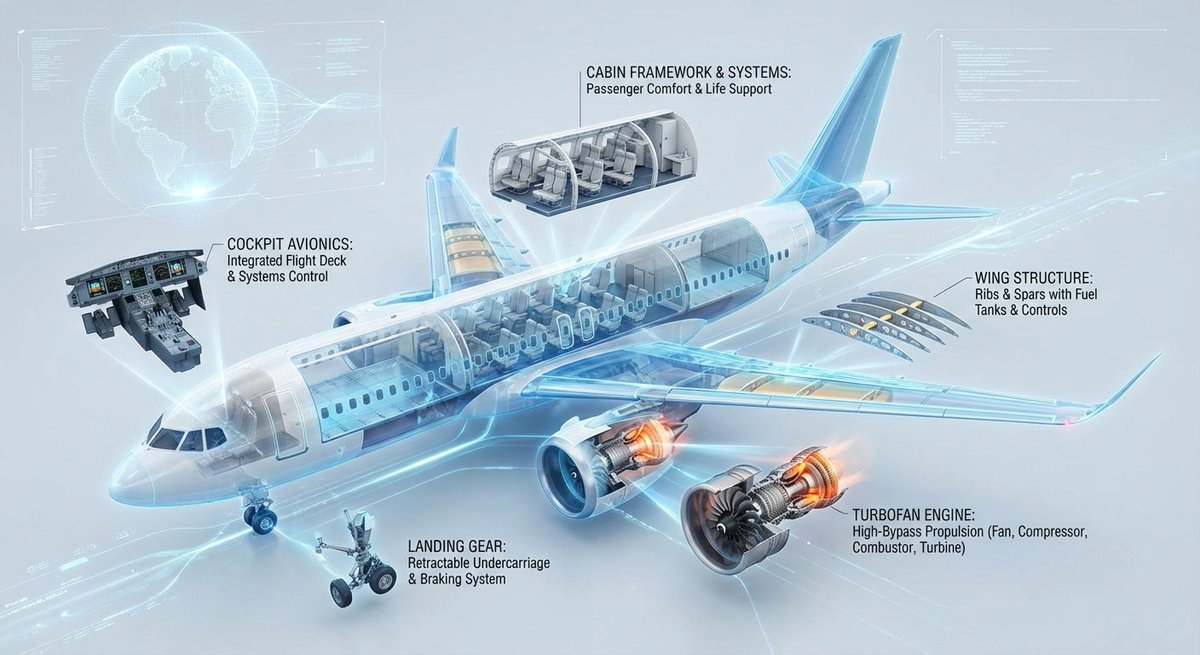
Cutaway infographic of a modern jet airliner

Cutaway infographic of a modern jet airliner

Diagram / Infographic

Read full prompt

Create a highly technological 3D cutaway infographic designed to show the internal structure and operating principles of a modern commercial jet airliner. Present the aircraft body (including fuselage, wings, tail, and especially the turbofan engines) in a semi-disassembled cutaway manner to reveal its complex internal structure. Key components (for example: cockpit avionics system, cabin frame, cargo hold, fuel tanks, wing ribs/wing spars, engine compressors/turbines, landing gear mechanisms, etc.) should be neatly disassembled and arranged in a floating layout, with leader lines connecting them back to the main body. Each major part should have clear, professional English labels, stating the structural name and a brief functional description. The overall layout should be extremely clean and logical, with a simple background and a style resembling a futuristic interactive high-end engineering blueprint.

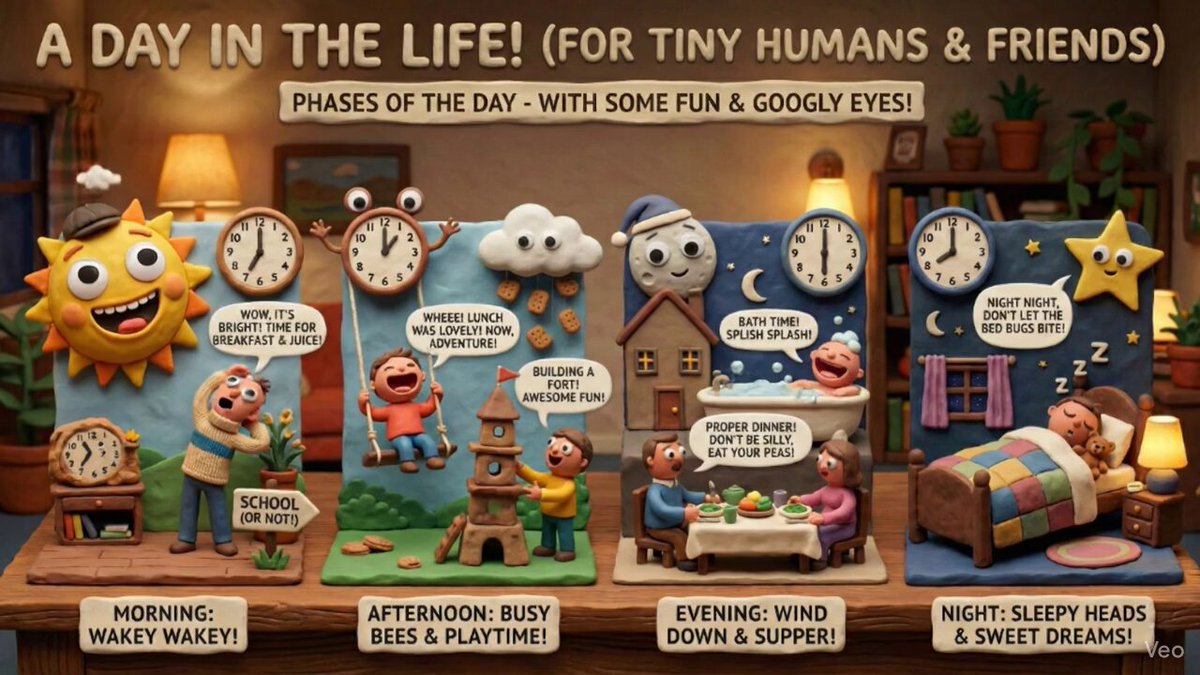
Claymation day phases infographic for kids

Claymation day phases infographic for kids

Diagram / Infographic

Read full prompt

Create an infographic that explains the phases of the day, perfect for a {argument name="child_age" default="6-year-old"}, in the style of distinctive claymation with wide expressive mouths, googly eyes, and charming humor. Matte clay textures, handcrafted props, and warm, practical set lighting define the look.

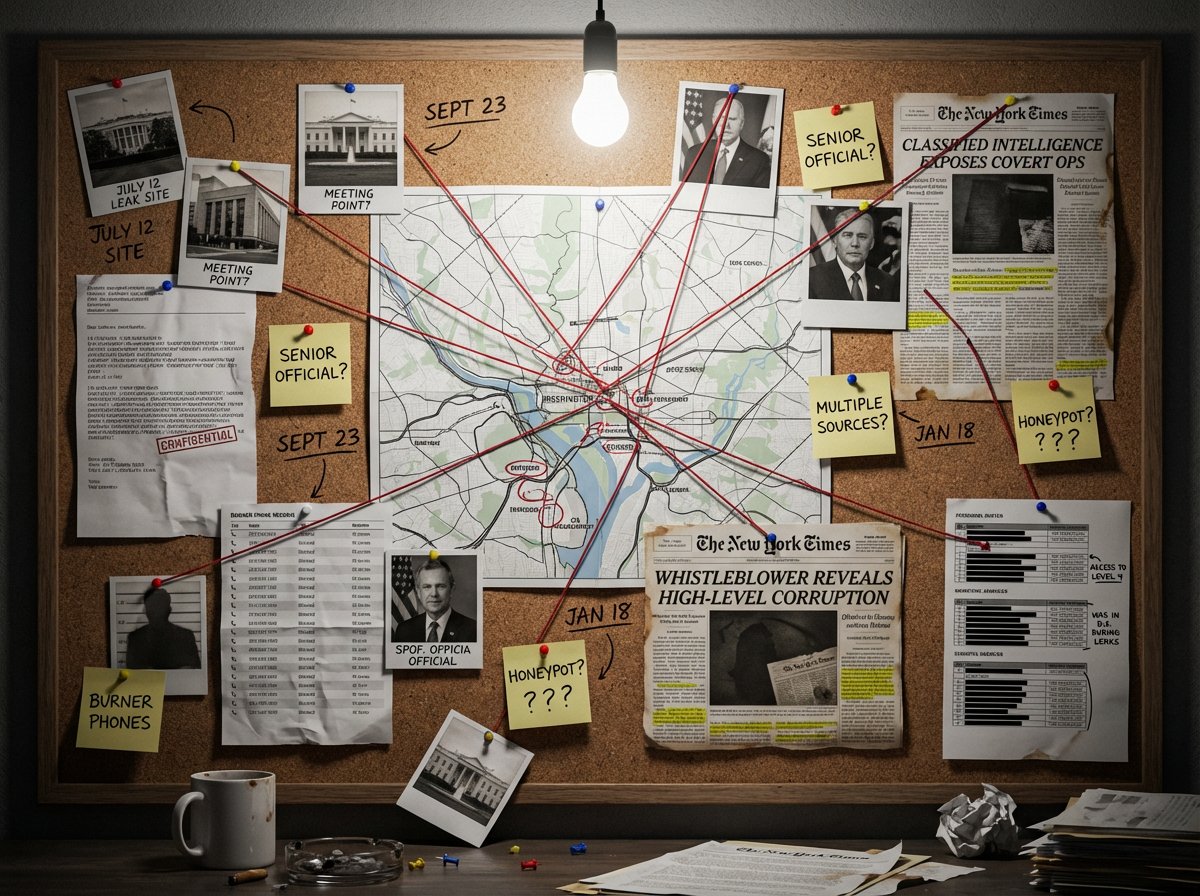
Noir Detective Evidence Board Visualization

Noir Detective Evidence Board Visualization

Diagram / Infographic

Read full prompt

A detective's evidence board investigating {argument name="subject or mystery" default="[SUBJECT/MYSTERY]"}. Cork surface covered with pinned items: polaroid photographs with handwritten dates, a street map with circled locations, newspaper clippings with highlighted passages, sticky notes with theories and question marks, and printed documents with redacted black bars. Red string connects related evidence across the board, creating a web of connections. Thumbtacks in primary colors. A single bare bulb casts dramatic shadows. Coffee ring stains on some papers. The atmosphere is obsessive, late-night, noir—someone has been piecing this together for months. A few pins have fallen, suggesting frantic recent activity.

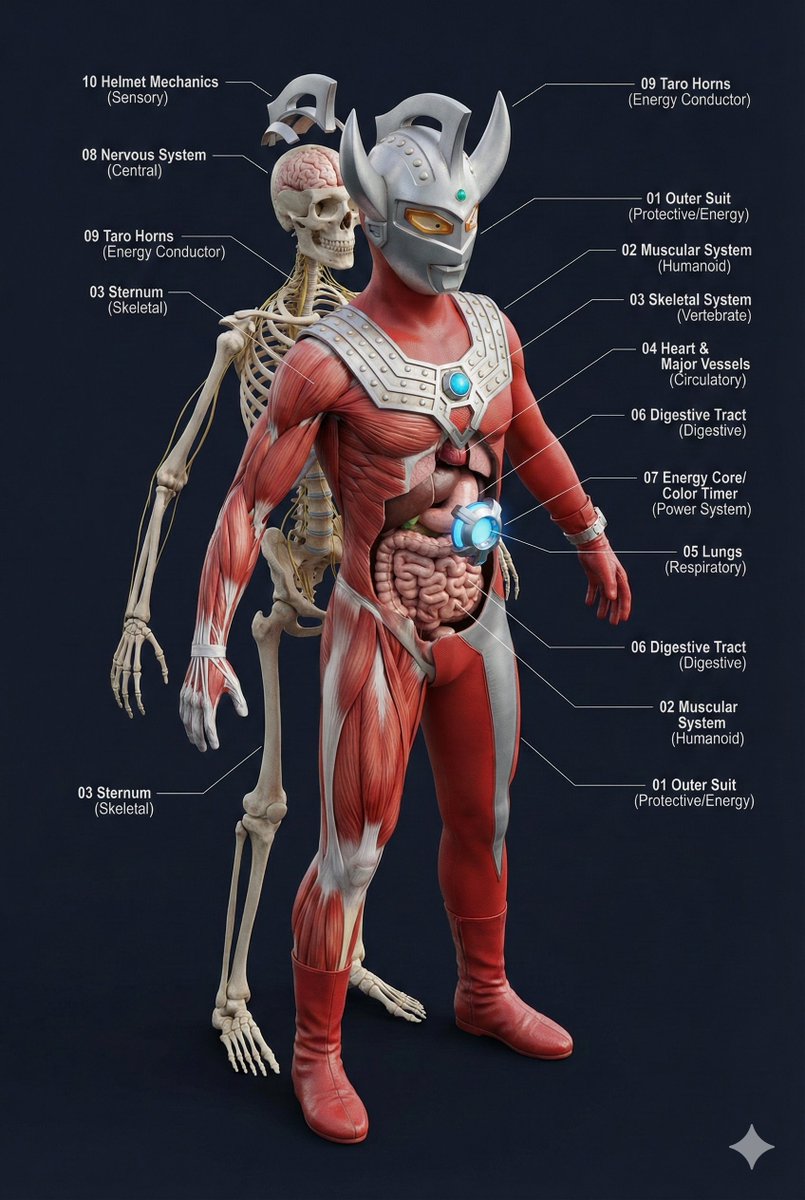
Universal 3D Anatomy Dissection Prompt

Universal 3D Anatomy Dissection Prompt

Diagram / Infographic

Read full prompt

A single prompt can 'dissect' the body structure of any creature?! This universal prompt can generate: ✨ Ultra-detailed 3D anatomical diagrams ✨ Automatically adapted skeletal/visceral systems ✨ Numbered professional medical annotations Whether it's the internal structure of Pikachu or the core of Godzilla, everything can be seen through! 👀

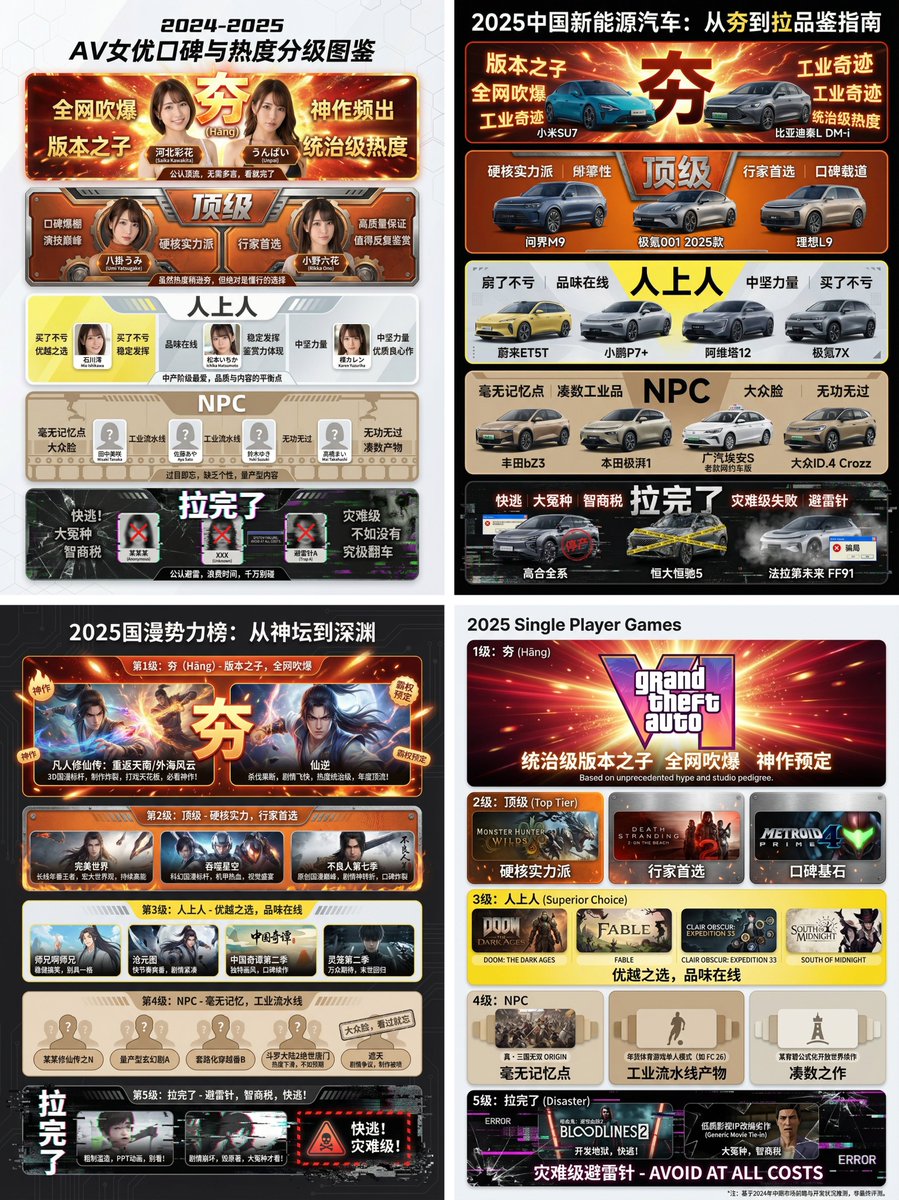
Hāng to Lā (Good to Bad) Rating Infographic Prompt

Hāng to Lā (Good to Bad) Rating Infographic Prompt

Diagram / Infographic

Read full prompt

[Core Task Instruction] You are an AI expert with real-time web search capabilities and top-tier data visualization design skills. Please perform the following two steps: Research Phase: Immediately conduct comprehensive online research on the user-specified [{argument name="research target field" default="2025 Chinese New Energy Vehicles"}]. Collect public reputation, market popularity, professional reviews, and user feedback data on different sub-products, models, or works within this field. Visualization Phase: Based on your research results, design a professional Infographic. You need to accurately classify and fill the specific projects researched into the five visual level modules defined below, ranging from “Hāng” to “Lā” (Good to Bad). [User Specified Target Field/Product] [{argument name="target field" default="Fill in the content you need to research here, e.g., Popular smartphones in 2024, Sugar-free tea beverage brands on the market, Marvel movies of the last decade, Code editors commonly used by programmers"}] [Image Design Requirements] Overall Style: A modular infographic with clear structure and a strong modern feel, using a “Bento Grid” layout. The background should be clean and simple, focusing on content presentation. Visually, it must show a strong hierarchical drop-off from high to low. Level Structure and Visual Definition (Strictly enforce the following five levels): Level 1 (Highest Level): 夯 (Hāng - Top Tier) Research Filling Standard: According to research, the generally recognized “Version King” in the field, with dominant popularity and undisputed top-tier products/works. Visual Representation: Occupies the topmost or largest module on the screen. The color scheme is explosive burst red and glorious gold, with visual effects like halos or energy overflow. The font is the largest and boldest. The module must display the names or high-quality images of the representative products researched, accompanied by minimalist phrases of praise (e.g., “Blown up across the internet,” “Masterpiece”). Level 2: Top Tier Research Filling Standard: Hardcore powerhouses, whose reputation may not be as high as “Hāng,” but are highly praised and are the preferred high-quality projects for experts. Visual Representation: Located on the second layer. The color scheme is solid, high-end burning orange and metallic silver. The module design appears robust and textured. Display representative powerhouse products. Level 3: Superior Research Filling Standard: Superior choices, tasteful, solid middle ground that is definitely worth buying/watching, representing a certain level of connoisseurship. Visual Representation: Located in the middle layer. The color scheme is bright, clean lemon yellow and cool gray. The design style is modern and refreshing. Display representative high-quality middle-class products. Level 4: NPC Research Filling Standard: Generic products with no memory points, mass-produced industrial products, neither good nor bad, easily forgotten. Must include specific product or brand names, do not be vague. Visual Representation: Located in the lower-middle layer. The color scheme is dull and bland bread color/beige or cardboard brown. The module design appears ordinary, repetitive, and lacks personality. Display those very mediocre products. Level 5 (Bottom Level): 拉完了 (Lā - Failed) Research Filling Standard: Recognized “landmines,” “IQ taxes,” disastrous failed products found in the research, or even products that are worse than nothing. Must include specific product or brand names, do not be vague. Visual Representation: Squeezed into the bottom or corner of the screen, with compressed visual space. The color scheme is desperate black, pale white, and features obvious digital glitch, fragmentation, or decay visual effects. Display those famous “flop” products, accompanied by warning phrases (e.g., “Run away,” “Big sucker”).

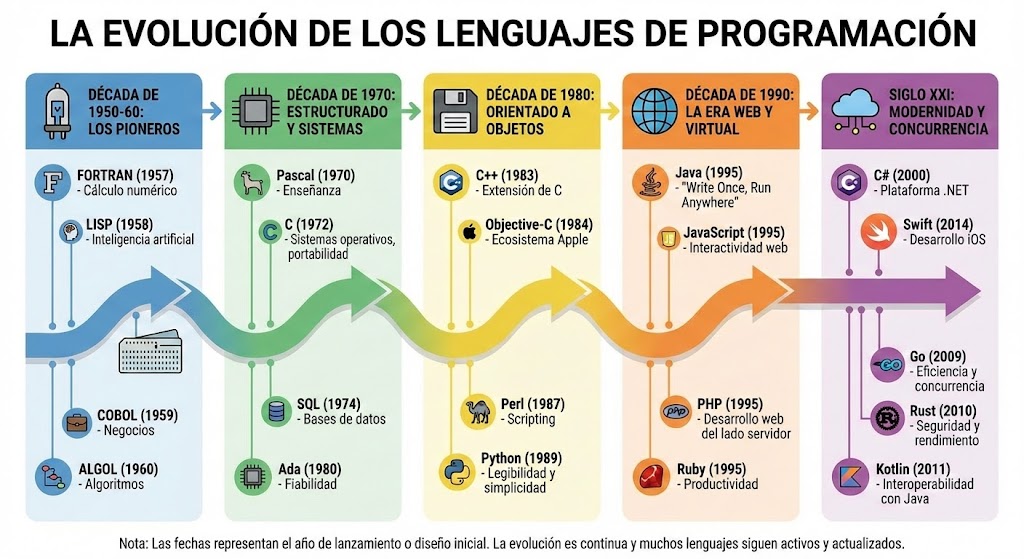
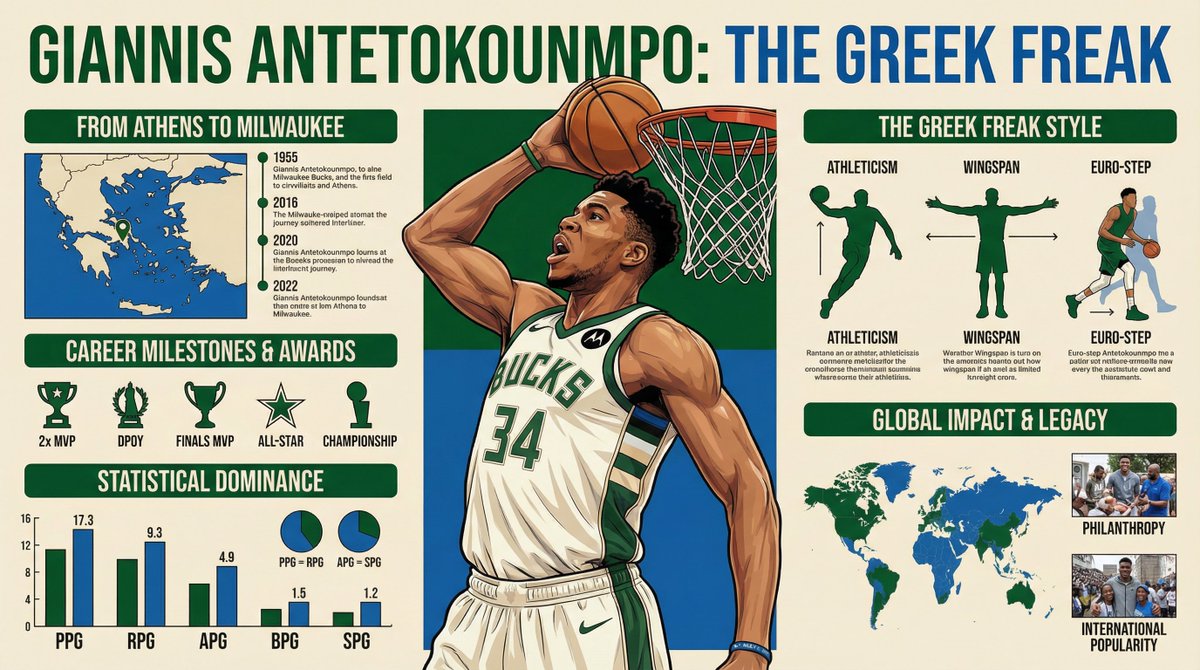
Five High-Efficiency Nano Banana Pro Prompts for Business Graphics

Five High-Efficiency Nano Banana Pro Prompts for Business Graphics

Diagram / Infographic

Read full prompt

- {argument name="use case 1" default="LinkedIn Infographic"} - {argument name="use case 2" default="Technical Architecture Diagram"} - {argument name="use case 3" default="Product UI Comparison Model"} - {argument name="use case 4" default="Data Visualization"} - {argument name="use case 5" default="Code Visualization Explanation"}

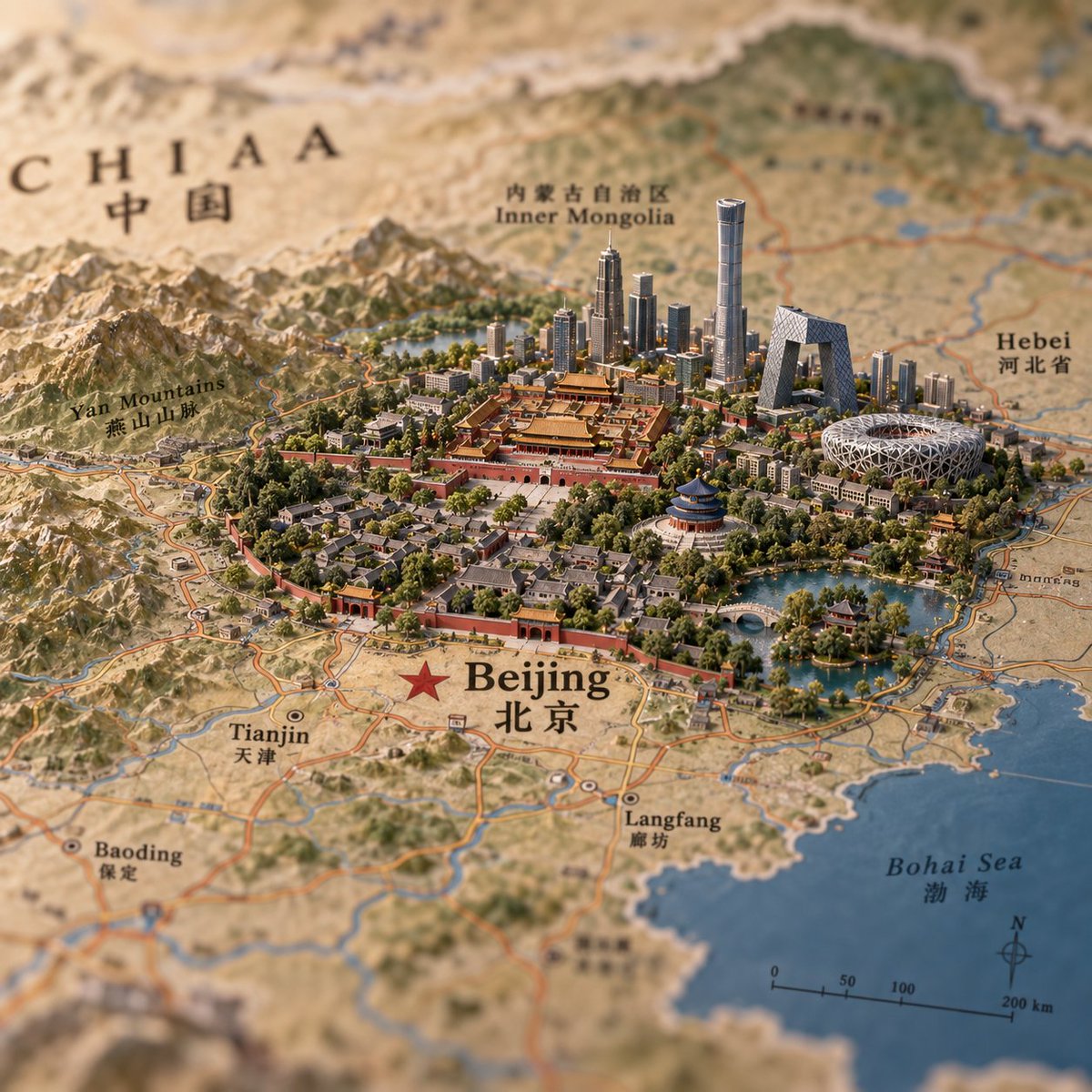
Miniature Beijing Map Diorama

Miniature Beijing Map Diorama

Diagram / Infographic

Read full prompt

Create a hyper-detailed miniature diorama built directly on top of an antique printed atlas map, showing {argument name="city name" default="Beijing"} as a tiny 3D landmark city rising from the flat map. Use a square 1:1 canvas, warm natural light, shallow depth of field, tilt-shift macro photography, realistic paper texture, and a premium travel-editorial look. The map should show northern China with bilingual English and Chinese labels; make the main label large and sharp near the foreground with a red star marker: “Beijing” and “北京”. Include surrounding readable map labels: “CHIAA” with “中国” in the upper left, “Inner Mongolia” with Chinese text near the top center, “Hebei” with Chinese text on the right, “Yan Mountains” with Chinese text on the left, “Tianjin” with “天津” at lower left, “Baoding” with “保定” at lower left, “Langfang” with “廊坊” near the lower center, and “Bohai Sea” with “渤海” on the lower right over blue water. Add printed roads, rivers, province borders, a compass rose, and a scale bar marked 0, 50, 100, 200 km. In the center, build a dense miniature Beijing cityscape: the Forbidden City palace complex in red and gold at the core, a red city wall and gates around older hutong-style neighborhoods, abundant green trees, lakes and bridges, plus modern skyline towers behind it. Include recognizable miniature landmarks: the Forbidden City, Temple of Heaven, CCTV Headquarters, Beijing National Stadium Bird’s Nest, and several tall glass skyscrapers including one very tall cylindrical tower. Surround the city with sculpted mountains to the west and north, water features to the southeast, and tiny road networks integrated into the printed map. Keep the foreground and central city crisp while the map edges blur softly; use earthy beige map tones, deep green parks, red palace walls, blue water, and metallic glass towers. No people, no vehicles emphasized, no watermark, no extra labels beyond map typography.

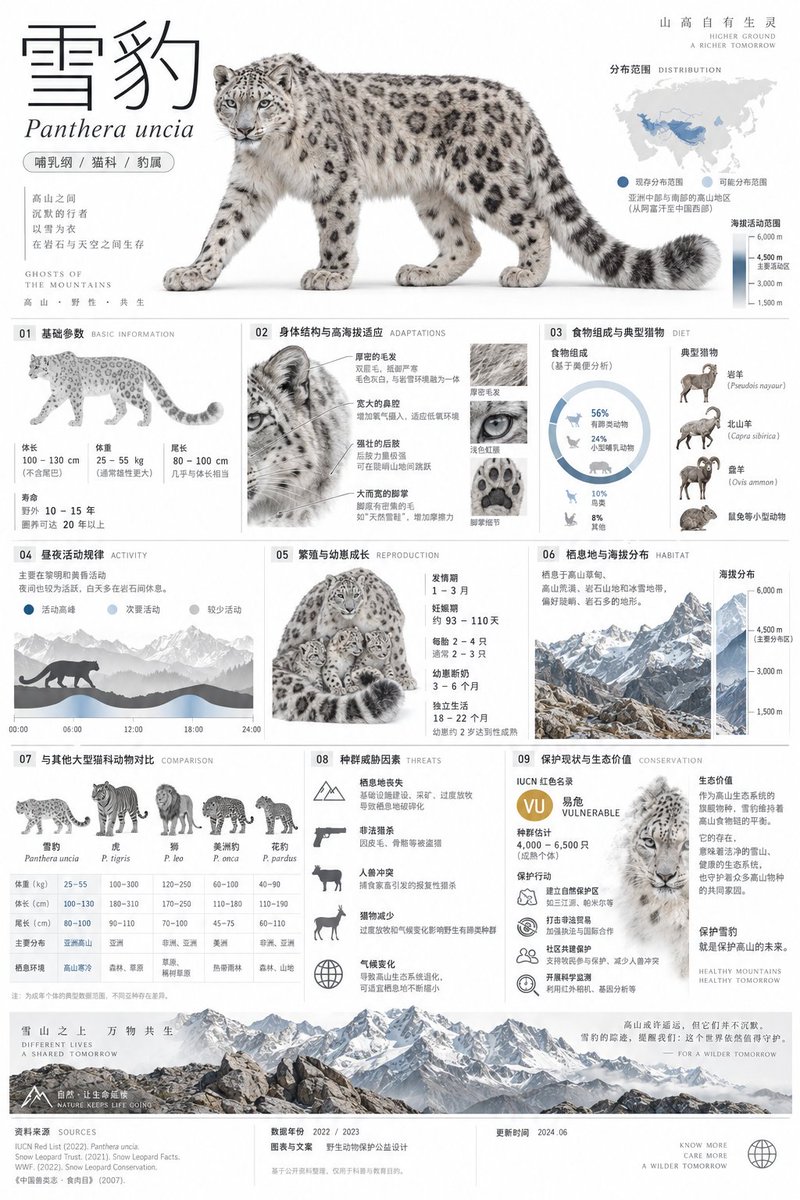
Snow Leopard Encyclopedia Card Prompt

Snow Leopard Encyclopedia Card Prompt

Diagram / Infographic

Read full prompt

A 2:3 vertical minimalist art style snow leopard encyclopedia info card, museum exhibit level visual quality, adopting Swiss International Style and premium natural history atlas language. Top ~30%: Adult snow leopard cutout studio-style full-body side close-up on pure white background, realistically retaining grey-white fur, black ring patterns, thick long tail, wide paws and facial details, not anthropomorphic; paired with super-large thin-line title "Snow Leopard", small italic "Panthera uncia", capsule tags "Mammalia/Felidae/Panthera", Asia distribution mini-map and altitude activity range axis. Middle ~60%: Based on 12-column and 8pt grid, clearly arranging nine major modules - basic parameters of body length, weight, tail length and lifespan; body structure and high-altitude adaptation features; food composition and typical prey; diurnal/nocturnal activity patterns; breeding cycle and cub growth; habitat types and altitude distribution; comparison with other large felids; population threat factors; conservation status, actions and ecological value. Charts use outline proportion diagrams, footprint size charts, altitude distribution maps, prey network graphs and concise timelines. Bottom ~10% marks conservation status, data year, source and update time. Main colors glacier grey, snow white, rock brown and graphite black, with minor cold blue accents; Source Han Sans Light, DIN and Roboto Mono, 2pt linear icons, 0.5pt light dividers, large whitespace. All biological data must be accurate and verifiable, no fabricated population numbers, no exaggerated descriptions, Chinese clearly readable, no garbled text.

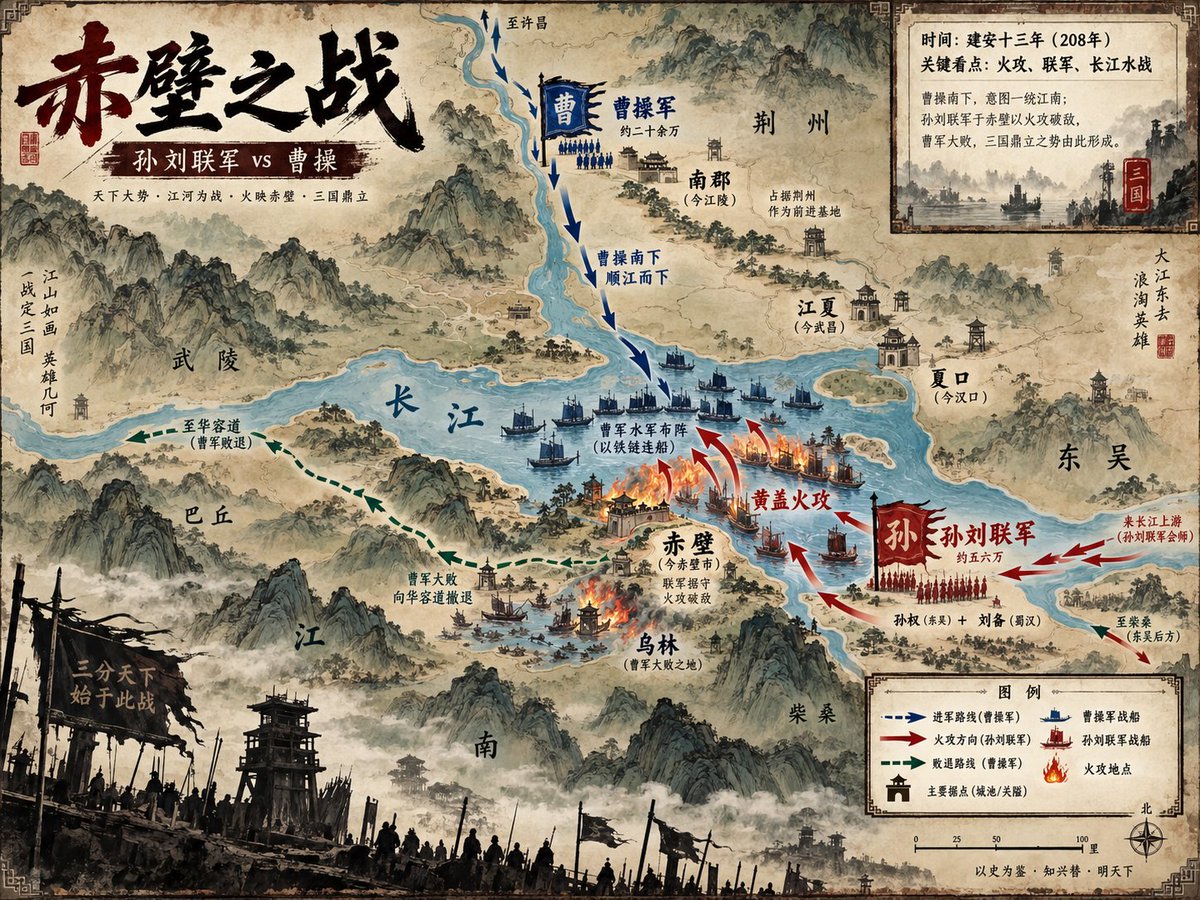
Battle of Red Cliffs Map

Battle of Red Cliffs Map

Diagram / Infographic

Read full prompt

Goal: Create a richly detailed ancient Chinese ink-and-wash strategic visualization map of {argument name="battle name" default="赤壁之战"}, showing the Battle of Red Cliffs as a historical military map with painterly mountains, rivers, fleets, arrows, burning ships, labeled cities, and parchment texture. Canvas: Horizontal 4:3 map poster, aged tan rice-paper background with darkened worn edges, decorative corner border ornaments, ink stains, faded seals, and a hand-painted Song/Ming dynasty atlas aesthetic. Use a slightly elevated bird’s-eye view with the Yangtze River as the dominant blue waterway cutting across the center. Main title area: Place a huge black-and-dark-red Chinese brush-calligraphy title in the upper left reading {argument name="main title" default="赤壁之战"}. Beneath it, add a dark red banner subtitle reading {argument name="subtitle" default="孙刘联军 vs 曹操"}. Add a small supporting line below in fine Chinese type: “天下大势 · 江河为战 · 火映赤壁 · 三国鼎立”. Map geography and labels: Show exactly 11 major geographic/place labels in Chinese across the map: 1) 武陵 on the left-central mountains, 2) 巴丘 lower left of the river, 3) 长江 written large on the central river, 4) 南郡(今江陵)upper center-right, 5) 荆州 upper right, 6) 江夏(今武昌)right of river, 7) 夏口(今汉口)far right river bend, 8) 东吴 far right, 9) 赤壁(今赤壁市)near the central fire battle, 10) 乌林(曹军大败之地)below Red Cliffs, 11) 柴桑 lower right. Include misty mountain ranges, watchtowers, walled towns, small villages, docks, and forested islands. Battle layout: Depict exactly 2 opposing forces. The northern/upper force is Cao Cao’s army, colored blue, with a blue vertical banner “曹” and a label “曹操军 约二十余万”; show blue infantry ranks and fleets moving south along the river. The southern/lower-right force is the Sun–Liu allied army, colored red, with a large red banner “孙” and label “孙刘联军 约五六万”; show red infantry ranks and warships launching the attack. Use dramatic red fire arrows and burning ships at the central river near Red Cliffs. Add the key action label “黄盖火攻” in red near the flames, and label the blue fleet formation “曹军水军布阵(以铁链连船)”. Movement arrows: Include exactly 4 arrow systems: 1) blue dashed arrows descending from the north labeled “曹操南下 顺江而下”, 2) red attack arrows curving from the southeast toward the burning fleet labeled “黄盖火攻”, 3) green dashed retreat arrows running west/southwest labeled “曹军大败 向华容道撤退” and “至华容道(曹军败退)”, 4) red reinforcement arrows from the far right labeled “来自江上游(孙刘联军会师)” and “至柴桑(朱吴后方)”. Inset information panel: In the upper right, add a parchment-framed rectangular inset with a small monochrome river battle illustration and exactly 4 Chinese text lines: 1) “时间:建安十三年(208年)”, 2) “关键看点:火攻、联军、长江水战”, 3) “曹操南下,意图一统江南;”, 4) “孙刘联手于赤壁以火攻破敌,曹军大败,三国鼎立之势由此形成。” Add a small red seal marked “三国”. Legend and scale: In the lower right, create a framed legend titled “图例” with exactly 6 legend items: 1) blue dashed arrow “进军路线(曹操军)”, 2) red arrow “火攻方向(孙刘联军)”, 3) green dashed arrow “败退路线(曹操军)”, 4) blue boat icon “曹操军战船”, 5) red boat icon “孙刘联军战船”, 6) flame icon “火攻地点”. Include a simple scale bar marked 0, 25, 50, 100 里 and a compass rose labeled 北. Foreground atmosphere: Along the bottom edge, add a dark silhouetted battlefield foreground with wooden watchtowers, banners, spears, soldiers, smoky mist, and a broken black war flag bearing the phrase “一分天下 始于此战”. Visual style: Classical Chinese shanshui map painting mixed with modern infographic clarity; sepia parchment, muted teal-blue river, black ink mountains, red and blue army color coding, delicate Chinese typography, dramatic but readable. Use dense historical detail but keep all labels legible and map symbols consistent. No photorealism, no modern objects, no watermark.

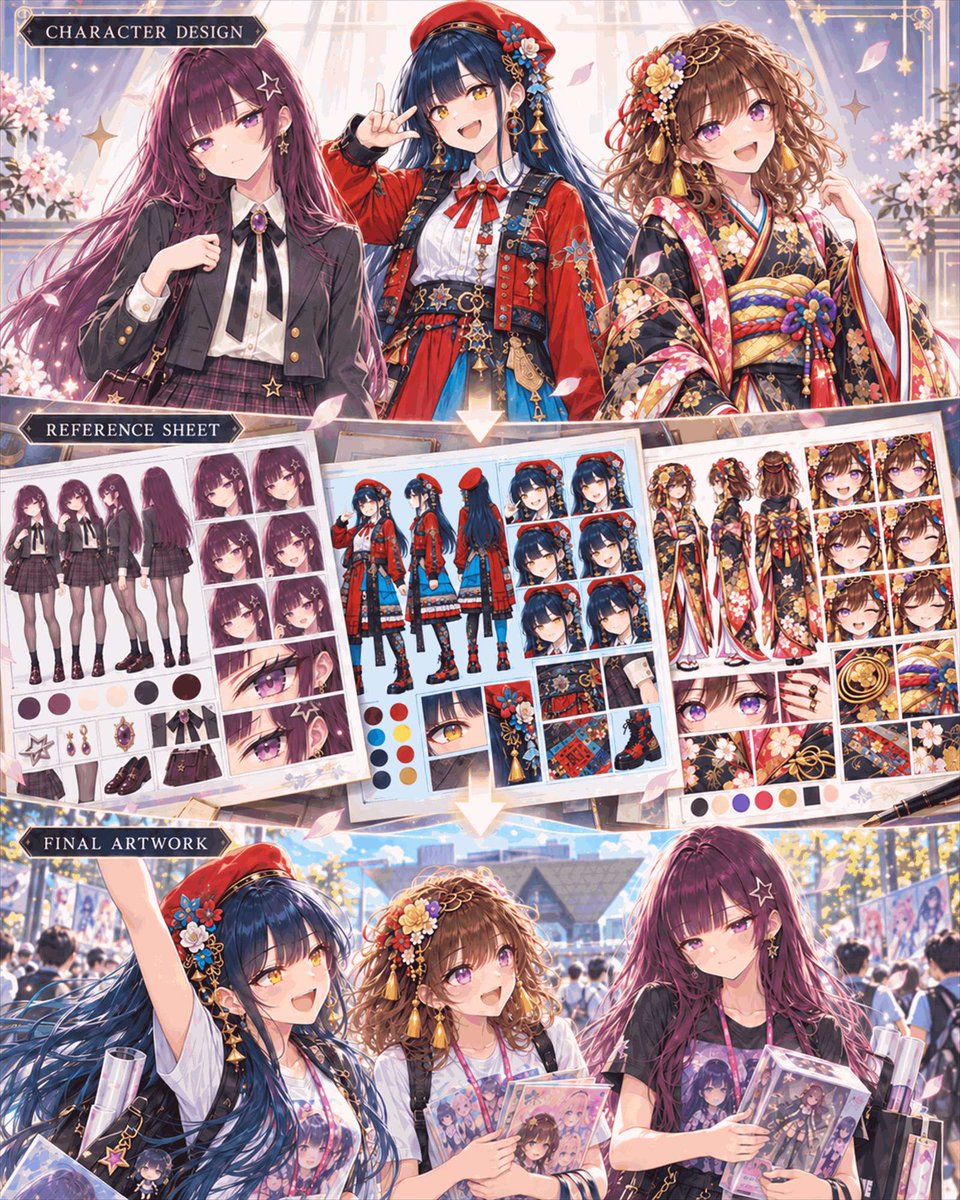
Anime Character Design Workflow Infographic

Anime Character Design Workflow Infographic

Diagram / Infographic

Read full prompt

A vertical three-panel infographic titled "Character Design Workflow" in a highly detailed anime art style. The top panel, labeled "CHARACTER DESIGN," features bust shots of three distinct young women: on the left, a girl with long purple hair and star-shaped earrings wearing a black school uniform; in the center, a cheerful girl with dark blue hair wearing a red beret and an ornate red and blue outfit; on the right, a smiling girl with curly brown hair wearing a floral kimono. The middle panel, labeled "REFERENCE SHEET," displays three corresponding character design sheets arranged like papers on a desk. Each sheet contains multiple views (front, side, back), expression grids, color palettes, and close-ups of accessories for the respective characters above them. The bottom panel, labeled "FINAL ARTWORK," shows the same three girls walking together outdoors at what appears to be a convention or event. They are holding merchandise bags and acrylic stands featuring their own designs, looking happy and interacting naturally.

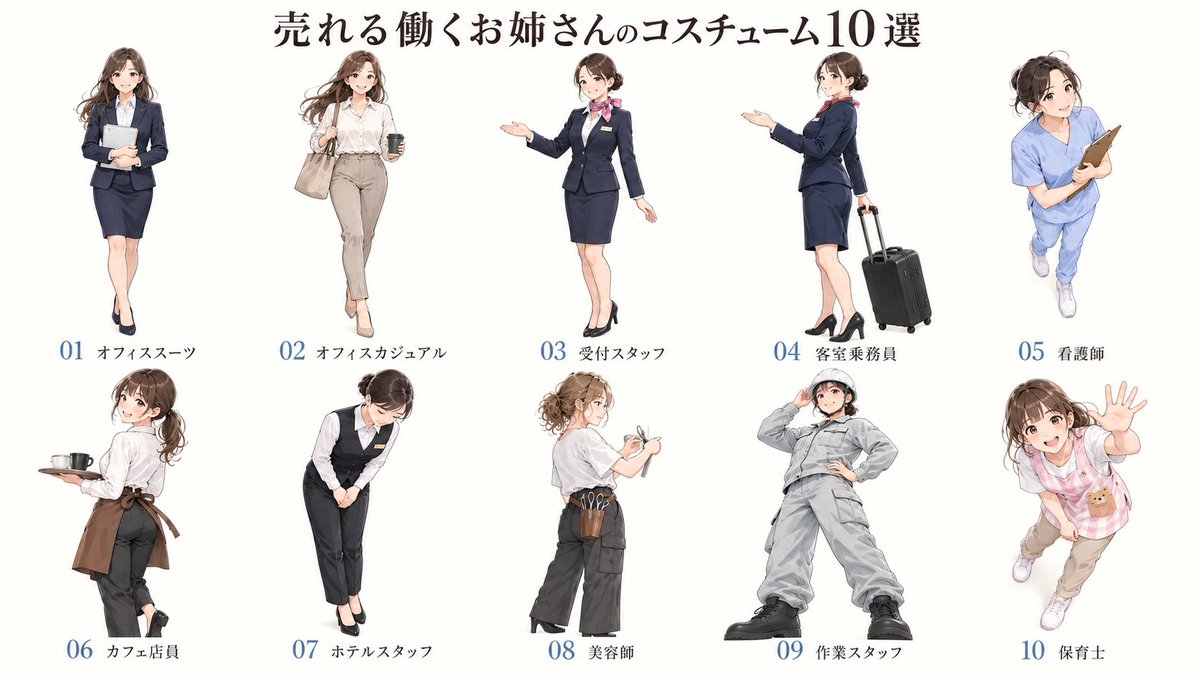
Anime Working Women Costume Infographic

Anime Working Women Costume Infographic

Diagram / Infographic

Read full prompt

Goal: Create a character sheet infographic showcasing 10 distinct professional outfits for young women. Canvas: Wide landscape format with a clean white background. Layout: A large Japanese headline at the top center. Below, arrange 10 full-body anime-style female characters in two rows of five. Each character is evenly spaced and labeled underneath with a number (01-10) and a short Japanese text label indicating their profession. Sections: The image consists of a header and a grid of 10 character illustrations. Visual style: High-quality anime illustration style, soft coloring, clean lines, consistent character design (same face/hair type across all figures to show variety of clothing). Professional yet approachable aesthetic. Text content: Top headline: "売れる働くお姉さんのコスチューム10選". Labels under each figure (left to right, top row then bottom row): "01 オフィススーツ", "02 オフィスカジュアル", "03 受付スタッフ", "04 客室乗務員", "05 看護師", "06 カフェ店員", "07 ホテルスタッフ", "08 美容師", "09 作業スタッフ", "10 保育士". Subject details: 1. Office Suit: Navy blazer/skirt, holding a tablet, standing straight. 2. Office Casual: White shirt, beige trousers, carrying a tote bag and coffee cup, walking pose. 3. Receptionist: Dark navy suit with pink scarf, welcoming gesture with open hand. 4. Flight Attendant: Navy uniform, pulling a black rolling suitcase, looking back over shoulder. 5. Nurse: Light blue scrubs, holding a clipboard, energetic pose. 6. Cafe Staff: White shirt, brown apron, holding a tray with a mug, turning slightly. 7. Hotel Staff: Black vest/trousers, white shirt, bowing politely. 8. Hairdresser: Grey t-shirt, dark pants, tool belt with scissors/brushes, hair tied up. 9. Worker: Full grey coveralls/jumpsuit, hard hat, hands on hips, confident stance. 10. Childcare Worker: Pink checkered apron over casual clothes, waving enthusiastically.

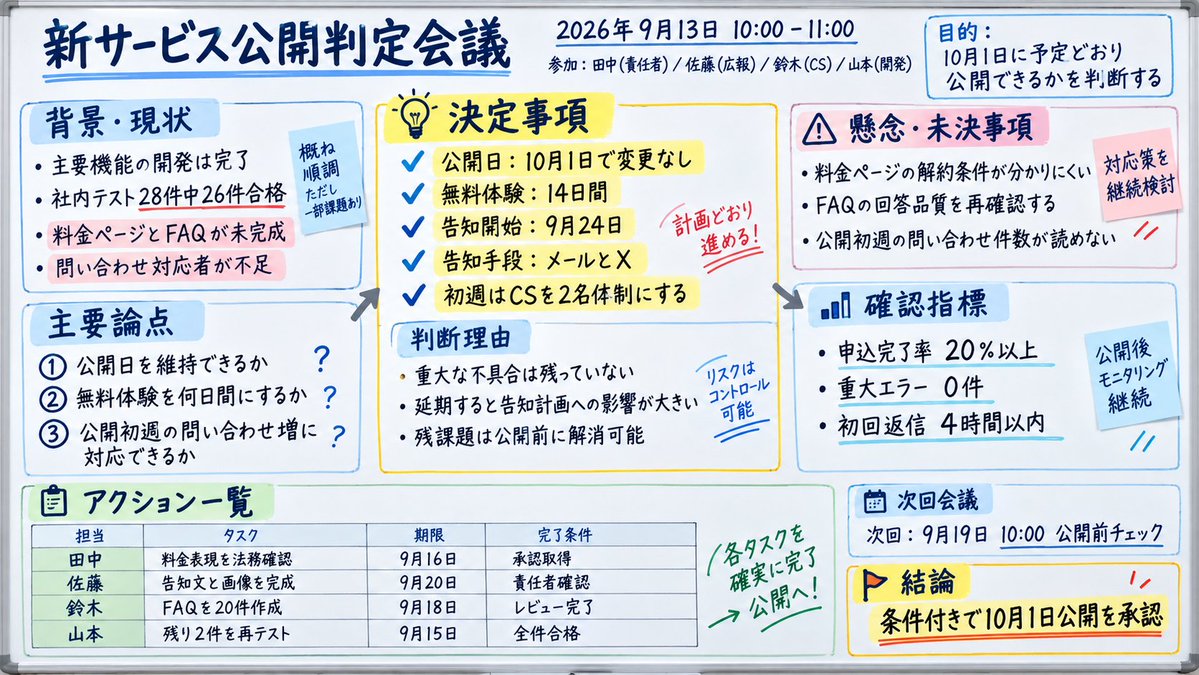
Japanese Whiteboard Meeting Minutes

Japanese Whiteboard Meeting Minutes

Diagram / Infographic

Read full prompt

Goal: Create a realistic photo of a whiteboard filled with handwritten Japanese meeting minutes for a new service launch decision. Canvas: Horizontal aspect ratio, bright lighting, clean white surface. Layout: Structured into distinct sections using colored boxes (blue, yellow, pink) and arrows to show flow. Top header contains the title and date/time info. Text content: Preserve all Japanese text exactly as shown in the image. Subject details: - Header: Title '新サービス公開判定会議' (New Service Launch Decision Meeting). Date '2026年9月13日 10:00 - 11:00'. Attendees listed below. - Purpose Box (Top Right): Blue box labeled '目的' (Purpose) stating '10月1日に予定どおり公開できるかを判断する' (Decide if we can launch on Oct 1st as planned). - Background Section (Left): Blue box '背景・現状' (Background/Current Status). Bullet points about development completion, test results (28 tests, 26 passed), and unfinished pricing page/FAQ. Sticky note overlay: '概ね順調 ただし一部課題あり' (Generally smooth but some issues). - Decisions Section (Center): Yellow box '決定事項' (Decided Matters). Checklist items: Launch date Oct 1st, Free trial 14 days, Notification start Sept 24th, Channels Email/X, Support team size. Red stamp overlay: '計画どおり進める!' (Proceed as planned!). - Concerns Section (Right): Pink box '懸念・未決事項' (Concerns/Pending Items). Points about unclear cancellation terms, FAQ quality, and unknown inquiry volume. Sticky note overlay: '対応策を継続検討' (Continue considering countermeasures). - Discussion Points (Bottom Left): Blue box '主要論点' (Main Discussion Points). Numbered list 1-3 regarding launch date maintenance, trial duration, and support capacity. - Judgment Reason (Center Bottom): Light blue box '判断理由' (Reason for Judgment). Points about no critical bugs, impact of delay, and resolving remaining tasks before launch. Handwritten note: 'リスクはコントロール可能' (Risk is controllable). - Metrics (Right Middle): Blue box '確認指標' (Confirmation Metrics). Stats: Application completion rate >20%, Critical errors 0, First reply <4 hours. Sticky note: '公開後モニタリング継続' (Continue monitoring after launch). - Action List (Bottom Left Table): Green box 'アクション一覧' (Action List). Table columns: Person (Tanaka, Sato, Suzuki, Yamamoto), Task, Deadline, Completion Condition. Handwritten arrow pointing to table: '各タスクを確実に完了 → 公開へ!' (Ensure each task is completed -> Launch!). - Next Meeting & Conclusion (Bottom Right): Blue box '次回会議' (Next Meeting) date Sept 19th. Yellow box '結論' (Conclusion) with flag icon: '条件付きで10月1日公開を承認' (Approve Oct 1st launch with conditions). Visual style: Professional office setting, clear handwriting, use of highlighters (yellow, blue, pink) for emphasis.

Minimalist 3D Infographic Visualization

Minimalist 3D Infographic Visualization

Diagram / Infographic

Read full prompt

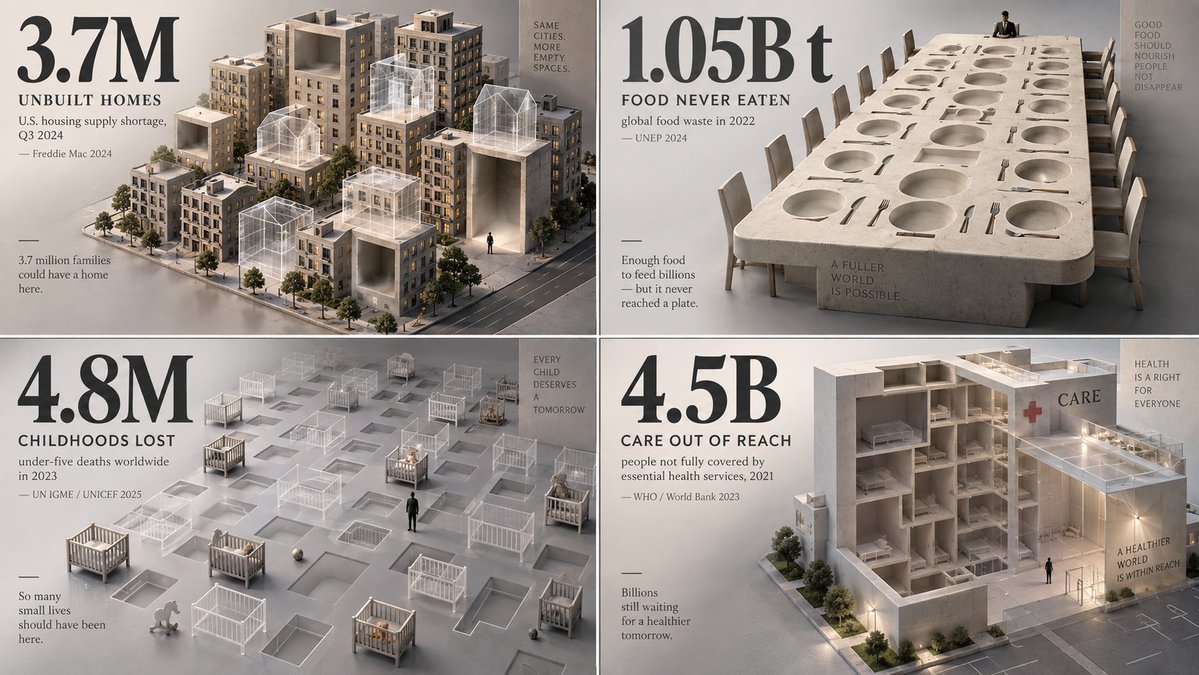
2x2 grid, 16:9, AI infers viral topics: Create a haunting, minimalist 3D visualization that represents what is missing, lost, avoided, delayed, or erased because of {argument name="topic" default="[TOPIC]"}. The AI should choose a statistic involving loss: missing sleep, lost time, extinct species, unbuilt homes, unpaid wages, wasted food, lost attention, preventable deaths, disappearing land, delayed care, or unrealized potential. Instead of showing the object directly, represent it as negative space: empty chairs, ghost outlines, hollow cubes, missing city blocks, erased silhouettes, transparent containers, absent books, unfilled beds, or a carved-out void in a solid mass. The missing quantity should feel physically present through absence. Style: museum-grade isometric 3D render, matte clay and translucent materials, soft directional lighting, quiet shadows, neutral grey backdrop. Use one oversized numeral as a solemn anchor. Caption: what is missing, time period, metric, and source year. Add a tiny human silhouette for emotional scale. The spirit: make absence feel heavier than presence.

AI Model Leaderboard Podium Cartoon

AI Model Leaderboard Podium Cartoon

Diagram / Infographic

Read full prompt

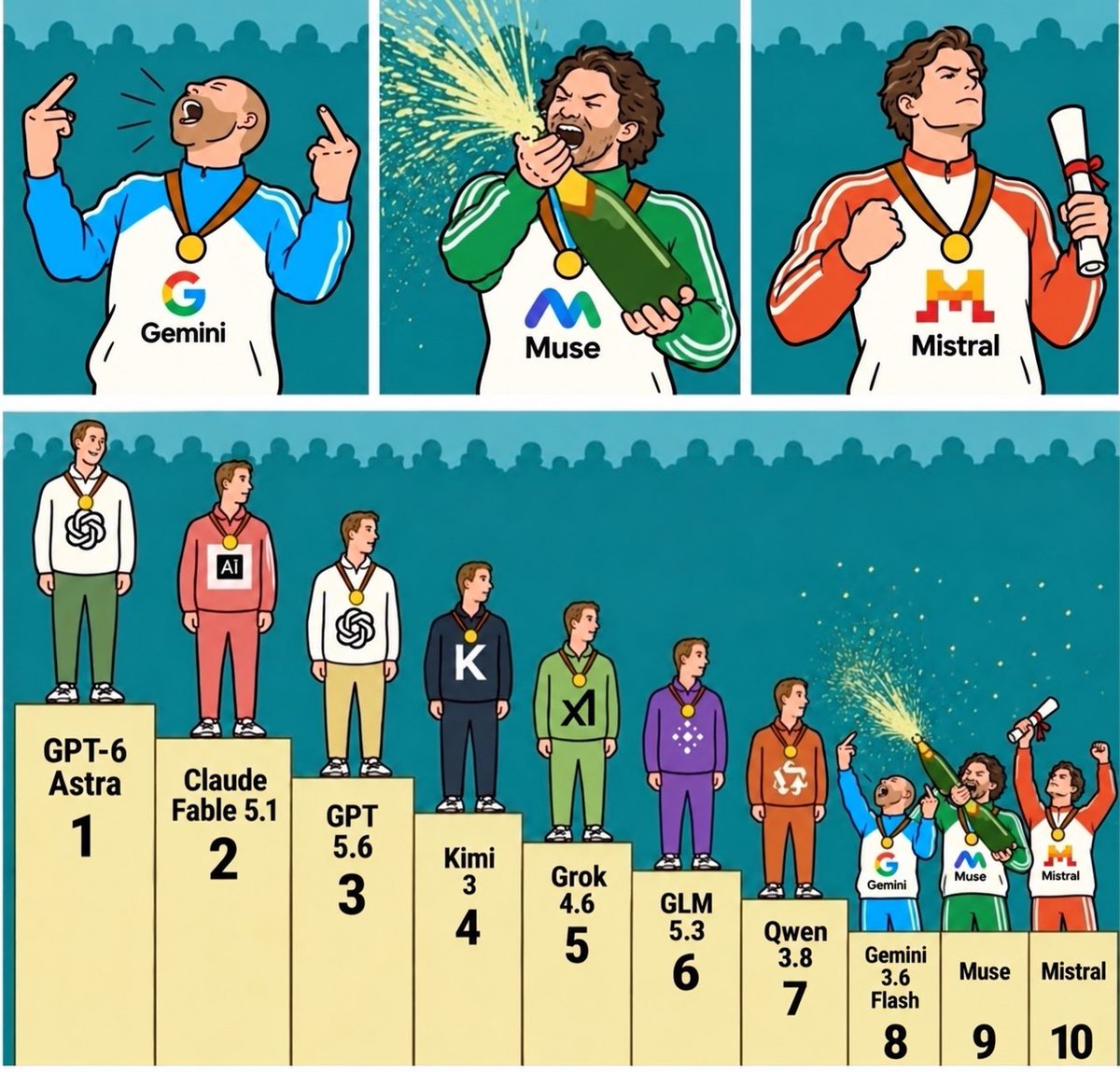
Goal: Create a humorous, two-part cartoon illustration depicting an AI model leaderboard as a sports podium ceremony. Canvas: Square aspect ratio with a solid teal background featuring a subtle silhouette of a crowd at the top edge. The style is flat vector art with thick black outlines and vibrant colors. Layout & Sections: 1. Top Row (Close-ups): Three distinct panels showing the characters from positions 8, 9, and 10 celebrating wildly. - Left Panel: A bald man in a blue and white tracksuit with a 'G' logo and 'Gemini' text on his chest. He wears a gold medal and points both index fingers upward while shouting joyfully. - Center Panel: A bearded man with curly brown hair in a green and white tracksuit with an 'M' logo and 'Muse' text. He wears a gold medal and is spraying champagne from a green bottle into his mouth. - Right Panel: A man with wavy brown hair in an orange and white tracksuit with an 'M' logo and 'Mistral' text. He wears a gold medal, holds a rolled-up diploma, and flexes his bicep confidently. 2. Bottom Row (Wide Shot): A full view of a beige winner's podium with 10 steps, labeled 1 through 10. Ten male figures stand on the steps, wearing different colored outfits representing AI companies. - Step 1 (Highest): Label 'GPT-6 Astra'. Figure wears a white hoodie with a black OpenAI swirl logo, green pants, and a gold medal. Standing calmly. - Step 2: Label 'Claude Fable 5.1'. Figure wears a pink/red hoodie with a square 'Ai' logo, red pants, and a silver medal. Looking to the side. - Step 3: Label 'GPT 5.6'. Figure wears a white hoodie with a black OpenAI swirl logo, yellow pants, and a bronze medal. - Step 4: Label 'Kimi 3'. Figure wears a dark navy/black hoodie with a large white 'K', dark pants, and a gold medal. - Step 5: Label 'Grok 4.6'. Figure wears a light green hoodie with a black 'x1' logo, green pants, and a gold medal. - Step 6: Label 'GLM 5.3'. Figure wears a purple hoodie with a white geometric flower logo, purple pants, and a gold medal. - Step 7: Label 'Qwen 3.8'. Figure wears an orange hoodie with a white circular arrow logo, orange pants, and a gold medal. - Step 8: Label 'Gemini 3.6 Flash'. This is the same character from the top-left panel (blue/white Gemini suit), now seen full-body, pointing up and cheering. - Step 9: Label 'Muse'. This is the same character from the top-center panel (green Muse suit), now seen full-body, spraying champagne. - Step 10: Label 'Mistral'. This is the same character from the top-right panel (orange Mistral suit), now seen full-body, holding a scroll and cheering. Text Content: Ensure all labels under the podium steps are legible and match the specific names provided above exactly.

SF Gear Beginner's Mistakes Infographic

SF Gear Beginner's Mistakes Infographic

Diagram / Infographic

Read full prompt

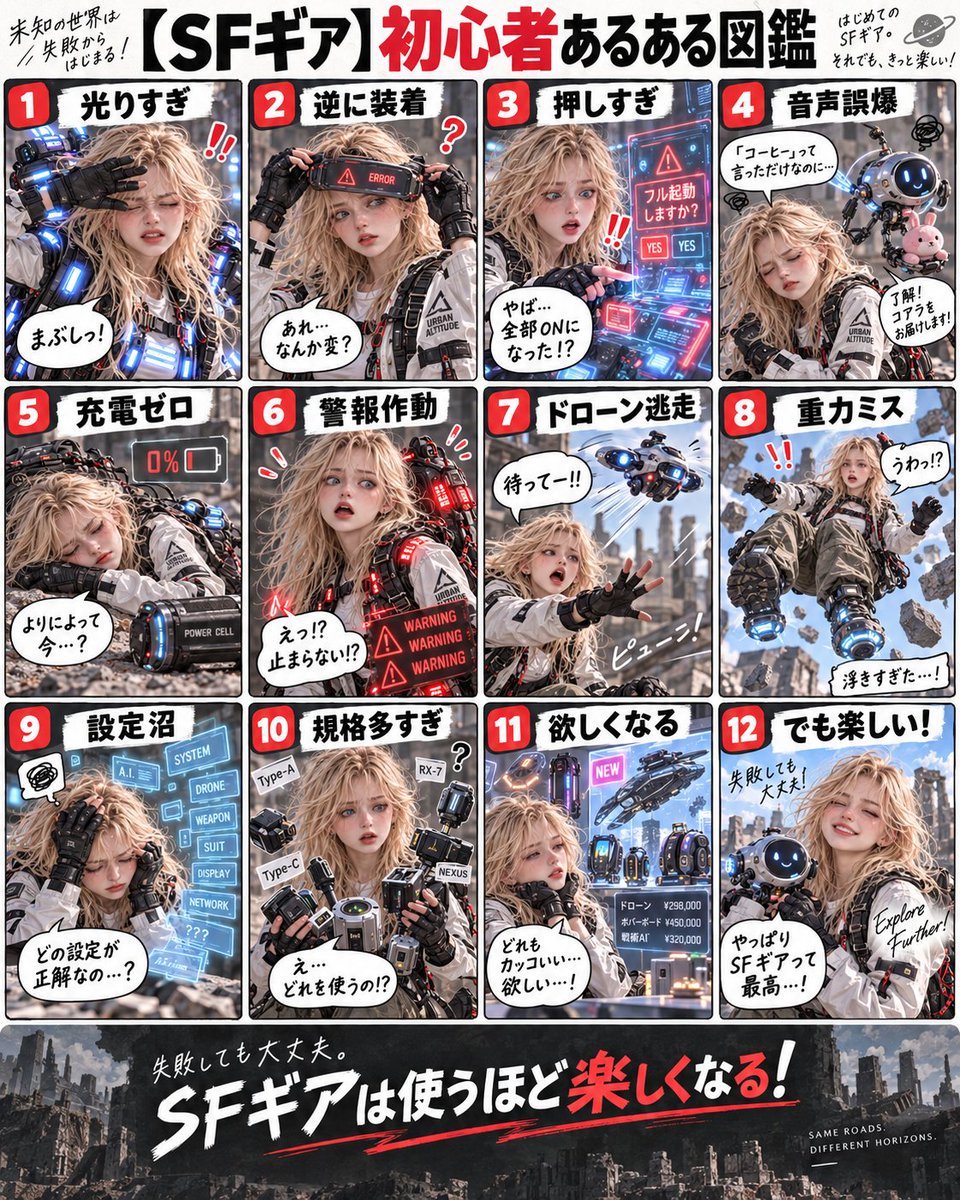
Goal: Create a Japanese infographic titled "【SF Gear】Beginner's Common Mistakes Guide" (【SFギア】初心者あるある図鑑). The design features a grid of 12 panels showing a young woman in futuristic sci-fi gear experiencing various humorous mishaps. Canvas: Vertical layout with a white background and bold black borders separating the panels. Top header area, central 3x4 grid, bottom footer area. Layout & Content: - **Header:** Large bold title text. Small handwritten-style notes on the left and right corners. - **Grid Panels (1-12):** Each panel has a red number badge in the top-left corner and a black title bar at the top. The subject is a blonde female character wearing a white tactical jacket with 'URBAN ALTITUDE' branding and black gloves. - **Panel 1 (Too Bright):** She shields her eyes from intense blue LED lights on her arm. Speech bubble: "まぶしっ!" (Too bright!). - **Panel 2 (Wearing Backwards):** She wears a visor backwards with an 'ERROR' display. Speech bubble: "あれ…なんか変?" (Huh... something feels off?). - **Panel 3 (Pressed Too Hard):** She looks shocked at a holographic screen asking to 'Full Boot'. Speech bubble: "やば…全部ONになっちった!?" (Oh no... everything turned ON!?). - **Panel 4 (Voice Command Fail):** A robot companion brings coffee while she looks annoyed. Speech bubble: "コーヒーって言ったんだけどに…" (I said coffee but...). Robot says: "了解! コアラをお届けします!" (Roger! Delivering a koala!). - **Panel 5 (Zero Charge):** She lies unconscious next to a battery pack reading '0%'. Speech bubble: "よりによって今…?" (Of all times now...?). - **Panel 6 (Alarm Triggered):** Red warning lights flash around her as she panics. Screen reads 'WARNING'. Speech bubble: "えっ!? 止まらない!?" (Eh!? It won't stop!?). - **Panel 7 (Drone Escape):** She reaches out desperately at a flying drone. Speech bubble: "待ってー!!" (Wait!!). - **Panel 8 (Gravity Miss):** She floats upside down in mid-air. Speech bubble: "うわっ!?" (Whoa!?) and "浮きすぎた…!" (Floated too much...!). - **Panel 9 (Settings Swamp):** She holds her head in frustration surrounded by floating menu options like 'SYSTEM', 'DRONE', 'WEAPON'. Speech bubble: "どの設定が正解なの…?" (Which setting is correct...?). - **Panel 10 (Too Many Specs):** She is buried under a pile of different gadget attachments labeled 'Type-A', 'RX-7', etc. Speech bubble: "え…どれを使うの!?" (Uh... which one do I use!?). - **Panel 11 (Desire):** She gazes longingly at expensive items with price tags (e.g., Drone ¥298,000). Speech bubble: "どれもカッコいい…欲しい…!" (They're all cool... I want them...!). - **Panel 12 (But Fun!):** She smiles happily holding a small round robot. Text overlay: "Explore Further!". Speech bubble: "やっぱりSFギアって最高…!" (Sci-fi gear really is the best...!). Footer: - Dark grey background with faint city ruins silhouette. - Large white text: "Even if you fail, it's okay." (失敗しても大丈夫。) - Main slogan: "SF Gear gets more fun the more you use it!" (SFギアは使うほど楽しくなる!) with 'fun' highlighted in red. - Small English text bottom right: "SAME ROADS. DIFFERENT HORIZONS." Visual Style: High-quality digital illustration, realistic anime style (semi-realistic faces), cyberpunk aesthetic, clean vector-like UI elements for the text boxes.

Isometric Miniature Map of Cali

Isometric Miniature Map of Cali

Diagram / Infographic

Read full prompt

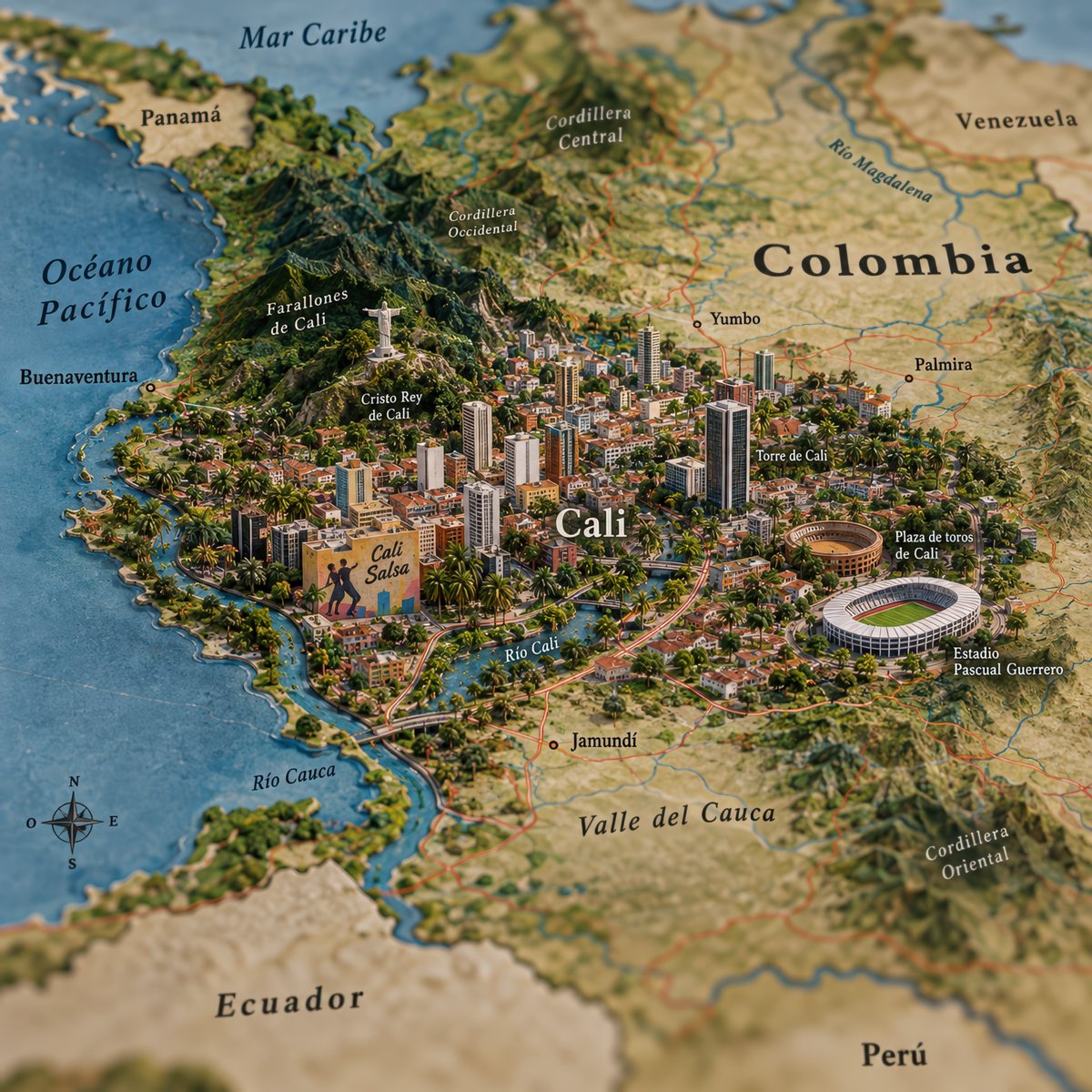
Create a highly detailed, isometric 3D miniature map illustration of the city of Cali, Colombia. The style should resemble a realistic diorama or clay model with soft lighting and vibrant colors. The central focus is the dense urban sprawl of Cali, featuring numerous skyscrapers, residential blocks, and lush green palm trees interspersed throughout the city. Key landmarks must be clearly visible and labeled in Spanish: - **Cristo Rey de Cali**: A statue of Christ standing atop the hills to the northwest (Farallones de Cali). - **Torre de Cali**: A prominent modern skyscraper in the city center. - **Plaza de toros de Cali**: A circular bullring structure on the east side. - **Estadio Pascual Guerrero**: A large white oval stadium on the southeast side. - **Río Cali**: A river winding through the city. Surrounding geographical features include the 'Mar Caribe' at the top, 'Océano Pacífico' on the left, and neighboring countries like 'Panamá', 'Venezuela', 'Ecuador', and 'Perú' in the background. Mountain ranges are labeled 'Cordillera Occidental' and 'Cordillera Central'. Include smaller towns like 'Buenaventura', 'Yumbo', 'Palmira', and 'Jamundí'. Add a compass rose in the bottom-left corner. The text labels should be elegant serif fonts, integrated naturally into the terrain.

Shape Spatial Test Brief

Shape Spatial Test Brief

Diagram / Infographic

Read full prompt

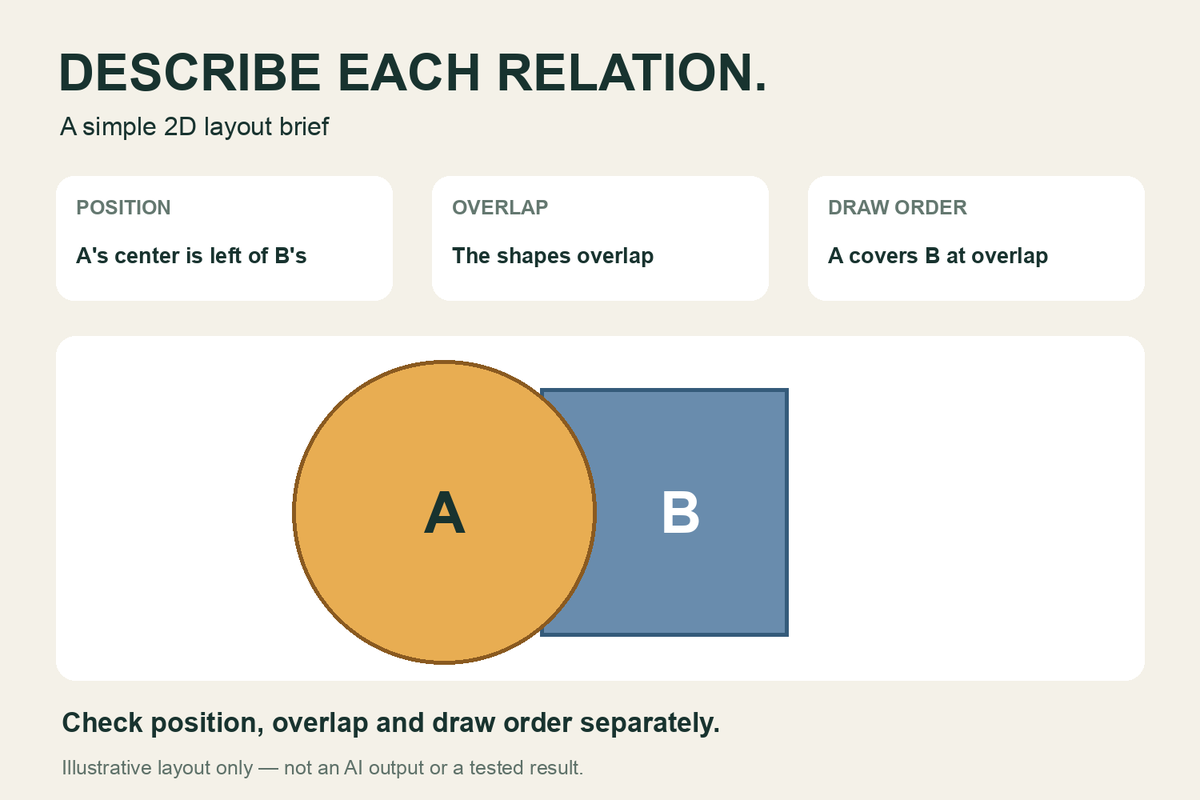
On a plain background, draw a solid circle A and a solid square B. Put A's center left of B's center. Partially overlap the shapes, leaving some of each visible. Wherever they overlap, draw A over B.

GPT Image 2.5 Sunburst Infographic

GPT Image 2.5 Sunburst Infographic

Diagram / Infographic

Read full prompt

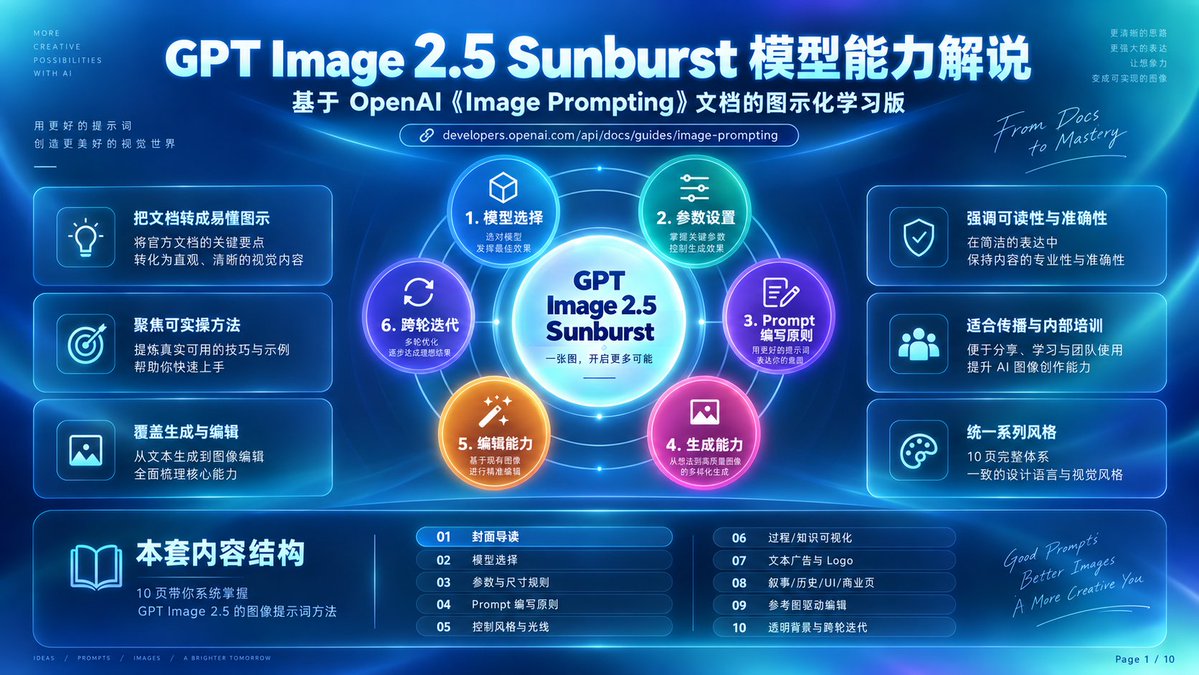
Goal: Create a futuristic Chinese tech infographic cover slide explaining {argument name="headline text" default="GPT Image 2.5 Sunburst 模型能力解说"}, based on OpenAI image prompting documentation, in a glowing cyber-blue presentation style. Canvas: 16:9 horizontal slide, deep navy-to-cyan gradient background with soft radial light beams, neon arcs, thin orbital lines, lens glow, glassmorphism panels, and subtle high-tech UI grid details. Use crisp vector-like typography and luminous cyan borders. Add small decorative English microcopy in the corners. Main header: At the top center, large bold white title: “GPT Image 2.5 Sunburst 模型能力解说”. Directly below it, smaller bold subtitle: “基于 OpenAI《Image Prompting》文档的图示化学习版”. Under the subtitle, place a rounded URL pill with a chain-link icon and the text “developers.openai.com/api/docs/guides/image-prompting”. Central diagram: In the center, create a circular sunburst capability map. Put a bright glowing white-cyan core circle labeled “GPT Image 2.5 Sunburst” with a smaller Chinese line underneath: “一张图,开启更多可能”. Around it, place exactly 6 numbered colored capability nodes connected by orbit rings and radial lines: 1. Cyan node with cube icon: “1. 模型选择”, smaller text “选对模型 / 发挥最佳效果”. 2. Green-teal node with sliders icon: “2. 参数设置”, smaller text “掌握关键参数 / 控制生成效果”. 3. Purple node with document-and-pencil icon: “3. Prompt 编写原则”, smaller text “用好的提示词 / 表达你的意图”. 4. Pink-magenta node with image icon: “4. 生成能力”, smaller text “从想法到画面 / 的多样化生成”. 5. Orange node with magic-wand icon: “5. 编辑能力”, smaller text “基于现有图像 / 进行精准编辑”. 6. Violet-blue node with refresh arrows icon: “6. 跨轮迭代”, smaller text “多轮优化 / 逐步达成理想结果”. Left side feature cards: Arrange exactly 3 rounded translucent cards stacked vertically, each with a square icon tile on the left and Chinese text on the right: 1. Lightbulb icon, title “把文档转成易懂图示”, body “将官方文档的关键要点 / 转化为直观、清晰的视觉内容”. 2. Target icon, title “聚焦可实操方法”, body “提供真实可用的技巧与示例 / 帮助你快速上手”. 3. Image icon, title “覆盖生成与编辑”, body “从文本生成到图像编辑 / 全面梳理核心能力”. Right side feature cards: Arrange exactly 3 matching rounded translucent cards stacked vertically: 1. Shield-check icon, title “强调可读性与准确性”, body “在简洁的表达中 / 保持内容的专业性与准确性”. 2. Group/users icon, title “适合传播与内部培训”, body “便于分享、学习与团队使用 / 提升 AI 图像创作能力”. 3. Palette icon, title “统一系列风格”, body “10 页完整体系 / 一致的设计语言与视觉风格”. Bottom content-structure band: Add a wide rounded glass panel across the bottom. On the left of this panel, show a large open-book icon and the bold heading “本套内容结构”, with smaller body text “10 页带你系统掌握 / GPT Image 2.5 的图像提示词方法”. To the right, show exactly 10 chapter rows in two columns of five, each row in a small rounded blue pill with a two-digit number: 01 “封面导读” 02 “模型选择” 03 “参数与尺寸规则” 04 “Prompt 编写原则” 05 “控制风格与光线” 06 “过程/知识可视化” 07 “文本广告与 Logo” 08 “叙事/历史/UI/商业页” 09 “参考图驱动编辑” 10 “透明背景与跨轮迭代”. Decorative side text: Upper left tiny vertical microcopy reads “MORE / CREATIVE / POSSIBILITIES / WITH AI”; below it add Chinese copy “用更好的提示词 / 创造更美好的视觉世界” with a small underline. Upper right tiny Chinese copy reads “更清晰的思路 / 更强大的表达 / 让想象力 / 变成可实现的图像”. Add handwritten script near the upper-right diagram: “From Docs to Mastery”. Add handwritten script near bottom right: “Good Prompts / Better Images / A More Creative You”. Footer: Bottom left add tiny separated words “IDEAS / PROMPTS / IMAGES / A BRIGHTER TOMORROW”. Bottom right add page marker “Page 1 / 10”. Visual style: Premium SaaS keynote cover, luminous blue glass cards, neon cyan outlines, high contrast white Chinese typography, rounded UI panels, subtle blur, volumetric light, polished infographic composition. Keep all major elements symmetrical and readable, with the central sunburst as the focal point. Constraints: Use exactly 6 central capability nodes, exactly 6 side feature cards, and exactly 10 bottom chapter rows. Do not add extra chapters or cards. Preserve the Chinese headings and labels exactly as specified. No logos other than text references to OpenAI and GPT Image 2.5. No watermark.

USB-C Cable Exploded Assembly Infographic

USB-C Cable Exploded Assembly Infographic

Diagram / Infographic

Read full prompt

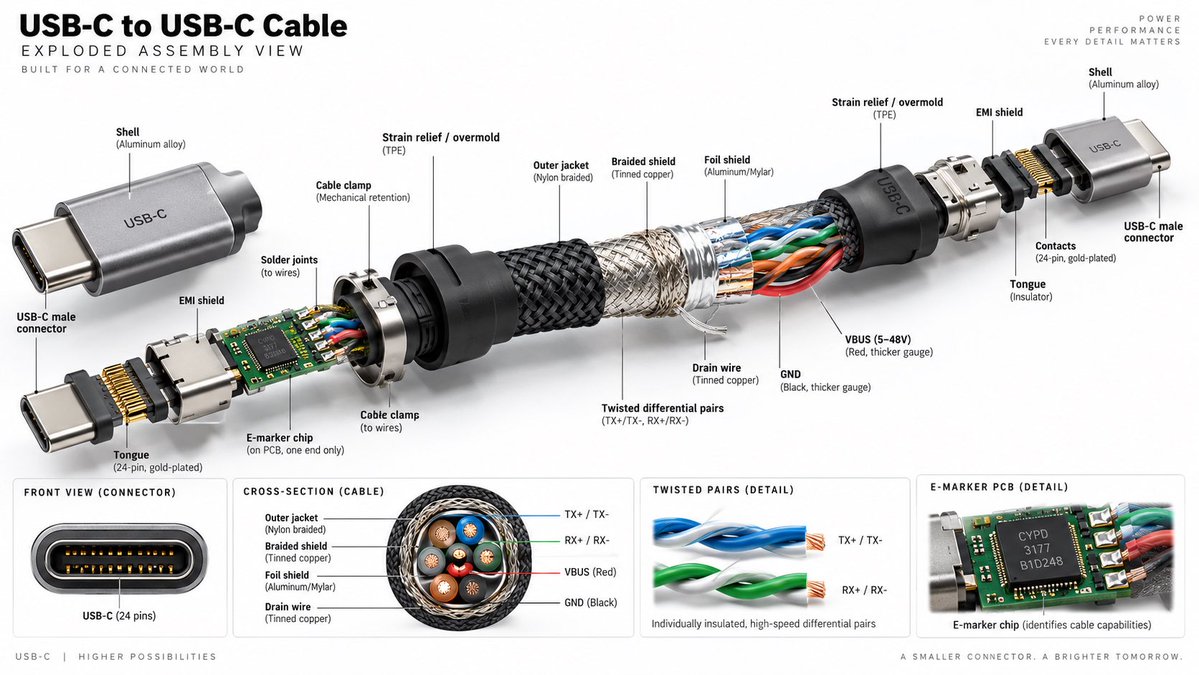
Create a hyper-realistic, high-resolution technical exploded assembly view of a USB-C to USB-C cable against a clean white background. The image should be wide format (16:9) and resemble a premium product infographic. **Layout & Structure:** - **Header:** Top left text reads "USB-C to USB-C Cable" in large bold black font, followed by "EXPLODED ASSEMBLY VIEW" and smaller text "BUILT FOR A CONNECTED WORLD". Top right has faint grey text: "POWER PERFORMANCE EVERY DETAIL MATTERS". - **Main Visual:** A central horizontal exploded diagram showing the internal components of the cable separated from left to right. - **Bottom Panels:** Four distinct rectangular detail boxes along the bottom edge. **Exploded View Details (Left to Right):** 1. **Left Connector Assembly:** A silver aluminum shell labeled "Shell (Aluminum alloy)" with "USB-C" engraved on it. Below it, a separate connector head labeled "USB-C male connector". Internal parts include a green PCB with an "E-marker chip", gold pins labeled "Tongue (24-pin, gold-plated)", and a metal shield labeled "EMI shield". 2. **Strain Relief:** A black rubber cone labeled "Strain relief / overmold (TPE)". 3. **Cable Layers (Center):** The cable is peeled back to reveal layers: - Outer layer: Black woven texture labeled "Outer jacket (Nylon braided)". - Middle layer: Silver mesh labeled "Braided shield (Tinned copper)". - Inner layer: Foil labeled "Foil shield (Aluminum/Mylar)". - Core wires: Visible twisted pairs of blue, orange, green, and red wires. Labels point to "Twisted differential pairs (TX+/TX-, RX+/RX-)", "VBUS (5-48V) (Red, thicker gauge)", "GND (Black, thicker gauge)", and "Drain wire (Tinned copper)". 4. **Right Connector Assembly:** Mirrors the left side but without the PCB/chip visible inside the immediate neck. Shows the metal shell, strain relief, and connector tongue. **Bottom Detail Panels (Left to Right):** 1. **Front View:** A close-up of the oval connector port showing the 24 pins. Label: "FRONT VIEW (CONNECTOR)" and "USB-C (24 pins)". 2. **Cross-Section:** A circular cutaway of the cable showing the concentric rings of insulation, shielding, and the four colored wire bundles inside. Label: "CROSS-SECTION (CABLE)" with legend for Outer jacket, Braided shield, Foil shield, Drain wire. 3. **Twisted Pairs:** Close-up of two twisted wire pairs (blue and green). Label: "TWISTED PAIRS (DETAIL)" and "Individually insulated, high-speed differential pairs". 4. **PCB Detail:** Close-up of the green circuit board chip. Label: "E-MARKER PCB (DETAIL)" and "E-marker chip (identifies cable capabilities)". **Style:** Photorealistic rendering, studio lighting, sharp focus, technical illustration style with thin black leader lines connecting labels to parts.

Cute Chinese LLM Training Infographic

Cute Chinese LLM Training Infographic

Diagram / Infographic

Read full prompt

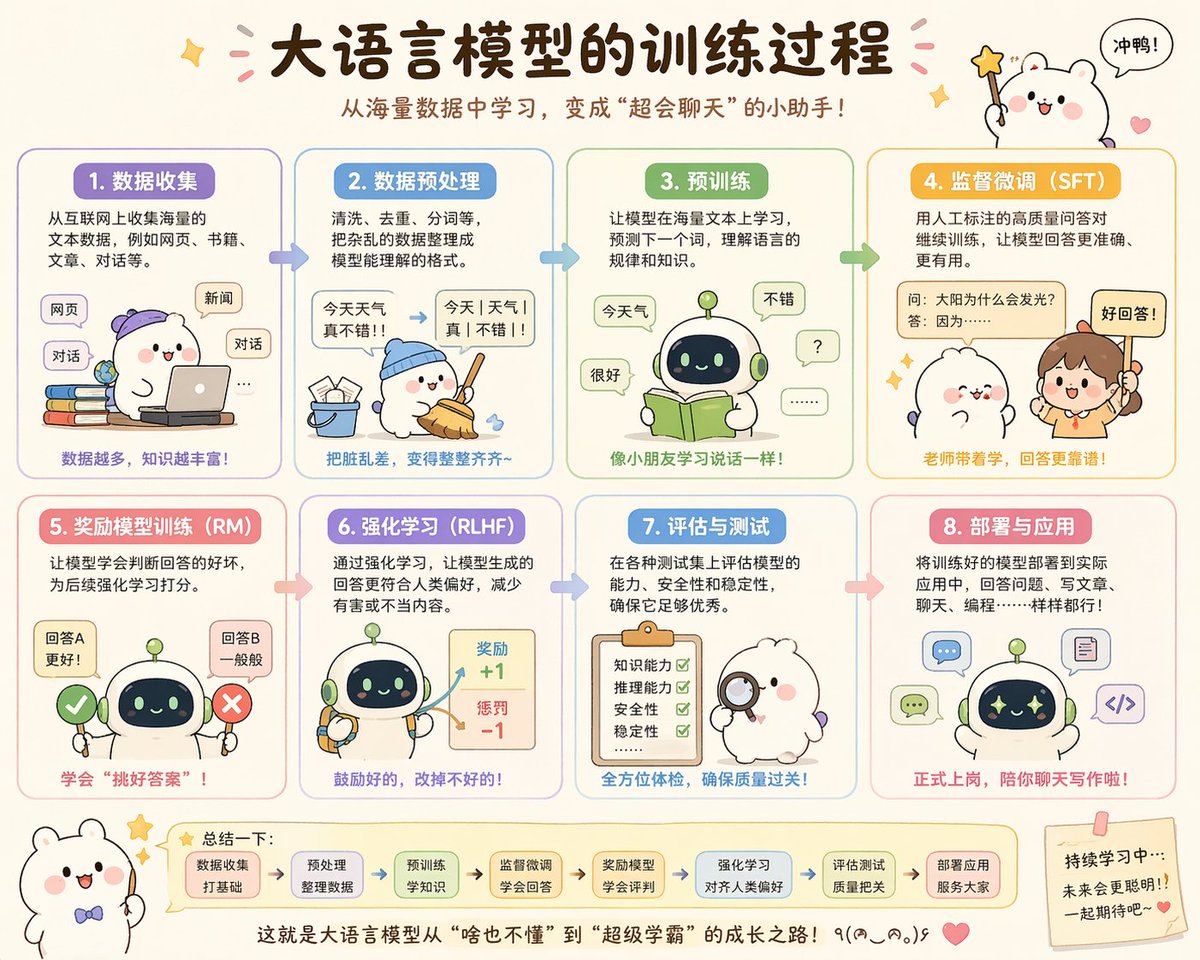
{"type":"cute educational infographic poster","topic":"{argument name=\"headline text\" default=\"大语言模型的训练过程\"}","subtitle":"{argument name=\"subtitle text\" default=\"从海量数据中学习,变成\"超会聊天\"的小助手!\"}","style":{"overall":"adorable Chinese explainer poster, pastel classroom infographic, rounded panels, soft cream background, hand-drawn cartoon aesthetic, clean vector-like illustration, warm friendly educational tone","palette":["cream","lavender","sky blue","mint green","yellow-orange","pink","soft brown"],"rendering":"high-quality flat illustration with subtle shading, crisp Chinese typography, sticker-like accents, tiny stars, hearts, arrows, and speech bubbles"},"layout":{"format":"horizontal poster","grid":{"rows":2,"columns":4,"count":8},"sections":[{"title":"1. 数据收集","position":"top-left","count":1,"labels":["网页","新闻","对话"]},{"title":"2. 数据预处理","position":"top row, second column","count":1,"labels":["今天 天气 真不错!!","今天|天气|真|不错!!"]},{"title":"3. 预训练","position":"top row, third column","count":1,"labels":["今天气","很好","不错","?","......"]},{"title":"4. 监督微调(SFT)","position":"top-right","count":1,"labels":["问:太阳为什么会发光?","答:因为……","好回答!"]},{"title":"5. 奖励模型训练(RM)","position":"bottom-left","count":1,"labels":["回答A 更好!","回答B 一般般"]},{"title":"6. 强化学习(RLHF)","position":"bottom row, second column","count":1,"labels":["奖励 +1","惩罚 -1"]},{"title":"7. 评估与测试","position":"bottom row, third column","count":1,"labels":["知识能力","推理能力","安全性","稳定性"]},{"title":"8. 部署与应用","position":"bottom-right","count":1,"labels":["聊天","写代码","写文章"]}],"topDecorations":{"count":4,"items":["small sparkle at upper left","pink confetti strokes around title","cute white mascot at upper right holding star wand","speech bubble saying 冲鸭!"]},"bottomDecorations":{"count":4,"items":["small white mascot with bow tie at lower left","summary strip with 7 rounded mini boxes and arrows","centered closing sentence at bottom","sticky note at lower right with encouraging text and heart"]}},"characters":{"main mascots":{"count":4,"types":["white chubby bear-like mascot with pink cheeks","small round robot with dark face screen and green antenna","human teacher girl with ponytail","fluffy white character with magnifying glass"]},"recurring_robot_design":"short cute robot, rounded body, pale green and cream shell, navy face display with glowing eyes, tiny limbs"},"sectionDetails":[{"title":"1. 数据收集","panelColor":"lavender","scene":"a white mascot wearing a purple cap uses a laptop while sitting beside a stack of colorful books; floating rounded labels represent internet sources","caption":"数据越多,知识越丰富!"},{"title":"2. 数据预处理","panelColor":"sky blue","scene":"the mascot in a blue cap sweeps scattered paper scraps into a bucket; a messy sentence is transformed into segmented clean text with an arrow","caption":"把脏乱差,变得整整齐齐~"},{"title":"3. 预训练","panelColor":"mint green","scene":"the robot reads an open green book while speech bubbles around it show simple tokens and responses, suggesting language learning","caption":"像小朋友学习说话一样!"},{"title":"4. 监督微调(SFT)","panelColor":"golden yellow","scene":"a teacher points to a labeled QA card while a cute mascot listens; emphasis on human-labeled high-quality question-answer pairs","caption":"老师带着学,回答更靠谱!"},{"title":"5. 奖励模型训练(RM)","panelColor":"pink","scene":"the robot stands between a green check mark and a red X, comparing two answer options to learn which is better","caption":"学会\"挑好答案\"!"},{"title":"6. 强化学习(RLHF)","panelColor":"lavender-blue","scene":"the robot holds tools while a reward board shows positive and negative score feedback with arrows","caption":"鼓励好的,改掉不好的!"},{"title":"7. 评估与测试","panelColor":"blue","scene":"a fluffy white examiner character holds a magnifying glass beside a clipboard checklist with four green check marks","caption":"全方位体检,确保质量过关!"},{"title":"8. 部署与应用","panelColor":"soft red-pink","scene":"the robot appears surrounded by application icons for chat, writing, coding, and documents, showing real-world deployment","caption":"正式上岗,陪你聊天写作啦!"}],"bottomSummary":{"title":"总结一下:","count":7,"steps":["数据收集 打好基础","预处理 整理数据","预训练 学知识","监督微调 学会回答","奖励模型 学会评判","强化学习 对齐人类偏好","评估测试 质量把关"],"closingText":"{argument name=\"closing sentence\" default=\"这就是大语言模型从\"啥也不懂\"到\"超级学霸\"的成长之路!٩(๑^o^๑)۶\"}"},"language":"Simplified Chinese","quality":"polished social-media-ready infographic, balanced spacing, legible Chinese text, charming and highly shareable"}