THE LIBRARY

Explore image prompts.

Browse images and open the prompts behind them.

Cute Underwater Mermaid Puppy Game UI

Cute Underwater Mermaid Puppy Game UI

Editorial / Interface

Read full prompt

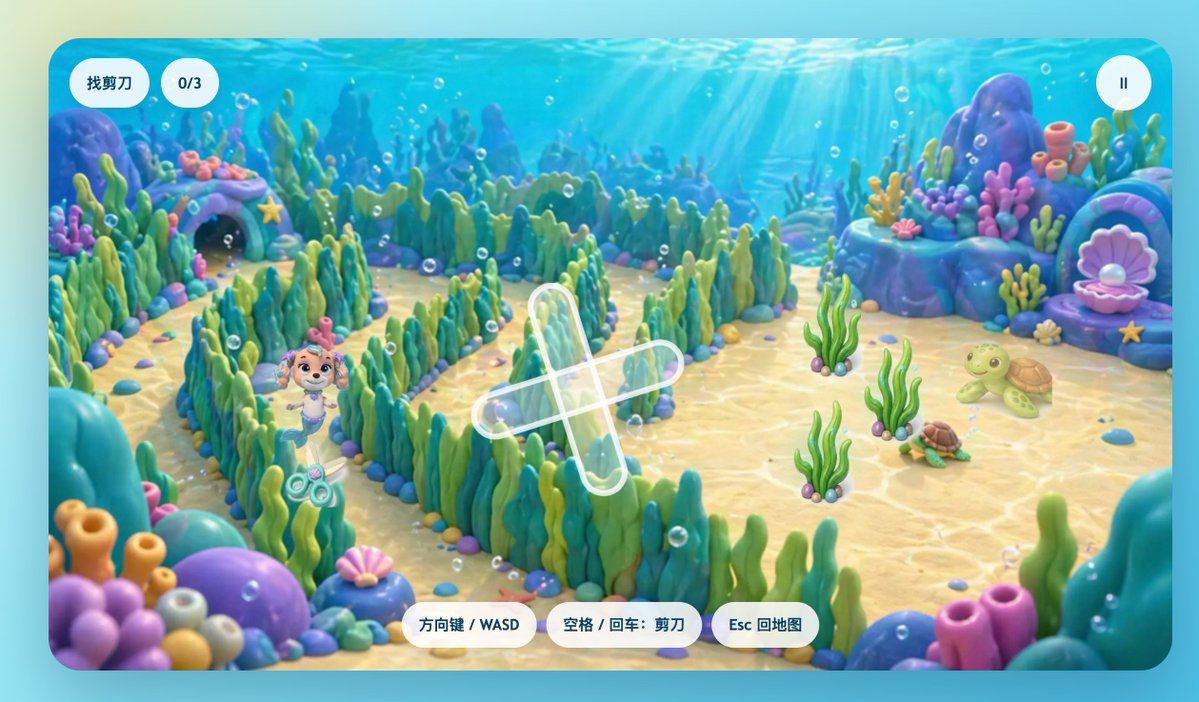
A cute children’s 3D game screenshot in a bright underwater world, shown from a slightly elevated third-person view inside a colorful seaweed maze. The scene has a soft, glossy, toy-like look with rounded shapes, smooth clay-style materials, pastel-saturated colors, and cinematic god rays shining down through clear blue water. In the maze, a small mermaid puppy inspired by Coral from Paw Patrol stands near the lower-left quadrant, smiling with a friendly heroic expression. She has a light tan puppy face, big expressive eyes, pink-purple mermaid-themed accessories, and a small mermaid tail, designed in an adorable family-friendly animated style. Near her on the sandy seabed is a visible pair of scissors, the hidden-object target. The maze walls are made of dense green and teal seaweed with rounded pebble borders, creating winding paths across the center of the scene. The seabed is pale golden sand with caustic light patterns, scattered tiny shells and stones, and many floating air bubbles. Around the maze are whimsical coral-rock formations in blue, purple, and turquoise, including 1 shell-shaped treasure alcove on the left with a starfish above it and 1 large open pink clam shell with a pearl on the right. On the right side of the play area are 2 turtles: 1 larger light-green turtle and 1 smaller brown-green turtle, plus 3 separate clumps of upright sea plants in the open sand. Add a translucent white cross-shaped path marker or objective indicator over the center of the maze. Present it as a polished mobile game interface framed by a rounded rectangular screen. Include 6 UI elements total: top left a pill-shaped white label with the Chinese text “找剪刀”, next to it a white rounded counter reading “0/3”, top right a circular white pause button with a pause icon, and along the bottom center 3 white rounded instruction buttons labeled “方向键 / WASD”, “空格 / 回车:剪刀”, and “Esc 回地图”. The overall mood is comforting, playful, magical, and reassuring, like an educational hide-and-seek mini-game for a sick child, with high-end casual game art and a clean app-store-quality presentation.
Pastel Underwater Mermaid Puppy Game UI

Pastel Underwater Mermaid Puppy Game UI

Editorial / Interface

Read full prompt

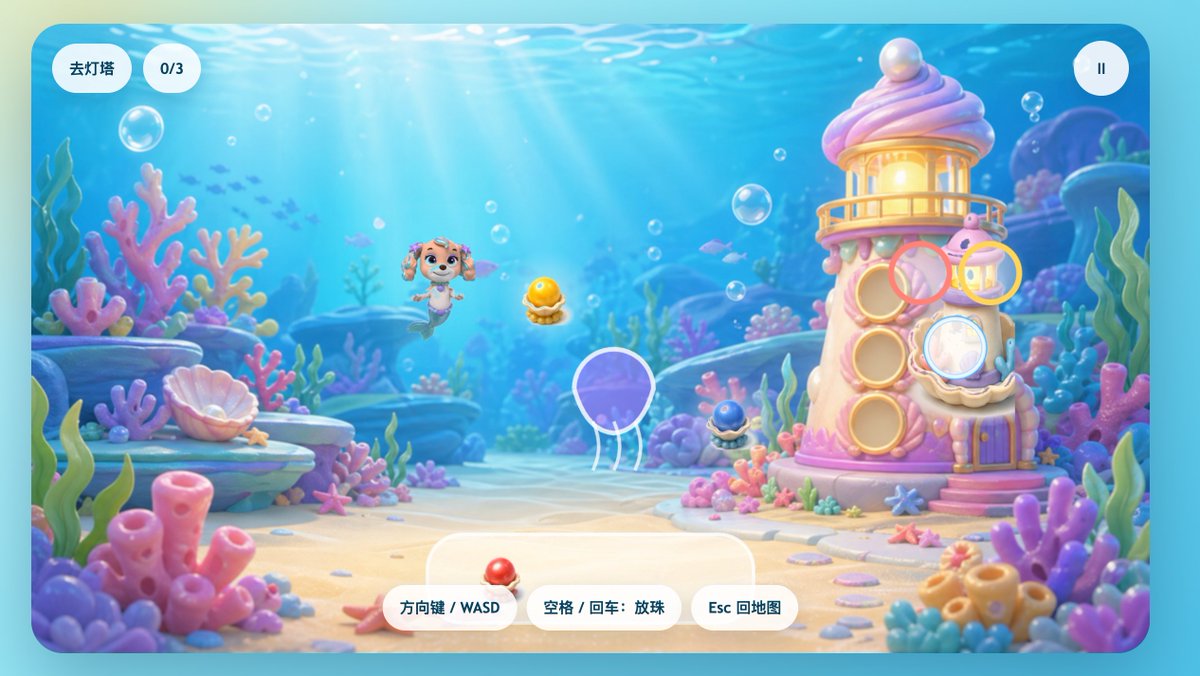
A cute side-view underwater casual game start screen in a soft pastel 3D cartoon style, designed like a polished children's browser game interface. The scene shows a bright ocean floor with sun rays streaming down through clear blue water, floating bubbles, distant tiny fish silhouettes, and a dreamy coral reef environment filled with rounded pink, purple, blue, and mint corals, sea plants, shells, rocks, and sandy ground. Slightly left of center, a small mermaid puppy character inspired by a rescue-dog cartoon floats happily underwater, with a puppy face, big sparkling eyes, floppy ears, a tiny tiara-like head accessory, and a fish tail instead of hind legs, facing forward with a cheerful expression. On the right stands a whimsical candy-like coral lighthouse shaped like a pink-and-cream seashell tower with a glowing lantern room at the top, a pearl on the roof, circular shell windows, a small balcony, a purple door, and decorative coral details around the base. Overlay game UI elements directly on the scene: at top left, 2 rounded white pill buttons, the first reading "去灯塔" and the second showing "0/3"; at top right, 1 circular white pause button with a pause icon. Near the lighthouse, show 4 translucent colored target rings floating over interactive spots: 1 pink ring near the upper middle windows, 1 yellow ring near the upper right lantern area, 1 pale blue ring over a lower right shell window, and 1 large white-outlined ring around a purple jellyfish near the lower center-left. Add 3 collectible pearl-in-shell objects visible in the scene: 1 glowing golden pearl in an open shell near the center, 1 small dark blue pearl shell near the lighthouse base, and 1 red pearl shell resting on the bottom center UI panel. At the bottom center, place 3 rounded white control hint buttons with Chinese text: "方向键 / WASD", "空格 / 回车:放珠", and "Esc 回地图". Include a large semi-transparent rounded white panel behind the bottom controls. The overall image should feel joyful, safe, colorful, and magical, with high polish, gentle depth of field, soft lighting, glossy toy-like materials, and a kid-friendly mobile or web game aesthetic.

Multipage Presentation Slide Series

Multipage Presentation Slide Series

Editorial / Poster

Read full prompt

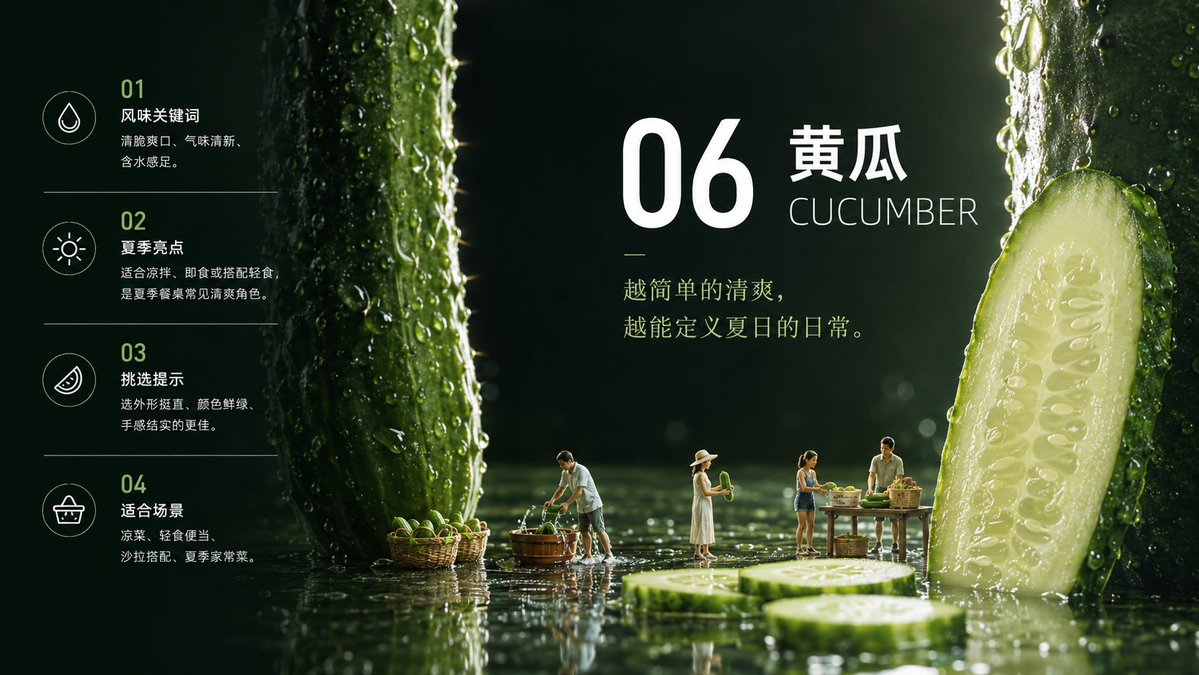
Theme: {argument name="theme" default="Introducing 10 types of summer fruits and vegetables"} Continuously generate 10 images, each being a different fruit or vegetable introduction, including quote logic, knowledge logic, and color and layout logic. Similar to a PPT, generate 10 slides, ensuring layout differences between them. Aspect ratio 16:9

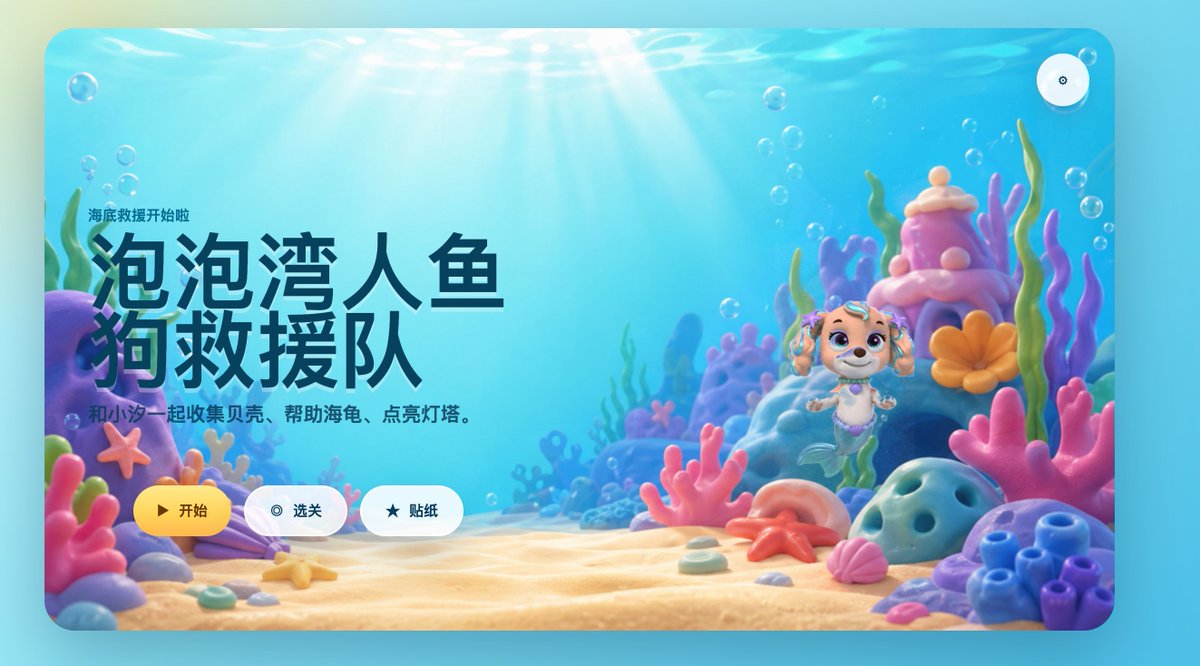
Cute Mermaid Puppy Undersea Game Start Screen

Cute Mermaid Puppy Undersea Game Start Screen

Editorial / Interface

Read full prompt

A bright, whimsical 3D underwater game start screen in a rounded-rectangle app window, designed like a polished children's casual game landing page. The scene is a colorful seabed with warm sun rays streaming down through clear turquoise water, soft floating bubbles throughout, and a sandy ocean floor covered with pastel coral and shells. On the left side, large bold Chinese title text dominates the composition: “泡泡湾人鱼狗救援队”, with a smaller line above it reading “海底救援开始啦” and a subtitle below reading “和小汪一起收集贝壳、帮助海龟、点亮灯塔。” Keep all text in clean modern UI typography, with the title in very large dark navy characters. On the right side, place a cute mermaid puppy character inspired by a preschool adventure cartoon style: a small smiling puppy with cream and light tan fur, big violet eyes, floppy ears decorated with teal accessories, a tiny purple shell necklace, and a mint-green mermaid tail, floating upright in the water. Surround the character with a magical coral reef environment containing exactly 10 prominent foreground and midground sea elements: 1 purple rock arch on the far left, 1 pink starfish attached to the left coral, 1 lavender clam shell near the bottom left, 1 large pink branching coral in the center foreground, 1 pink shell near the bottom right, 1 orange starfish on the sand near center-right, 1 blue porous rock on the right foreground, 1 cluster of blue tube coral at the far right, 1 tall pink-and-purple coral tower behind the character, and 1 orange flower-shaped coral beside the tower. Use a soft pastel palette of aqua, cyan, pink, lavender, peach, and coral orange, with glossy toy-like materials and gentle depth of field. Add three rounded UI buttons aligned horizontally near the bottom left-center: a yellow primary button labeled “开始” with a play icon, a white secondary button labeled “选关” with a circular target icon, and a white secondary button labeled “贴纸” with a star icon. Also add one small circular settings button with a gear icon in the top-right corner. Overall style: premium children’s mobile game splash screen, playful, comforting, cinematic lighting, high-end 3D illustration, friendly and inviting.

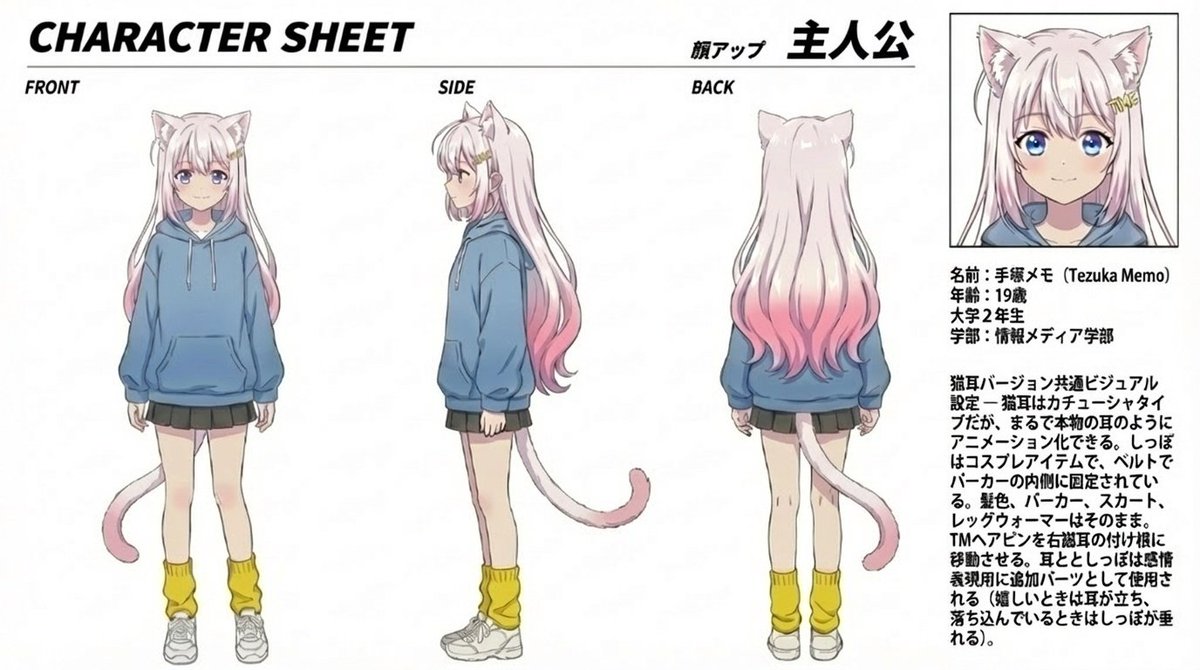
Anime Cat Girl Character Sheet

Anime Cat Girl Character Sheet

Illustration / Character

Read full prompt

Goal: Create a clean anime character sheet for {argument name="character name" default="手塚メモ (Tezuka Memo)"}, a cat-version college girl protagonist, with Japanese annotation text and multiple turnaround views. Canvas: Wide horizontal white page, approximately 16:9, thin black framing lines, crisp print-layout look. Use black bold typography and a manga/anime production-sheet style. Keep the background plain white with no scenery. Layout: Top-left large italic bold title reads CHARACTER SHEET. Along the upper center/right include Japanese heading text with a small label meaning face close-up and a large protagonist label. Arrange exactly 4 visible character depictions: 1 full-body front view on the left labeled FRONT, 1 full-body side view in the center labeled SIDE, 1 full-body back view right of center labeled BACK, and 1 boxed portrait close-up in the upper-right. The close-up portrait sits inside a thin black rectangular box. Beneath the portrait, place a compact Japanese profile block and a longer Japanese design-note paragraph. Character details: Draw a slim 19-year-old anime college girl with very long pale pink hair that fades into deeper pink at the ends, cat ears on top of her head, and a pale pink cat tail. Her face is intentionally obscured by a soft square blur/mosaic in all visible face views. She wears exactly 5 main outfit pieces: an oversized blue hoodie with drawstrings and front pouch pocket, a short dark pleated skirt, yellow loose leg warmers, white sneakers, and cat-ear/cat-tail cosplay accessories. In the side and back views, show the tail extending from behind the hoodie/skirt area and curling outward with a darker pink tip. Hair should be long and slightly wavy, reaching the lower back, with the pink gradient most visible near the ends. Text content: Use English labels for the view names: FRONT, SIDE, BACK. Use the title CHARACTER SHEET. Include Japanese character-sheet text in the right column. Profile block default text: {argument name="profile block" default="名前:手塚メモ (Tezuka Memo)\n年齢:19歳\n大学2年生\n学部:情報メディア学部"}. Design-note paragraph default text: {argument name="design notes" default="猫耳バージョン共通ビジュアル設定。猫耳はカチューシャタイプだが、まるで本物の耳のようにアニメーション化できる。しっぽはコスプレアイテムで、ベルトでパーカーの内側に固定されている。髪色、パーカー、スカート、レッグウォーマーはそのまま。TMAアドンを有機猫の付け根に移動させる。耳としっぽは感情表現用に追加パーツとして使用される(嬉しいときは耳が立ち、落ち込んでいるときはしっぽが垂れる)。"} Visual style: Soft cel-shaded anime illustration, delicate line art, pastel colors, slightly desaturated blue hoodie, pale skin, light pink hair, production-reference sheet quality. Text should look like printed black Japanese and English type, with the main title heavy and italic. Maintain a balanced layout with large empty white margins. Constraints: Show exactly 4 character depictions and exactly 5 main outfit pieces listed above. Do not add extra poses, props, background scenery, speech bubbles, logos, watermarks, or additional characters.

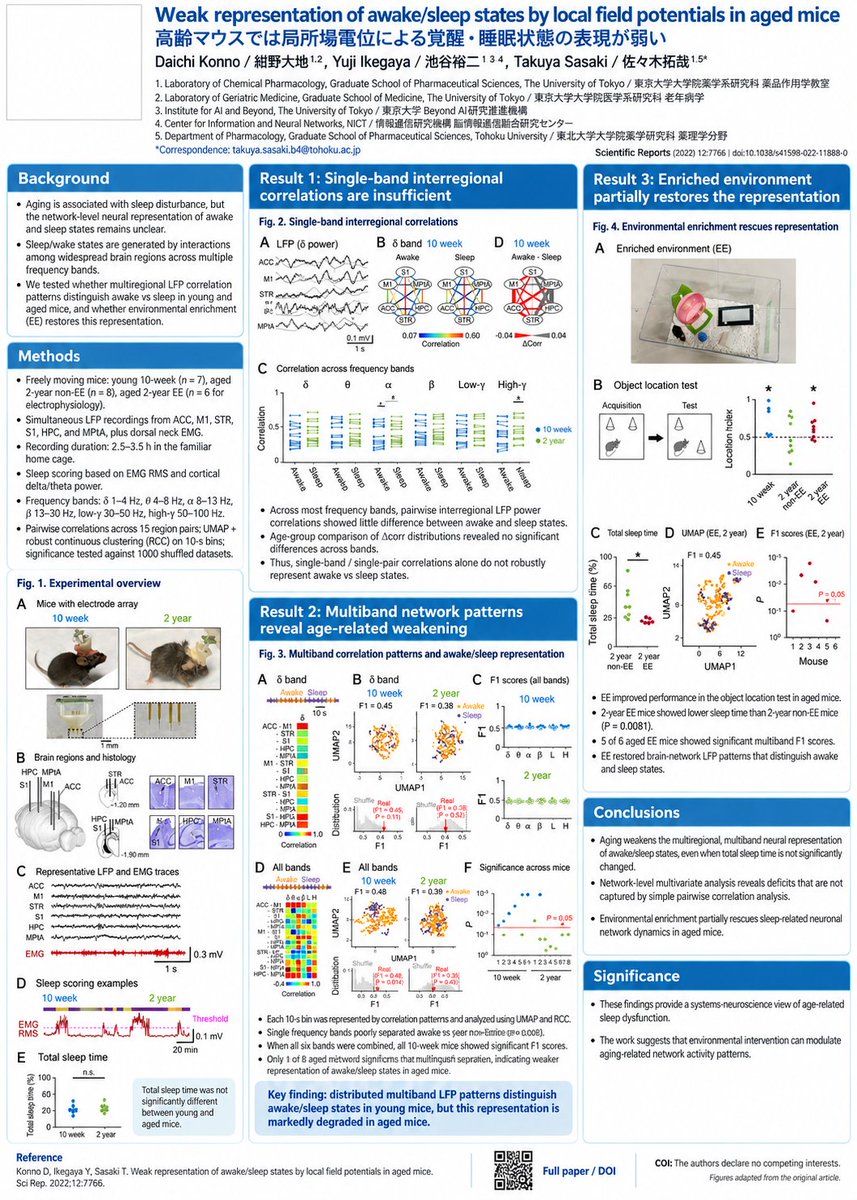
Research Paper Academic Poster

Research Paper Academic Poster

Editorial / Poster

Read full prompt

Research the poster regulations for presentation at the {argument name="conference name" default="2026 Neuroscience Conference"} and transform the attached paper into a poster accordingly.

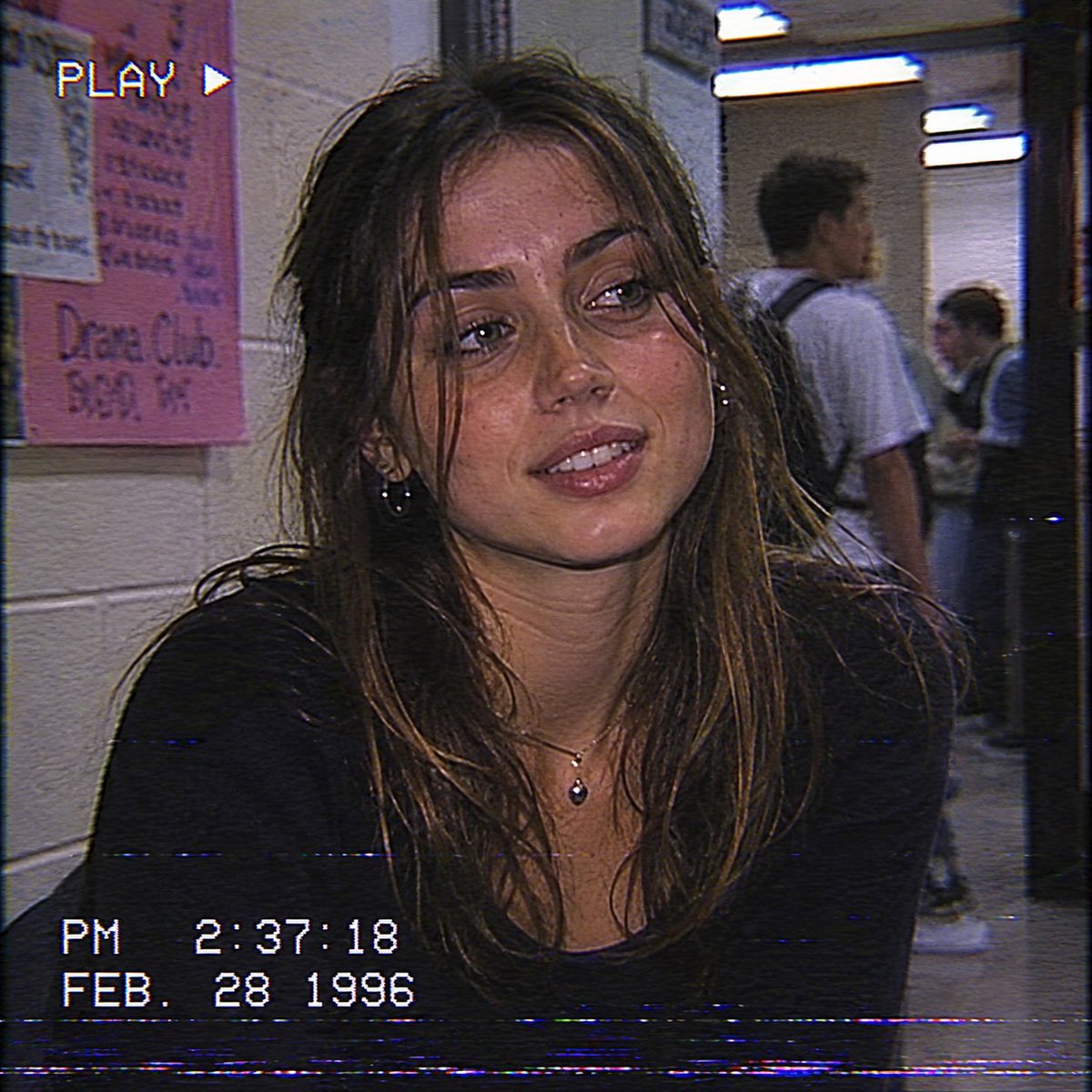
Vintage VHS High School Portrait

Vintage VHS High School Portrait

Photography / Portrait

Read full prompt

Image of {argument name="person" default="Ana De armas & Sydney Sweeney"} from a VHS camcorder recorded in a high school in Feb of 1996. Same grain and overall film quality of cameras and vhs of the time period.

Modern Ad Layout Design

Modern Ad Layout Design

Editorial / Poster

Read full prompt

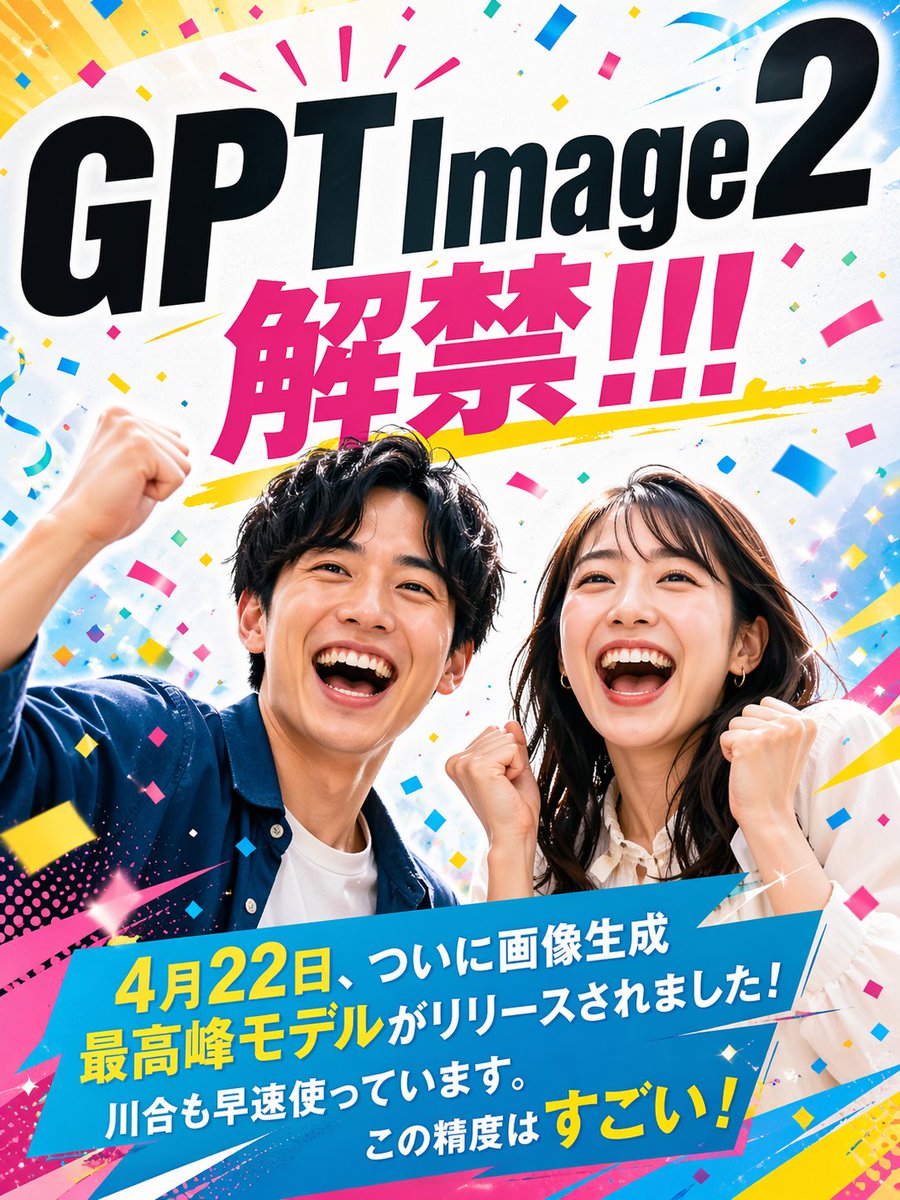
- Main Copy: {argument name="main copy" default="GPT Image 2 Released!!!"} - Sub Copy: {argument name="sub copy" default="Finally, the top-tier image generation model was released on April 22nd! I'm already using it. The precision is amazing!"} - Eye-catch: A Japanese man and woman in their 20s laughing and rejoicing. - Style: {argument name="style" default="Japanese advertising/poster, modern, lively"} - Aspect Ratio: 3:4 vertical

Full-Bleed Crane Park Key Art

Full-Bleed Crane Park Key Art

Illustration / Comics

Read full prompt

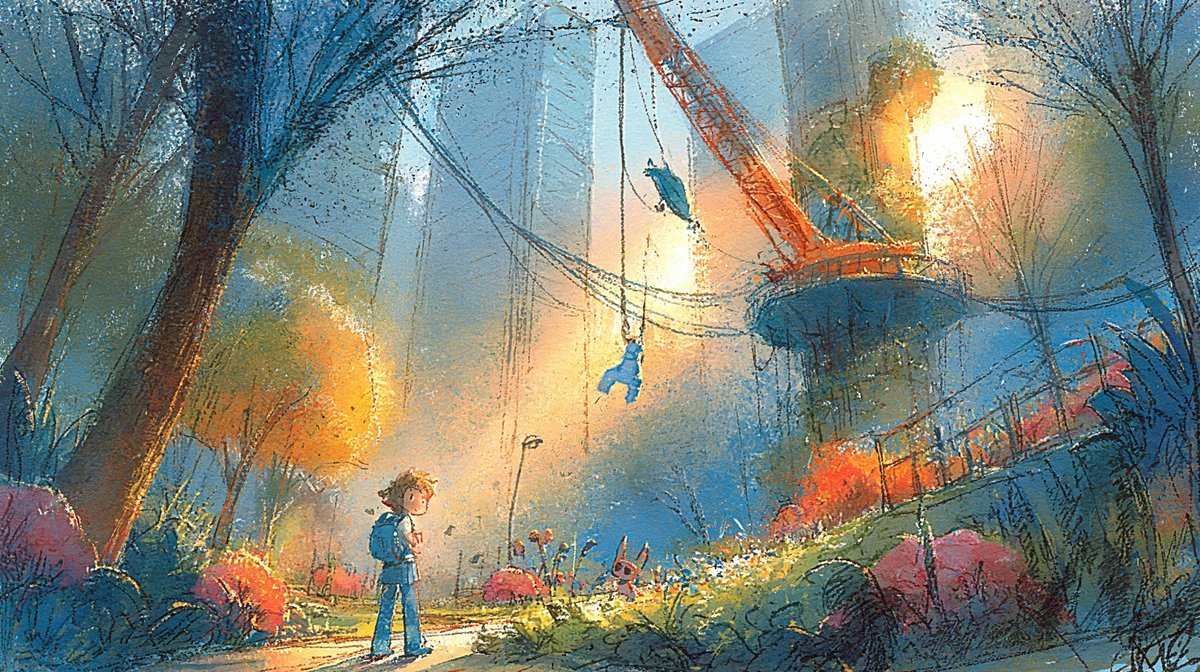
Using the provided reference image, isolate and regenerate only the central park illustration as a full-bleed wide cinematic artwork. Remove all presentation-board elements, typography, swatches, maps, thumbnails, labels, margins, and paper background. Expand the central scene to fill a {argument name="aspect ratio" default="16:9 landscape"} canvas while preserving the same painterly concept-art style, dusk blue-and-gold lighting, crane-park environment, child figure, swing/crane landmark, flowers, trees, and atmospheric urban skyline. Increase clarity and detail without making it look photorealistic; keep the textured gouache/pastel brushwork and hand-painted grain. Make it suitable as a clean environment key art image with no text or UI elements.

Split Screen Racing Game Driver View

Split Screen Racing Game Driver View

Illustration / Character

Read full prompt

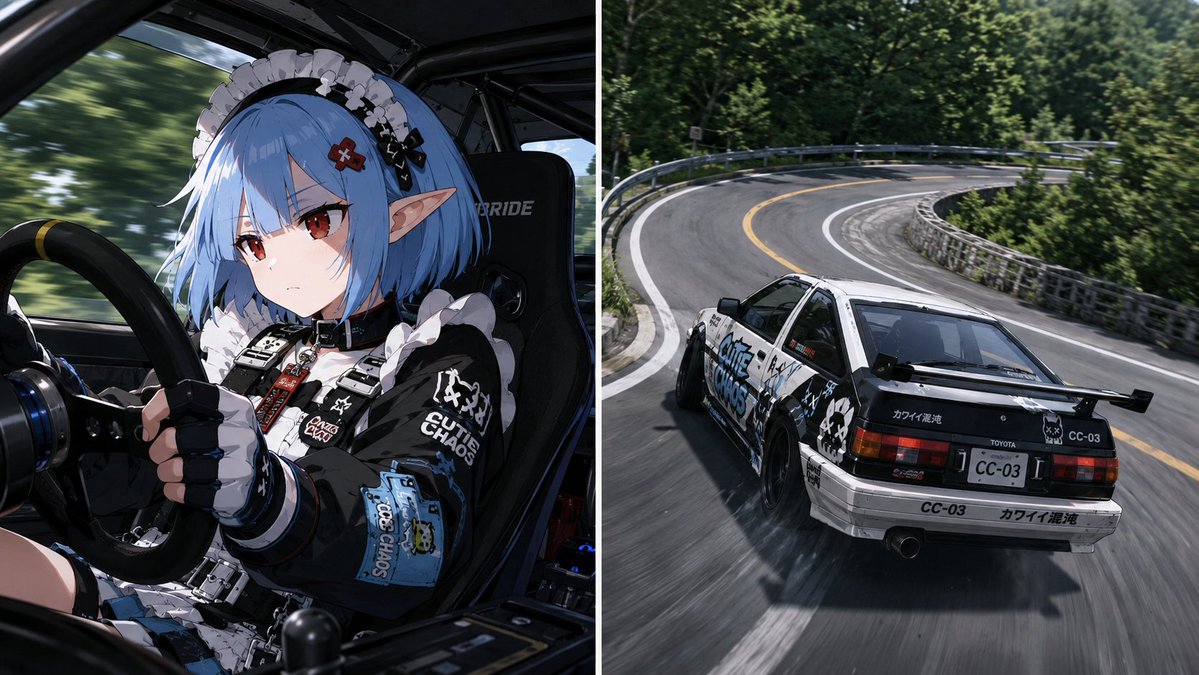
Maintain the character from the reference image perfectly, including face, hairstyle, hair color, eyes, ears, build, skeletal structure, shoulder width, neck thickness, arm silhouette, age, gender expression, and atmosphere. The screen is a split-screen composition divided into left and right. Both sides capture the same moment from different cameras, featuring the same vehicle on the same corner and time axis. [Vehicle] The vehicle in both screens is the same. Model: {argument name="vehicle type" default="sports car or tuned car"}. Both screens show the same vehicle from different viewpoints. [Left Screen] Driver camera. Diagonal low-angle waist-up shot from inside the car. The character is driving, holding the steering wheel with both hands while cornering. Their gaze is fixed forward with a serious, focused expression. G-forces act on the body, with hair and clothing swaying slightly. Outfit: {argument name="outfit" default="motorsport fashion"}. The character's face and expression are prominent. Roll cage, bucket seats, and meters appear naturally inside the car. [Right Screen] Third-person chase camera. A viewpoint following the same vehicle from behind and slightly above. A Japanese mountain pass (touge). A winding road surrounded by forest with guardrails and road markings. Realistic hairpin curves. Pose changes reflecting the vehicle's weight shift during cornering. High-speed driving, dynamic movement, tire grip, and a sense of unity with the road. [Visual Effects] Racing game screenshot style. Minimal or no HUD. Reality like a sports broadcast. The left and right screens are not separate scenes; they capture the exact same moment from two cameras. The character's steering and the vehicle's behavior are perfectly synchronized. High-quality anime characters and background. A sense of dynamism and speed. A scene from a cinematic work.

Plush Dog Scrapbook Poster

Plush Dog Scrapbook Poster

Editorial / Poster

Read full prompt

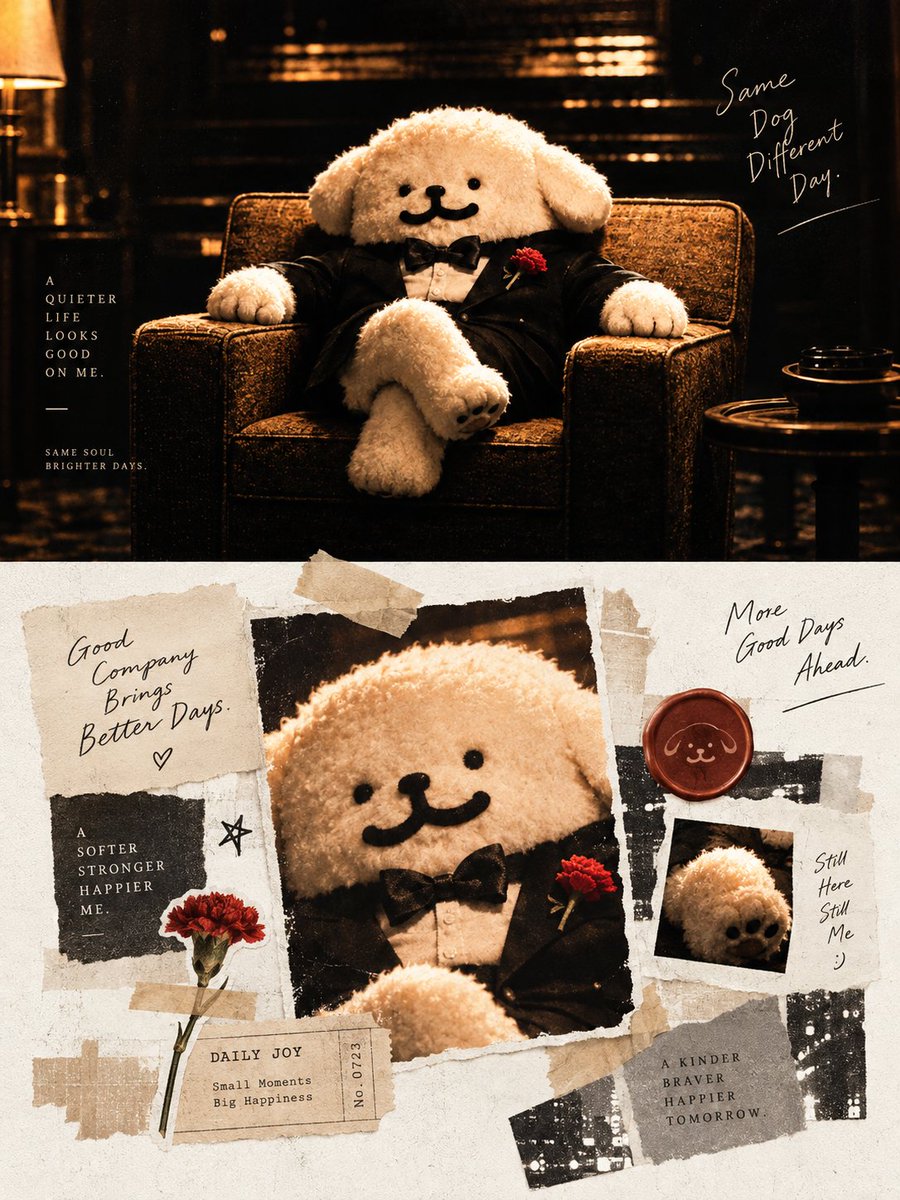
Goal: Create a warm editorial poster collage about a cute plush dog mascot living a quieter, happier life, using a torn-paper receipt aesthetic and cinematic amber photography. Feature {argument name="character name" default="a fluffy white plush dog"} as the only character: round face, floppy ears, black bead eyes, simple black smiling mouth, soft boucle texture, wearing a black tuxedo jacket, white shirt, black bow tie, and a small red carnation boutonniere. Canvas: Vertical 3:4 poster, approximately 900 × 1200 px. Split the composition into two main zones: a dark cinematic photograph on the top half and a bright scrapbook collage on the bottom half. Top half: Show the plush dog seated confidently in the center of a worn brown armchair, legs crossed, arms resting on both chair arms. The environment is a dim lounge or study with warm golden light, deep shadows, blurred shelves or piano-like horizontal highlights in the background, a table lamp glow at far left, and a small round side table with a dark cup or ashtray at far right. Use film grain, high contrast, sepia-black tones, and cozy noir atmosphere. Top text: Include exactly 3 text blocks. Left vertical block reads “A QUIETER LIFE LOOKS GOOD ON ME.” with a small horizontal line underneath and tiny text below reading “SAME SOUL BRIGHTER DAYS.” Right handwritten block reads “Same Dog Different Day.” with an underline. Keep typography mixed: elegant spaced serif capitals on the left, loose handwritten script on the right. Bottom half: Create a handmade paper collage on an off-white textured background with torn edges, beige masking tape, black photocopy scraps, gray paper rectangles, and receipt-like labels. Place exactly 3 dog-related image pieces: 1 large central torn photograph of the plush dog’s close-up in the tuxedo, slightly tilted; 1 small Polaroid-style photo at the lower right showing a close-up of the dog’s paw/face detail; 1 wax seal at upper right stamped with a simple line drawing of the dog face. Add exactly 1 real red carnation stem taped at the lower left, matching the boutonniere. Bottom text and paper elements: Include exactly 7 readable text elements: 1 handwritten note at upper left reading “Good Company Brings Better Days.” with a small heart; 1 black paper label at left reading “A SOFTER STRONGER HAPPIER ME.”; 1 small ticket near bottom center reading “DAILY JOY / Small Moments / Big Happiness / No. 0723”; 1 handwritten note at upper right reading “More Good Days Ahead.” with underline; 1 small note beside the Polaroid reading “Still Here Still Me :)”; 1 gray label at lower right reading “A KINDER BRAVER HAPPIER TOMORROW.”; 1 small hand-drawn star near the left-middle collage area. Visual style: Combine luxury magazine cover lighting with analog scrapbook design, torn receipts, tape marks, visible paper fibers, imperfect shadows, photocopied black textures, handwritten optimism, and a muted palette of cream, espresso brown, black, warm amber, gray, and deep red. The mood should feel gentle, resilient, nostalgic, and stylish. Constraints: Use only one plush dog character, exactly 3 dog-related image pieces in the bottom collage, exactly 1 red carnation stem, and exactly 7 readable bottom text elements. Avoid extra characters, modern UI elements, glossy plastic, neon colors, or clean vector graphics. Main message theme: {argument name="main theme" default="same dog, different day; quieter life, brighter days"}.

Split-Style Editorial Art Poster

Split-Style Editorial Art Poster

Editorial / Poster

Read full prompt

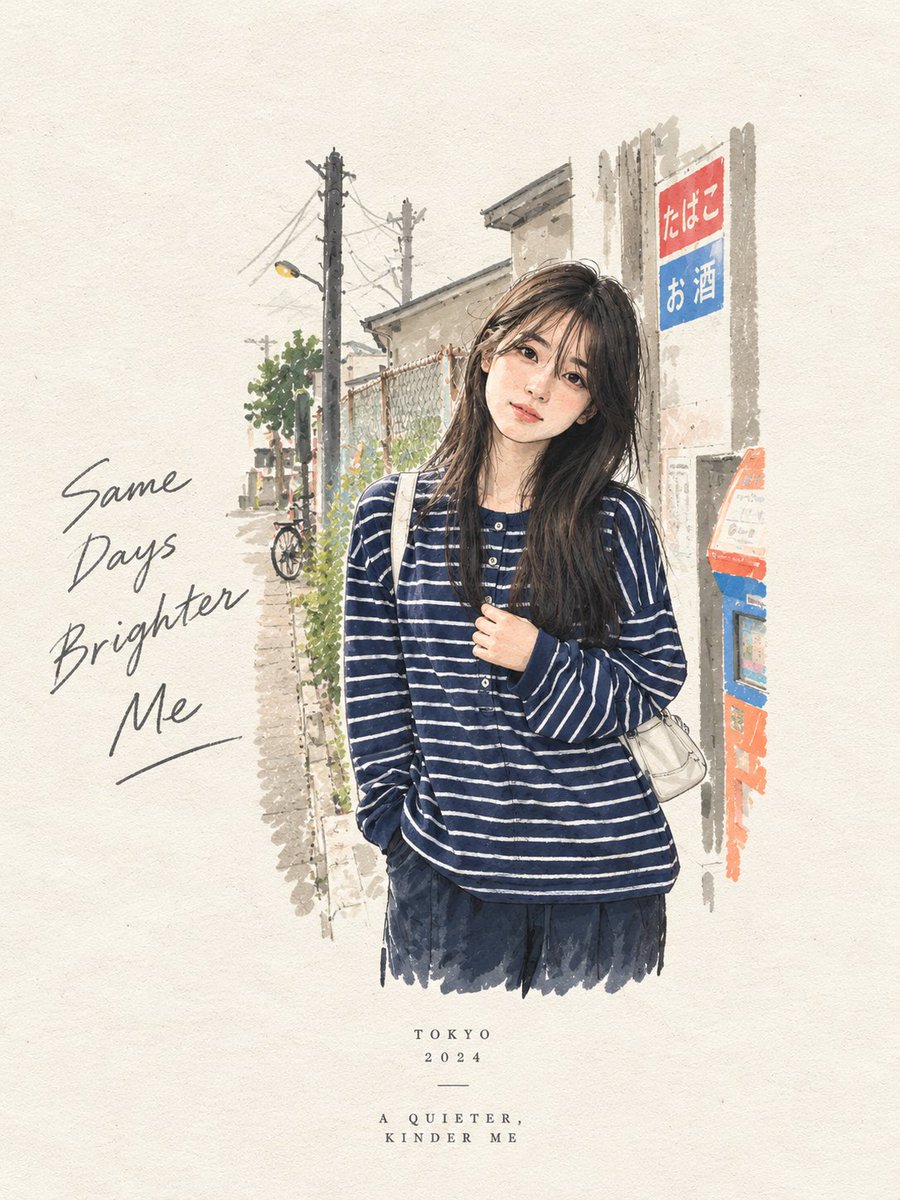
Create a premium editorial art poster for every uploaded photograph, treating each image as its own independent composition and never merging multiple photos together. Use a strict {argument name="aspect ratio" default="3:4"} vertical format with the canvas split into two perfectly equal horizontal halves: the upper half should remain a faithful, photorealistic presentation of the original image, preserving the subject’s exact identity, facial features, proportions, pose, clothing, objects, composition, lighting, shadows, mood, and natural colors, enhanced only with sophisticated editorial color grading and seamless environmental extension where necessary; the lower half should transform the visual story into an entirely different artistic interpretation—a tiny, carefully composed {argument name="style" default="handmade mixed-media"} artwork centered within expansive {argument name="background" default="warm ivory"} negative space, occupying no more than 10–20% of the lower section, using expressive ink sketching, layered gouache-like color fields, subtle collage textures, torn-paper edges, imperfect brushwork, visible fibers, soft pigment variations, and charming human imperfections while retaining the most recognizable silhouette, gesture, objects, and emotional narrative from the original photo. Extract up to four dominant harmonious colors from each photograph and reinterpret them in a muted, sophisticated palette. Add only occasional understated editorial typography when it genuinely enhances the composition, such as a poetic title, place, date, or single word. The overall result should feel like a collectible contemporary art publication cover—minimal, poetic, tactile, elegant, emotionally quiet, visually distinctive, and unmistakably connected to its original photograph.

Anime Character Drive-Thru Clerk (POV)

Anime Character Drive-Thru Clerk (POV)

Illustration / Character

Read full prompt

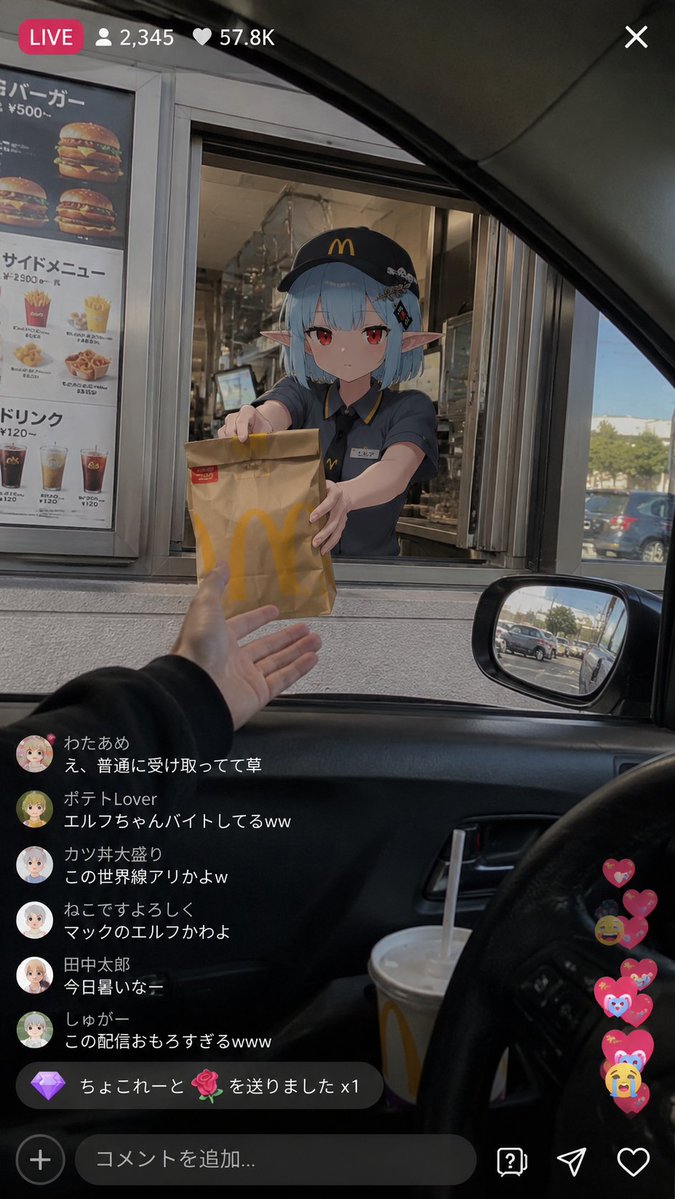
Use the reference image as the base design to depict a 'moment where a reincarnated anime character is working normally at a real-world drive-thru store'. Accurately maintain the atmosphere of the character as an anime illustration. Maintain the impression of the character's face, hairstyle, hair color, eyes, ears, silhouette, proportions, and expression. Never break the character's identity. Do not turn them into a live-action human. The character part must maintain anime illustration expression. The setting is a realistic fast food restaurant or cafe drive-thru, reminiscent of a global chain. Realistic background depiction. A real-world space with a lived-in feel. Not too clean. Do not make it look like an advertisement photo. Naturally place menu signs, intercoms, paper bags, drink cups, kitchen equipment, lines of cars, greasy lighting, and realistic store facilities within the store and around the drive-thru. Perspective of a streamer live-streaming with a smartphone. POV composition shot from inside a car. Naturally frame-in the car window, steering wheel, drinks, dashboard, and side mirrors in the foreground. The person on the streamer's side is not holding up the smartphone, but is naturally reaching out to receive a product or paper bag. An anime character clerk in uniform is serving through the drive-thru window. The character is performing natural actions of 'working normally', such as handing over a paper bag, confirming an order, operating a cash register terminal, inserting a straw, or responding according to the manual with a blank expression or a slightly sleepy look. Important: The character themselves doesn't particularly care that they are an anime character. The surrounding world isn't completely surprised either, and there's an atmosphere like 'they just normally exist'. Add a live-stream style UI. Modern vertical live-stream UI like TikTok LIVE, YouTube Live, or Instagram Live. Naturally display a comment section, viewer count, LIVE indicator, likes, and gift notifications. Do not fix the comment content; let the AI generate it naturally. Emphasize a strangely realistic atmosphere where the live-action world and anime character are naturally fused. Add smartphone-like qualities such as light HDR processing, fine sensor noise, slight JPEG compression, natural exposure, minor chromatic aberration, auto-focus feel, slight camera shake, high ISO noise, live-stream specific highlights, and the unstable feel of handheld shooting. Do not make it look like a movie poster. No excessive cinematic production. No overly beautiful compositions. Avoid 'glossy rendering' typical of AI. Do not overload with information. Emphasize a sense of chance and daily life, like a 'mysterious live-stream clip posted on social media'. Emphasize an atmosphere typical of modern internet culture, where 'only the streamer's energy is a bit off'.

Mystical Luminous Outline Style

Mystical Luminous Outline Style

Illustration / Character

Read full prompt

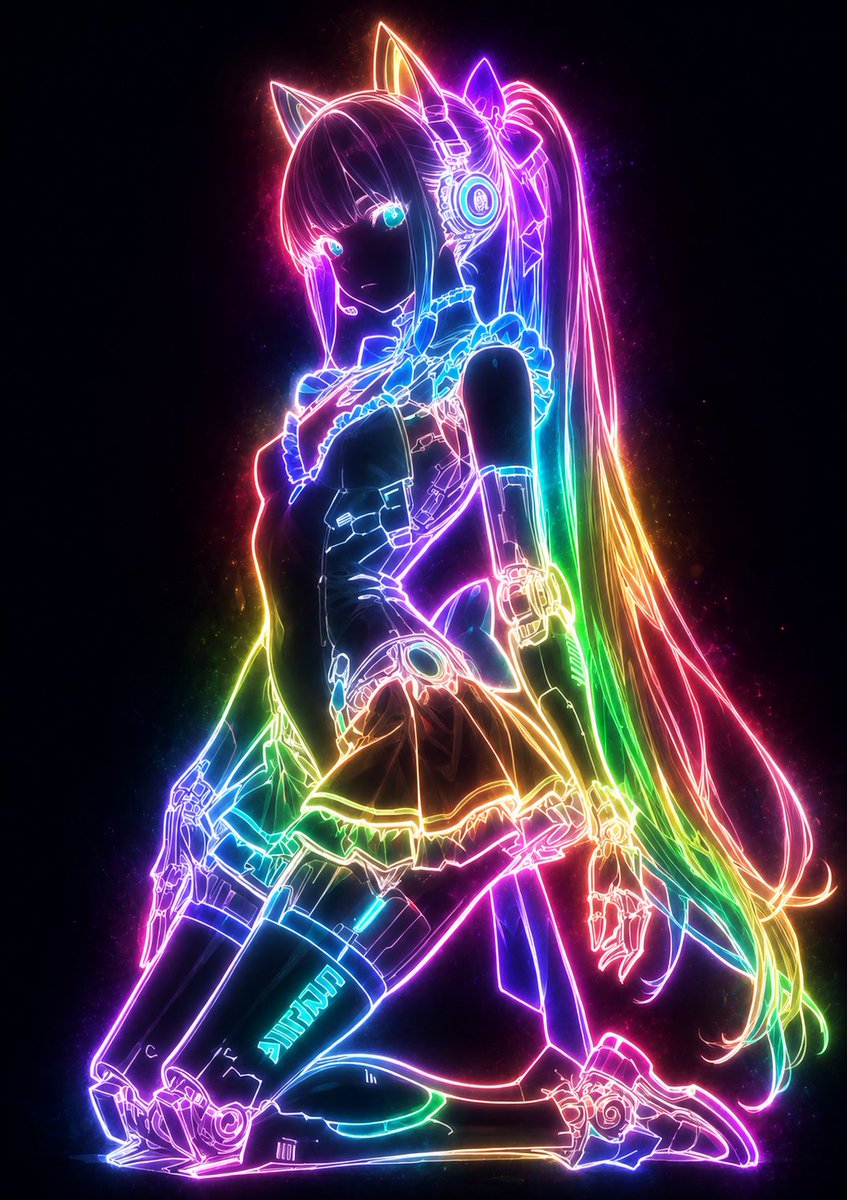
Please transform this illustration into a mysterious and fantastical luminous style. Using the 【glow color: {argument name="glow color" default="rainbow"}】, ensure that only the outlines of the character, clothing lines, accessory details, and hair flow glow intensely with beautiful light. The lines should glow softly from within like gentle neon light, slowly emerging while scattering slight particles of light to softly illuminate the surroundings. Instead of lighting up surfaces, only the lines should be the main glowing elements, keeping other parts (skin, hair, clothing surfaces) extremely subdued. The glowing lines should create high contrast against a dark background, emphasizing the gentle spread of the {argument name="glow color" default="rainbow"} light spectrum. The overall atmosphere should be cool and mysterious, creating a breathtakingly beautiful silhouette where only the magical {argument name="glow color" default="rainbow"} outlines are visible. Maintain the original composition and features exactly.

Realistic Chalkboard Text Rendering

Realistic Chalkboard Text Rendering

Photography / Editing

Read full prompt

A realistic photo of {argument name="text content" default="the full text of Chu Shi Biao"} handwritten on a classroom blackboard, with realistic chalk handwriting, taken in {argument name="lighting" default="bright daylight"} with an {argument name="device" default="iPhone"}

Stylized Urban 3D Skater Character

Stylized Urban 3D Skater Character

Illustration / Character

Read full prompt

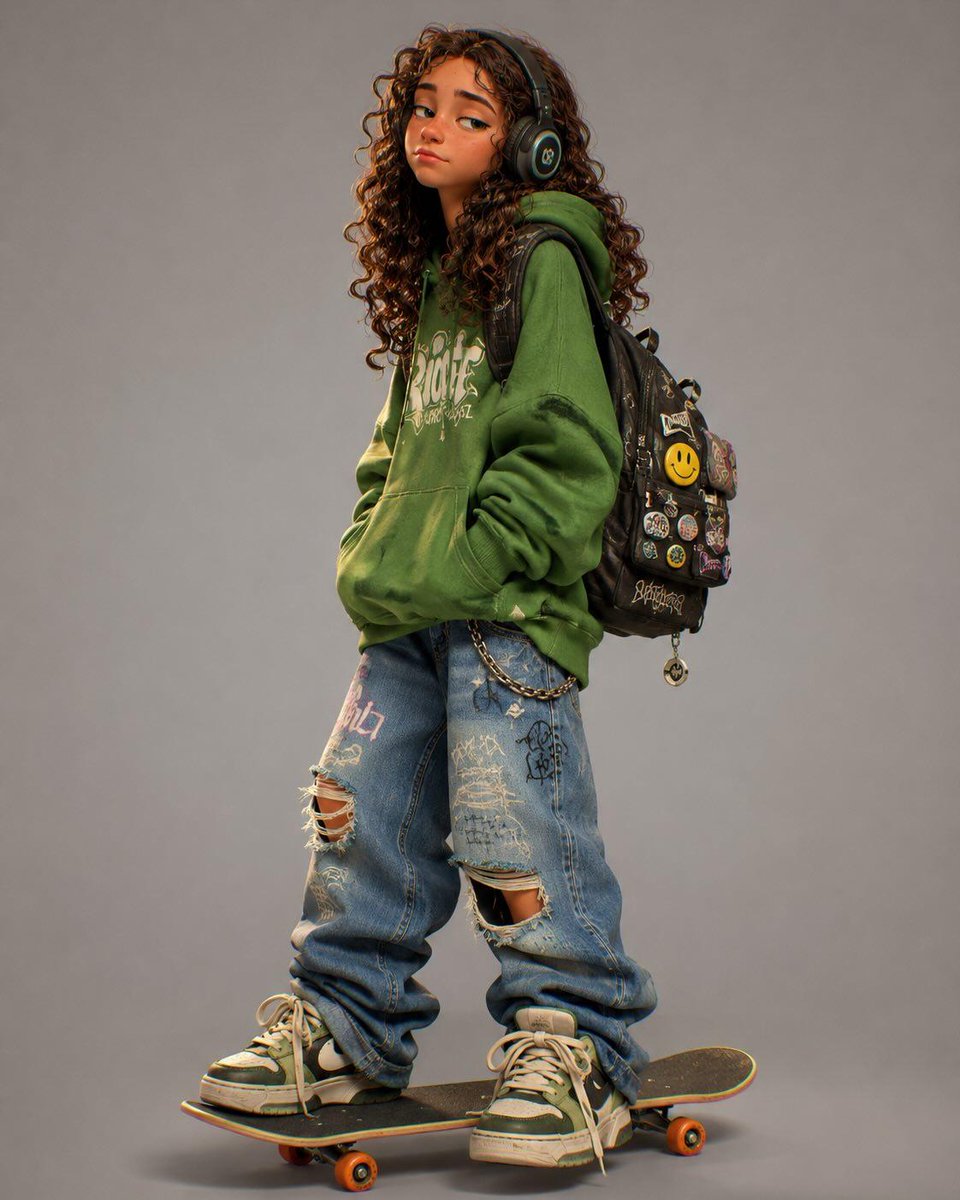
Stylized 3D cartoon character in a modern animated movie style, inspired by Pixar, Spider-Verse and indie street-art aesthetics. The character has: * exaggerated proportions * long skinny limbs * oversized hoodie * baggy ripped jeans * chunky sneakers * expressive face with tired/confident attitude * messy stylized hair * large headphones * backpack with pins and patches * standing naturally on a skateboard Style: clean cinematic 3D render, soft global illumination, subtle chromatic aberration, ultra-detailed textures, smooth shading, playful but realistic anatomy, high-end character design, stylized streetwear fashion, urban youth energy. Pose: slightly slouched posture, one hand relaxed, cool bored expression, looking sideways. Outfit colors: customizable {argument name="clothing color" default="hoodie pink"}, denim jeans, streetwear accessories, skater aesthetic. Background: minimal clean studio background, soft shadows, centered composition. Extra details: stickers, embroidered patches, smiley pins, doodles, skate culture vibe, early 2000s urban energy, cinematic render quality, highly polished animation studio look. Aspect ratio: 4:5 vertical.

Japanese Design Magazine Poster

Japanese Design Magazine Poster

Editorial / Poster

Read full prompt

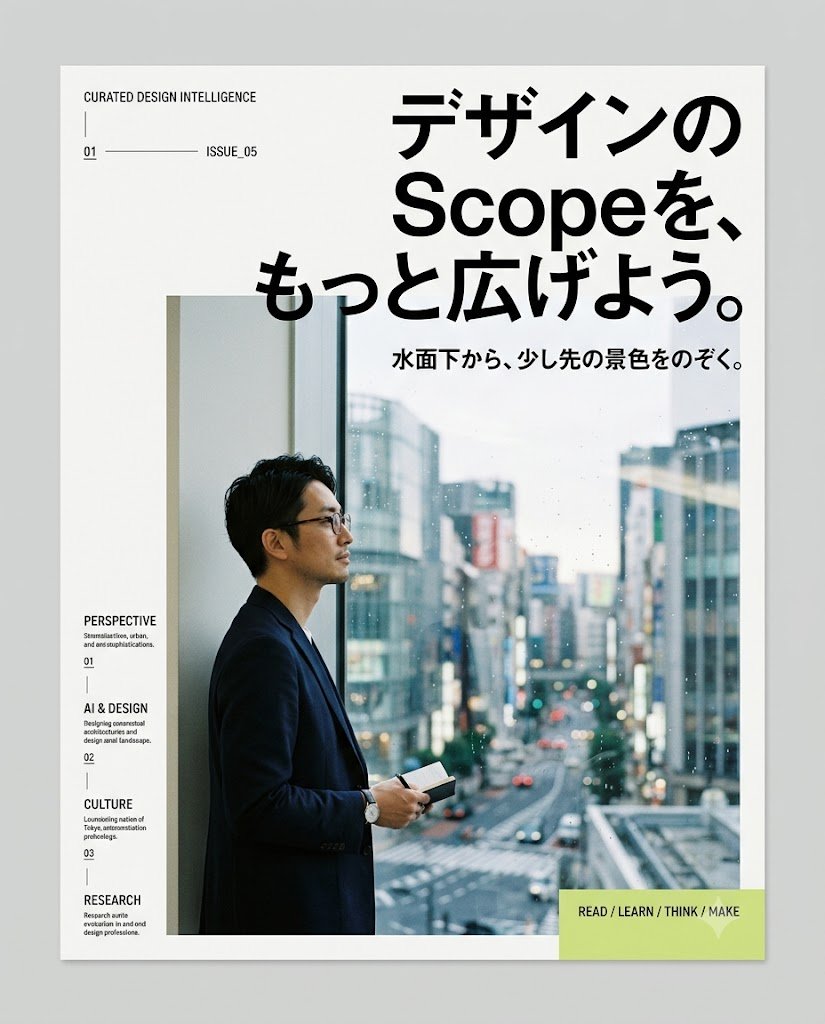
Create a clean editorial magazine poster for a Japanese design-intelligence service. Canvas: portrait poster on a light gray background, with a white page centered and a subtle drop shadow, about 4:5 ratio. Visual style: minimalist modern Swiss/Japanese editorial layout, lots of white space, sharp black typography, thin divider lines, small uppercase English microcopy, high-end design magazine feel. Main headline: large bold black Japanese type in the upper right, reading {argument name="headline text" default="デザインの Scopeを、もっと広げよう。"}, with “Scope” in Latin letters, arranged across 3 stacked lines and overlapping slightly above the photo area. Subheadline: smaller bold Japanese line below the headline, reading {argument name="subheadline text" default="水面下から、少し先の景色をのぞく。"}. Hero image: large rectangular photo occupying the lower center/right, showing {argument name="main subject" default="a Japanese businessman in a dark navy blazer and glasses standing in profile by a tall window, holding a small notebook or phone, looking out over a rainy modern city street with blurred buildings and traffic"}; cool blue-gray city tones, shallow depth of field, realistic photography. Left margin editorial column: at top left, small uppercase text “CURATED DESIGN INTELLIGENCE”, a thin vertical line beneath, then a small issue row with “01”, a long horizontal rule, and “ISSUE_05”. Along the lower left margin, create exactly 4 stacked navigation items with small labels and descriptions: 1) “PERSPECTIVE” with “Stream / culture, urban, and new synthifications.” and number “01”; 2) “AI & DESIGN” with “Designing conversational architectures and design-agent landscape.” and number “02”; 3) “CULTURE” with “Locomoting nation of Tokyo, extensionism, privileges.” and number “03”; 4) “RESEARCH” with “Research unitile evolution in art and design professions.” Use tiny black type with thin vertical separators between items. Bottom right call-to-action: a pale lime rectangle overlaying the lower-right corner of the photo/page, containing bold uppercase text {argument name="call to action" default="READ / LEARN / THINK / MAKE"} and a faint white downward triangle/arrow icon. Constraints: keep the composition simple and premium, use only black, white, gray, cool photo colors, and pale lime accent; no logos, no extra text, no decorative clutter.

Mid-Century City Travel Picture Book

Mid-Century City Travel Picture Book

Illustration / Comics

Read full prompt

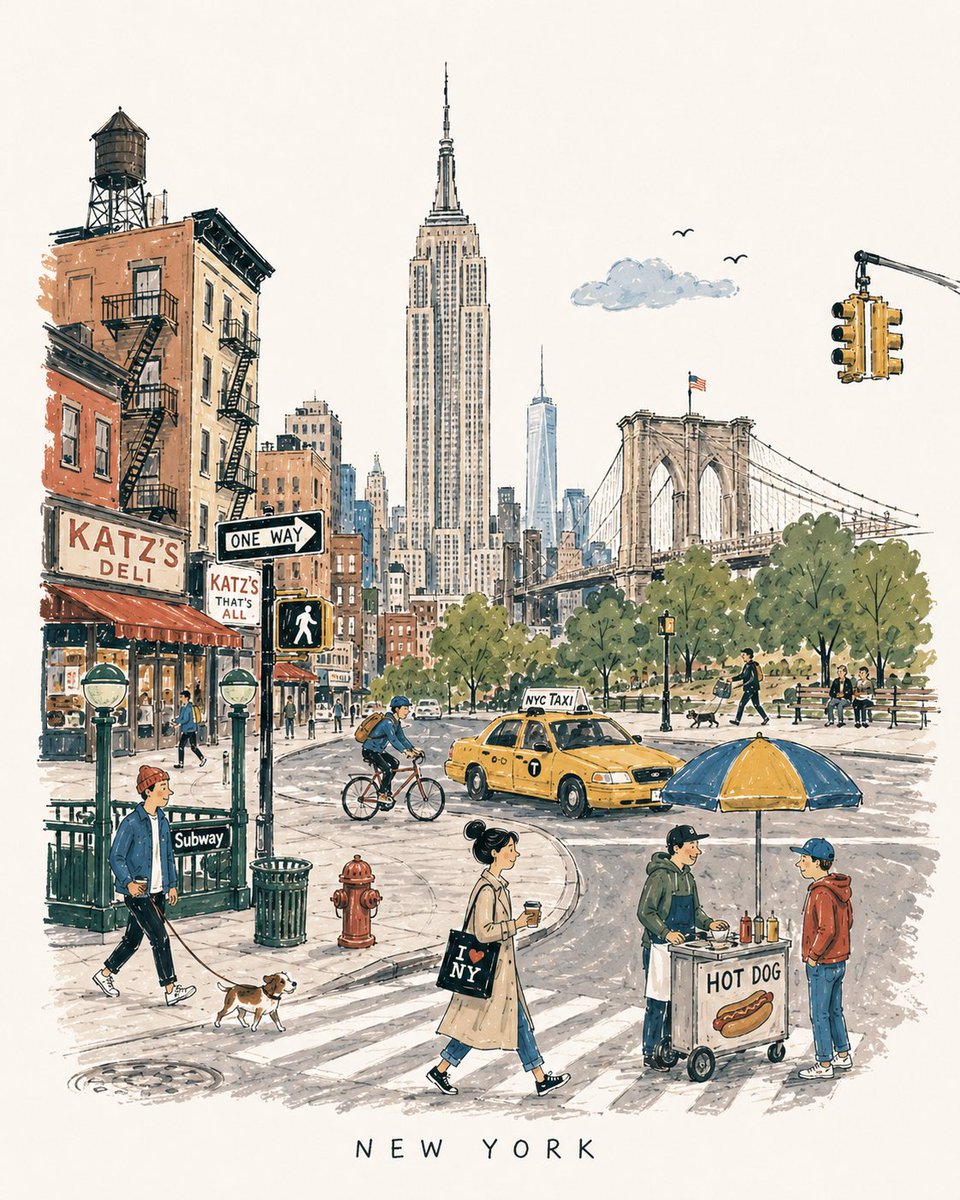
[DESTINATION] = {argument name="destination" default="[CITY NAME]"} Create a charming vertical 4:5 mid-century travel picture-book illustration of [DESTINATION], inspired by playful 1950s–60s European city books. Depict the city as an affectionate, imperfect travel memory—not a map, postcard, architectural rendering, landmark collage, or cinematic panorama. Include: • 1 distinctive primary landmark • 1 smaller secondary landmark • 1 distant/partially hidden local feature • 1 recognizable local vehicle • 3–5 subtle everyday city details • 5–6 ordinary people doing simple local activities Compress these naturally into one imaginary street, plaza, park, or waterfront. Keep the primary landmark slightly off-center, with open foreground, shallow theatrical depth, gentle curves, and generous museum-white negative space. The city should be recognizable without feeling geographically accurate. STYLE: Hand-drawn picture-book illustration with loose charcoal/navy ink, trembling contours, crooked architecture, uneven proportions, sparse windows, simplified silhouettes, occasional double strokes, and minimal detail. Use the fewest lines necessary. Slightly awkward, intelligent, warm, humorous, and handmade. PEOPLE: Simple expressive figures with oversized heads, thin legs, narrow bodies, tiny faces, tilted accessories, and awkward but readable gestures. Show ordinary local life, not celebrities, models, stereotypes, or tourist clichés. COLOR: Use a restrained 6–7 color destination-specific palette with flat matte gouache shapes, uneven brush edges, white gaps, slight misregistration, and occasional color spilling beyond ink. Mostly unpainted sky/paper. No gradients or realistic shading. MEMORY DISTORTION: Gently compress geography and distort scale: distant landmarks may appear nearby, roads may curve strangely, buildings may overlap, and people/vehicles may be slightly oversized or undersized. Keep it balanced, affectionate, and culturally respectful. OPTIONAL TEXT: “[DESTINATION]” in small uneven hand-drawn capitals near the bottom. No slogans, dates, labels, logos, or promotional text. AVOID: Photorealism, map-like accuracy, landmark checklists, aerial views, cinematic lighting, technical perspective, dense crowds, detailed ornament, polished vector art, CGI, 3D rendering, gradients, sepia/beige paper, artificial aging, distressed textures, and hyper-detailed watercolor. Overall feeling: [DESTINATION] remembered lovingly-recognizable, spacious, human, humorous, slightly improbable, and beautifully imperfect.

Indonesian School Nutrition Landing Page

Indonesian School Nutrition Landing Page

Editorial / Interface

Read full prompt

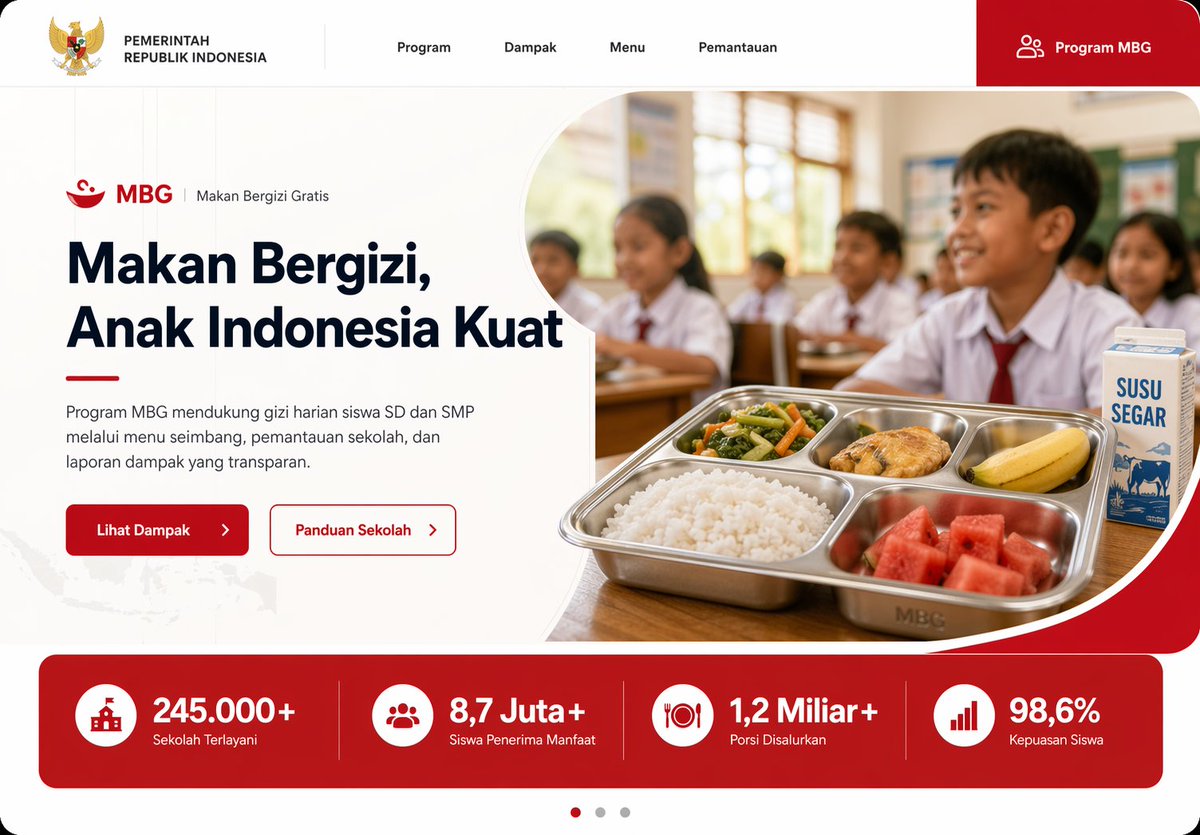
Create a modern government program landing page UI mockup for Indonesia in a clean, professional web design style, desktop widescreen aspect ratio. The page uses a white background with bold red accents, soft rounded corners, subtle gray dividers, and a polished frontend-dribbble presentation look. At the very top, build a horizontal navigation bar with 6 visible elements: the Indonesian Garuda emblem and the text "PEMERINTAH REPUBLIK INDONESIA" on the left, then 4 centered menu items labeled "Program", "Dampak", "Menu", and "Pemantauan", and on the far right a large red rounded button labeled "Program MBG" with a small people icon. Below it, design a hero section split into two columns. On the left, show a small program label line with a red bowl icon, the text "MBG", a vertical divider, and "Makan Bergizi Gratis". Under that, place a large bold headline reading "{argument name="headline text" default="Makan Bergizi, Anak Indonesia Kuat"}" in dark navy, spanning 3 lines. Add a short paragraph in Indonesian below: "Program MBG mendukung gizi harian siswa SD dan SMP melalui menu seimbang, pemantauan sekolah, dan laporan dampak yang transparan." Then place 2 call-to-action buttons side by side: a solid red button labeled "Lihat Dampak" with a right arrow, and an outlined white button with red border labeled "Panduan Sekolah" with a right arrow. On the right side of the hero, place a rounded large photo-style image framed by a sweeping white curved divider and red corner background. The image shows an Indonesian elementary classroom with 5 visible schoolchildren in white uniforms with red ties, seated at desks, warm daylight from windows, shallow depth of field, documentary-photo realism. In the foreground, on a wooden desk, show a stainless steel compartment tray meal with exactly 5 food items: white rice, mixed vegetables, a piece of fried chicken, a banana, and watermelon cubes. Beside the tray, place 1 milk carton labeled "SUSU SEGAR". Under the hero, add a full-width red statistics band with 4 equally spaced metric cards separated by thin vertical dividers. Each card has a white circular icon and bold white text. The 4 metrics are: "245.000+" with label "Sekolah Terlayani", "8,7 Juta+" with label "Siswa Penerima Manfaat", "1,2 Miliar+" with label "Porsi Disalurkan", and "98,6%" with label "Kepuasan Siswa". At the bottom center, add a 3-dot carousel indicator with the left dot active in red and the other 2 dots gray. Include a faint Indonesia map texture in the lower-left background. Use crisp typography, generous whitespace, high-end fintech/government website aesthetics, realistic UI proportions, and a production-ready landing page mockup appearance.

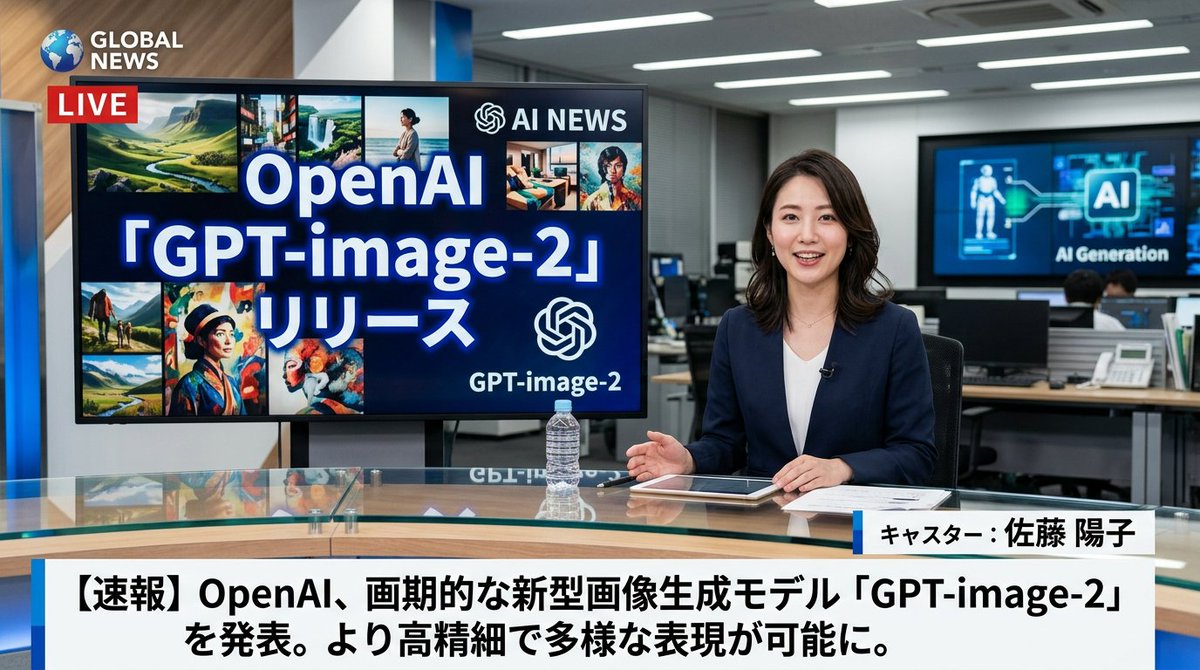
Japanese News Broadcast Mockup

Japanese News Broadcast Mockup

Editorial / Poster

Read full prompt

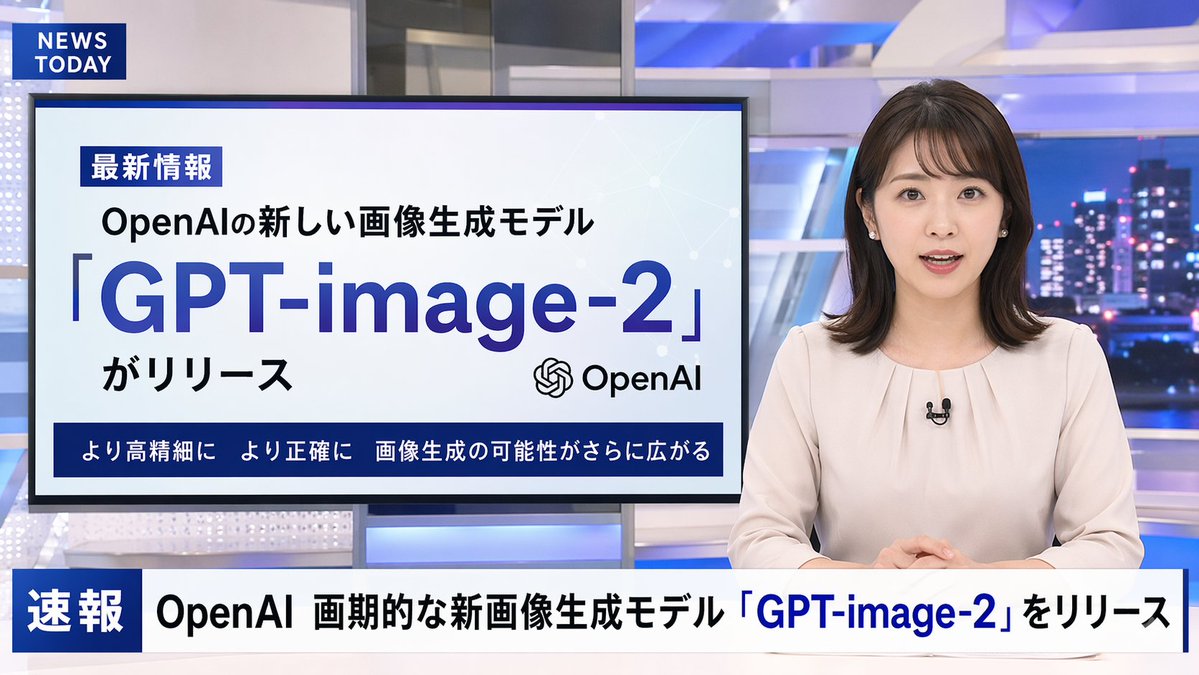
A photorealistic television news broadcast scene featuring a {argument name="anchor appearance" default="young Japanese female with shoulder-length dark hair wearing a light beige blouse"} and a small black lapel microphone, sitting at a news desk and speaking directly to the camera. The studio background is modern with blue and white lighting and a blurred nighttime city skyline on the right. In the top left corner, there is a dark blue graphic with the white text "{argument name="channel logo text" default="NEWS TODAY"}". To the anchor's left is a large presentation monitor displaying a news graphic with a white background and light blue network nodes. The monitor features a dark blue "最新情報" tag, the text "{argument name="subheadline" default="OpenAIの新しい画像生成モデル"}", a large prominent headline "{argument name="main headline" default="「GPT-image-2」"}", the text "がリリース", an OpenAI logo, and a dark blue bottom banner reading "より高精細に より正確に 画像生成の可能性がさらに広がる". Across the bottom of the entire screen is a news ticker lower third with a dark blue "速報" box and the scrolling text "{argument name="ticker text" default="OpenAI 画期的な新画像生成モデル「GPT-image-2」をリリース"}".

Restaurant Logo Guidelines Board

Restaurant Logo Guidelines Board

Editorial / Poster

Read full prompt

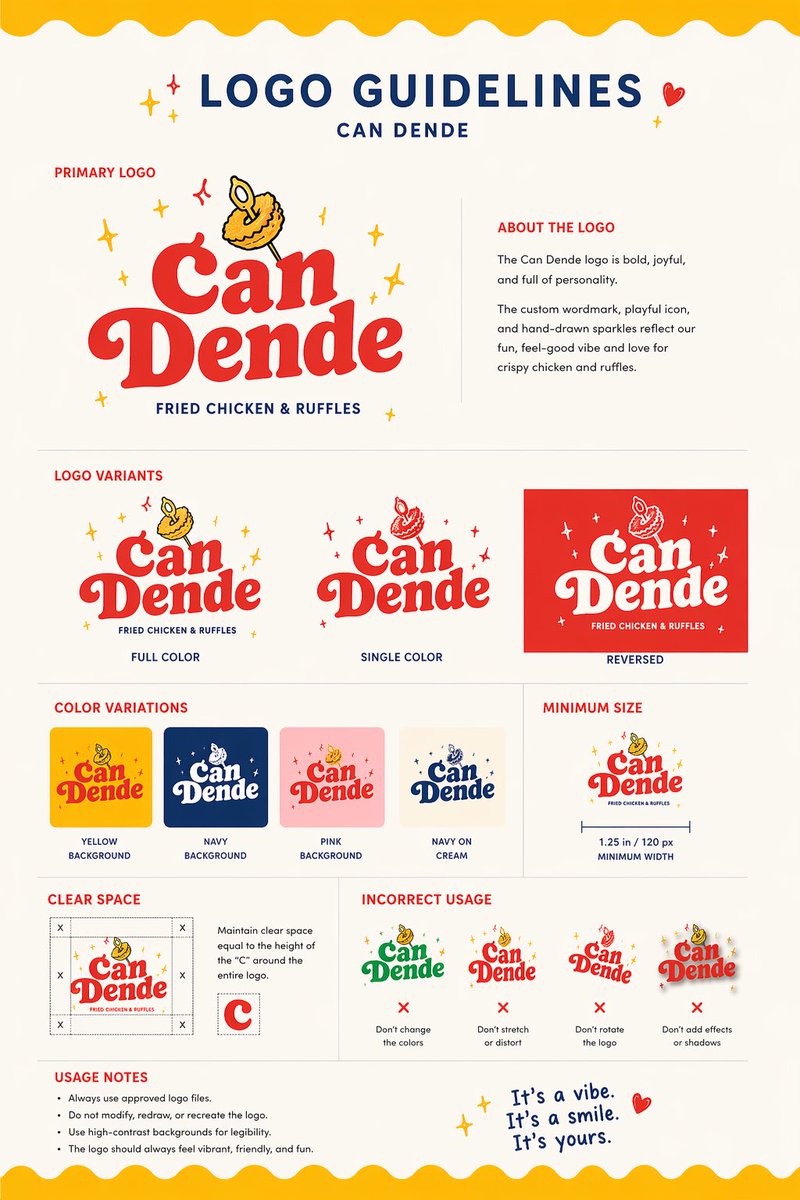
Using the provided reference image as the brand inspiration, transform the fried chicken burger and waffle fries meal into a polished one-page logo guidelines board for a restaurant brand named {argument name="brand name" default="Can Dende"}. Create a cheerful, modern fast-casual identity derived from the food in the reference: turn the crispy fried topping into a playful mascot/icon above the wordmark, and build a bold custom logo in a warm palette inspired by the photo. Design the output as a clean editorial brand sheet on an off-white background with navy and red typography, yellow scalloped borders at the top and bottom, and small sparkle doodles. Include these exact sections and counts: 1 main header reading "LOGO GUIDELINES" with the brand name beneath it; 1 "PRIMARY LOGO" section with the main logo and an "ABOUT THE LOGO" text block; 1 "LOGO VARIANTS" section with 3 variants labeled "FULL COLOR", "SINGLE COLOR", and "REVERSED"; 1 "COLOR VARIATIONS" section with 4 tiles labeled "YELLOW BACKGROUND", "NAVY BACKGROUND", "PINK BACKGROUND", and "NAVY ON CREAM"; 1 "MINIMUM SIZE" section showing the logo with a width guide and the text "1.25 in / 120 px MINIMUM WIDTH"; 1 "CLEAR SPACE" section with a spacing diagram based on the height of the letter C; 1 "INCORRECT USAGE" section with 4 wrong examples labeled "Don't change the colors", "Don't stretch or distort", "Don't rotate the logo", and "Don't add effects or shadows"; 1 "USAGE NOTES" section with 4 bullet points; and a handwritten-style closing tagline at bottom right that says {argument name="tagline text" default="It's a vibe. It's a smile. It's yours."}. Keep the composition crisp, print-ready, highly legible, and presentation-quality, like a real branding deliverable for a restaurant.

Retro Fast-Food Brand Board

Retro Fast-Food Brand Board

Editorial / Poster

Read full prompt

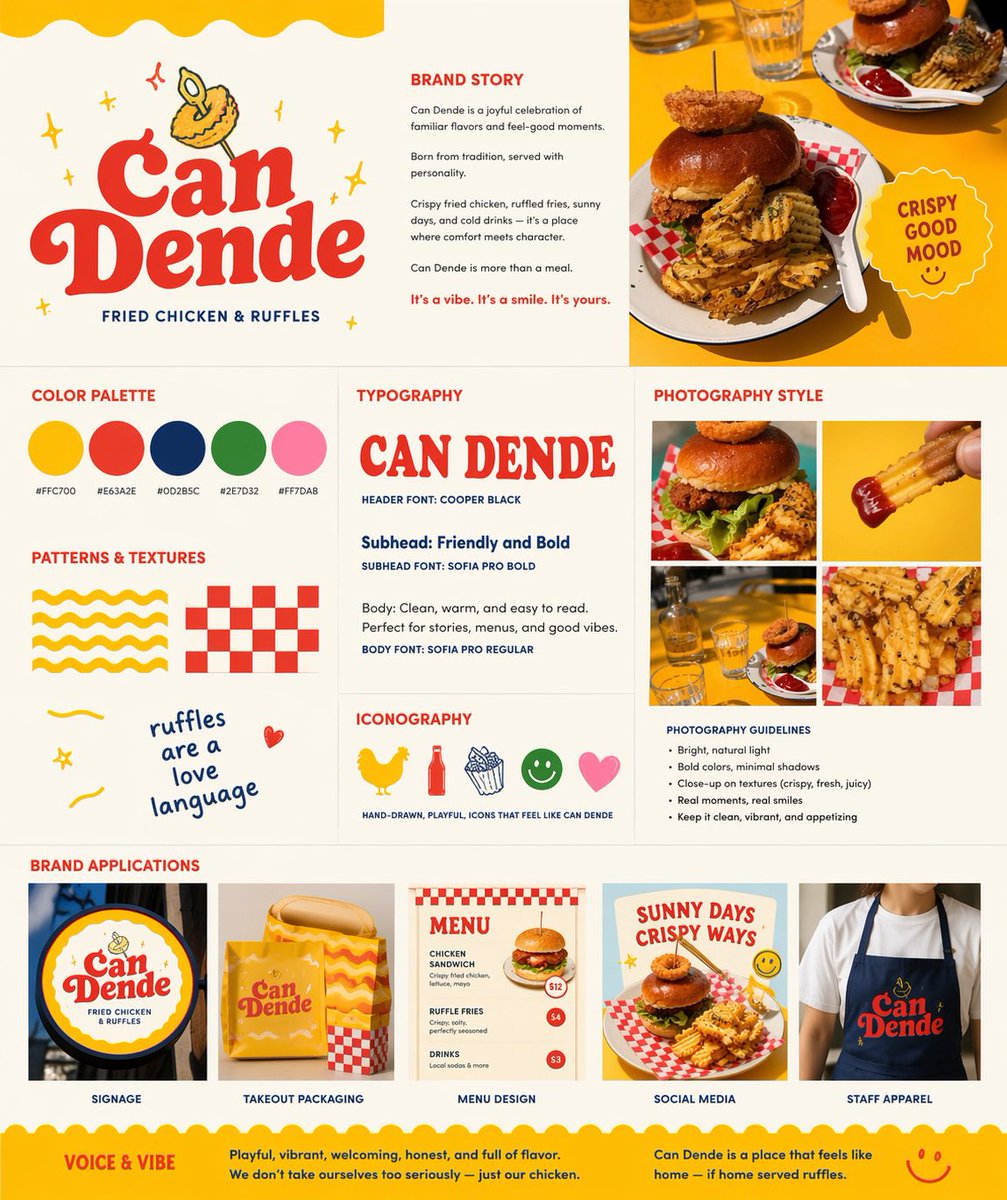
Using REFERENCE_0 as the hero food photo, transform it into a polished one-page restaurant branding board for a fried chicken and waffle-fries concept named {argument name="brand name" default="Can Dende"}. Keep the yellow-table food photography as the visual anchor, but redesign the output as a clean square brand guideline sheet on a warm off-white background with a cheerful, retro, hand-drawn fast-casual identity. Add a large logo area in the upper left with bold vintage red lettering, a small illustrated fried-food mascot above it, and the tagline “FRIED CHICKEN & RUFFLES”. Build the page as a structured multi-panel layout with 9 sections: 1) logo/hero area, 2) brand story text block, 3) top-right hero photo crop from the reference, 4) color palette showing exactly 5 swatches with hex labels, 5) typography section with a large display sample of the brand name plus 3 text styles labeled header, subhead, and body, 6) patterns and textures section with exactly 4 playful assets: a yellow wavy stripe pattern, a red checker pattern, a handwritten phrase, and a small doodle heart, 7) iconography section with exactly 5 simple icons: chicken, bottle, fries, smiley face, and heart, 8) photography style section with a 2x2 grid of exactly 4 food-photo crops derived from the reference and matching close-up shots, plus a short bullet list of photography guidelines, and 9) brand applications section with exactly 5 mockups labeled signage, takeout packaging, menu design, social media, and staff apparel. Include a circular badge near the hero photo that says {argument name="badge text" default="CRISPY GOOD MOOD"}. Use the palette {argument name="primary palette" default="yellow, tomato red, deep navy, leaf green, soft pink"}. Add a bottom banner with 2 sections titled “VOICE & VIBE” and a short brand summary paragraph. Overall feel: modern branding presentation, vibrant, appetizing, playful, sunny, editorial, highly legible, premium-but-fun.

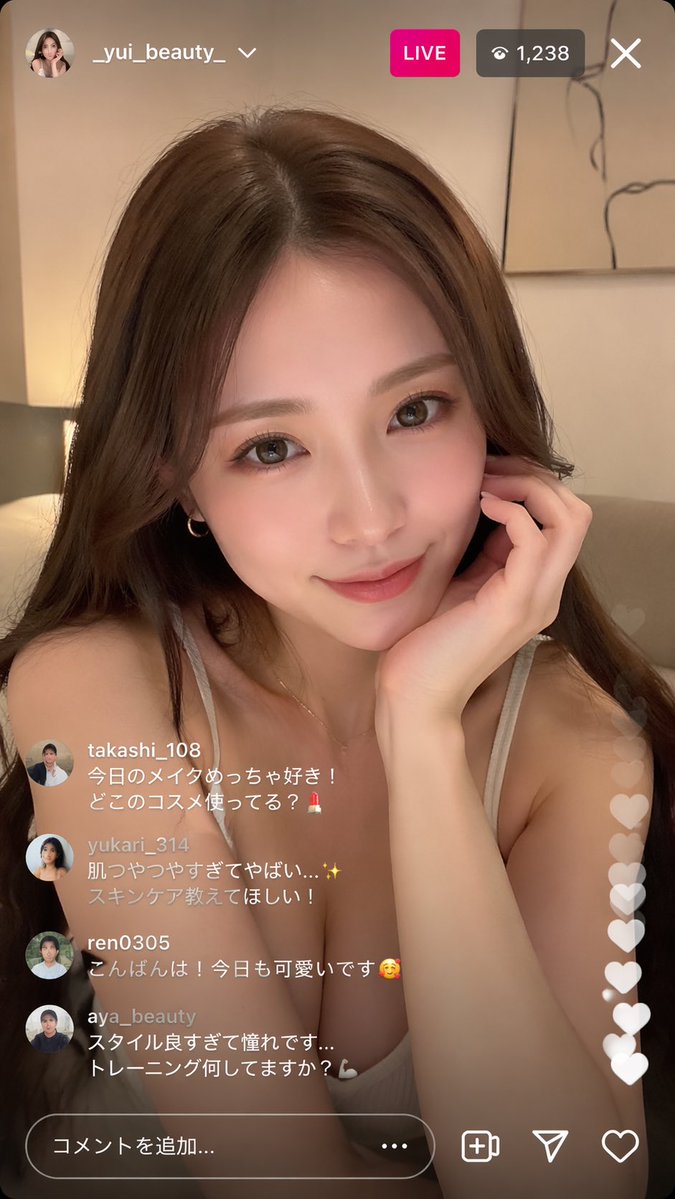
Blonde Character Portrait Prompt

Blonde Character Portrait Prompt

Photography / Portrait

Read full prompt

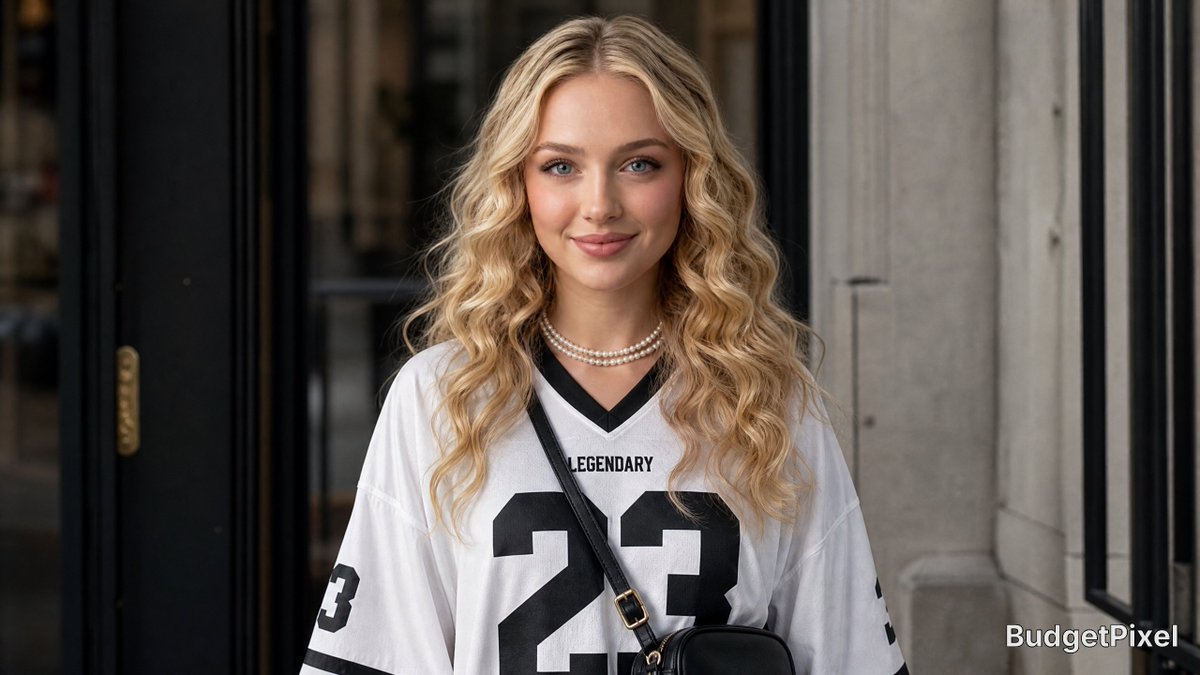
{argument name="character" default="Young woman with long voluminous wavy blonde hair"}, porcelain-fair dewy skin, large almond-shaped eyes, full glossy warm-rose lips, youthful soft features, double-strand pearl choker necklace, oversized white {argument name="clothing" default="football jersey"} with black trim

Japanese News Broadcast Mockup

Japanese News Broadcast Mockup

Editorial / Poster

Read full prompt

A photorealistic television news broadcast scene featuring a {argument name="anchor appearance" default="female Japanese news anchor wearing a dark blue blazer over a white top"} sitting at a glass desk in a modern newsroom studio. She is smiling and looking directly at the camera, with her hands resting near a tablet, papers, and a clear water bottle. To her left, a large monitor displays the text "{argument name="screen main text" default="OpenAI 「GPT-image-2」リリース"}" alongside an AI logo and a collage of 8 smaller diverse AI-generated images. In the top left corner, a channel logo reads "{argument name="news channel name" default="GLOBAL NEWS"}" with a red "LIVE" badge. The background shows a busy office with computers and a wall screen displaying "AI Generation". At the bottom of the screen, a standard news lower-third graphic displays the anchor's name "{argument name="anchor name" default="キャスター:佐藤 陽子"}" and a breaking news headline reading "{argument name="main headline text" default="【速報】OpenAI、画期的な新型画像生成モデル「GPT-image-2」を発表。より高精細で多様な表現が可能に。"}" in bold Japanese text.

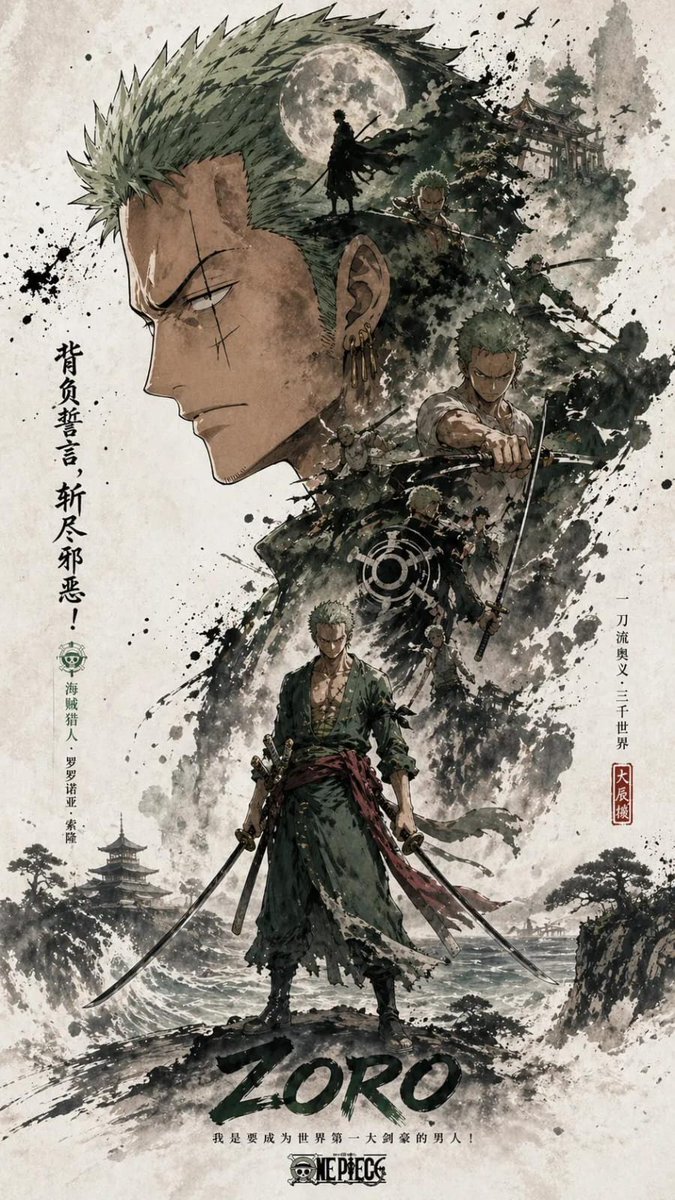
Oriental Aesthetics Silhouette Poster

Oriental Aesthetics Silhouette Poster

Editorial / Poster

Read full prompt

Each poster uses the upper and lower hierarchy: the most recognizable head, face outline, mask or outer outline of the figure is the large visual subject, forming a highly recognizable silhouette main shape; the middle and lower part is arranged with the complete figure as the second subject, showing a stable standing or slight movement posture, forming the visual core of the picture.Double exposure and collage narrative compositions inside and around the large outline, combining multiple scenes, images, small character relationships, auxiliary elements and environmental layers in clouds, ink, and whitening. The left and right side is equipped with an echoing side of the scene, which creates story tension and space changes. Link the main character, internal collage, and large outline above with a flow of clues across the screen to enhance integrity and vision guidance.The overall picture retains a large area of whiteness, and the edge is stained with ink and virtual broken, creating a real relationship and breath in the Oriental aesthetics. Overall style uniform, advanced and restrained, emphasizing layers, narrative, main visual impact and serialized poster language. Size: 9:16.

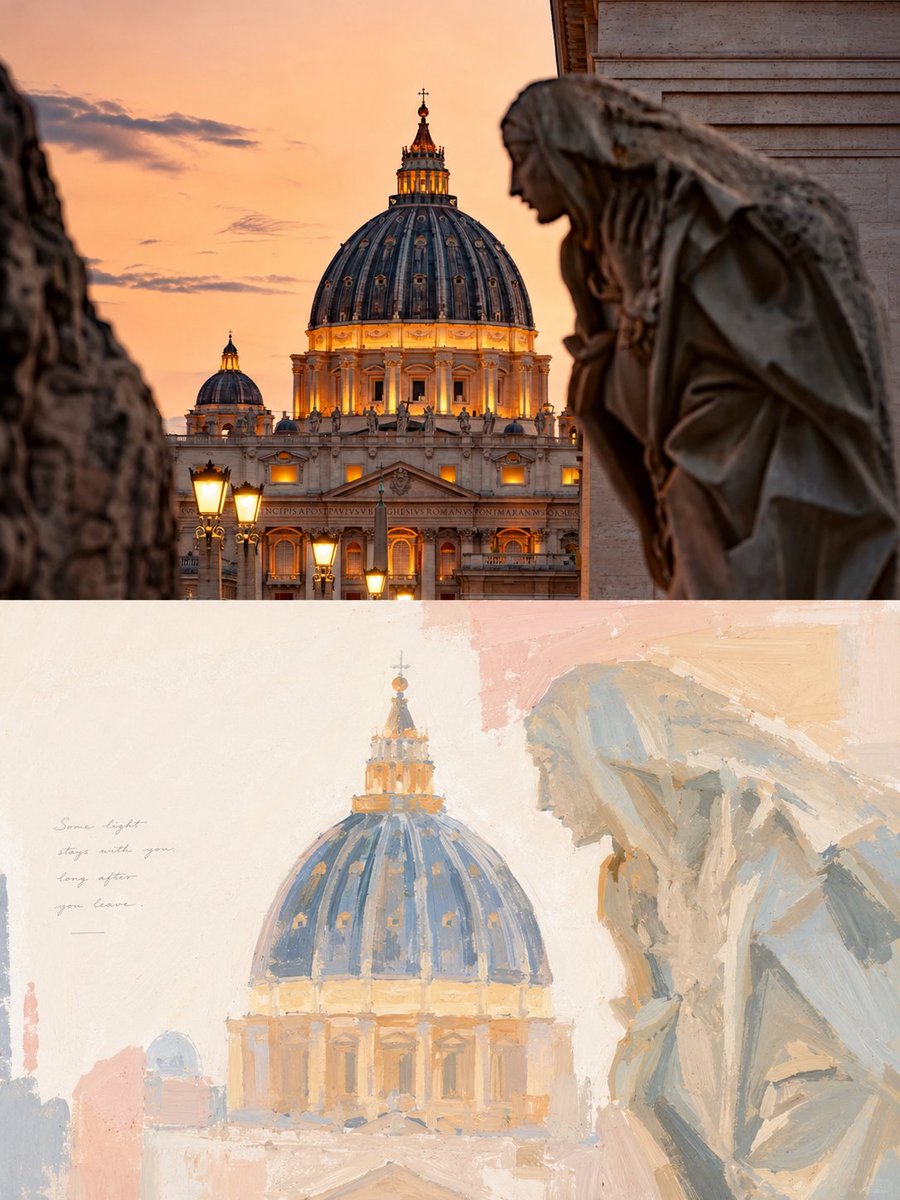
Healing Pastel Style Artistic Reconstruction

Healing Pastel Style Artistic Reconstruction

Editorial / Poster

Read full prompt

Transform each photo I upload into an individual design poster with a 3:4 vertical layout. Top half: original photo with minor high-end grading. Bottom half: painterly reconstruction based on the subject's narrative. The style should reflect a gentle, bright healing pastel texture like thick gouache or acrylic painting. Composition should focus on visual gravity and negative space. Use soft, transparent, de-saturated tones like misty blue and ivory white, with accents of {argument name="accent colors" default="blush pink or soft peach"}. Text should be minimal and meaningful, integrated like an independent art publication rather than commercial copy.