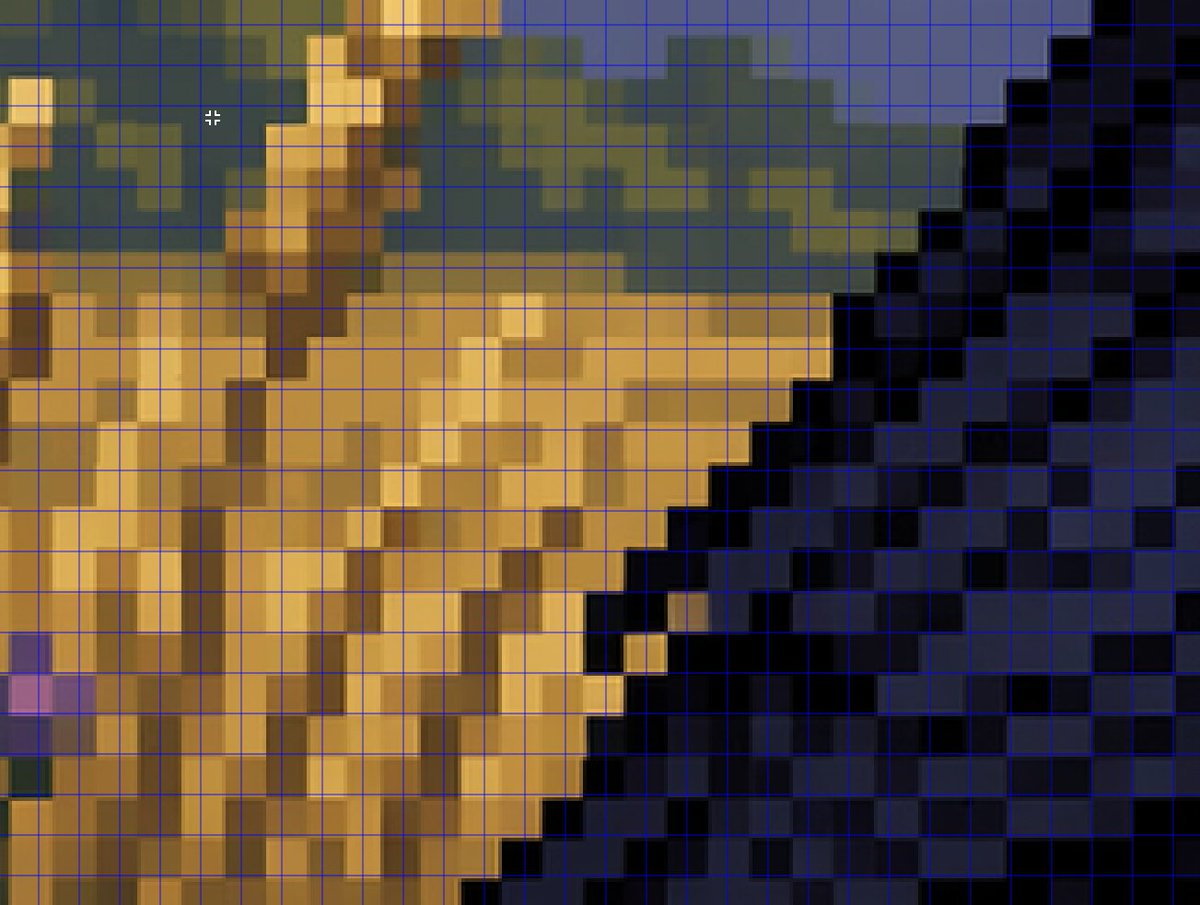
A tightly zoomed-in comparison image demonstrating fake pixel-art rendering, showing a low-resolution-looking scene enlarged on screen with a thin bright blue square grid overlay across the entire frame.
Full prompt
A tightly zoomed-in comparison image demonstrating fake pixel-art rendering, showing a low-resolution-looking scene enlarged on screen with a thin bright blue square grid overlay across the entire frame. The composition is an abstract close crop of a pixel-art-style environment: sandy tan and ochre blocky forms on the left and center, a dark navy and black stepped diagonal mass on the right, muted olive-green and slate-blue shapes along the upper background, and a few lighter golden highlights. Every edge looks staircase-like and blocky at first glance, but the colors softly blur and blend within the apparent squares instead of aligning perfectly to the grid, creating the impression of pixel art that breaks down under inspection. Include a small white crosshair cursor near the upper left quadrant to suggest image analysis in an editor. The overall look should feel like a screenshot from a graphics program or social media demonstration about how AI can imitate retro game art aesthetics without producing true grid-perfect pixel art, with no text labels visible.
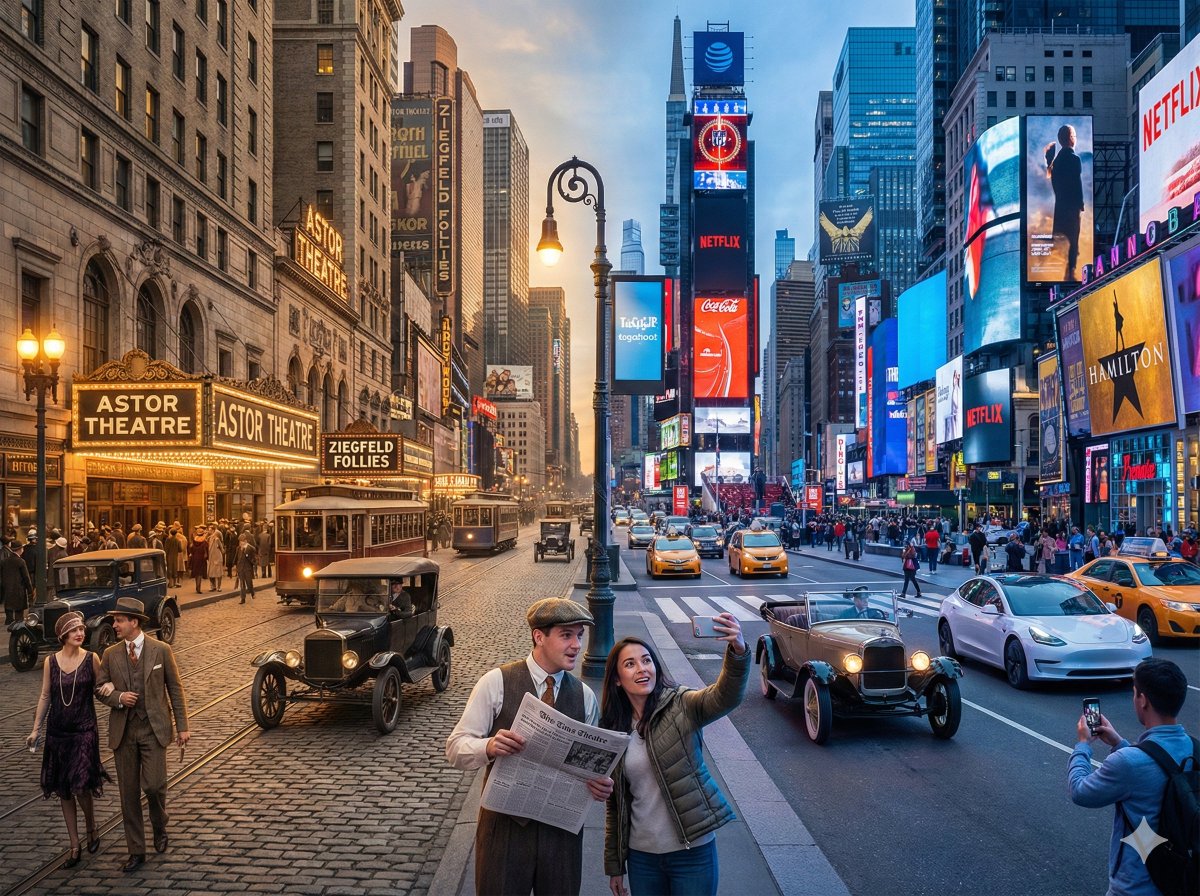
A horizontal split-screen cinematic shot of {argument name="scene" default="{Scene}"}, seamlessly blending two different eras: {argument name="era A" default="{Era_A}"} on the left and {argument name="era B" default="{Era_B}"} on the right (default: about 100 years ago vs. present day).
On the left side ({argument name="era A" default="{Era_A}"}): show era-appropriate architecture, interior or environment design, materials, vehicles, and props that clearly belong to that historical period. People wear authentic clothing from {argument name="era A" default="{Era_A}"}, including hairstyles, accessories, and typical items in their hands (such as books, umbrellas, instruments, letters, newspapers, etc.). The overall mood feels nostalgic and historically accurate.
On the right side ({argument name="era B" default="{Era_B}"}): show the same {argument name="scene" default="{Scene}"} in the modern era, with updated architecture or renovated structures, contemporary materials (glass, steel, LED screens, modern furniture), modern vehicles or equipment, and current technology (smartphones, laptops, cameras, etc.). People wear contemporary fashion that matches today’s style in this setting.
In the center: the two eras merge and overlap organically, without a hard dividing line. Elements from {argument name="era A" default="{Era_A}"} and {argument name="era B" default="{Era_B}"} visually interact: people from different times look at each other, walk through each other’s space, or seem surprised by the other era’s technology and objects. Architecture and environment smoothly morph from old to new (for example, stone gates turning into modern campus gates, classical concert hall décor fading into a futuristic stage, old street shops transforming into neon-lit storefronts).
Make sure the scene is not just a simple left/right comparison but a dynamic time-travel interaction where buildings, clothing, props, and human gestures clearly emphasize the contrast and fusion between the two eras. Photorealistic, 8k resolution, cinematic lighting, wide angle, highly detailed textures, rich sense of time-travel storytelling.
SCENE: {argument name="scene example" default="Times Square, New York"}
Era Comparison: {argument name="era comparison example" default="1920s and present day"}
Aspect Ratio: {argument name="aspect ratio" default="4:3"}
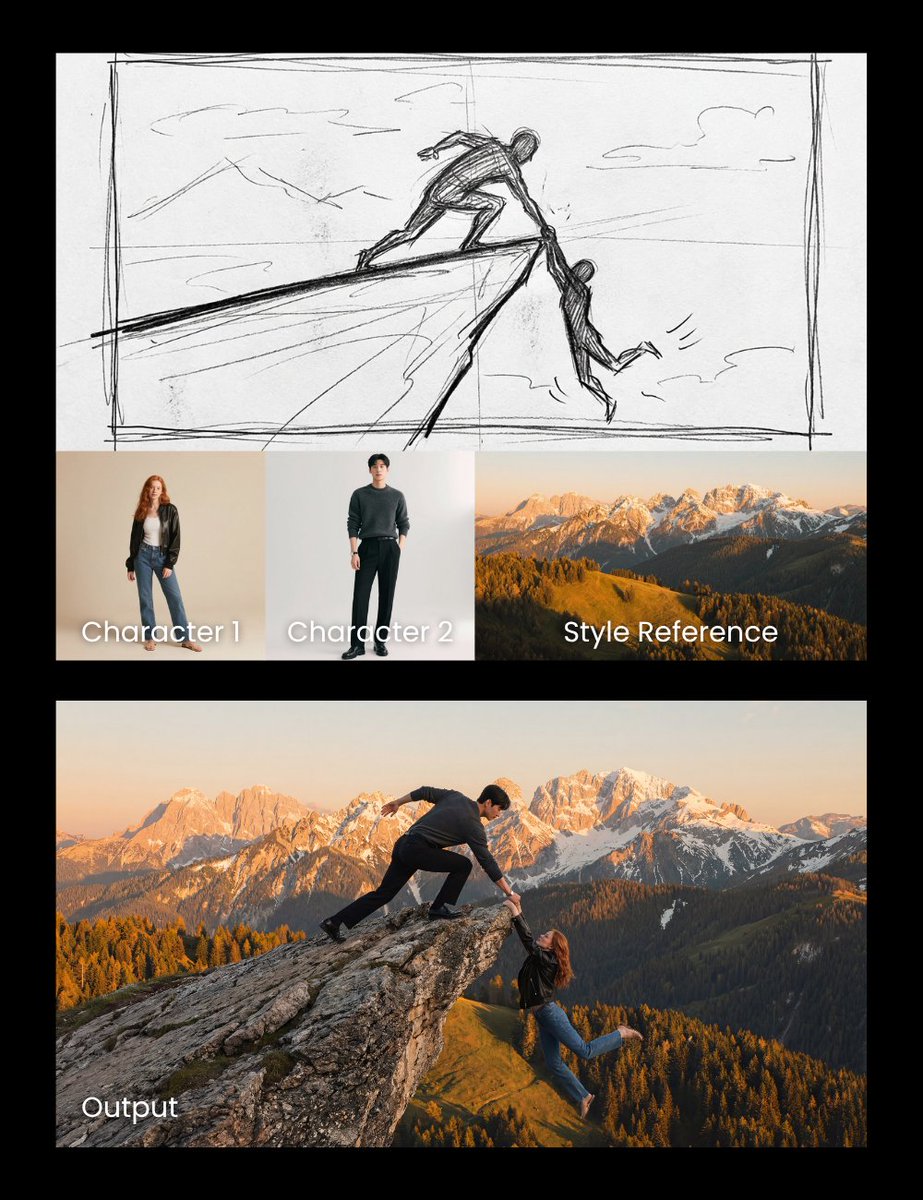
Realistic cliff rescue. Use the man photo as the hero and the woman photo as the one slipping. Match the sketch side pose and composition precisely, and use the mountain photo as a style reference for the background.