Photography / Editing
Travel Photo to Lego Model Poster
Full prompt
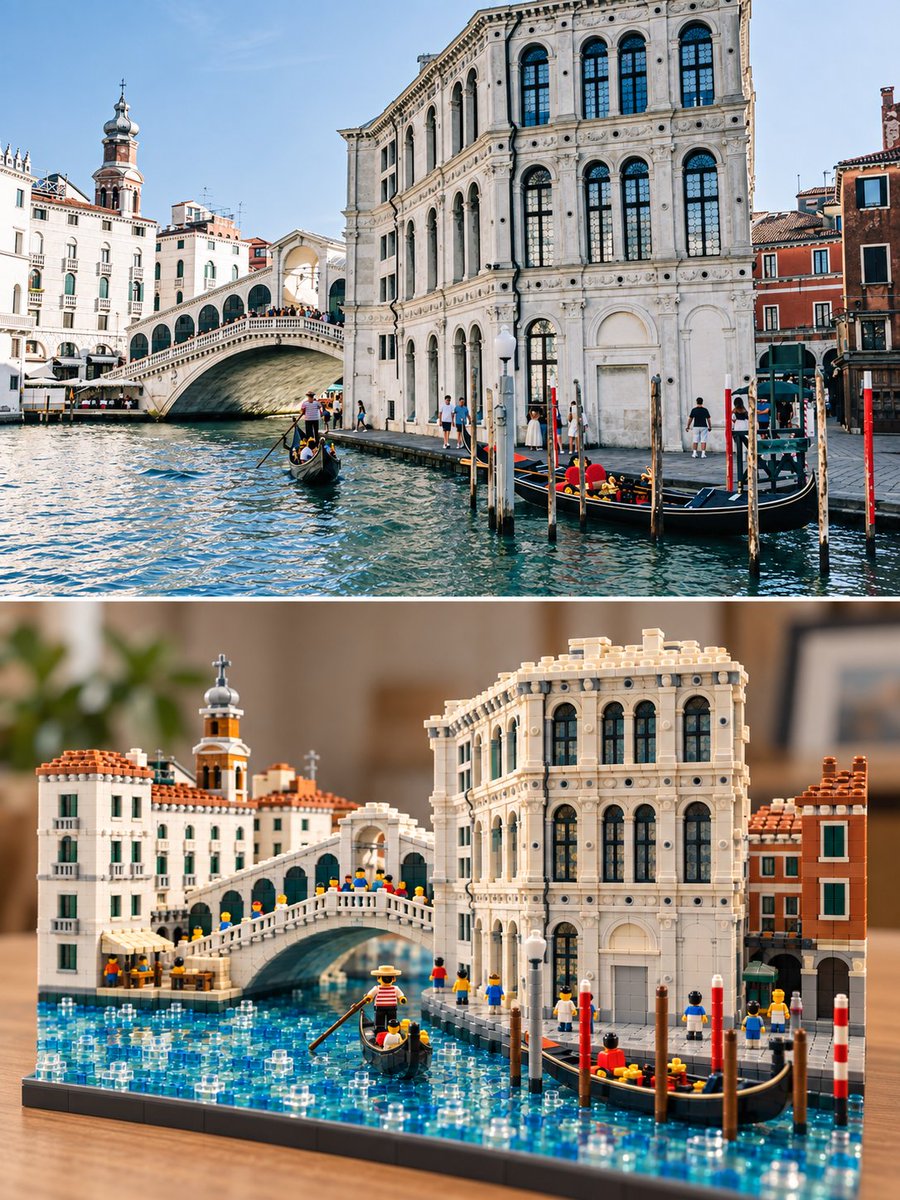
Transform any input travel photo into a standalone 3:4 vertical comparison poster. The top half fully preserves the original real travel photo, maintaining location, architecture or landscape, composition, perspective, subject count, pose and environmental relationships, with only slight publication color grading; use a thin, clean white horizontal divider line in the middle. The bottom half rebuilds the same scene as a realistic shootable physical brick miniature 3D model, using plastic bricks with one-by-one stud bumps, connection seams, and clear part edges, accurately preserving the main outlines, spatial hierarchy, and iconic elements of the original photo, but actively shrinking subjects, simplifying backgrounds, and reorganizing into a complete small tourist scene model.
The model must have the real structure of physical bricks: stud bumps, splicing seams, wall thickness, steps, baseplates, roofs or terrain undulations, transparent window parts, miniature vegetation, and contact shadows. The model scale is relatively small, leaving whitespace around the desktop, using slight tilt-shift macro photography depth of field. Brick colors are extracted from the original photo, not fixed to island blue; buildings, streets, bridges, mountain villages, cities, natural landforms, or character scenes are all applicable. The bottom half can only use elements truly visible in the original photo, do not arbitrarily add waves, palm trees, boats, landmarks, or people.
Must form a clear 'Real Photo - Physical Brick Model' top-bottom contrast relationship. Do not make it pixel art, voxel rendering, mosaic, block filter, low-poly CGI, smooth clay, paper craft, felt, oil painting, watercolor, flat illustration, or ordinary cartoon; do not apply a brick texture to the entire photo. No text, titles, subtitles, original/AI image corner marks, logos, watermarks, decorative borders, no stitching multiple photos.
View original prompt
将输入的任意旅行照片制作成一张独立的 3:4 竖版上下对比转绘海报。上半部分完整保留原始真实旅行照片,保持地点、建筑或自然景观、构图、透视、主体数量、人物姿态与环境关系,只做轻微出版物调色;中间用一条细而干净的白色水平分隔线。下半部分将同一场景重新搭建为真实可拍摄的实体积木微缩立体模型,使用一块一块有颗粒凸点、连接缝和明确零件边缘的塑料积木,准确保留原照片的主要轮廓、空间层级和标志性元素,但主动缩小主体、简化背景并重组为一个完整的小型旅游场景模型。 模型必须具有实体积木的真实结构:颗粒凸点、拼接缝、墙体厚度、台阶、底板、屋顶或地形起伏、透明窗件、微型植被和接触阴影。模型比例相对小巧,四周保留桌面留白,使用轻微移轴微距摄影景深。积木颜色从原照片提取,不固定为海岛蓝色;建筑、街巷、桥梁、山村、城市、自然地貌或人物场景都可以适用。下半只能使用原照片中真实可见的元素,不凭空加入海浪、棕榈树、船只、地标或人物。 必须形成清楚的“真实照片—实体积木模型”上下对照关系。不要做成像素画、体素渲染、马赛克、方块滤镜、低多边形 CGI、光滑黏土、纸艺、毛毡、油画、水彩、平面插画或普通卡通;不要把整张照片套成积木纹理。无文字、标题、字幕、原图/AI 图角标、logo、水印、装饰边框,不拼接多张照片。