Photography / Editing
Japanese Film Color Grading Prompt
Full prompt
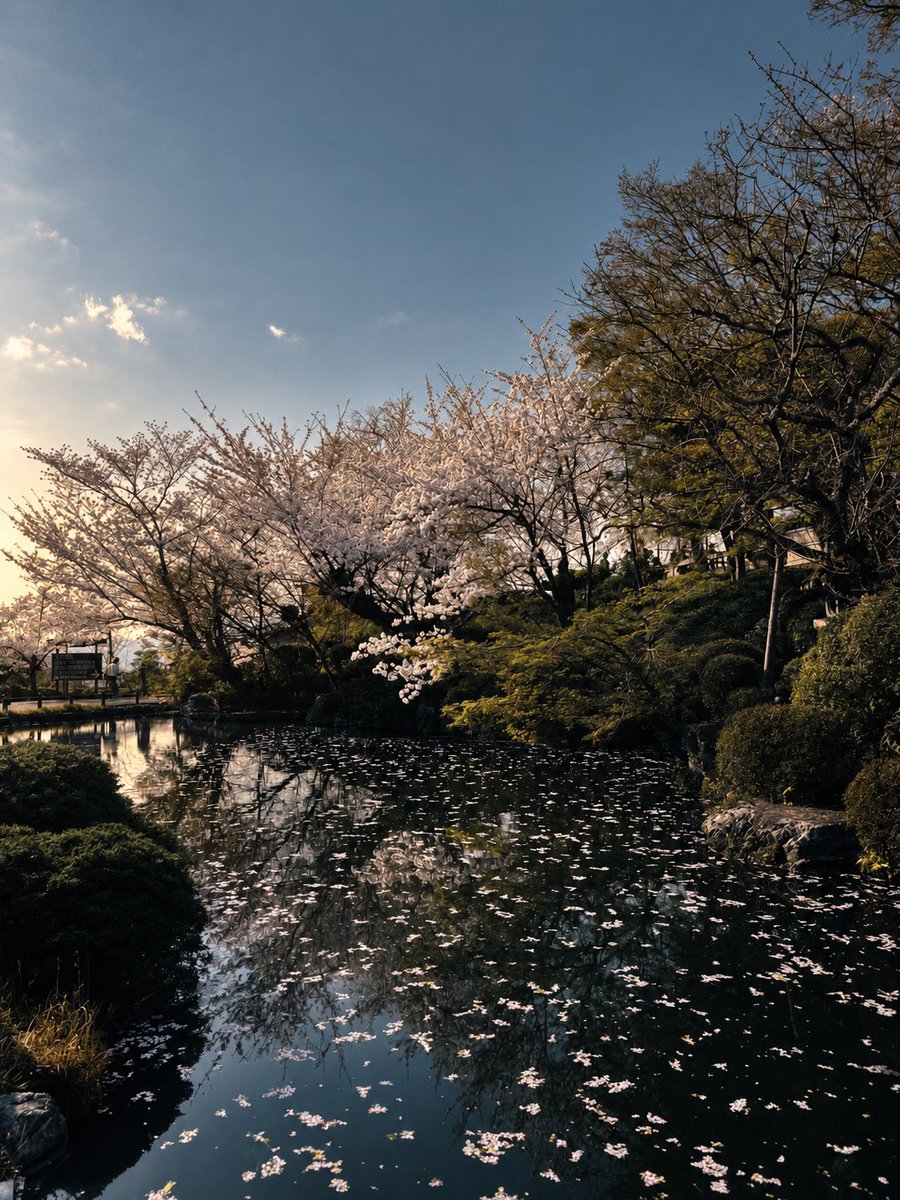
Please only perform professional color grading and lighting optimization on the original photo, strictly preserving the original composition, object positions, cherry blossoms, trees, water reflections, and aspect ratio, without adding, deleting, or changing any objects. Adjust the overall tone to a high-end, restrained, quiet Japanese film style, presenting the serene atmosphere of an early spring Japanese garden. Moderately brighten shadow details in woods, banks, and ponds, restoring layers of tree trunks, shrubs, and water surfaces, but preserve deep shadows, do not lift black areas to gray. Lower sky highlights and blue saturation, adjusting the sky to a transparent, calm gray-blue, avoiding overly vivid colors and HDR effects. Highlight central cherry blossoms, making flowers natural pale pink-white, adding soft sunlight transparency and delicate layers, not pure white or fluorescent pink. Adjust green plants to low-saturation moss green, forest green, and slight olive green, reducing yellow-green and digital feel. Maintain water surface as deep cyan-black, enhancing subtle reflections and fallen cherry blossom layers, making reflections clear but not sharp. Use soft highlights, deep shadows, medium-strong contrast overall, slightly increasing warm-cool contrast between warm sunlight and cool shadows. Add slight film haze, natural halos, fine 35mm film grain, and soft sharpening, referencing Kodak Portra 400 and Japanese film photography for colors, aiming for realistic, natural, implicit, airy, and high-end feel. Prohibit changing composition, prohibit adding cherry blossoms, clouds, buildings, people, or lights, prohibit generating new branches, prohibit changing seasons, prohibit overexposure, crushed blacks, HDR, oversharpening, fluorescent green, vivid blue skies, heavy filters, oil painting feel, illustration feel, and AI redraw feel. Final effect must look like professional color grading of original RAW photo, not regenerating an image.
View original prompt
请仅对原照片进行专业调色和光影优化,严格保留原始构图、景物位置、樱花、树木、水面倒影及画面比例,不添加、删除或改变任何物体。整体调成高级、克制、安静的日系电影胶片风格,呈现早春日本庭园的清寂氛围。适度提亮树林、水岸和池塘中的暗部细节,恢复树干、灌木与水面层次,但保留幽深阴影,不要把黑色区域提成灰色。压低天空高光和蓝色饱和度,将天空调整为通透、沉静的灰蓝色,避免过度艳丽和HDR效果。突出画面中央樱花,使花朵呈自然的淡粉白色,增加柔和的阳光通透感和细腻层次,不要变成纯白或荧光粉。绿色植物调整为低饱和的苔藓绿、森林绿和轻微橄榄绿,减少黄绿色和数码感。水面维持深青黑色,增强细微反光和落樱的层次,让倒影清晰但不锐利。整体采用柔和高光、深邃阴影、中等偏强对比,略微增加暖色阳光与冷色阴影的冷暖对比。加入轻微胶片灰雾、自然光晕、细腻35mm胶片颗粒和柔和锐化,色彩参考 Kodak Portra 400 与日系电影摄影,真实、自然、含蓄、有空气感和高级感。禁止改变构图,禁止增加樱花、云朵、建筑、人物或灯光,禁止生成新的树枝,禁止改变季节,禁止过曝、死黑、HDR、过度锐化、荧光绿、艳蓝天空、浓重滤镜、油画感、插画感和AI重绘感。最终效果必须像对原始RAW照片进行专业调色,而不是重新生成一张图片。