Face Swap Identity Transfer Prompt for GPT Image 2.5
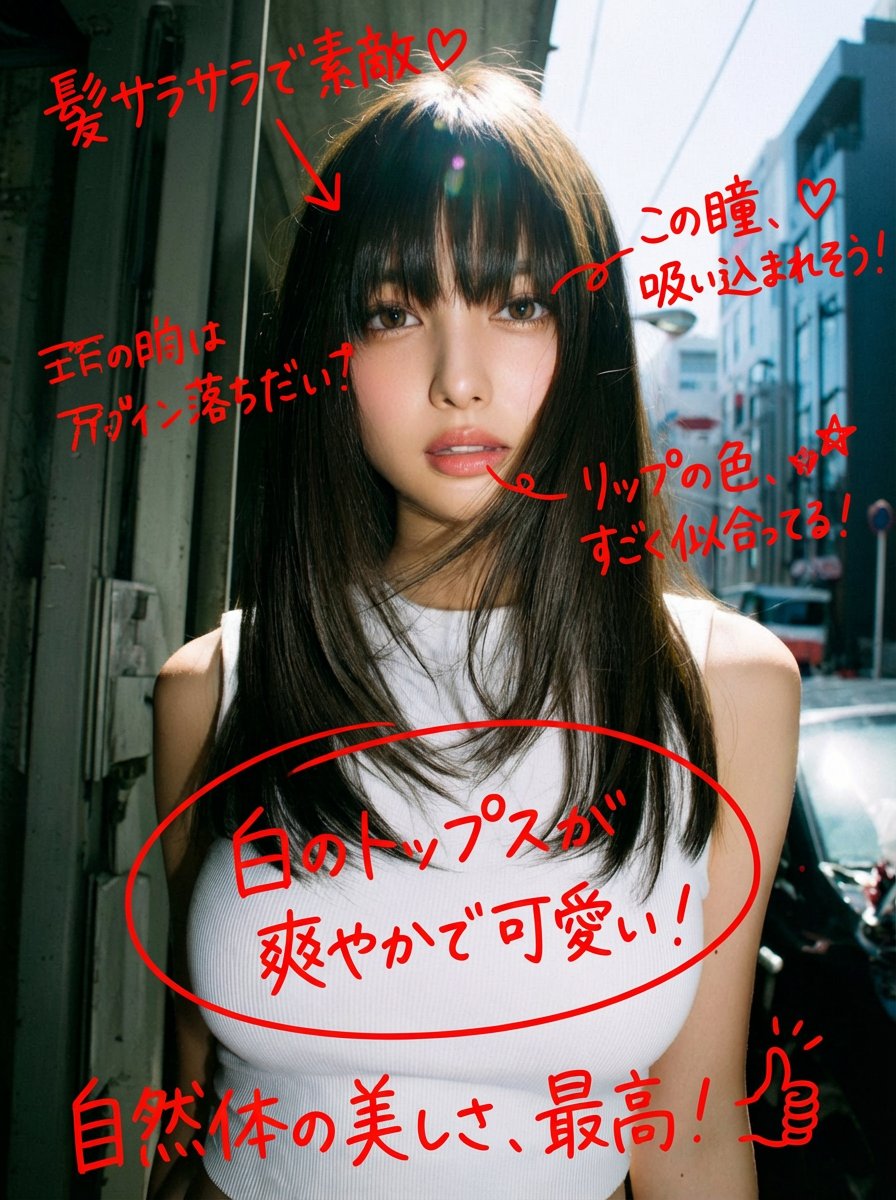
Create an image using the uploaded TARGET IMAGE as the exact master reference and the uploaded REFERENCE PHOTO as the identity reference. Replace the face identity of the main woman with the woman from the REFERENCE PHOTO.
Full prompt
Create an image using the uploaded TARGET IMAGE as the exact master reference and the uploaded REFERENCE PHOTO as the identity reference.
Replace the face identity of the main woman with the woman from the REFERENCE PHOTO.
IMPORTANT — IDENTITY ONLY:
Use the REFERENCE PHOTO only to transfer the woman's facial identity: face shape, eyes, eyebrows, nose, lips, cheeks, jawline, skin texture and natural facial proportions.
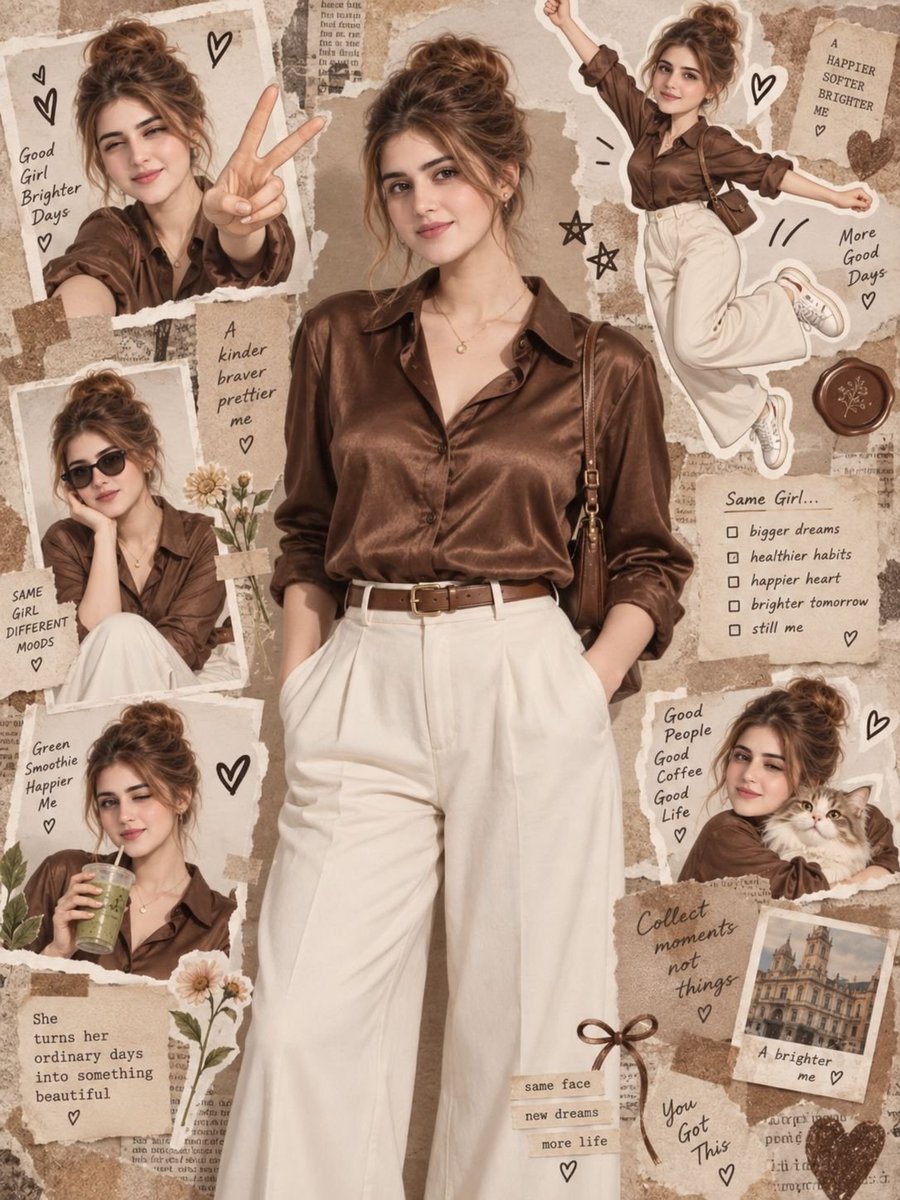
Keep the TARGET IMAGE's hairstyle and messy bun, hair arrangement, body, physique, clothing, brown satin shirt, cream wide-leg trousers, brown belt, necklace, shoulder bag, poses, hand positions, expressions, accessories, and overall styling exactly as shown.
The entire scrapbook collage must remain the same:
- Same central full-body woman
- Same surrounding photo cutouts
- Same realistic and cartoon/chibi versions
- Same poses and expressions
- Same torn-paper collage layout
- Same tape pieces
- Same handwritten text and notes
- Same hearts, stars, flowers and decorative elements
- Same cat
- Same background, colors, textures and vintage beige/brown aesthetic
- Same composition, framing and aspect ratio
Apply the new woman's face naturally to EVERY realistic and illustrated appearance of the woman throughout the collage, while maintaining the appropriate style of each individual image.
Do not copy the reference woman's hairstyle, clothes, body, pose, background or accessories.
Make the face replacement seamless and natural in every panel. Match each panel's lighting, angle, expression, skin tone, shadows, perspective and image style.
FINAL RULE:
TARGET IMAGE = everything.
REFERENCE IMAGE = face identity only.
Change nothing else.
The final result must look like the original TARGET IMAGE, with only the woman's facial identity replaced by the woman from the reference photo.
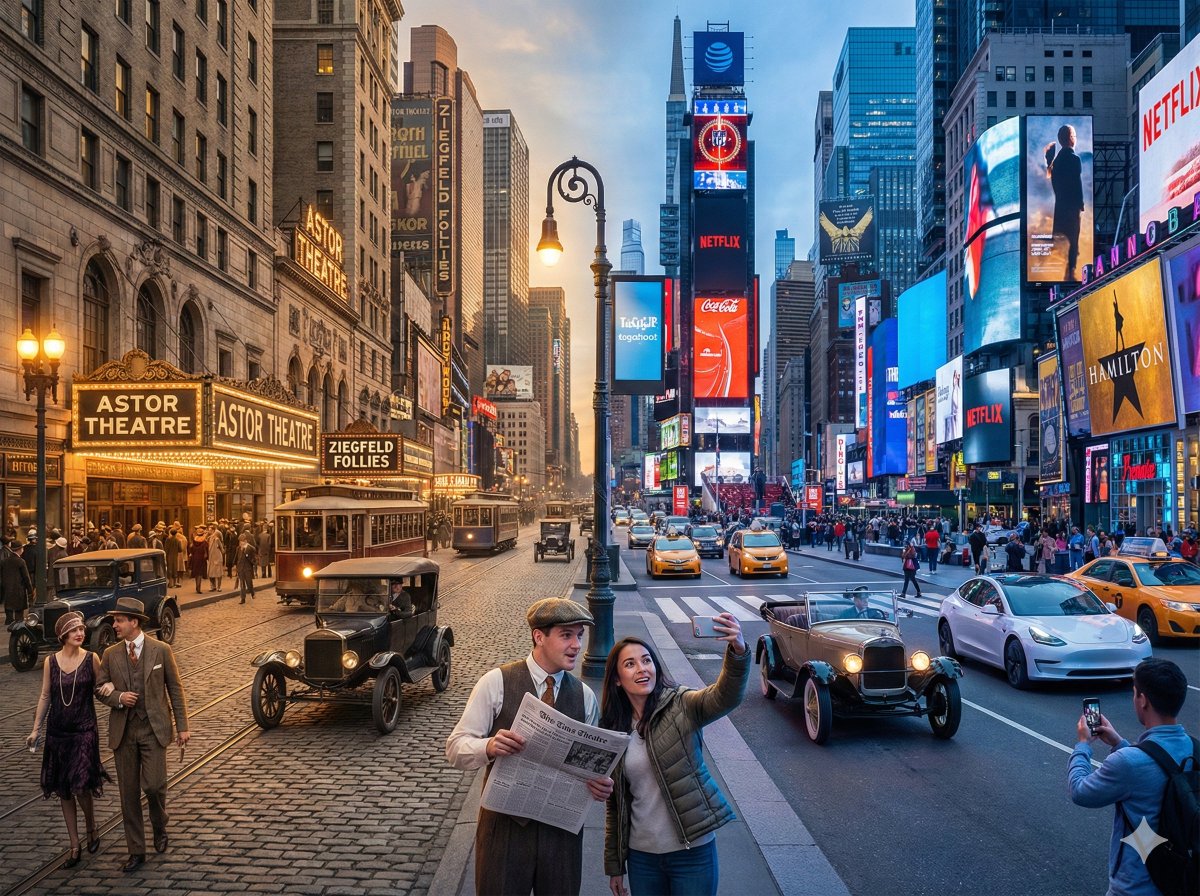
A horizontal split-screen cinematic shot of {argument name="scene" default="{Scene}"}, seamlessly blending two different eras: {argument name="era A" default="{Era_A}"} on the left and {argument name="era B" default="{Era_B}"} on the right (default: about 100 years ago vs. present day).
On the left side ({argument name="era A" default="{Era_A}"}): show era-appropriate architecture, interior or environment design, materials, vehicles, and props that clearly belong to that historical period. People wear authentic clothing from {argument name="era A" default="{Era_A}"}, including hairstyles, accessories, and typical items in their hands (such as books, umbrellas, instruments, letters, newspapers, etc.). The overall mood feels nostalgic and historically accurate.
On the right side ({argument name="era B" default="{Era_B}"}): show the same {argument name="scene" default="{Scene}"} in the modern era, with updated architecture or renovated structures, contemporary materials (glass, steel, LED screens, modern furniture), modern vehicles or equipment, and current technology (smartphones, laptops, cameras, etc.). People wear contemporary fashion that matches today’s style in this setting.
In the center: the two eras merge and overlap organically, without a hard dividing line. Elements from {argument name="era A" default="{Era_A}"} and {argument name="era B" default="{Era_B}"} visually interact: people from different times look at each other, walk through each other’s space, or seem surprised by the other era’s technology and objects. Architecture and environment smoothly morph from old to new (for example, stone gates turning into modern campus gates, classical concert hall décor fading into a futuristic stage, old street shops transforming into neon-lit storefronts).
Make sure the scene is not just a simple left/right comparison but a dynamic time-travel interaction where buildings, clothing, props, and human gestures clearly emphasize the contrast and fusion between the two eras. Photorealistic, 8k resolution, cinematic lighting, wide angle, highly detailed textures, rich sense of time-travel storytelling.
SCENE: {argument name="scene example" default="Times Square, New York"}
Era Comparison: {argument name="era comparison example" default="1920s and present day"}
Aspect Ratio: {argument name="aspect ratio" default="4:3"}
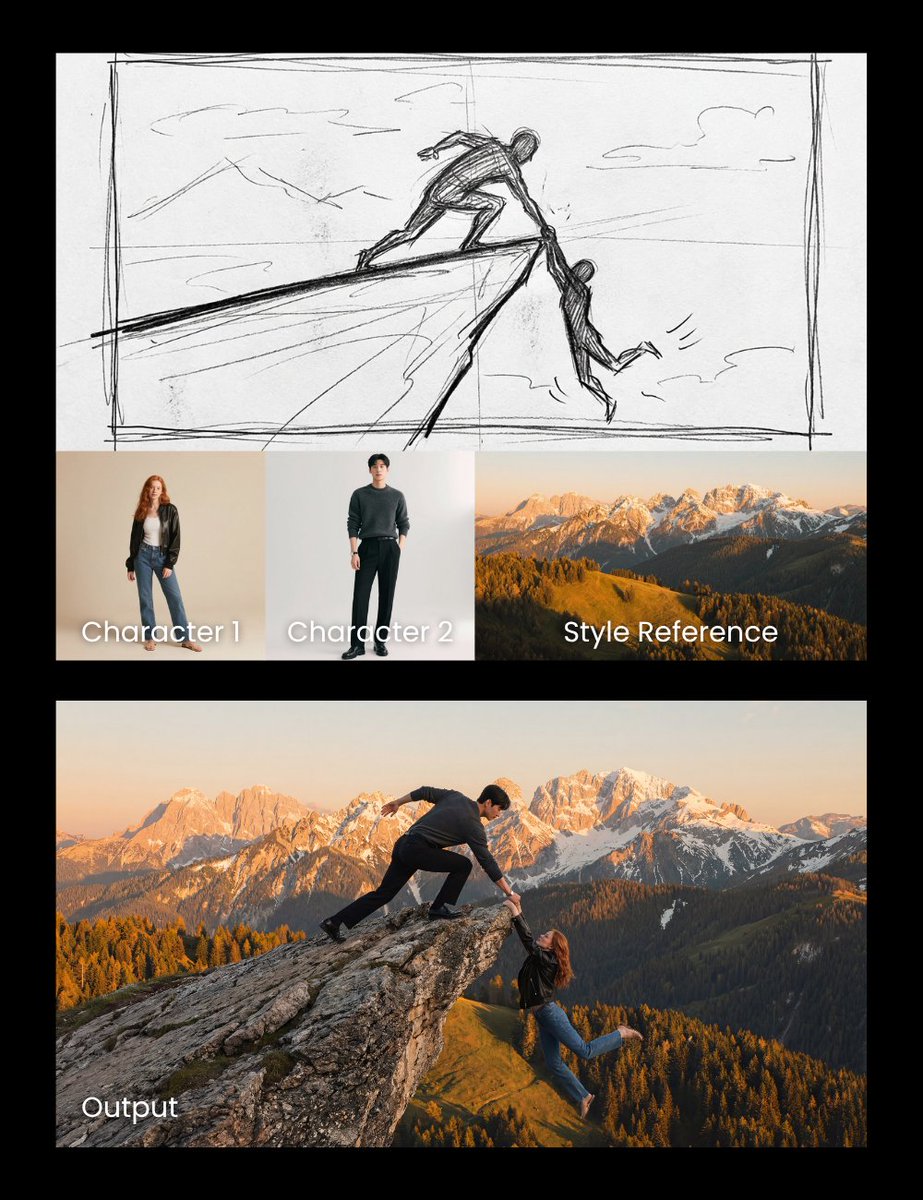
Realistic cliff rescue. Use the man photo as the hero and the woman photo as the one slipping. Match the sketch side pose and composition precisely, and use the mountain photo as a style reference for the background.