Geocoding APIs — page 5
158 geocoding APIs for addresses, maps, IP location and countries, best documented first.
ipgeolocationapi
GeocodingIP geolocation with ASN, timezone, currency and threat data, 5,000 keyless calls a day
IP Vigilante
GeocodingFree IP Geolocation API
PontoFato
GeocodingBrazilian postal codes (CEP) with IBGE coordinates, addresses and the companies registered there
PostcodeData.nl
GeocodingProvide geolocation data based on postcode for Dutch addresses
Rwanda Locations
GeocodingRwanda Provences, Districts, Cities, Capital City, Sector, cells, villages and streets
SearchPinCode
GeocodingIndian postal PIN code lookup, post office locator and district data
Unblock Master IP
GeocodingIP geolocation plus datacenter and VPN detection for any IPv4 or IPv6 address

Checks API
Geocoding**NOTE:** This is a preview of the API and it is not considered stable since refinements are still being made. # Introduction Welcome to the **Truora Check** [**RESTful API**](https://en.wikipedia.org/wiki/Representational_state_transfer) reference. You may also want to check out our [**Validations API docs**](https://docs.validations.truora.com/) or our [**Signals API docs**](https://docs.signals.truora.com/). Truora Check API allows performing full background checks on people, vehicles and companies. There are three main types of background checks: - **Personal background check**: Verifies national IDs in multiple databases of public and legal entities in the LATAM region. For every national ID, returns information on: personal identity, criminal records, international background check, and professional background. - **Vehicle background check**: Verifies the vehicle documents and the owner identity in multiple databases of public and legal entities in the LATAM region. For every vehicle and owner type, returns information on: personal identity, driving records, criminal records, and vehicle information. - **Company background check**: Verifies the tax ID or a company name in multiple databases of public and legal entities in the LATAM region. For every company, returns the associated: business status, legal and criminal records, and media reports. # API Key V1 is live! API key version 1 is now live. Users with version 0 API keys are not immediately required to upgrade to V1 but should plan to do so at their earliest convenience. The changes for integration with API keys v1 are as follows: - The field ``user_authorized`` is now required to perform person checks. This field indicates the API user has authorization to perform the check in compliance with data protection law. - The field ``homonym_scores`` is no longer included in our person check response as its results are already included in the body of the check and keeping them duplicated is generating unnecessary confusion. # API composition ## Endpoints - **Check endpoints**: Provide an easy way to create and search for a background check. They also allow inserting groups of checks into reports. Each check contains scores, datasets and databases. ```plain https://api.truora.com/v1/checks ``` - **Report endpoints**: Support batch uploads and grouping multiple checks together. Excel and .csv files are supported for batch uploads. ```plain https://api.truora.com/v1/reports ``` - **Configuration endpoints**: Allows personalizing data sets and scores for customized background checks. ```plain https://api.truora.com/v1/config ``` - **Continuous check endpoints**: Allows creating recurring checks and get notified whenever a change in the check score occurs. ```plain https://api.truora.com/v1/continuous_checks ``` - **Behavior endpoints**: Allows sharing anonymous feedback about a person behavior when interacting with the company. ```plain https://api.truora.com/v1/behaviour ``` - **Hooks endpoints**: Allows sending notifications via requests to your service or another third-party service whenever certain events occur. ```plain https://api.truora.com/v1/hooks ``` ## Datasets Categories that group the resulting information for background checks from databases are called datasets. Datasets are divided in: - **Personal identity**: Corroborates the existence and validates personal identity documents. - **Criminal record**: Checks for crimes according to each country penal code or criminal code. Keep in mind that data aged less than 10 years is usually more consistent. - **Legal background**: Checks for lawsuits filed. Keep in mind that data aged less than 10 years is usually more consistent. - **International background**: Checks international lists for crimes related to identity theft, money laundering, terrorist financing, and high crimes. - **Professional background**: Checks professional regulatory entities for relevant information. - **Affiliations and insurances**: Checks the

IP2Proxy Proxy Detection
GeocodingIP2Proxy allows instant detection of anonymous proxy, VPN, TOR exit nodes, search engine robots (SES), data center ranges (PX2-PX10), residential proxies (PX10) and VPN provider name (PX11) by IP address. It also returns the threat type of the proxy (PX9 or higher). Visit https://www.ip2location.com/web-service/ip2proxy for further information.

Enode API
GeocodingDownload [OpenAPI 3.0 Specification](/OpenAPI-Enode-v1.4.0.json) Download [Postman Collection](/Postman-Enode-v1.4.0.json) The Enode API is designed to make smart charging applications easy to develop. We provide an abstraction layer that reduces the complexity when extracting vehicle data and sending commands to vehicles from a variety of manufacturers. The API has a RESTful architecture and utilizes OAuth2 authorization. We are always available to handle any issues or just answer your questions. Feel free to reach out on [email protected] ## Registration for API access In order to use the API you will need a `client_id` and `client_secret`. Please contact us if you are interested in using our API in production, and we will provide these credentials. # Authorization Vehicle / hardware access via the Enode API is granted to your application by the User in a standard OAuth `Authorization Code` flow. > The authorization scheme documented here is the recommended approach for most situations. However, it is also possible to user other OAuth flows, non-confidential clients, and temporary users. Please feel free to contact us if you have any questions about your use-case or the integration of your existing infrastructure. ### Preparation: Configure your OAuth client Because Enode API implements the OAuth 2.0 spec completely and without modifications, you can avoid rolling your own OAuth client implementation and instead use a well-supported and battle-tested implementation. This is strongly recommended. Information on available OAuth clients for many languages is available [here](https://oauth.net/code/) To configure your chosen OAuth client, you will need these details: - Your `client_id` - Your `client_secret` - Authorization URL: `https://link.test.enode.io/oauth2/auth` - Token URL: `https://link.test.enode.io/oauth2/token` ```javascript // Node.js + openid-client example const enodeIssuer = await Issuer.discover('https://link.test.enode.io'); const client = new enodeIssuer.Client({ client_id: 'xyz', client_secret: 'shhhhh', redirect_uris: ['http://localhost:5000/callback'], response_types: ['code'], }); ``` ### Preparation: Obtain a client access token via OAuth Client Credentials Grant Your OAuth client will have a method for using the `OAuth 2.0 Client Credentials Grant` to obtain an access token. ```javascript // Node.js + openid-client example const clientAccessToken = await client.grant({grant_type: "client_credentials"}); ``` This access token belongs to your client and is used for administrative actions, such as the next step. This token should be cached by your server and reused until it expires, at which point your server should request a new one. ### Step 1. Generate an Enode Link session for your User and launch the OAuth flow When your User indicates that they want to connect their hardware to your app, your server must call [Link User](#operation/postUsersUseridLink) to generate an Enode Link session for your User. The User ID can be any string that uniquely identifies the User, but it is recommended that you use the primary key by which you identify the User within your application. Example Request: ``` POST /users/{userId}/link HTTP/1.1 Authorization: Bearer {access_token} { "forceLanguage": "nb-NO", "vendor": "Tesla", } ``` Example Response: ``` { "linkState": "ZjE2MzMxMGFiYmU4MzcxOTU1ZmRjMTU5NGU2ZmE4YTU3NjViMzIwY2YzNG", } ``` The returned linkState must be stored by your server, attached to the session of the authenticated user for which it was generated. Your OAuth client will provide a method to construct an authorization URL for your user. That method will require these details: - Redirect URI - The URI to which your user should be redirected when the Oauth flow completes - Scope - The OAuth scope(s) you wish to request access to (see list of valid values [here](#section/Authentication/AccessTokenBearer)) - State - The value of `linkState` from the request above To launch the OAuth flow, send your user to the aut
AtlasFetch
GeocodingReverse geocode coordinates to country, region and municipality with ISO 3166 codes
Battuta
GeocodingA (country/region/city) in-cascade location API
GeoDB Cities
GeocodingGet global city, region, and country data
ip2geo.dev
GeocodingProgrammatically convert IP addresses into geolocation data
Locio
GeocodingAustralian address autocomplete, validation and geocoding from the G-NAF national register
ParcelGPS
GeocodingEuropean cadastral parcels by reference or point: coordinates, area, land use and geometry
Telize
GeocodingTelize offers location information from any IP address
TrustyData
GeocodingFrench address checks, INSEE company search and routing on official open data
Zornade
GeocodingCadastral parcels, geocoding, OMI valuations, risk and demographics for Italy (85M parcels)

Atmosphere API
GeocodingInstantly access empirical models of atmospheric density and composition that are recommended by the Committee on Space Research (COSPAR) for satellite drag calculations. <br><br> API requests must contain a key "API-Key" in the header (see code samples). Obtain a key from <a href='https://developer.amentum.io'>here</a>. <br><br> Help us improve the quality of our web APIs by completing our 2 minute survey <a href="https://www.surveymonkey.com/r/CTDTRBN">here</a>.<br><br> Amentum Pty Ltd is not responsible nor liable for any loss or damage of any sort incurred as a result of using the API. <br><br> Copyright <a href='https://amentum.space'>Amentum Pty Ltd</a> 2021.
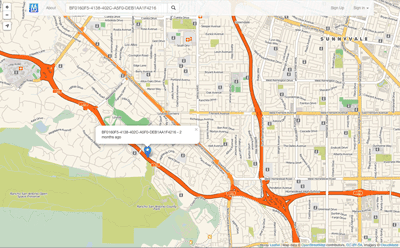
Miataru
GeocodingThe Miataru API is very simple and straight forward. Generally you're posting (HTTP POST) a JSON formatted request to a service method locations and you get back a JSON formatted answer. Please take into consideration that this has the request-for-comment status and that it can change while there's work done on client and server applications. Versioning therefore is done by prepending the version number - /v1/ for version 1 - to the method call.

The Water Linked Underwater GPS API
GeocodingAPI for the Water Linked Underwater GPS. For more details: http://www.waterlinked.com Recommended approach for connecting to a Underwater GPS via the API is: - If "GET /api/" times out, the Underwater GPS is not running (on this IP address) - If "GET /api/" responds with 200 OK check that the api version returrned (eg "v1") is supported by the client (eg: also supports "v1"). - If the api version returned does not match what the client supports: give an error to the user and recommend upgrading. (Eg: response is "v2" while client only supports "v1") - If "GET /api/" responds with 301 Moved permanently. "GET /api/v1/version" to check if the kit has a version earlier than 1.5. - "GET /api/v1/version" will always respond with 200 OK on Underwater GPS earlier than 1.5 release. Configuration API is is not considered stable and will potentially be changed

TrapStreet API
GeocodingThe TrapStreet API finds trap streets in Google Maps, Bing Maps and OpenStreetMap data.

Furkot Trips
GeocodingFurkot provides Rest API to access user trip data. Using Furkot API an application can list user trips and display stops for a specific trip. Furkot API uses OAuth2 protocol to authorize applications to access data on behalf of users.