Editorial / Poster
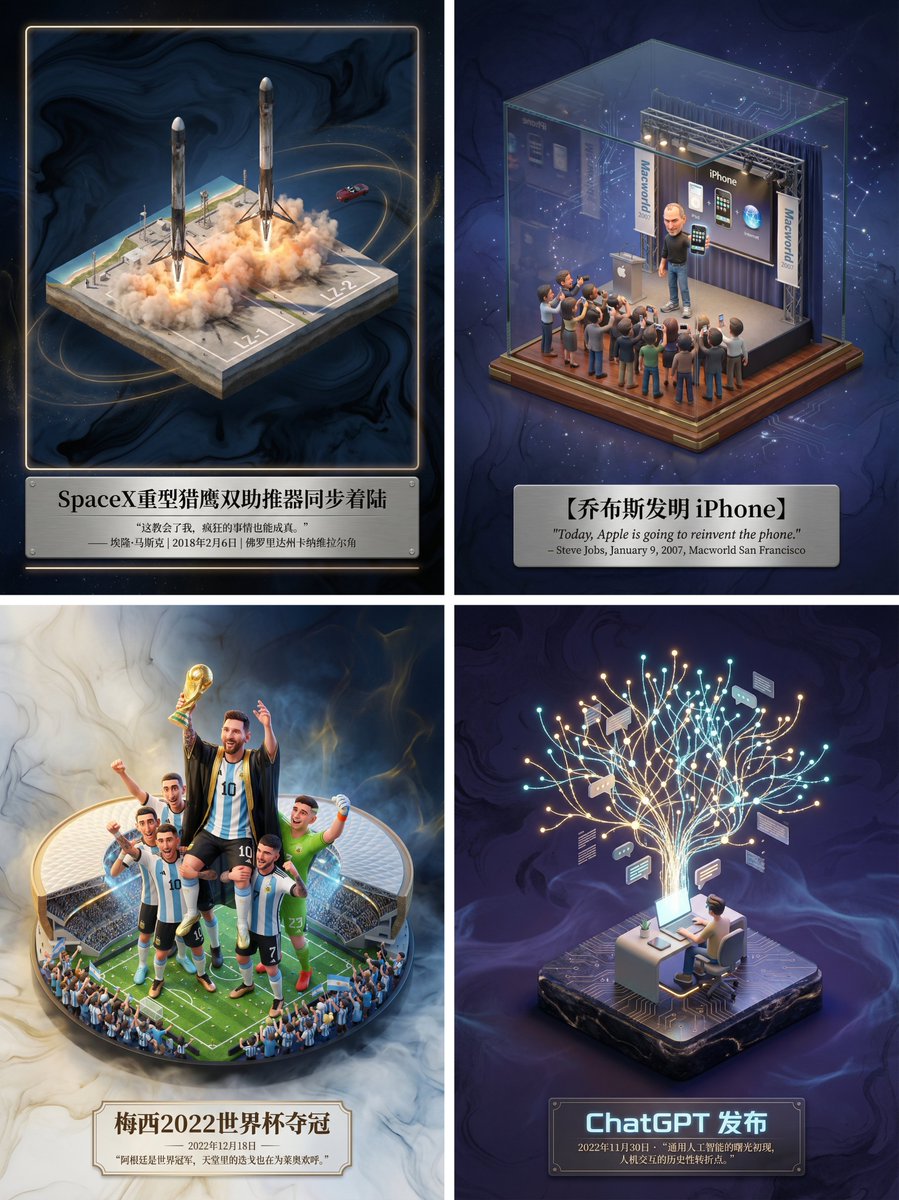
Museum-Grade 3D Diorama Poster for Historical Events
Full prompt
Please create a museum-grade 3D isometric miniature poster for [ {argument name="event name" default="SpaceX Heavy Falcon dual booster synchronous landing"} ], first retrieving relevant information to gain knowledge.
Step 1, Intelligent Recognition and Scene Construction: First, call upon your knowledge base to determine the category of the theme I input (is it fictional literature, real historical event, sports competition, or scientific discovery). Then, accurately retrieve the specific environment, core character actions, clothing details, and atmospheric conditions when the theme occurred. In the center of the image, establish an exquisite 3D miniature scene model. The style should maintain the high-precision texture and soft lighting rendering style of Dreamworks animation. If it is sports, emphasize the explosiveness of the action and the frozen moment; if it is history, restore the sense of era and solemnity; if it is literature, emphasize the artistic conception.
Step 2, Atmosphere and Background: Discard pure white backgrounds. Use a void environment with extremely faint ink wash texture and flowing light mist, with colors automatically adjusted according to the theme, creating a high-end sense of a “historical slice” or “precious artifact.”
Step 3, Layout and Text: Generate Chinese typography centered at the bottom. The main title should be the name of the event or work, with a font design that matches the theme style. Below the title, automatically retrieve and lay out the most famous quote, commentary, date, or historical evaluation of the event, using an elegant serif font. The overall layout should be exquisitely balanced, like a high-end museum collection plaque.
View original prompt
请为【{argument name="事件名称" default="SpaceX重型猎鹰双助推器同步着陆"}】制作一张博物馆级别的3D轴侧微缩海报,先检索相关信息获取知识。 第一步,智能识别与场景构建: 请先调用你的知识库,判断我输入的主题属于哪种类别(是虚构文学、真实历史事件、体育竞技还是科学发现)。 然后,精准检索该主题发生时的具体环境、核心人物动作、服饰细节以及当时的气候氛围。 在画面中央,建立一个精致的3D微缩场景模型。风格上,保持梦工厂动画那种高精度的材质感和柔和的光影渲染。 如果是体育,要强调动作的爆发力和凝固的瞬间感;如果是历史,要还原年代感和严肃性;如果是文学,则强调意境。 第二步,氛围与背景: 背景请摒弃纯白,使用带有极淡水墨纹理和流动光雾的虚空环境,色调根据主题自动调整,营造出一种“历史切片”或“珍贵藏品”的高级感。 第三步,排版与文字: 在底部居中位置生成中文排版。 主标题写上事件或作品的名称,字体设计要契合主题风格。 在标题下方,请自动检索该事件最著名的金句、解说词、日期或历史评价,字体使用优雅的衬线体。整体布局要像一个高级的博物馆藏品铭牌那样精致平衡。