Editorial / Poster
Clean High-Brightness Commercial Graphic Layout
Full prompt
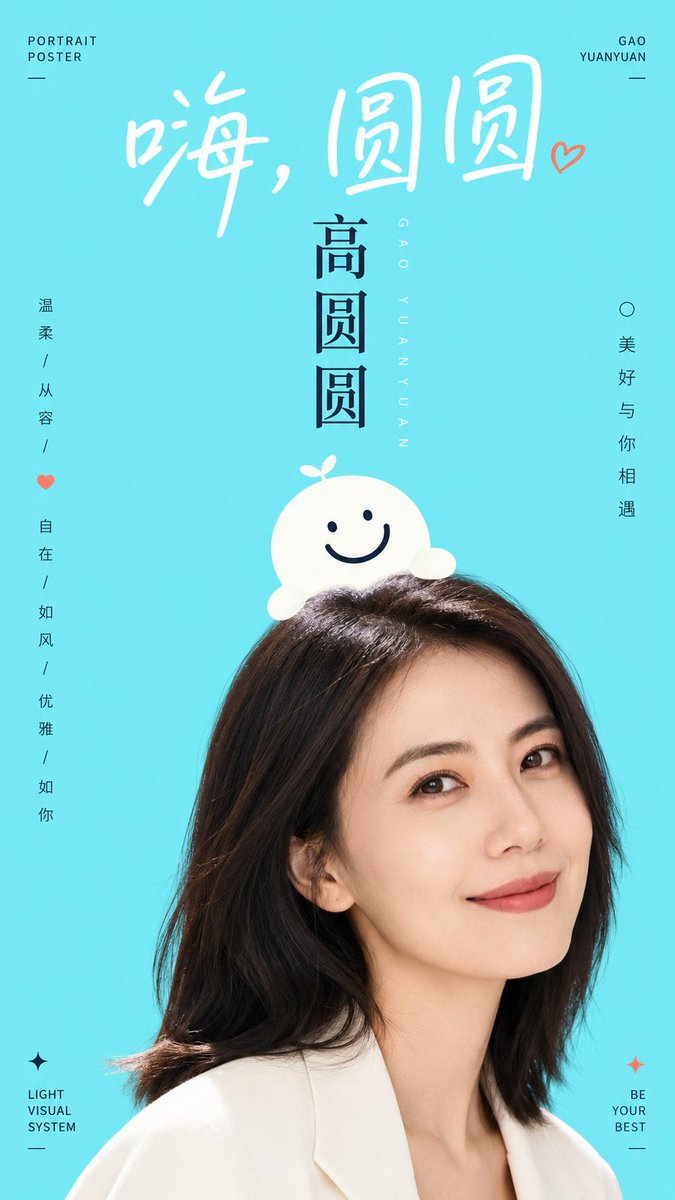
Generate a bright and refreshing graphic-text synthesis based on a specific theme: the image uses a large area of high-brightness pure color field to support the main subject, with a flat and airy background devoid of complex depth of field. The visual focus is established by a portrait or real subject boldly cropped from below, revealing only the most memorable parts as if entering from the edge of the screen. A minimalist graphic symbol or object-like character is overlaid on top of the subject, appearing to sit gently on the subject's head or grow along its silhouette, with a rounded shape, clean edges, and expressions or structures made of a few thick lines, combining a sense of identity with approachability. Text is an active character: use a large handwritten-style title at the top with loose spacing and soft strokes; use a stronger vertical or axial title in the center to establish hierarchy; and place small-font information at the edges to remain quiet but precise, letting white space dominate. Colors are extracted from the theme's material, emotion, geography, or brand semantics, mapped as bright base colors, clean subject highlights, clear dark structural lines, and minimal accent colors; overall maintaining high brightness, clarity, and cleanliness with clear but not over-stimulating saturation, using dark colors only for structure and readability. A contrast between realistic photography and flat graphics creates a balance of reality and playfulness, with accurate edge overlays and minimal shadows, resulting in a relaxed visual system like a combination of public promotion and character illustration.
Theme: {argument name="subject" default="Liu Yan"}
Aspect ratio 9:16
View original prompt
围绕具体主题内容生成一张明亮清爽的图文合成视觉:画面以大面积高明度纯净色场承托主体,背景平整、通风、没有复杂景深,视觉重心由下方被大胆裁切的人像或真实主体建立,只露出最有记忆点的局部,使主体像从画面边缘进入。主体上方叠放一个极简图形符号或拟物角色,它要像轻轻坐在主体头顶或贴合轮廓生长出来,形体圆润、边缘干净、表情或结构由少量粗线完成,兼具标识感和亲近感。文字是画面的主动角色:顶部使用大号手写感标题,字距松、笔画柔软,像一句轻声招呼;中心用更强的竖向或轴向标题建立层级;边缘安放少量小字号信息,保持安静但精确,让空白继续占主导。色彩从主题自身的材质、情绪、地域或品牌语义中提取,映射为明亮底色、洁净主体亮面、清晰深色结构线与少量强调信息色,保留大面积轻快底场、小面积高对比文字线条、自然主体暗部的关系;整体保持高明度、清透、干净、饱和度清晰而不过度刺激,暗色只用于结构和阅读,不制造脏灰、烟雾或陈旧质感。摄影局部与扁平图形之间要形成真实与童趣的反差,边缘叠压准确,阴影极少,完成感像城市公共宣传与角色插画结合的轻松视觉系统。 主题:{argument name="主题" default="柳岩"} 比例9:16