Diagram / Infographic
Japanese AI Workflow Notebook Infographic
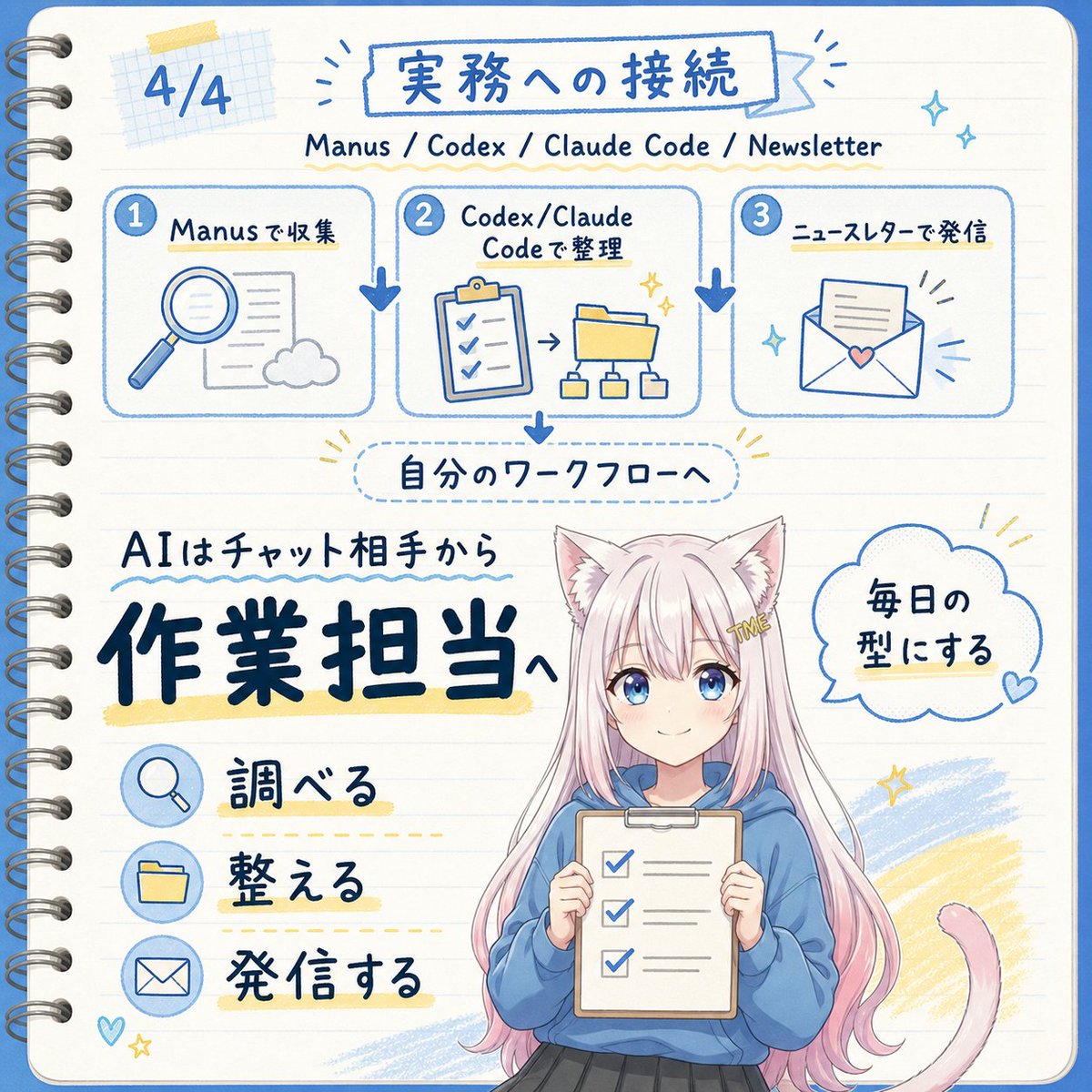
Goal: Create a square, hand-drawn Japanese notebook-style infographic about turning AI from a chat partner into an operations/work assistant, with a cute anime mascot at the bottom.
Fields you can change: main title, main message, speech bubble text, character hair color, hoodie color.
Full prompt
Goal: Create a square, hand-drawn Japanese notebook-style infographic about turning AI from a chat partner into an operations/work assistant, with a cute anime mascot at the bottom.
Canvas: 1:1 square image, cream lined notebook paper background with rounded corners, blue border line, visible metal spiral binding along the left edge, soft grid-paper tape decoration near the top left, and blue/yellow pen-marker accents. Overall look should be clean, friendly, handwritten, and sketchnote-like.
Text content: Use Japanese handwritten lettering. Top left page marker: “4/4”. Main title inside a blue outlined banner: {argument name="main title" default="実務への接続"}. Subtitle beneath it: “Manus / Codex / Claude Code / Newsletter”. Mid-page label in a dotted rounded rectangle: “自分のワークフローへ”. Large main message on the lower left: “AIはチャット相手から” above very large bold navy text {argument name="main message" default="作業担当へ"}. Speech bubble on the right of the character: {argument name="speech bubble text" default="毎日の型にする"}.
Layout: Top third contains exactly 3 connected workflow cards in a horizontal row, each with a numbered blue circle and rounded blue outline. Card 1 is labeled “Manusで収集” and shows a magnifying glass, document, and cloud icon. Card 2 is labeled “Codex/Claude Codeで整理” and shows a clipboard checklist, arrow, folder, and small hierarchy diagram. Card 3 is labeled “ニュースレターで発信” and shows an envelope with a paper and small heart. Add thick blue downward arrows between the cards and another blue arrow down from the center card to the dotted workflow label.
Lower section: On the left, place exactly 3 action rows with circular blue icons and Japanese labels: 1) magnifying glass icon with “調べる”, 2) folder icon with “整える”, 3) envelope icon with “発信する”. Underline or highlight each label with pale yellow marker strokes and dotted guide lines.
Character details: Bottom center-right features a cute anime cat-eared girl mascot from about knees up, with long pastel pink hair, white cat ears, a pink cat tail curling to the right, and a small gold hair clip reading “ME”. She wears a loose blue hoodie and dark skirt, holding a clipboard checklist with exactly 3 checked boxes. Keep the face area intentionally covered by a plain beige rectangular mask, as if anonymized. Use {argument name="character hair color" default="pastel pink"} hair and {argument name="hoodie color" default="blue"} hoodie if customized.
Visual style: Blue ink line art with occasional navy bold lettering, pale yellow highlights, soft sky-blue scribble fills, small sparkles, hearts, and radiating accent lines. Use a cheerful educational newsletter aesthetic, like a hand-drawn planner page mixed with kawaii anime illustration. Maintain legible text, balanced spacing, and no photorealism.
Constraints: Include exactly 3 workflow cards and exactly 3 action rows. Do not add extra panels, extra numbered steps, watermarks, logos, or English translations on the image beyond the subtitle line.