Editorial / Poster
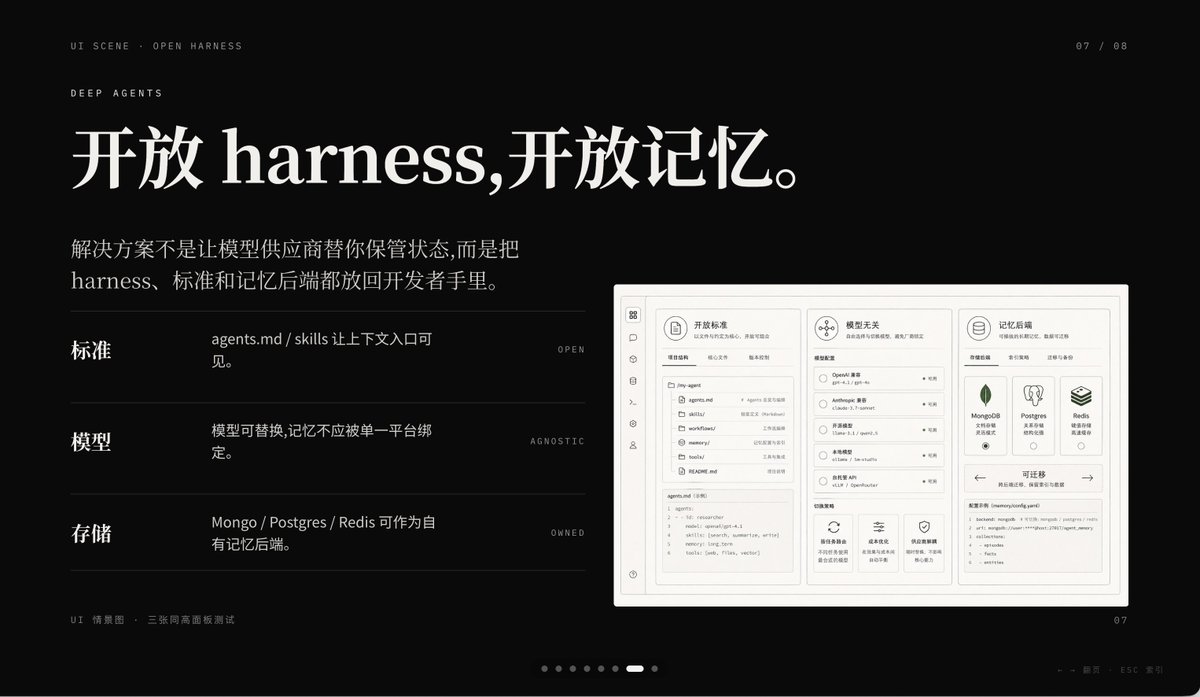
Dark AI Product Keynote Slide
A premium dark presentation slide in a minimalist editorial tech style, widescreen 16:9 layout, matte black background with refined off-white typography and subtle gray divider lines.
Fields you can change: headline text, body text.
Full prompt
A premium dark presentation slide in a minimalist editorial tech style, widescreen 16:9 layout, matte black background with refined off-white typography and subtle gray divider lines. The overall mood is sleek, cinematic, and high-end, like a product keynote or design-forward AI startup deck. In the top left, place 2 small navigation lines of text: "UI SCENE · OPEN HARNESS" and below it "DEEP AGENTS" in thin uppercase sans serif with generous tracking. In the top right, add a small page indicator reading "07 / 08". The main headline dominates the upper left in large elegant serif Chinese and English mixed typography: {argument name="headline text" default="开放 harness,开放记忆。"}. Below it, add a 2-line Chinese body paragraph in smaller serif text: {argument name="body text" default="解决方案不是让模型供应商替你保管状态,而是把 harness、标准和记忆后端都放回开发者手里。"}. In the left-middle area, create 3 horizontal feature rows separated by thin gray lines, each row using a bold Chinese label on the left, a short Chinese description in the center, and a tiny uppercase English keyword aligned right. Row 1 label: "标准", description: "agents.md / skills 让上下文入口可见。", keyword: "OPEN". Row 2 label: "模型", description: "模型可替换,记忆不应被单一平台绑定。", keyword: "AGNOSTIC". Row 3 label: "存储", description: "Mongo / Postgres / Redis 可作为自有记忆后端。", keyword: "OWNED". On the right side, place a large embedded UI mockup inside a soft light-gray rounded rectangular frame with a subtle shadow, resembling a product dashboard screenshot. The mockup should be monochrome light beige and gray, highly structured, and divided into 3 main columns. Left column: a narrow vertical icon sidebar plus a project/file panel listing items such as "agents.md", "skills", "workflows", "memories", "tools", and a code editor block at the bottom. Center column: a section titled "模型无关" with 4 selectable model rows and small controls, plus 3 feature cards along the bottom. Right column: a section titled "记忆后端" with 3 database cards for MongoDB, Postgres, and Redis, and a lower panel titled "可迁移" showing a code snippet. Include another top card in the mockup titled "开放标准" with tab-like controls. At the bottom left outside the mockup, add a tiny caption line in Chinese and English reading "UI 情景图 · 三张同高画面板测试". At the bottom center, include a carousel indicator made of 8 small dots with the 7th highlighted as a short white pill and the others as dim gray circles. At the bottom right, place a small page number "07". Also add a faint tiny footer note near the lower right edge in Chinese and English, very subtle, such as a presentation metadata line. Use precise grid alignment, lots of negative space, understated luxury, Swiss-style composition, and a polished AI-product keynote aesthetic.