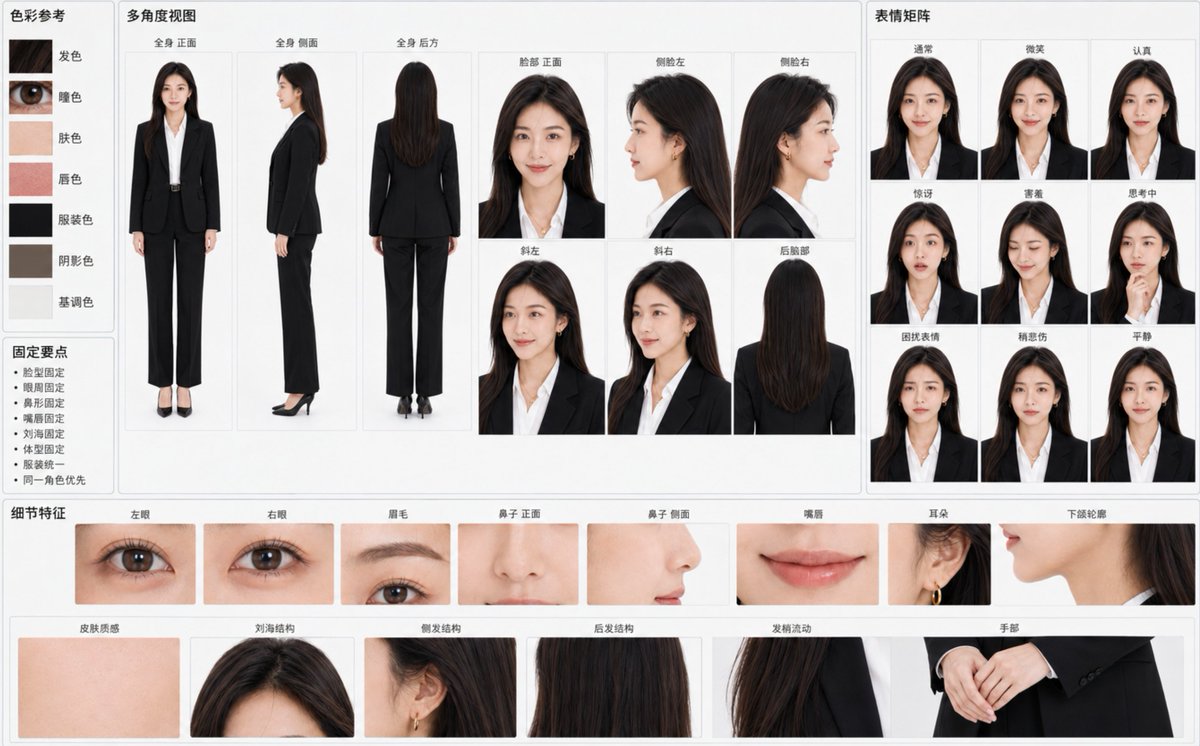
Create a "{argument name="chart title" default="Character Identity Consistency Reference Chart"}" based on the attached original character image, horizontal {argument name="ratio" default="16:10"}, {argument name="background color" default="light gray-white background"}, professional visual data board layout. The primary goal is to make all panels clearly recognizable as the exact same character at a glance, rather than multiple similar individuals.
Treat the character's identity in the reference image as an unchangeable hard constraint. Strictly lock:
- Face width-to-height ratio, cheekbones, cheeks, jawline, and chin
- Eye contours, distance between eyes, eyelid structure, and gaze temperament
- Eyebrow arch, thickness, color, and eyebrow-to-eye distance
- Bridge of the nose, tip, nostrils, and side profile nose shape
- Upper/lower lip thickness, lip peak, corners, and natural lip color
- Skin tone, pores, flush, and natural skin texture
- Hairline, parting, bangs, side hair, back hair length, and hair strand flow
- Age impression, skeletal frame, shoulder width, limb length, and overall body type
- Original clothing, original art style, light texture, and overall atmosphere
Use large panels in the center to display:
- Full body front
- Full body side
- Full body back
- Face front
- Left profile
- Right profile
- Three-quarter left
- Three-quarter right
- Back of the head
Maintain perfectly consistent skull structure, relative position of facial features, hair volume, and body proportions for every angle. The profile must accurately continue the bridge of the nose, lips, chin, and forehead structure from the front; generating different character-style profiles is prohibited.
Configure a small expression matrix on the right:
- Normal
- Smile
- Serious
- Surprised
- Shy
- Thinking
- Troubled
- Slightly sad
- Calm
Maintain the same pupils, base eye size, nose shape, lip shape, and face shape. Smiles should be natural and restrained, not changing the character's age or temperament.
Configure fine identity anchors at the bottom:
- Left eye / Right eye / Eyebrows
- Nose (front/side) / Lips / Ears
- Jawline contour / Skin texture
- Bangs / side hair / back hair structure / Hair end flow
- Hands
Add 5-7 accurate color samples on the left: hair, eyes, skin, lips, clothing, shadow, and tone color. Add minimalist "Fix Points": face shape fixed, eye area fixed, nose shape fixed, lips fixed, bangs fixed, body type fixed, clothing unified, same character priority.
Background clean, soft uniform lighting, no cinematic lighting, strong depth of field, or decorative elements. Realistic characters retain natural pores, fine hair, and slight skin tone variations; non-realistic characters strictly maintain the original image's lines, color blocks, shadows, and materials without unauthorized style conversion.
All labels use clear simplified Chinese, moderate font size, not overlapping characters. If space is insufficient, prioritize identity anchors and main angles, reduce duplicate panels, and do not force a full layout by shrinking text or sacrificing character consistency.
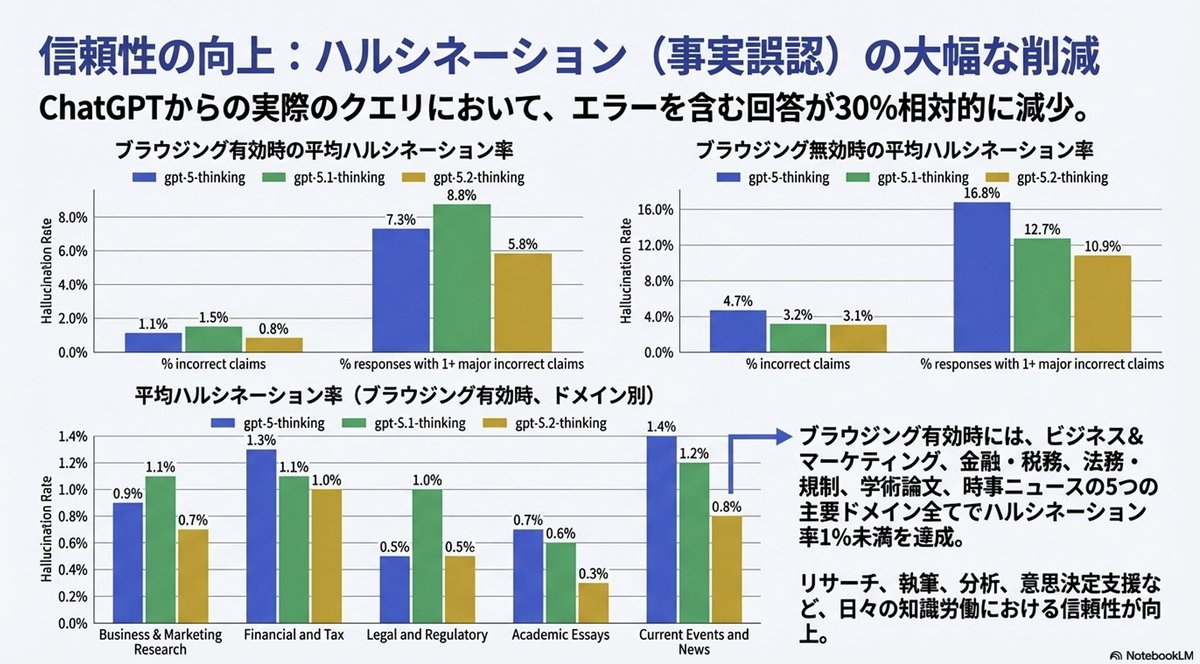
Completely reproduce the attached image as a single slide in a pptx file.
Make the text fully editable, and crop and use the diagrams and graphs from the original image as they are.
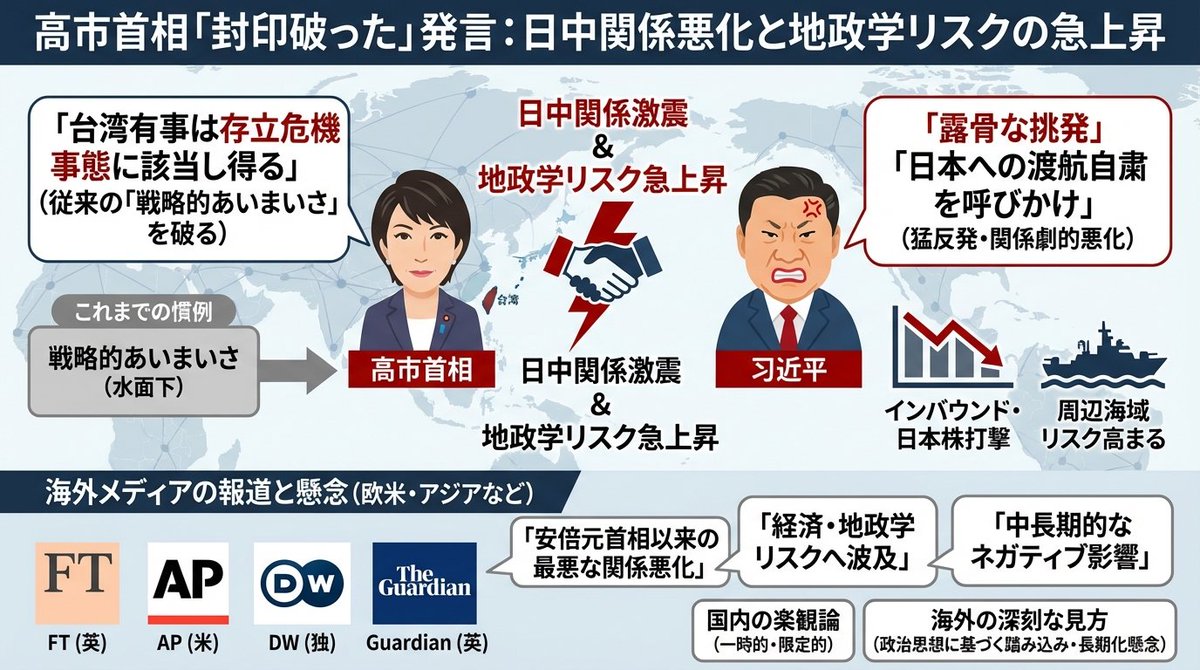
Generate an image that clearly summarizes the following {argument name="news_source_en" default="Yahoo News"} article in a single slide, using diagrams and illustrations.
---
{argument name="news_body_en" default="{paste the Yahoo News article here}"}
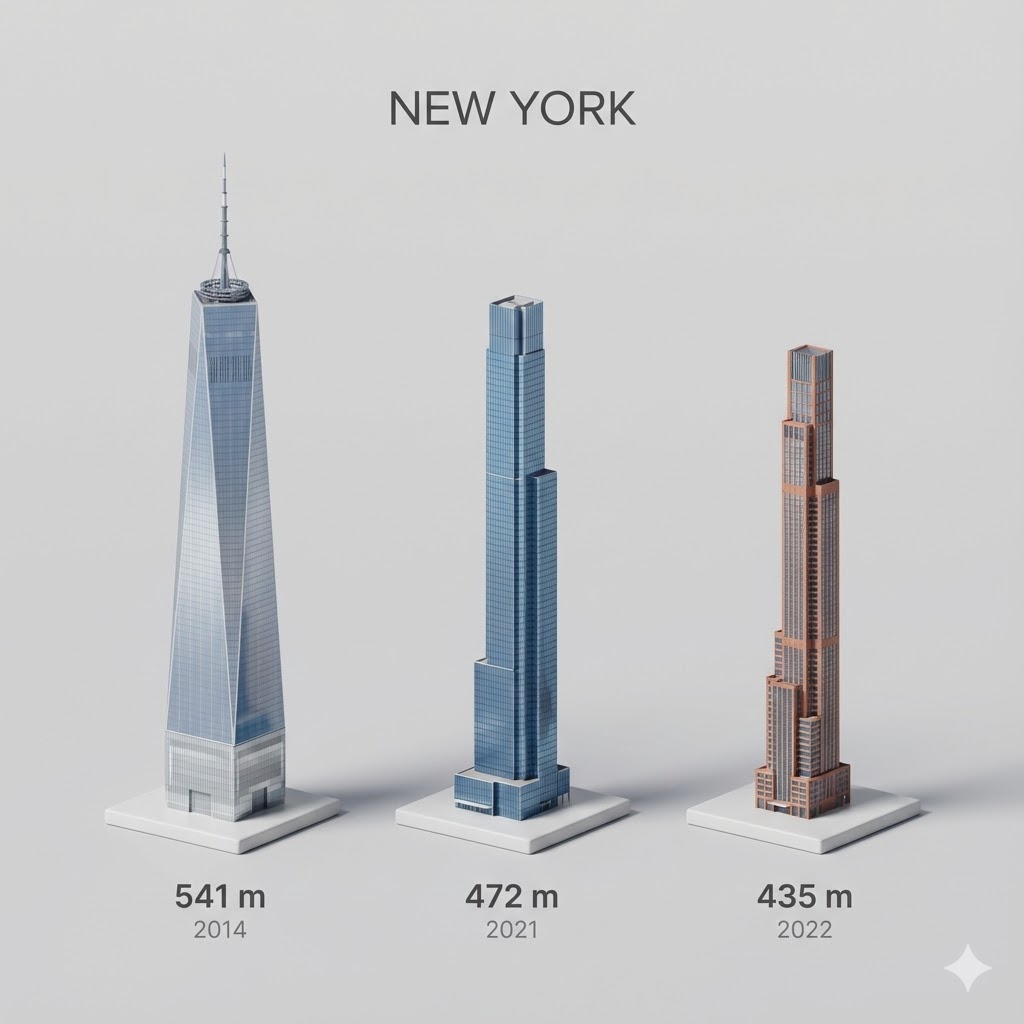
Present a clear, side miniature 3D cartoon view of the tallest buildings in {argument name="city in English" default="YOUR CITY"}. Use minimal textures with realistic materials and soft, lifelike lighting and shadows. Use a clean, minimalistic composition showing exactly the three tallest buildings in {argument name="reference city in English" default="Sopot"}, arranged from left to right in strict descending height order. The tallest must appear visibly tallest, the second must be clearly shorter than the first, and the third must be clearly shorter than the second.
All buildings must follow accurate relative proportions: if a building is taller in real life, it must be taller in the image by the same approximate ratio. No building may be visually stretched or compressed.
Each building should stand separately on a thin, simple ceramic base. Below each base, centered text should display:
Height in meters — semibold sans-serif, medium size
Year built — lighter-weight sans-serif, smaller size, directly beneath the height text
Provide consistent padding, spacing, leading, and kerning. Write “{argument name="city name title" default="YOUR CITY NAME"}” centered above the buildings, using a medium-sized sans-serif font.
No building top should overlap or touch the text above. Use accurate architectural proportions based on real-world references. Maintain a consistent camera angle and identical scale for each building model.
No forced perspective. Use straight-on orthographic-style rendering. Do not exaggerate or stylize size differences beyond proportional accuracy.
Use a square 1080×1080 composition. Use a clean, neutral background. Ensure no extra objects are present.
I want an illustrated diagram explaining the roles of dopamine and D2 receptors in the synaptic cleft between neurons, and how they relate to schizophrenia. Antipsychotic drugs exert their effects by blocking D2 receptors. Please diagram this for the three cases: healthy person | hallucination and delusion state | under antipsychotic medication. Generate a horizontally oriented image.