Editorial / Poster
Multi-Font Text Generation and Control
Full prompt
Please display the following string using the specified fonts.
Express the background in white and the text in black.
Generate 9 types of fonts in one go.
# String
{argument name="string 1" default="Nano Banana Proでフォントを再現"}
# Desired Fonts
Mincho (Serif)
Gothic (Sans-Serif)
Reisho (Clerical Script)
Kanteiryu (Kabuki Font)
Handwritten
Decorative/Title (Display)
Horror
Cyber/SF (Tech)
Calligraphy (Script)
Furthermore, you can specify a particular font for a specific part of the string.
Prompt:
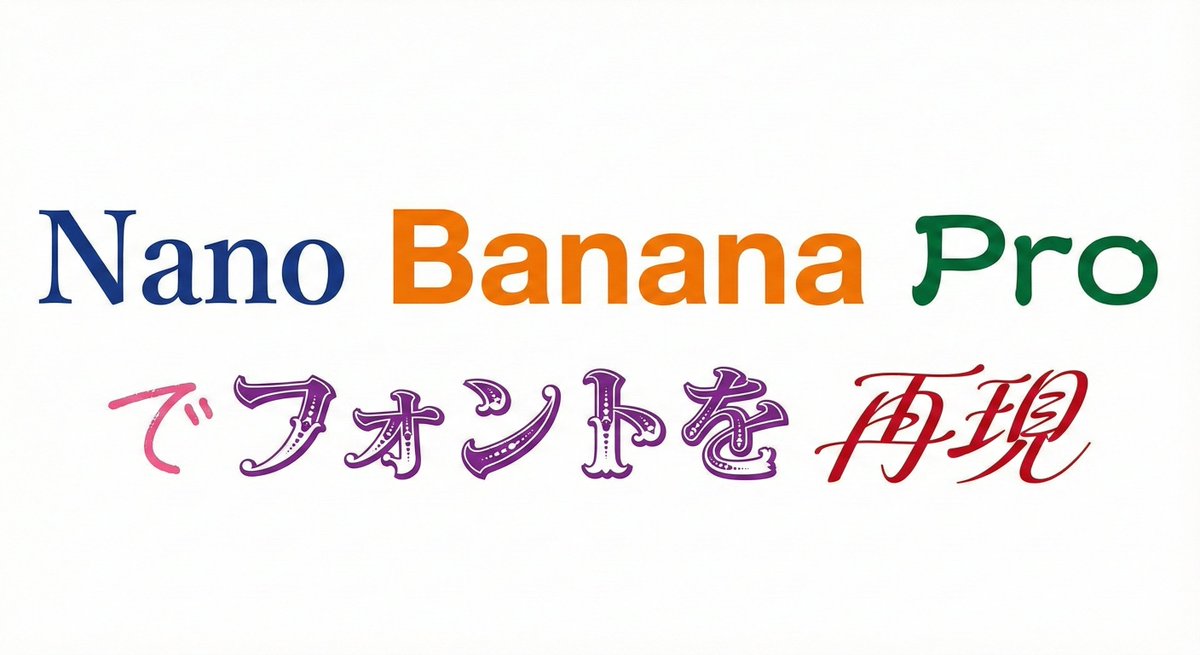
Please display the following string using the specified fonts.
Express the background in white and change the color of the text for each font.
# String
{argument name="string 2" default="Nano Banana Proでフォントを再現"}
# Desired Fonts
Nano: Mincho (Serif)
Banana: Gothic (Sans-Serif)
Pro: Reisho (Clerical Script)
で: Handwritten
フォントを: Decorative/Title (Display)
再現: Calligraphy (Script)
View original prompt
以下の文字列を指定のフォントで表記してください 背景は白、文字は黒で表現して下さい。 9種のフォントを1回で生成してください。 # 文字列 {argument name="文字列1" default="Nano Banana Proでフォントを再現"} # 再現したいフォント 明朝体(Serif) ゴシック体(Sans-Serif) 隷書体(Reisho) 勘亭流(Kanteiryu) 手書き風(Handwritten) デコラティブ/タイトル系(Display) ホラー系(Horror) サイバー・SF系(Tech) カリグラフィ(Calligraphy / Script) さらに文字列の特定の部分に特定のフォントを指定することもできる プロンプト: 以下の文字列を指定のフォントで表記してください 背景は白、文字は各フォントで色を変更して下さい。 # 文字列 {argument name="文字列2" default="Nano Banana Proでフォントを再現"} # 再現したいフォント Nano :明朝体(Serif) Banana :ゴシック体(Sans-Serif) Pro:隷書体(Reisho) で:手書き風(Handwritten) フォントを:デコラティブ/タイトル系(Display) 再現:カリグラフィ(Calligraphy / Script)