Editorial / Poster
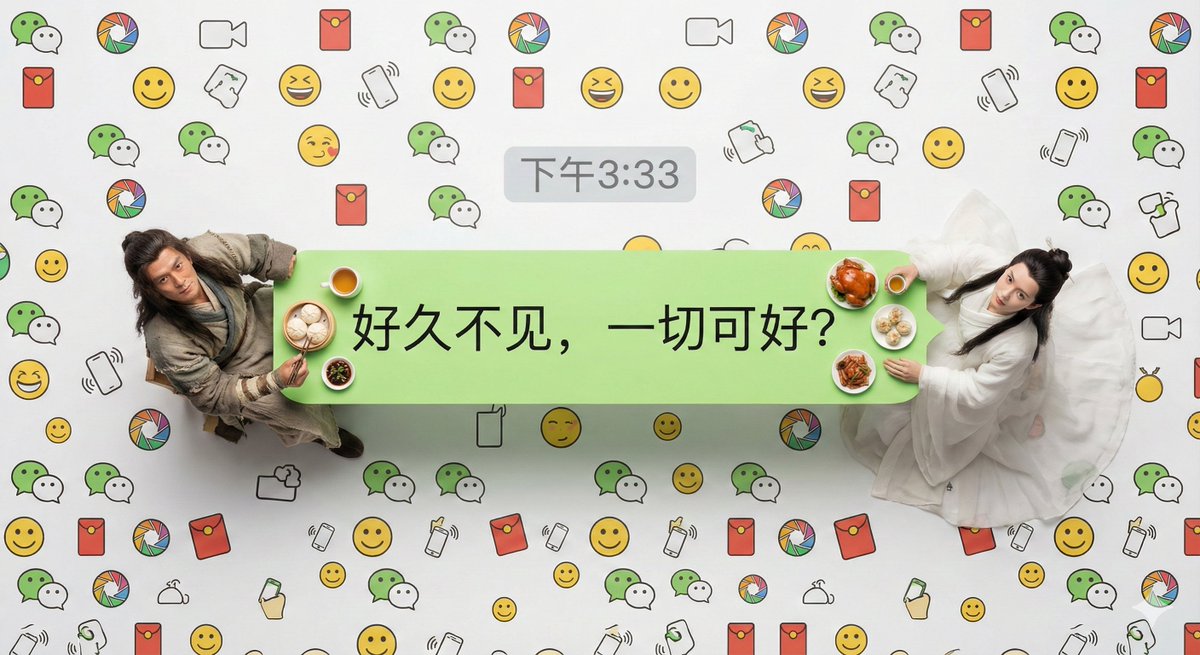
Hyper-Realistic Miniature Scene in a WeChat Chat Bubble
Full prompt
Designated characters: Two real, living people scaled down to miniature size, see reference image
Text content: {argument name="text content" default="[Text content]"}
Timestamp: {argument name="timestamp" default="3:33 PM"}
Hyper-realistic overhead macro photography work. The main subject is a standard WeChat sender's light green chat bubble, which is used as a long dining table. [Designated characters] sit at both ends of the bubble.
Key character details: Emphasize that they are absolutely not plastic models; they have clearly visible skin pores, natural hair details, and extremely realistic fabric textures and wrinkles. They are enjoying miniature models of real food that looks steaming hot and freshly cooked, appropriate for their character identity, and looking up at the camera.
WeChat unique visual elements: The interior of the chat bubble only contains the text content: “{argument name="text content" default="[Text content]"}”. A gray WeChat-style timestamp: “{argument name="timestamp" default="[Timestamp]"}” is displayed centrally directly above the chat bubble.
Background details: The entire background is completely filled with a high-density, seamless custom WeChat theme line pattern (including WeChat's iconic double bubble Logo, Moments icon, Red Packet icon, “Shake” gesture, classic yellow face emojis, etc. line art), covering the entire frame from edge to edge without gaps, mimicking a dense chat background wallpaper style.
Technical parameters: Uses professional studio-grade macro lighting, emphasizing texture, 8K ultra-high resolution, with extremely sharp focus across the entire plane.
View original prompt
指定人物:两个缩小到微缩比例的真实的活人,见参考图 文字内容:{argument name="文字内容" default="[文字内容]"} 时间戳:{argument name="时间戳" default="下午3:33"} 超写实主义的俯拍微距摄影作品。主体是一个标准的微信发送方浅绿色聊天气泡框,它被当作一张长餐桌。[指定人物]坐在气泡框的两端。 关键人物细节:强调他们绝不是塑料模型;他们拥有清晰可见的皮肤毛孔、自然的头发细节以及极其逼真的布料纹理和褶皱。他们正在享用看起来热气腾腾、新鲜烹饪的符合人物身份的真实食物微缩模型,抬头看向镜头。 微信独有视觉元素:气泡框内部只有文字内容:“[文字内容]”。在气泡框的正上方外部,居中显示一个灰色的微信风格时间戳:“[时间戳]”。 背景细节:整个背景完全被高密度的、无缝连接的定制微信主题线条图案所填满(包含微信标志性的双气泡Logo、朋友圈图标、红包图标、“摇一摇”手势、经典黄脸表情包等线条艺术),从边缘到边缘覆盖整个画面,没有空隙,模仿密集的聊天背景壁纸风格。 技术参数:采用专业演播室级微距布光,强调质感,8K超高分辨率,整个平面焦点极其锐利。