Diagram / Infographic
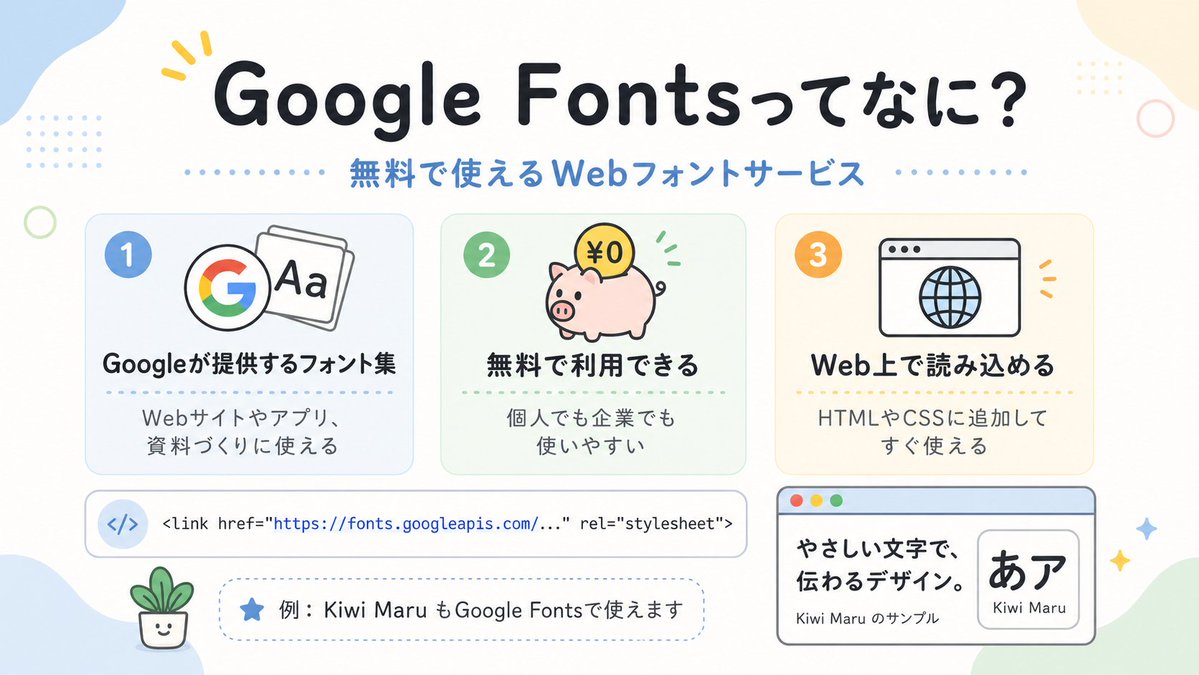
Cute Google Fonts Japanese Infographic
A clean, cute Japanese infographic on a soft off-white background with rounded pastel abstract corner blobs and tiny decorative dots and rings, designed like a friendly web-design explainer poster.
Fields you can change: headline text, subheadline text, example text, font sample name.
Full prompt
A clean, cute Japanese infographic on a soft off-white background with rounded pastel abstract corner blobs and tiny decorative dots and rings, designed like a friendly web-design explainer poster. At the top center, place a large bold rounded headline in Japanese reading {argument name="headline text" default="Google Fontsってなに?"}, in very dark navy, with a small yellow accent mark near the first word. Directly below it, add a medium-size blue subheading reading {argument name="subheadline text" default="無料で使えるWebフォントサービス"}, with dotted divider lines extending left and right. In the middle, arrange exactly 3 rounded rectangular feature cards in a horizontal row, evenly spaced. Card 1 is pale blue with a blue number badge "1" in the upper left, an icon showing the multicolor Google G beside overlapping font sheets with "Aa", a bold Japanese title "Googleが提供するフォント集", and smaller text below "Webサイトやアプリ、資料づくりに使える". Card 2 is pale mint green with a green number badge "2", an icon of a pink piggy bank with a gold coin labeled "¥0" and small green motion marks, a bold title "無料で利用できる", and smaller text "個人でも企業でも使いやすい". Card 3 is pale warm cream with an orange number badge "3", an icon of a simple browser window with a globe, a bold title "Web上で読み込める", and smaller text "HTMLやCSSに追加してすぐ使える". Below the three cards, place a wide horizontal white code bar with rounded corners and a subtle outline; on the left include a pale blue circular icon containing </>, and to the right show a single line of code in a monospaced style: "<link href=\"https://fonts.googleapis.com/...\" rel=\"stylesheet\">" with the URL in blue. Under that, add a dashed rounded pill-shaped note box containing a blue star icon and Japanese text {argument name="example text" default="例:Kiwi Maru もGoogle Fontsで使えます"}. At the bottom left, place a tiny smiling potted plant illustration. At the bottom right, add a larger browser-style sample panel with a light blue title bar and three small traffic-light circles in the top left; inside, on the left, show bold Japanese sample copy "やさしい文字で、伝わるデザイン。" and smaller text "Kiwi Maru のサンプル", and on the right a rounded white inset card displaying large black Japanese characters "あア" with the font name {argument name="font sample name" default="Kiwi Maru"} beneath. Scatter 4 small sparkle/star accents around the lower right area. Use a flat vector illustration style, crisp outlines, soft pastel palette, centered composition, generous spacing, rounded sans-serif typography, and a cheerful beginner-friendly tech education aesthetic.