Editorial / Poster
Cinematic Sunset Mosque Landscape
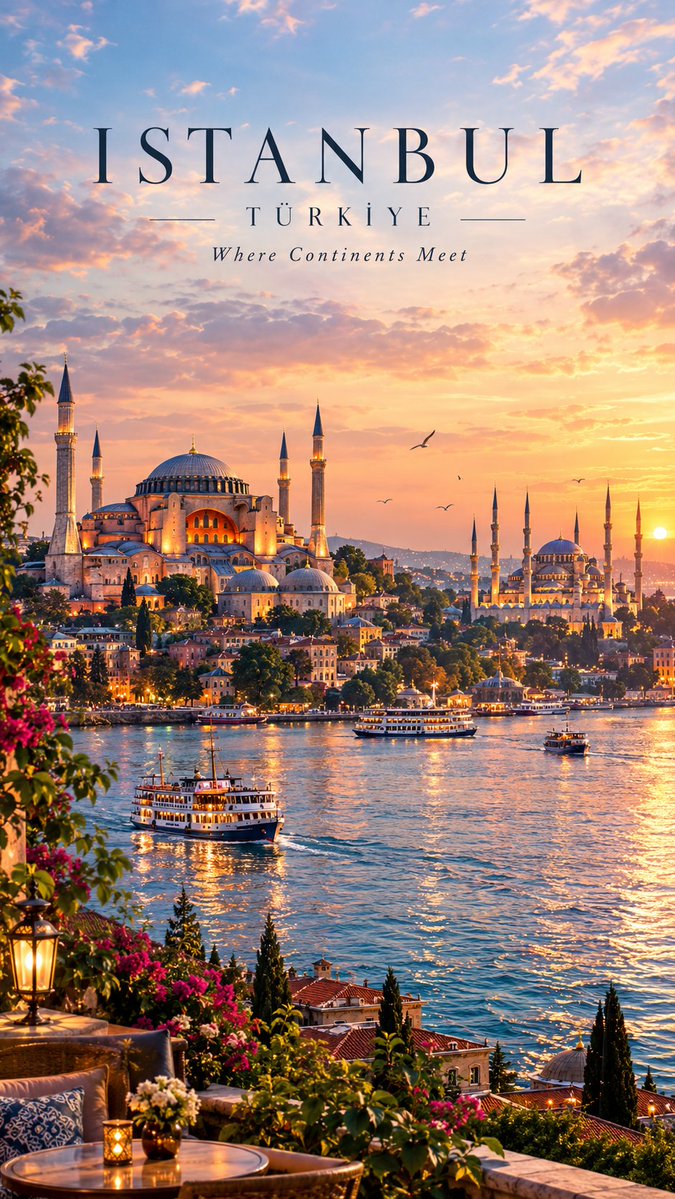
\n\nSCENE\nCombine the key elements from both images into one natural-looking destination. \n\nCreate a wide scenic waterfront view with historic architecture on one side and the castle and mountains on the other.
Fields you can change: landscape style, landmark, background elements.
Full prompt
Turn the two reference images into one breathtaking, ultra-realistic cinematic {argument name="landscape style" default="travel landscape"} with a seamless sunset animation loop.\n\nSCENE\nCombine the key elements from both images into one natural-looking destination. Include the {argument name="landmark" default="grand Ottoman-style mosque"} with multiple minarets and domes, Istanbul-style waterfront and boats from the first image, together with the {argument name="background elements" default="peaceful alpine lake, colorful European village, dramatic snow-capped mountains and beautiful hilltop stone castle"} from the second image.\n\nCreate a wide scenic waterfront view with historic architecture on one side and the castle and mountains on the other. Add colorful flowers, green trees, Mediterranean plants, a vintage lantern and an elegant terrace with a small café table in the foreground.\n\nSUNSET & LIGHTING\nBeautiful golden-hour sunset with pastel blue, pink, peach and orange clouds. Warm sunlight illuminates the mosque, castle, village, mountains and boats. The lake reflects the sunset, buildings and mountains with realistic gentle ripples and golden reflections.\n\nANIMATION\nCreate 16 consecutive frames of a smooth seamless loop. Animate only subtle environmental movement: slowly drifting clouds, gentle water ripples, boats moving slightly, birds flying in the distance, flowers and tree leaves softly moving in the breeze, and subtle candle/lantern flickering.\n\nKeep the camera completely fixed. Keep the mosque, castle, mountains, houses and all major objects perfectly consistent across every frame. Frame 16 must smoothly transition back into Frame 1.\n\nSTYLE\nUltra-realistic cinematic travel photography, luxury tourism advertisement, breathtaking golden-hour atmosphere, realistic architecture, detailed mountains, natural vegetation, beautiful water reflections, atmospheric depth, high dynamic range, rich but natural colors, professional photography, photorealistic 8K quality.\n\nCAMERA\nWide cinematic landscape view, 24mm lens, stable locked camera, natural perspective, realistic depth of field, consistent framing and lighting across all frames.\n\nANIMATION SETTINGS\n16 frames, approximately 2.2-second complete loop, smooth continuous GIF animation, no camera movement, no flickering.\n\nNEGATIVE PROMPT\ncartoon, anime, painting, CGI, 3D render, low quality, distorted buildings, warped mosque, crooked minarets, malformed castle, distorted mountains, duplicated boats, floating objects, unrealistic reflections, fake water, excessive fog, oversaturated colors, extreme HDR, blurry image, motion blur, camera shake, zoom, flickering, morphing buildings, changing architecture, disappearing objects, duplicated birds, unnatural clouds, image seams, visible collage, text, logo, watermark, border, black bars, artifacts.