- What is LetterStrike about?
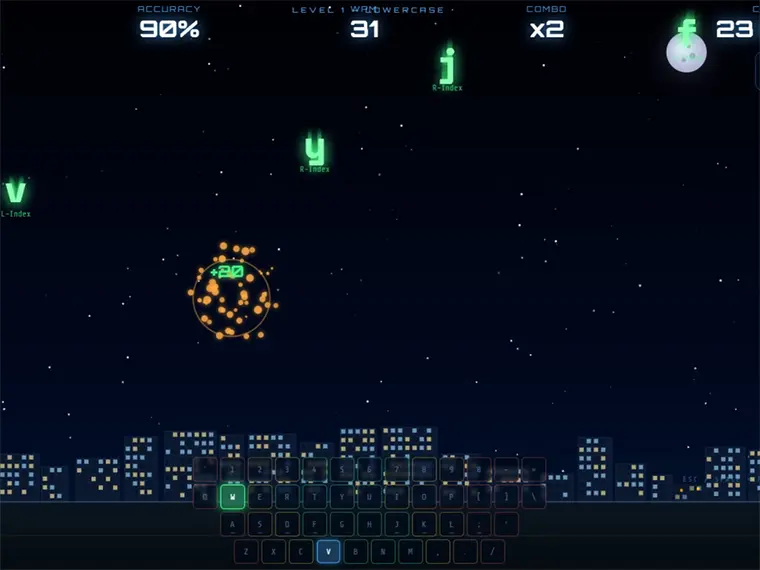
- Controls / Instructions: Type the falling letters on your keyboard to destroy them before they hit your buildings. On mobile, tap the letters to activate the on-screen keyboard. Press P to pause. Complete all 5 levels to defend your city! Who is the audience: Select Mixed ✅ (already selected)
- Can we play LetterStrike on mobile?
- Yes, LetterStrike can be played on mobile devices as well as on desktop computers. It runs directly in the browser and does not require any downloads.
- Is LetterStrike free to play?
- Yes, LetterStrike is free to play on Y8 and runs directly in your browser.
- Can we play LetterStrike in full screen mode?
- Yes, LetterStrike can be played in full screen mode for a more immersive experience.
- What kind of game is LetterStrike?
- LetterStrike is a touch typing defense game that combines fast keyboard skills with arcade-style city defense action.
- What makes LetterStrike fun to play?
- The game is fun because players must quickly type falling letters before they destroy buildings, creating a fast and satisfying mix of learning and action.
- Does LetterStrike reward timing and precision?
- Yes, the game strongly tests timing and reactions since letters fall at different speeds and players need to respond quickly to protect the city.
- Is LetterStrike easy to pick up for beginners?
- Yes, the game includes a built-in touch typing tutorial and finger placement guide, making it beginner-friendly even for new typists.
- Does LetterStrike get more challenging as we play?
- Yes, the difficulty increases across 5 progressive levels, starting with simple lowercase letters and eventually reaching intense rocket attack modes.